Repository navigation
Home

Your LibreNMS network, right on your desktop.
Find an alert, check a device, follow its traffic and keep the information you need on your dashboard. This guide walks you through the jobs you do in DashyNMS.
Website · Downloads · Report a problem
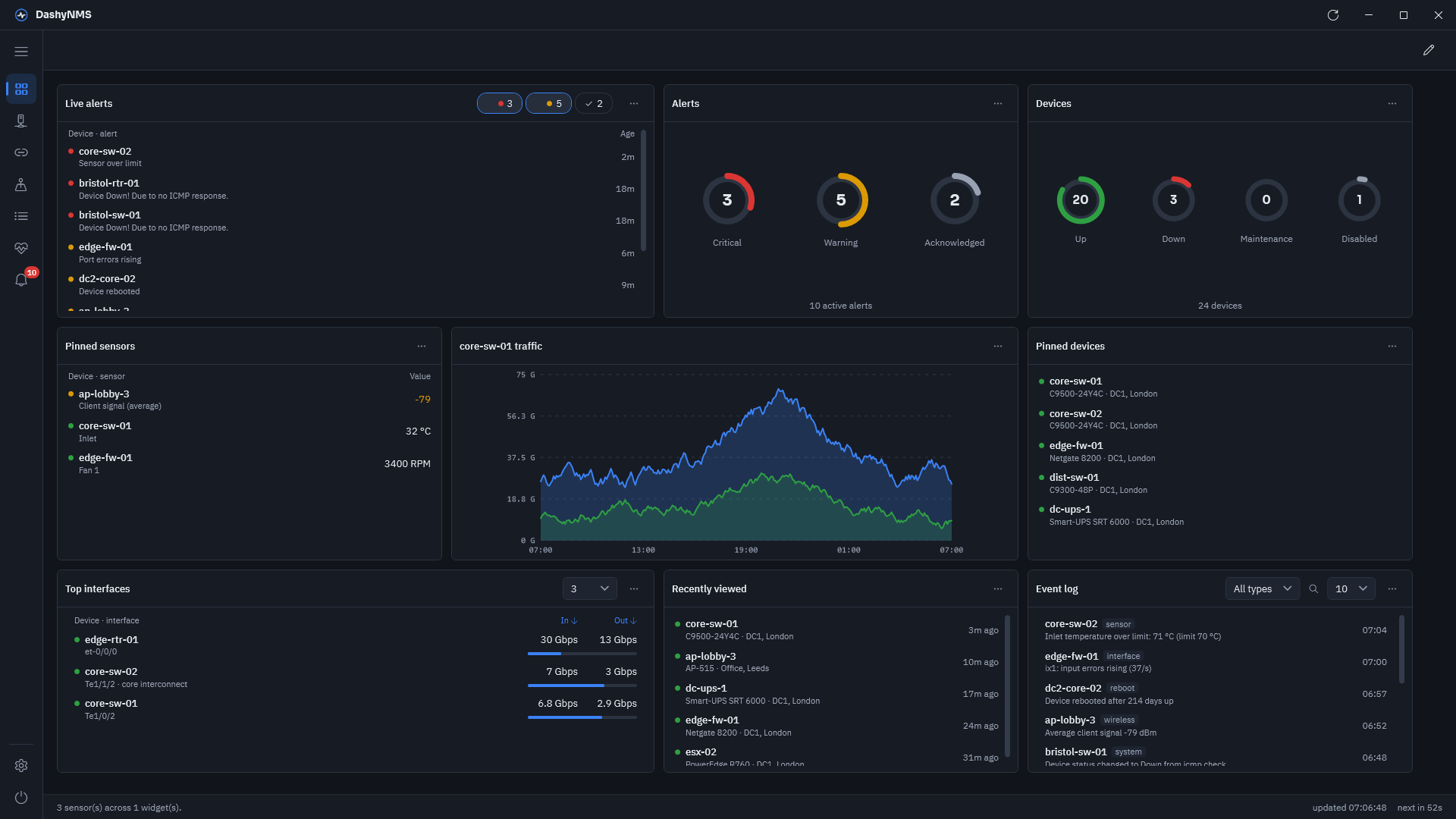
These pages cover DashyNMS 2.0 for Windows, macOS and Linux. While 2.0 is in preview, download a preview release to follow along. Some controls depend on your LibreNMS permissions and the data your server collects.
- Getting started: requirements, first sign-in and a tour of the app.
- Install on Windows
- Install on macOS
- Install on Linux
Try Try the demo on the sign-in window if you want to explore before connecting your server.
- Build your dashboard: add widgets, pin sensors and focus log cards on a site.
- Investigate and acknowledge alerts: find what fired, record a note and export a handover list.
- Choose which alerts notify you: reduce noise and set quiet hours.
- Investigate a device: check ports, compare graphs and follow neighbours.
- Schedule maintenance and rediscover devices: plan work on one device or a selection.
- Search and export logs: trace events and save the entries you have loaded.
- Find anything with Network Search: see which switch port, VLAN and router an address or MAC address is on.
- Use maps and health readings: find related devices and check sensor limits.
- Ask about your network with Intelligence: set up ChatGPT, Codex, Claude Code, GitHub Copilot or Gemini, choose who answers, and give Dashy a personality.
- Manage alert rules: review conditions and targets before changing shared alerting.
- Connect Graylog and Unimus: add messages and configuration backups to device investigations.
- Change your connection and desktop settings: set a backup address, appearance and start-up behaviour.
- Troubleshooting: connection failures, missing data, notifications and useful bug reports.
- Where DashyNMS keeps your data: saved settings, credentials and how to start again.
- Differences between Windows, macOS and Linux: tray behaviour, updates and password storage.
If a task is missing from this guide, open an issue with what you were trying to do. For a security problem, use the security reporting instructions.