Repository navigation
Manage alert rules
Alert rules belong to LibreNMS and affect everyone using the server. Use local notification settings if you only want fewer popups on this computer.
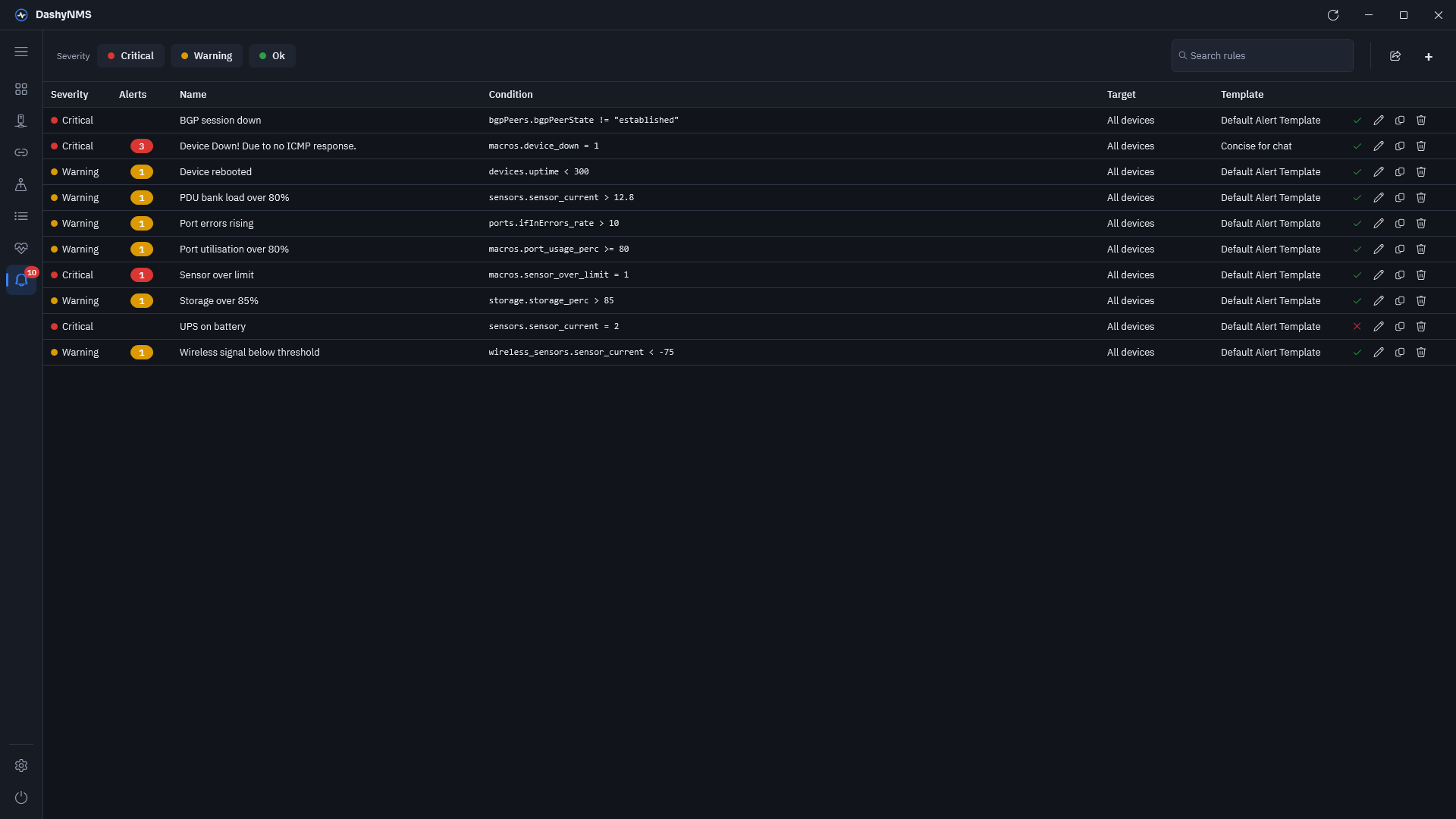
- Open Rules and search by name, severity, notes or target.
- Read the rule's condition, target and template in the list.
- Choose Edit this rule to inspect its full definition.
- Check which devices, groups or locations it covers before changing it.
Your LibreNMS permissions determine which create, edit and delete actions are available.
- Choose Add rule, or Duplicate this rule on a suitable existing rule.
- Give it a name that describes the fault an operator should investigate.
- Build its conditions. AND requires the conditions in a group to match together; OR allows alternatives.
- Check the target selection so the rule covers the intended equipment.
- Review the severity and template, then choose Save.
- Reopen the rule and check the saved definition. Review its alerts after LibreNMS has evaluated it.
Importing conditions from another rule replaces the condition tree. Review the imported conditions alongside the target and other settings before saving.
If the editor cannot read stored conditions, it shows them as stored and preserves them. Use LibreNMS's web interface for that rule, or deliberately replace its conditions through the import option.
Select the intended rules and choose Enable or Disable. Check every selected row before applying a bulk action. Disabling a rule affects server alerting, rather than just notifications on your desktop.
For a planned outage limited to particular devices, schedule maintenance rather than disabling a rule that also protects other equipment.
The advanced editor can use a custom query instead of SQL derived from the main conditions. This changes how LibreNMS evaluates the rule. Keep that work with someone who understands the database and review the target and query together before saving.