Repository navigation
Installation
You need Hakchi2 CE.
| Build | Use it when |
|---|---|
options_menu |
Almost always |
options_menu_compat |
You have an hmod that replaces the console's libstdc++ (e.g. RetroArch 1.8.4 Xtreme SC) and the menu doesn't open with the normal build. It ships its own copy (~225 KB more) |
Installing one removes the other.
-
In hakchi, choose Modules → Manage mod repositories:
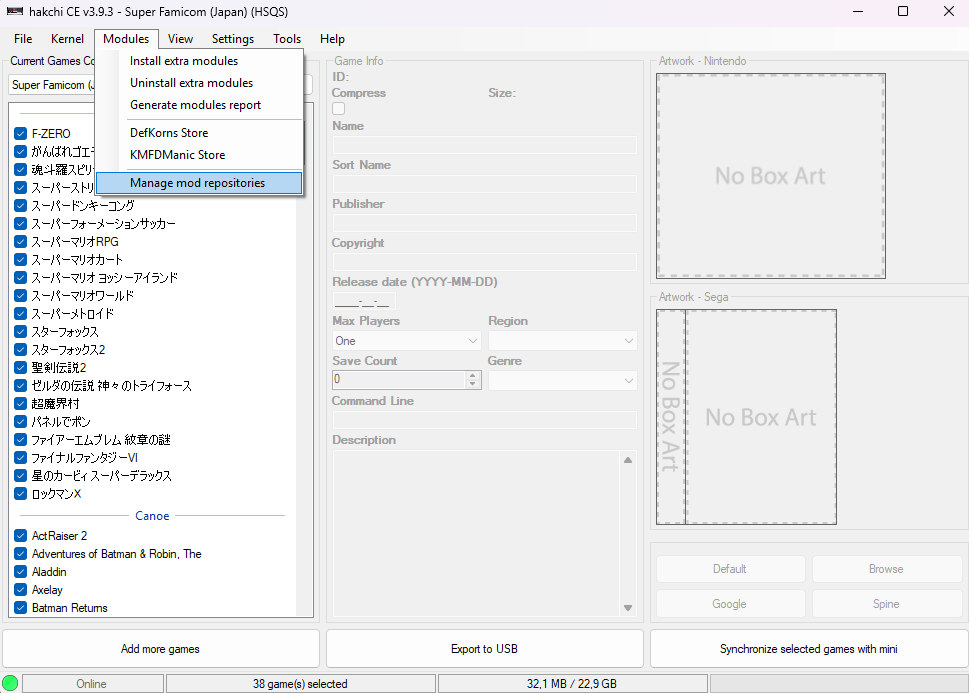
-
Under Add New Repository, enter a name (e.g.
DefKorns Store) and this URL, then click Add Repository:https://defkorns.github.io/hakchi-repo/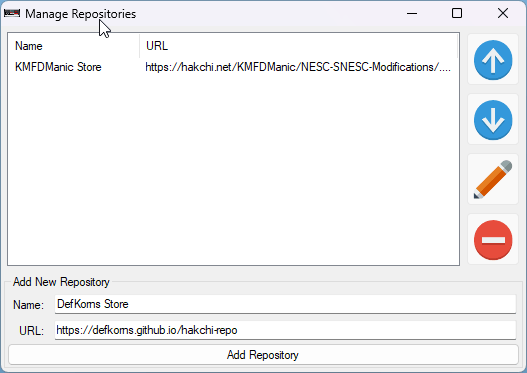
-
Open it from Modules → DefKorns Store:
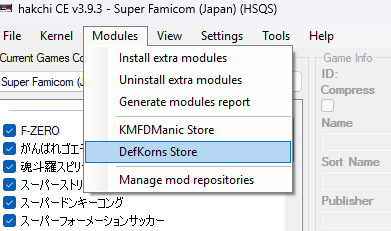
-
In the Options Menu tab, select Options Menu (or Options Menu (compat)) and click Download and Install Module:
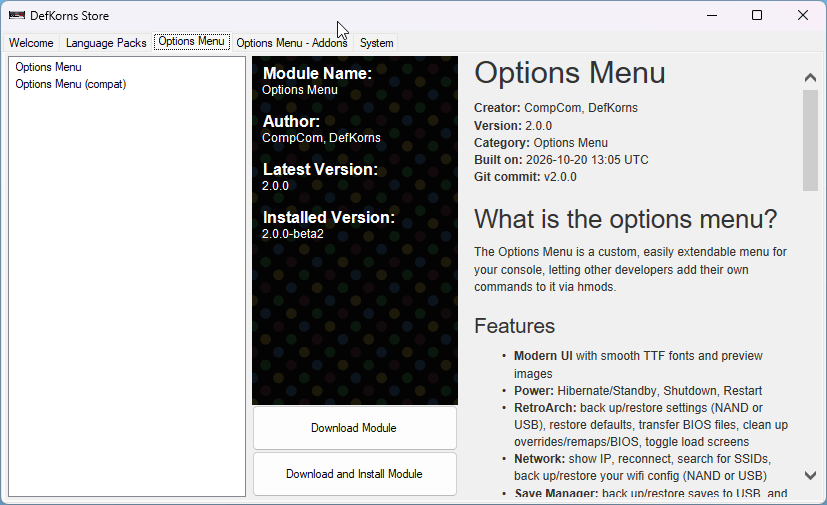
New versions show up in the hub automatically: each mod's page shows its Latest Version next to your Installed Version.
- Download
options_menu.hmod(oroptions_menu_compat.hmod) from Releases. - Put it in hakchi's
user_modsfolder, or drag and drop it onto the hakchi window. - Install it from Modules → Install extra modules.
Just install the new version over the old one. Installing also removes:
- CompCom's Options Menu (
options_deluxe…) and older builds of this one - the old Hibernate mod and the Hakchi Options load-screen toggle, which are now part of the menu
Your button combo, language and Home combo settings are kept.
From hakchi, Modules → Uninstall extra modules, or from the console itself with Advanced Options → Module Uninstaller. Mods that plug into the menu stop working without it.