User Guide
TODO
TODO
TODO link to src/main/resources/studies and explain format
By default DeliberateQ uses Spearman's correlation coefficient. To specify another type, add a system property on startup:
java deliberate-q.jar -Dcc=PEARSONSValid values for the cc option are PEARSONS, SPEARMANS, CONCORDANCE.
Welcome to DeliberateQ. Below I’ve provided a very brief run through of how to do a basic analysis.
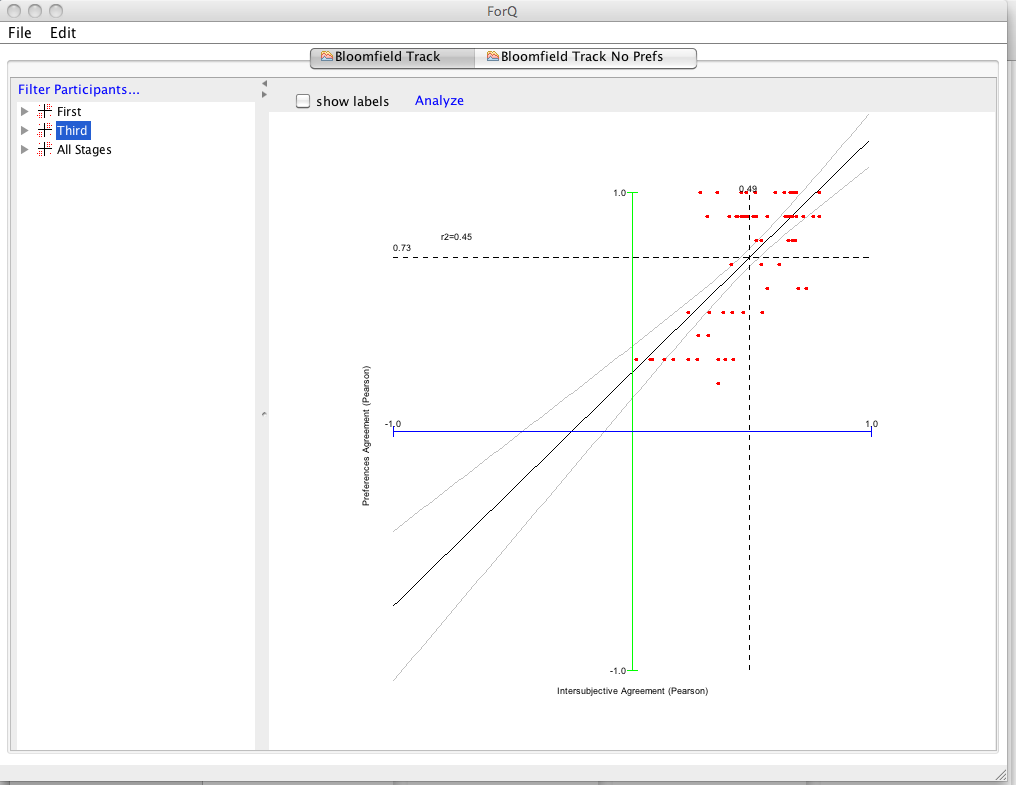
The thing to remember about this software is that it has been developed to do more than what is usually done in Q analysis. For example: I do analyses that combine Q data with preference data to explore the relationships at stages of a longitudinal study (usually before and after deliberation). The figure below shows an example of an Intersubjective Consistency plot. This will not be relevant to most studies.

This version of the program also works Q data along (i.e. without preference data) so it's more accessible for other kinds of users.
To get familiar with the software, the easiest thing to do is to load the built in data using the file menu (select “Open Sample Studies”) this load the Bloomfield Track case study data.