Repository navigation
Filters and Search
The filter bar takes Wireshark's display filter syntax:
tcp.port == 443, dns.flags.rcode != 0, http.request.method == "POST",
ip.addr == 10.0.0.0/8 && !arp.
- Checked as you type: the bar turns red when tshark refuses the filter and underlines the part it refused; fields, operators and values are colored.
-
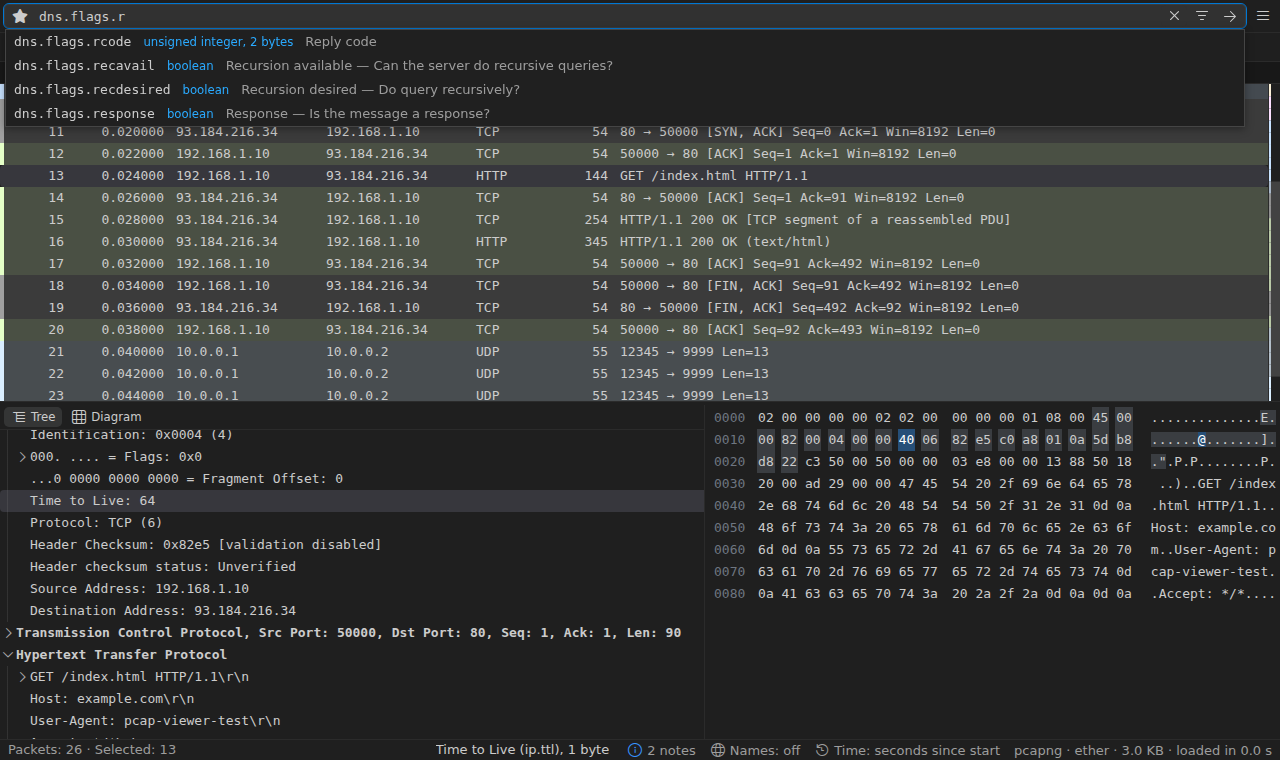
Autocomplete from tshark's own field list (your Lua dissectors' fields
too), with each field's type and description.
Tabtakes the first suggestion,Ctrl+Spacelists operators;Enteralways applies. -
History, saved filters and buttons: the ★ button saves the filter or
picks a saved one (
pcapViewer.savedFilters); the toolbar's + adds a one-click filter button (pcapViewer.filterButtons). - Streaming: matches appear as tshark finds them, with a progress bar; ■ stops a long filter and keeps the matches found so far.
-
When nothing matches, the list says why: a field that occurs in no
packet, or a case-sensitive comparison (with a
lower(…)suggestion), and offers to clear the filter, go back to the previous one or build another.
PCAP: Build Display Filter… (the bar's build button, or Build Filter from Field… in the details menu) finds a field by name or description, offers the relations its type allows and the values seen in the capture with their counts, and combines the result with the current filter (replace, and, or, and not).
Right-click a field, a list cell or a statistics row for Apply as Filter › or Prepare as Filter ›: Selected, Not Selected, and with a filter applied, …and / …or (not) Selected. The row menu's Conversation Filter › filters by the packet's Ethernet, IP, TCP or UDP conversation.
PCAP: Find Packet… (Ctrl+F) searches by display filter, text, regular
expression or hex bytes; text is searched in the packet bytes, the list's
columns or the details, case-sensitive or not. F3 and Shift+F3 go to the
next and previous match; matches show in the overview strip.
-
Go to Packet (
Ctrl+G), first and last (Ctrl+Home,Ctrl+End). -
Frame links: fields that name another packet (a response's request,
a reassembled message's segments) are links;
Alt+LeftandAlt+Rightgo back and forward through the jumps. Rows related to the selected packet get a mark in the list. -
Conversation stepping:
Ctrl+.andCtrl+,go to the next and previous packet of the same conversation.
PCAP: Name Resolution… chooses which names replace addresses and ports:
MAC vendors, IP host names from the capture's DNS answers and your hosts
file, transport port names. Looking names up on the network is off unless
you allow it (pcapViewer.nameResolution.external). Filters on a cell with
a name use its address.