Repository navigation
Statistics and Analysis
Every report opens in a panel beside the capture (or below it:
pcapViewer.panelPlacement), can be limited to the current display filter,
and leaves out ignored packets. Its rows apply or prepare a filter, go to a
packet or copy; right-click a row for the full menu. The statistics are in
the editor title's chart menu and in ☰ › Statistics.
Filter rows (Ctrl+F, ⌘F on macOS) narrows a table to the rows holding every word you type, in any column, without running tshark again: a host name in HTTP Requests, an address in Conversations. In a tree (Protocol Hierarchy, HTTP, DNS) a match keeps its parent rows and its own children. Esc clears it; Copy as CSV copies the rows shown.
Capture Overview shows the capture on one page: totals and rates, packets or bytes over time (click a bar to filter that interval), the busiest addresses, protocols, TCP services, HTTP methods, status codes and hosts, DNS results and names, and TLS versions and server names. Every row applies its filter, and every card opens its full report.
- Capture File Properties: packets, times, size, link type, format.
-
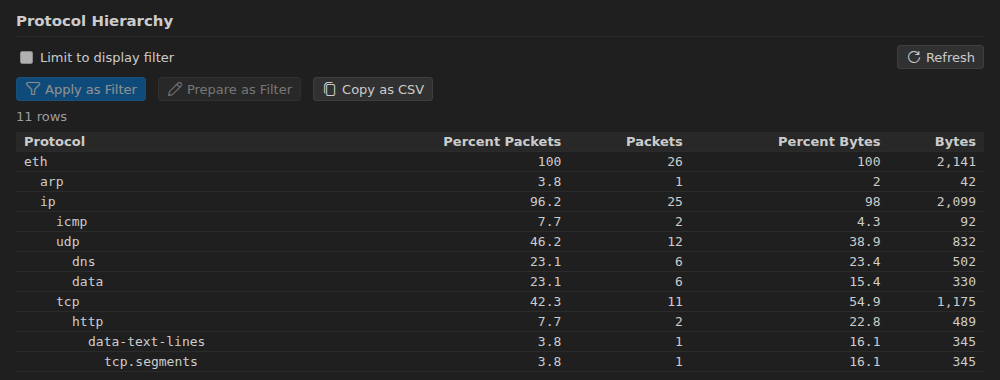
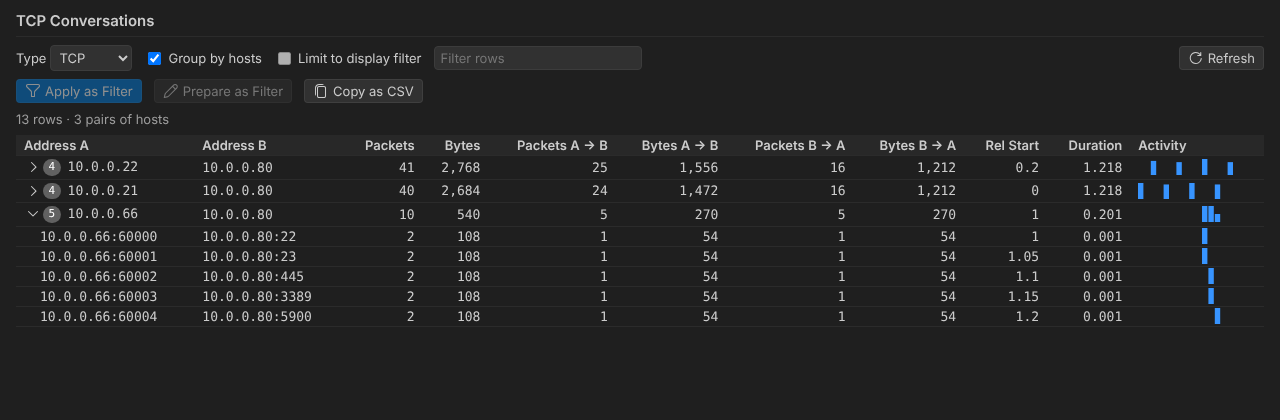
Protocol Hierarchy, Conversations and Endpoints (Ethernet,
IPv4, IPv6, TCP, UDP). Each conversation and endpoint gets an
Activity chart: its bytes over the capture, in intervals shared by
every row (each row on its own scale; hover one for its busiest
interval), so bursts, steady streams and late starts stand out. The
charts come a moment after the rows: they need one more pass over the
capture. Group by hosts (TCP and UDP conversations) puts one row per
pair of hosts: its totals (each connection's directions turned to the
pair's), first start, span and activity, and a filter for the pair's
traffic; its button shows how many connections it holds and opens them
beneath it. Sorting sorts the pairs and the connections within each;
Filter rows opens the pairs it matches. With MaxMind databases
(
pcapViewer.geoip.databaseFolders) the endpoints get country, city and AS columns and a world map. - Expert Information: problems tshark found, by severity, each with its packets.
- I/O Graph: up to eight graphs of packets, bytes or a field's SUM/COUNT/MAX/MIN/AVG, as lines or bars, on a linear or log scale.
- Flow Graph: the conversation between hosts as arrows over time.
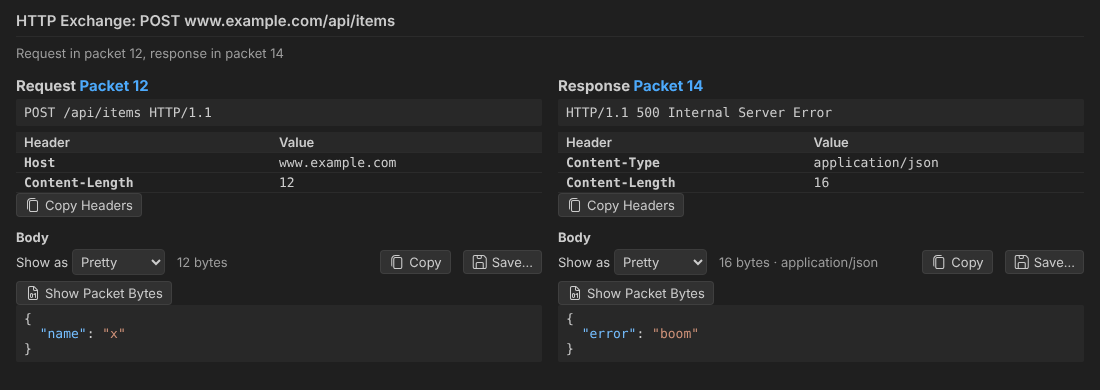
- HTTP Requests: each request with its response status, content type, size and response time (or No response). Show Request and Response opens the exchange: both first lines and headers, and both bodies as tshark decodes them (de-chunked, decompressed), shown pretty-printed (JSON, XML, HTML, form fields), as text, a hex dump or an image, with Copy, Save… and Show Packet Bytes for other decodings. Pipelined requests each show their own response. Show Response Body opens just the response's body in Show Packet Bytes.
- DNS Queries: name, type, result, answers and latency.
- TLS Servers: server name, connections, handshakes that got no ServerHello, the versions, cipher suites and ALPN the server chose, and its certificate: name, issuer and expiry, with a Certificate Check that says when it had expired (or wasn't valid yet) at the moment it was sent, was self-signed, or wasn't for the server name the client asked for (wildcards count for one label). TLS 1.3 encrypts the certificate, so its connections say Encrypted (TLS 1.3) unless a key log decrypts them.

Sequence Check finds messages missing, duplicated, late or restarted by a field that numbers them, per stream. Name the fields that tell streams apart and the field that numbers the messages, for example:
| Traffic | Streams by | Sequence field |
|---|---|---|
| GTP-U tunnels | gtp.teid |
gtp.seq_number |
| An interception delivery | its LIID and CIN fields | its sequence number field |
| Your own protocol | your Lua dissector's fields | your dissector's counter field |
Set Counter wraps at to 8, 16, 24 or 32 bits when the counter wraps. Streams with problems come first; each problem is a row that goes to its packet.
- HTTP, DNS, SIP Statistics, Packet Lengths, Service Response Time (ICMP and the protocols tshark times).
- IPv4/IPv6 Statistics, UDP Multicast Streams (bandwidth and bursts), Resolved Addresses, SCTP Associations.
- Credentials: logins sent in clear text (HTTP basic auth, FTP, POP, IMAP…), with the packet holding each user name.
- Follow Stream: TCP, UDP, TLS, HTTP, HTTP/2, QUIC and WebSocket, as ASCII, UTF-8/16, EBCDIC, hex dump, C array, raw or YAML, each direction or both, with search. HTTP/2 and QUIC let you pick the stream inside the connection. Filter Out This Stream hides it from the list.
- TCP Stream Graph: Stevens (sequence numbers), throughput, round-trip time and window scaling, for one connection.
VoIP Calls lists SIP, H.323, MGCP and IAX2 calls with caller, callee, state, release reasons (Q.850), who hung up, ringing and setup times, the voice quality of their streams (MOS from the E-model), DTMF and the problems found: one-way audio, no RTP, codec mismatch, SSRC change, silences.
- The call flow shows the signalling and the media streams; rows go to their packets.
- RTP analysis per stream: loss, jitter, delta and skew, each lost or late packet, and what the receiver reported in RTCP.
- Play a stream or a whole call (stereo, with a waveform), or save it. G.711, G.722, G.726 and L16 are decoded; other codecs can be saved raw.
- Save Call… exports the call's packets to a new capture.
Export Objects… lists the files carried over HTTP, SMB, TFTP, IMF (e-mail), DICOM and FTP-DATA, with their names, types, sizes and packets, and saves one or all of them.