
The web scraper now has a Discord bot that can extract the ASIN or ISBN of a product from a link sent in a direct message. To use the bot follow these steps:
- Invite the bot to your Discord server using this amazonBuddy.
- Send an Amazon product link to the bot in a direct message.
- The bot will search the link for an ASIN or ISBN, and respond with the appropriate identifier.
- If you want to retrieve the product details for a specific ASIN, you can send the ASIN to the bot in a direct message, and it will repsond with product information.
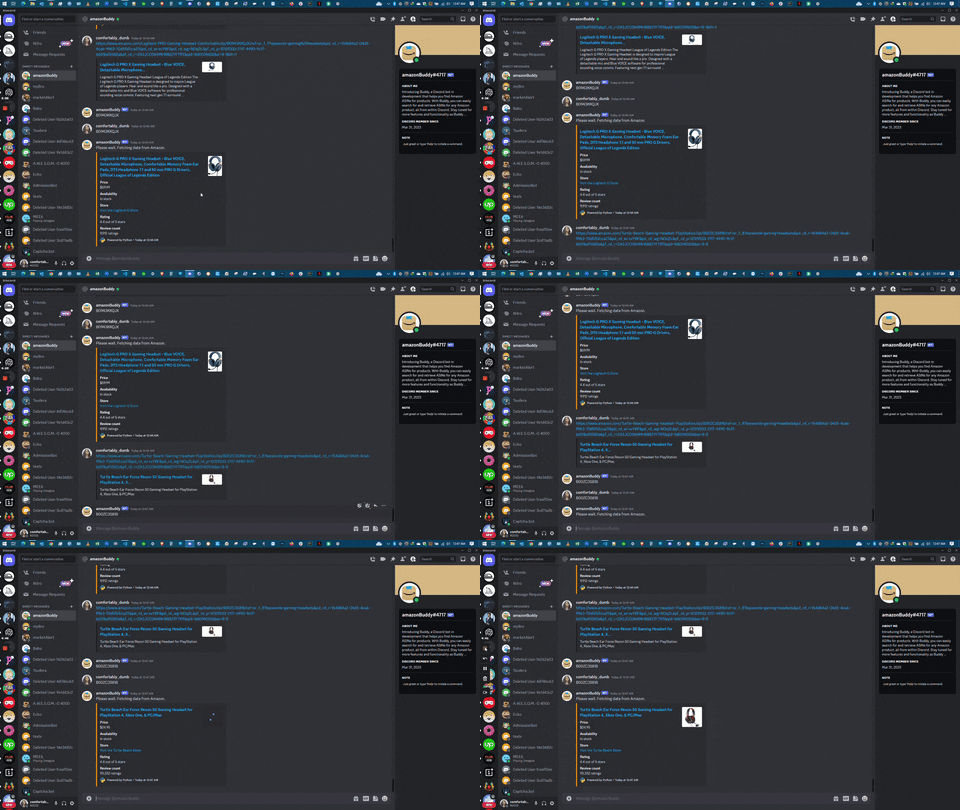
The bot is in development and currently works only for US Amazon products on the ".com" domain.
Welcome to AmazonMe, a web scraper designed to extract information from the Amazon website and store it in a MongoDB databse. This repository contains the code for the scraper, which utilizes the Requests and BeautifulSoup libraries to automate the scraping process. The scraper also leverages asyncio concurrency to efficiently extract thousands of data points from the website.
It's always a good practice to install a virtual environment before installing necessary requirements:
python.exe -m venv environmentname
environmentname/scripts/activate
Install necessary requirements:
pip install -r requirements.txt async def main():
base_url = "" # Enter a desired URL product category of your choice:
mongo_to_db = await export_to_mong(base_url)
return mongo_to_db python main.pyDemo of the scraper scraping the content from Amazon
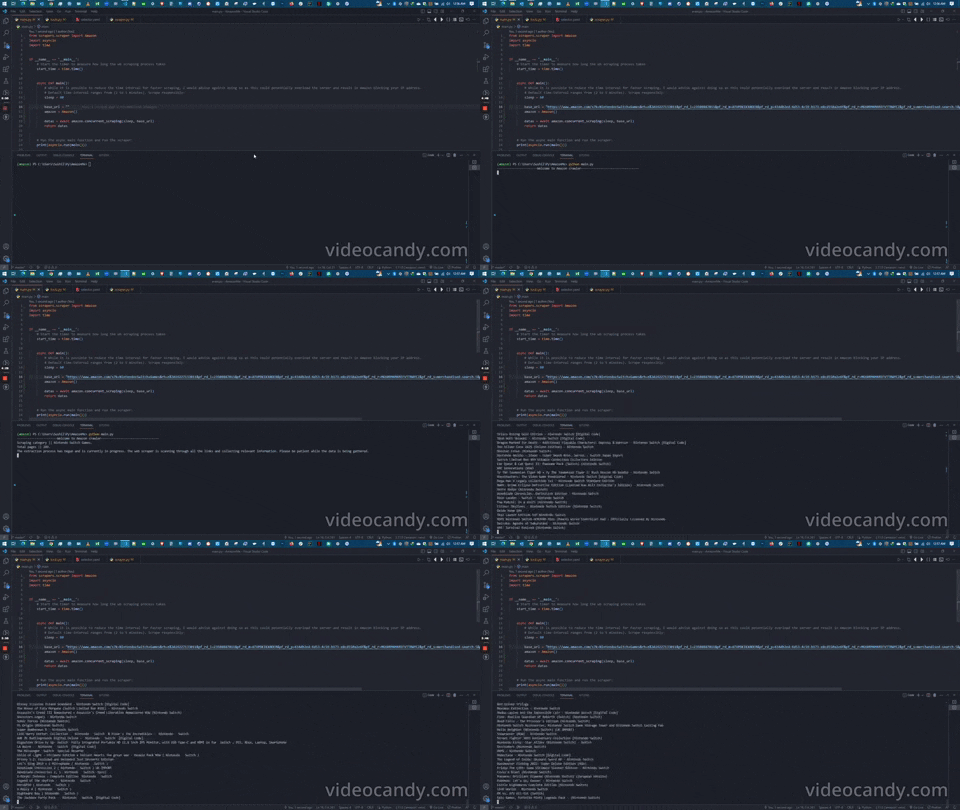
Upon executing the program, the scraper commences its operation by extracting the following fields and storing the required product information in Mongo databases.
- Product
- ASIN
- Price
- Original price
- Review
- Review count
- Hyperlink
- Image url
Newly added to AmazonMe is the integration with MongoDB, allowing you to store the scraped data in a database for further analysis or usage. The scraper can now save the scraped data directly to a MongoDB database.
To enable MongoDB integration, you need to follow these steps:
- Make sure you have MongoDB installed and running on your machine or a remote server.
- Install the
pymongopackage by running the following command:python pip install pymongo - In the script or module where you handle the scraping and data extraction, import the
pymongoWith the MongoDB integration, you can easily query and retrieve the scraped data from the database, perform analytics, or use it for other purposes.
Please note that the script is designed to work with Amazon and may not work with other types of websites. Additionally, the script may be blocked by the website if it detects excessive scraping activity, so please use this tool responsibly and in compliance with Amazon's terms of service
If you have any issues or suggestions for improvements, please feel free to open an issue on the repository or submit a pull request.
This project is licensed under GPL-3.0 license. This scraper is provided as-is and for educational purposes only. The author is not repsonsible for any damages or legal issues that may result from its user. Use it at your own risk. Thank you for using the AmazonMe!