screenshotting webgl in firefox is broken #5533

Description

What is your Test Scenario?
We are doing tests with screenshot diffing in a complex webgl application.
What is the Current behavior?
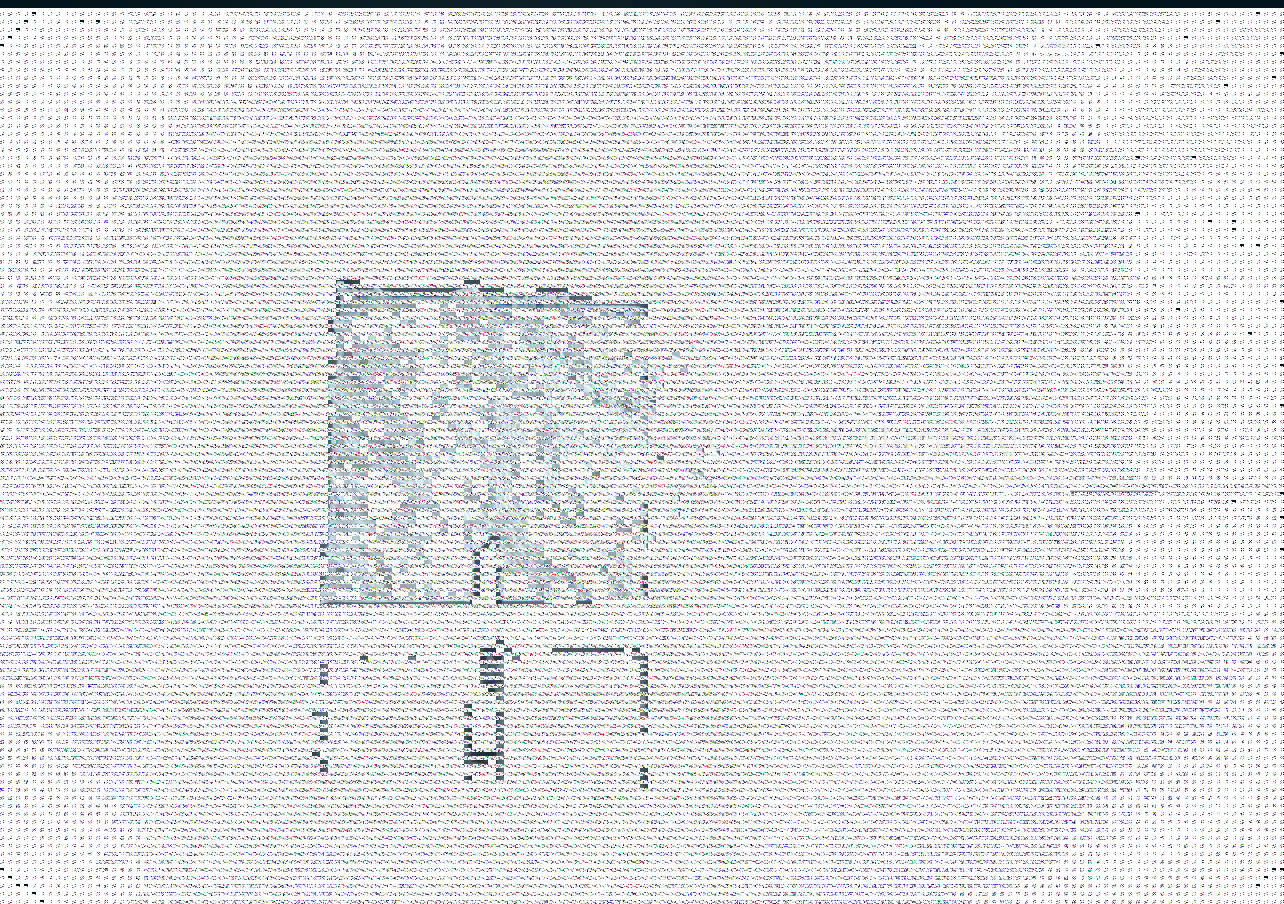
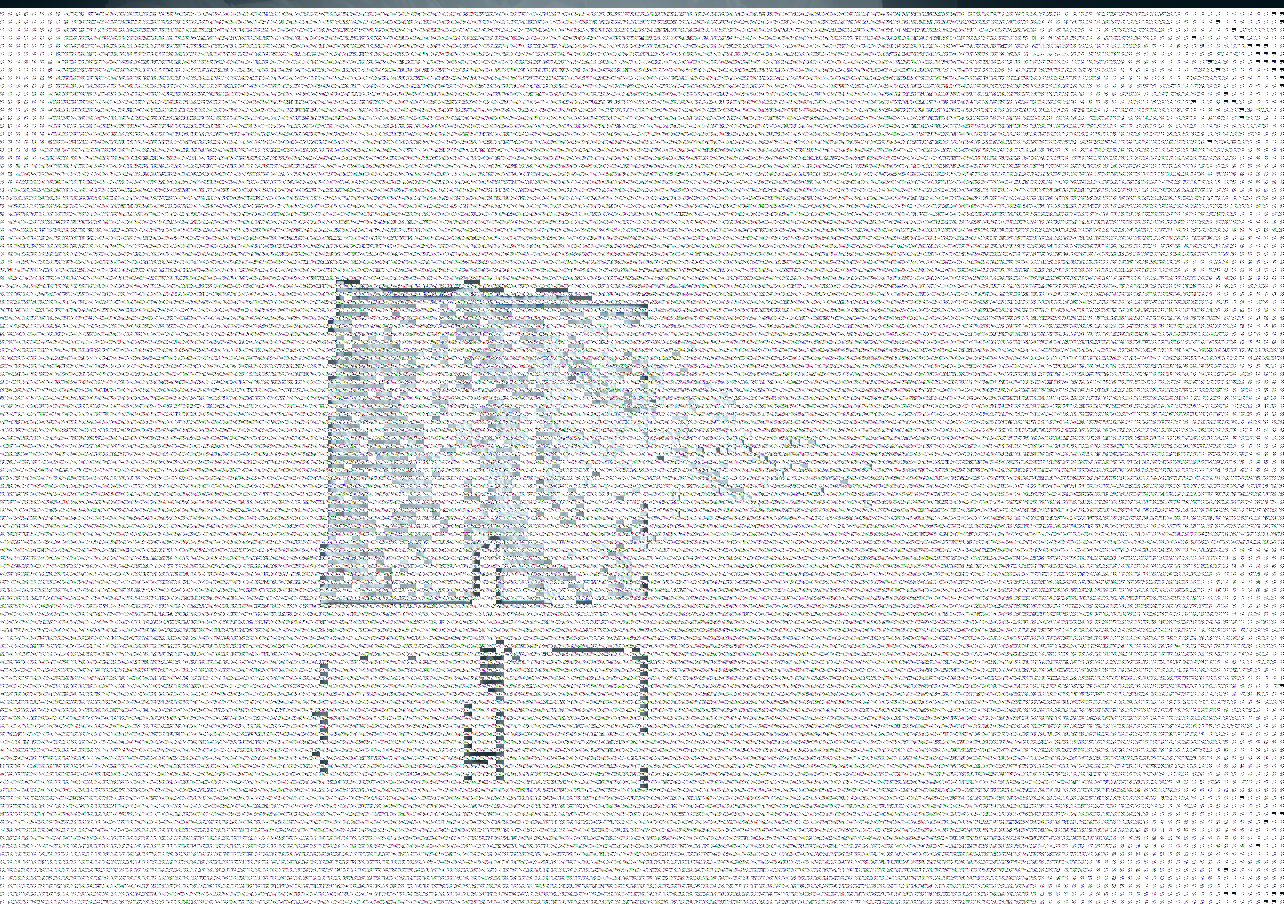
In our case screenshots in Firefox (version 80.0.1) on win 10 have white rectangles where webgl canvas should be.
But everything is fine on Chrome (version 85.0.4138.102) also on Windows 10.
What is the Expected behavior?
Actual contents of canvas on screenshots
What is your web application and your TestCafe test code?
I can't share our code. But I believe any practical webgl application will allow to somewhat reproduce the issue.
You can use this example (first example in three.js home page)
fixture('A')
  .page('https://cineshader.com/');

test('b', async t => {
  await t.wait(10000);
  await t.takeScreenshot('c.png');
  await t.wait(1000);
  await t.takeScreenshot('d.png');
});
The issue also visible on video captures
testcafe firefox,chrome test-example -s screenshots --video video
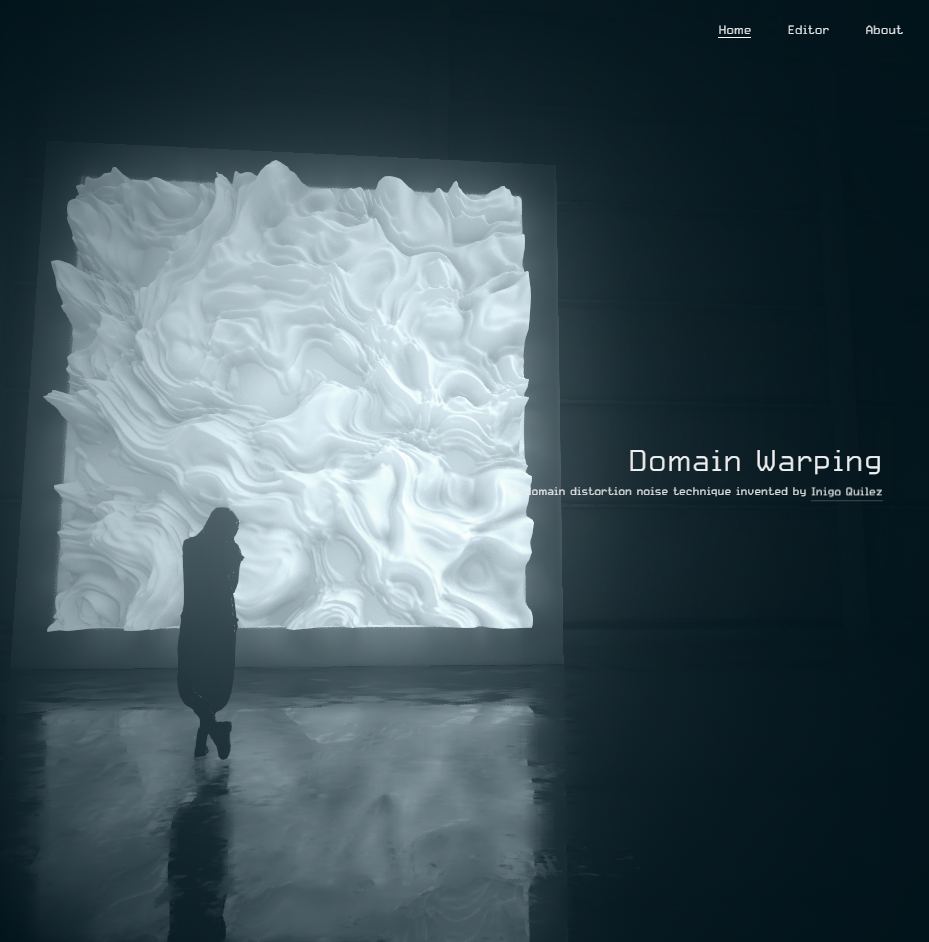
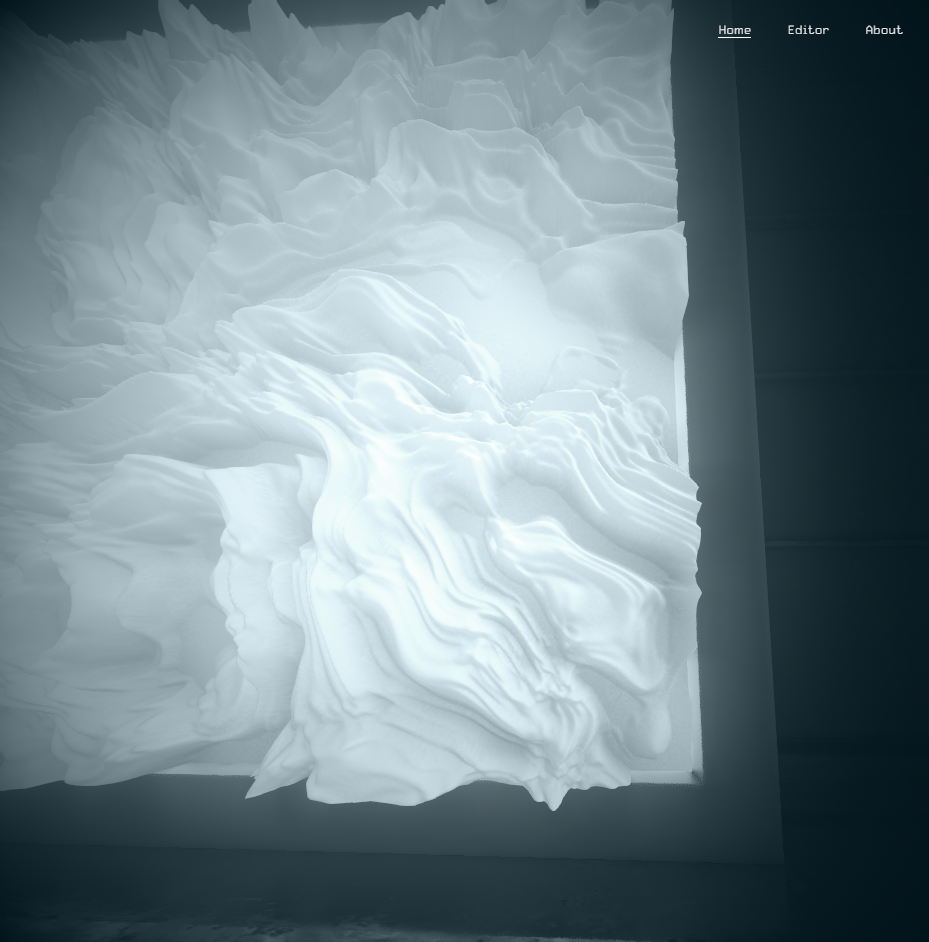
Screenshots:
Chrome-c
Chrome-d
Firefox-c
Firefox-d
Your Environment details:
- testcafe version: 1.9.2
- node.js version: 12.18.3
- command-line arguments: testcafe firefox,chrome test-example -s screenshots --video video
- browser name and version: Firefox (version 80.0.1) Chrome (version 85.0.4138.102)
- platform and version: Windows 10
- other: I believe everything was fine in July. I am not sure what change caused the issue, it could be pretty much anything from operating system updates, to drivers (nvidia), to browser versions, to testcafe versions (A month ago we were using testcafe@1.8.1).