This is a Chat project developed in Java 18 using the JavaFX framework. The main objective is to explore and experiment with JavaFX capabilities for creating user interfaces and understand how to implement an architecture based on Data Access Objects (DAOs), services and Singletons. The project has been developed under certain constraints to approach challenges from a different perspective and seek alternative solutions without relying on additional tools like Spring for dependency injection or ORM tools like MyBatis or Hibernate.
- Windows application developed in Java 18 with JavaFX.
- Structure based on Data Access Objects (DAOs) and services for data handling.
- Views implemented with JavaFX using Scene Builder.
- Default data model to be used as a base for building the entire program.
- Instance management using the Singleton pattern to maintain data consistency.
- MySQL database used as the data manager. The database construction script can be found in the "database" folder.
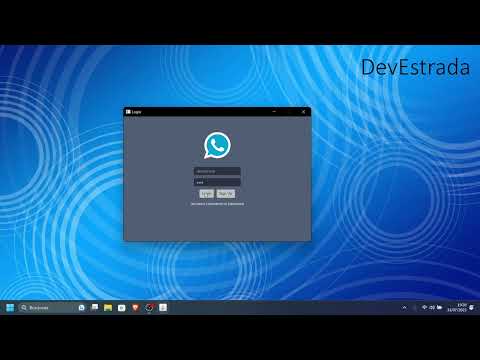
- Included test video demonstrating the application's functionality.
Watch the application in action by clicking on the img below:
- Additional tools like Spring for dependency injection are not allowed.
- ORM tools like MyBatis or Hibernate are not used for database handling.
- The structure of the data model provided must be used as the foundation for program development.
- Singleton pattern used for instance management.
- Constant polling to the database is used for data reload, although it may be inefficient compared to other technologies like SignalR.
Before running this project, make sure you have the following prerequisites installed:
- Java 18 (or higher)
- MySQL Server
- Maven
To run the application, follow these steps:
-
Download the project from the GitHub repository.
-
Set up the MySQL database:
- Execute the provided database script in the "Database" folder to create the necessary tables.
- Make sure you have a running MySQL server.
-
Configure the database connection:
- In the "src/main/resources" folder, find the file named "db.properties".
- Edit the "db.properties" file and replace the placeholder values with your actual MySQL server URL, username, and password.
-
Compile the project: -mvn clean compile
-
Run the application: -mvn javafx:run
Once you've completed these steps, the application should run successfully, and you'll be able to explore its functionalities.
This project is a practice exercise and is not intended for production use. However, if you wish to contribute or share your ideas and improvements, we welcome your pull requests! Please ensure you follow best development practices and document any changes you make.
- Created in 2019
- Refactored in 2021
If you have any questions or comments related to this project, feel free to get in touch with me:
- Email: devjmestrada@gmail.com
Thank you for showing interest in this JavaFX project!