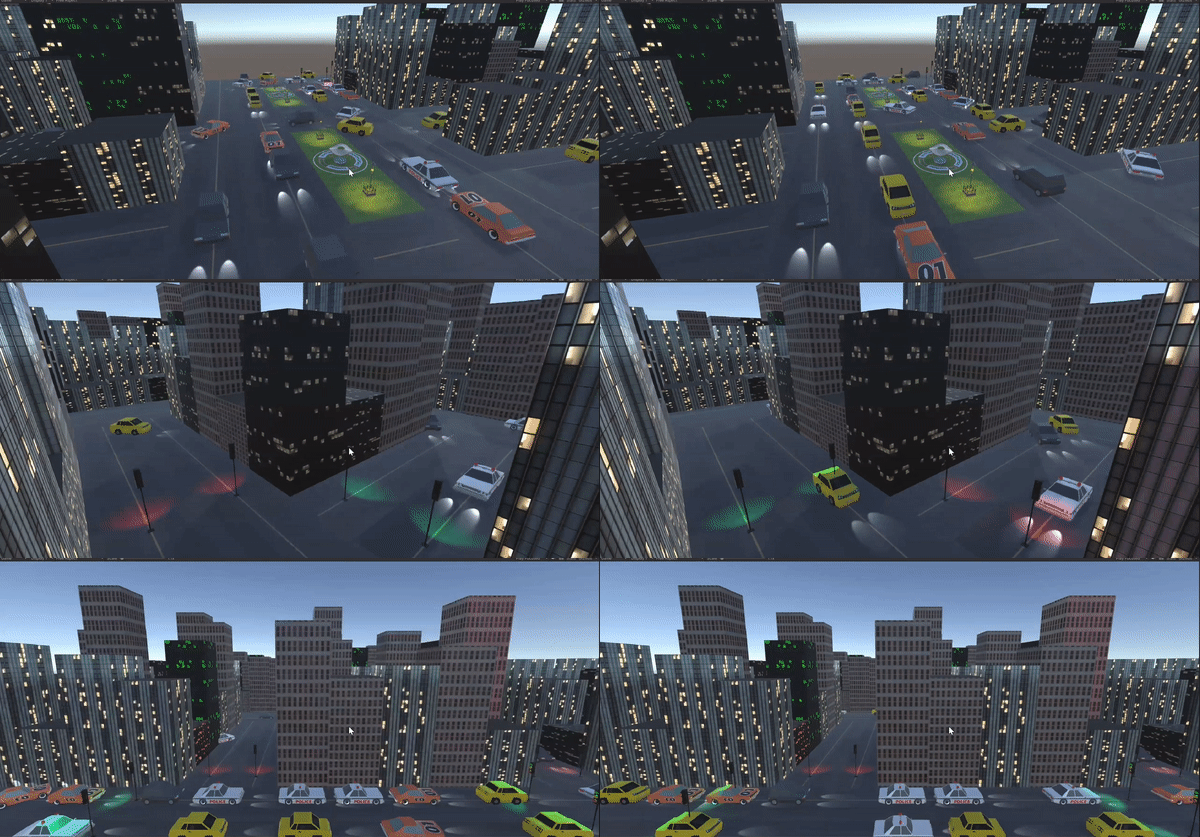
This is a system that simulates traffic in a city. To achieve this, various agents were used in our simulation (cars, buildings, streets, arrival points and traffic lights), each with their respective rules so that the simulation resembles reality as much as possible.
For example, cars must not collide, they must respect the color of traffic lights, they can change lanes and they must avoid obstacles. On the other hand, the traffic lights must be synchronized to avoid collisions and must be able to change color after a certain defined time.
In our solution, we decided to use the a* algorithm, which aims to find the shortest path from point a to point b. We decided to use this algorithm since, unlike others like Djikstra, it allows cars to take into account obstacles on the road, as well as the direction a vehicle should follow on the street. Thanks to this, cars never drive in the wrong direction and will also be able to find the most efficient route to their destination.
But what if the shortest route to the destination is very congested? Thanks to our implementation, when a car detects that there are 5 cars in front of it that are not moving, it means that there is too much traffic on the current route, therefore it recalculates its route again using the previous algorithm, but taking into account the vehicles in front as obstacles. Thanks to this intelligent decision making, more vehicles can exist in the simulation at the same time without the simulation being congested.
Enter the following link, and install the 3.8 version for your OS: https://docs.conda.io/en/latest/miniconda.html
Press the code button and copy the htttps link
-
Enter a terminal and clone the repository with the following command:
-
git clone https://github.com/DiegoAraque21/Traffic-Simulation.git
To run this project you will need miniconda or anaconda, and we are using version 3.8 of python. Also, to run the simulation on unity it's necessary to have version 2021.3.12f1 installed.
For everything to work accordingly, and if you met the requirements above you will need to follow this steps:
- Create a virtual environment: conda create --name traffic-sim python=3.8
- After creating your environment, activated from the terminal: conda activate traffic-sim
- At the moment we have the virtual environment, we just need to intall flask and mesa now
- Flask: pip install flask
- Mesa: pip install mesa
After installing everything you are ready to run the simulation
If you are in the parent folder, redirect yourself to the folder 2D_SImulation with the following command: cd 2D_SImulation
When you are in this new folder just run python server.py to run the server flask for it to work in unity. Or run server_2D.py, to run the simulation on html and in 2D.
If you decided to run the flask server, you will need to open the unity project and play the scene called BuildCity.