Practo is on a mission to make quality healthcare affordable and accessible for over a billion+ Indians. We believe in empowering our users with the most accurate, comprehensive, and curated information and care, enabling them to make better healthcare decisions.
In this project we have tried to enhance the cloning of “Practo” website using frontend with React Js, Chakra UI, Bootstrap, redux and backend with validations, authentications and much more. We had build up all our efforts to do our best in this project. As, the Masai School's Mentorship was specifically to build up our skills and we also accordingly implemented all that teachings in our project to look it at its best. Team collabration was the most crucial part to get successfully completed on time.
Tech Stack in Frontend:
- React Js
- Bootstrap
- CSS3
- HTML
- Redux
- Chakra UI
Tech Stack in Backend:
- Mongo DB
- CSS3
- Node JS
- Express JS
-
You will get fitness and health care related products.
-
Online consulting with doctors for any kind of health problems.
-
Order health products to your address.
-
Get information of any disease or health issue along with preferred doctors.
User need to login before purchasing products from “lybrate”. If user's are existing user they can login and if they are not existing user then they can register using sign up.
To login User has to enter their Phone number and password to log into the website.

To signup User has to register the by entering their name , email, phone number, password and then click on the "create account" button. You are now succesfully logged In.

You are on our Landing page now. you get to see what are things our website provides you like exploring Find Doctors, Video Consult, Medicines, Lab Tests and etc.
we have used debouncing that helps to search the information.

You can see the GoodKart page by just clicking on the "GoodKart icon" on the navigation bar. On cliking you can get yourself the latest stuff of health products. click on the item and by selecting the quantity, just add to cart by clicking on "add to cart icon".
As, you can see the below grid which allows you to choose any categories from here to shop and explore further.
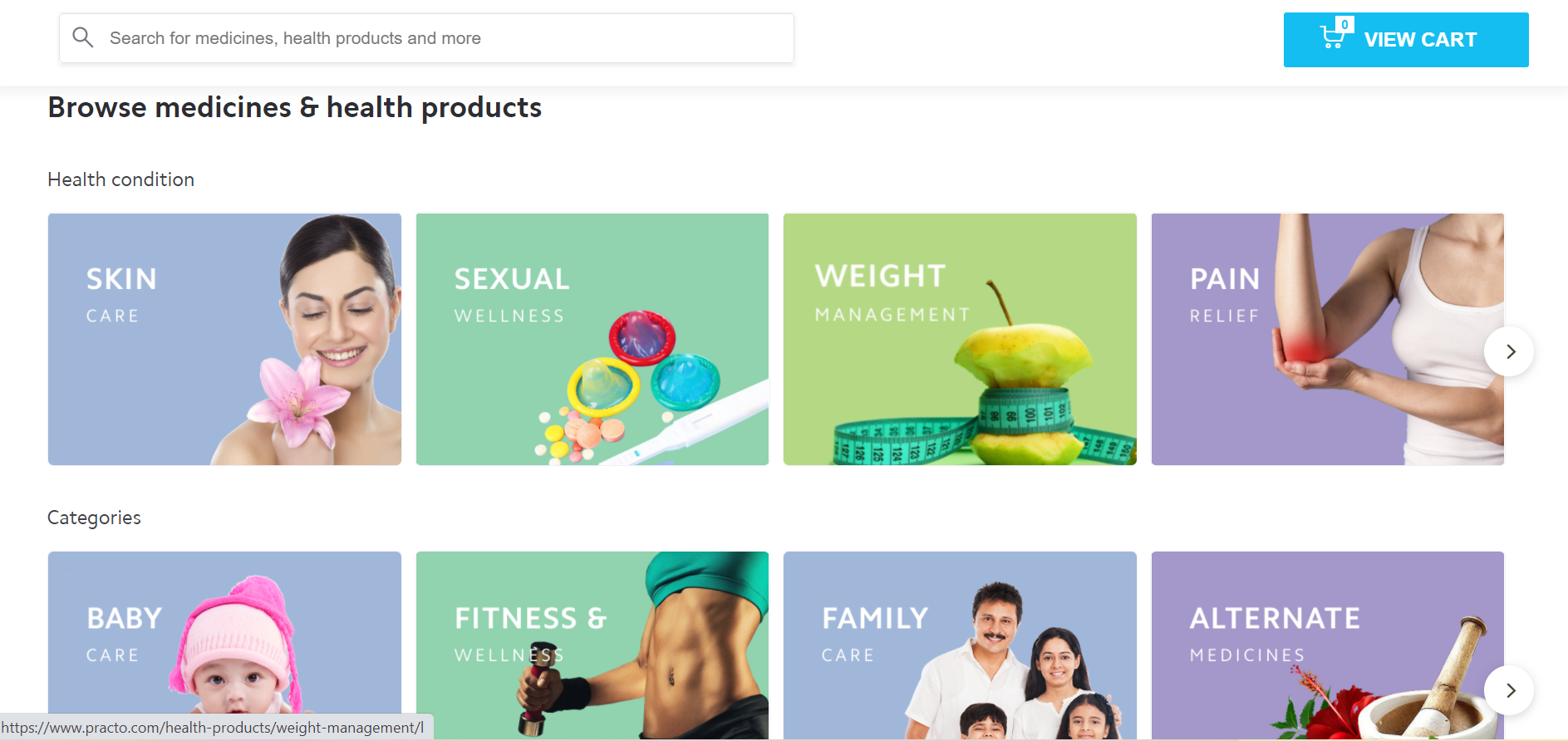
On clicking on shop by categories. You are re-directed to the products page having filters like price high to low and vice-versa.

Now you are on the cart page. After adding to cart you are now able to see the order summary. you can here increase the item quantity as well as use coupon code to get discount on selected products. Thereafter, click on the "proceed to checkout" to go further.

You can enter your location accordingly now and then place the order.
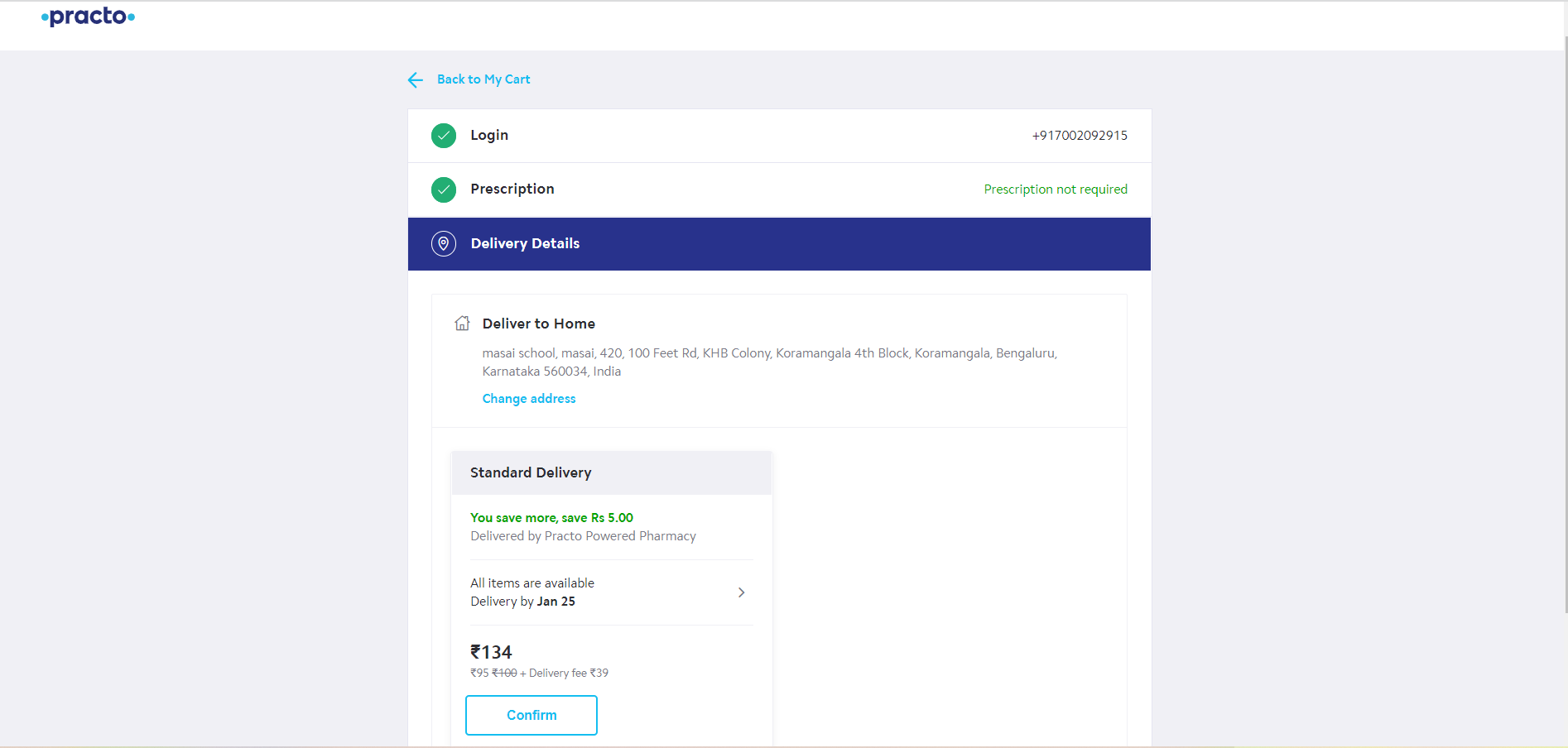
After successful payment,your order is placed.
We created cloud database using MongoDb Atlas. So, if you want to run our code then please read the instructions below :
- Clone our repository ``
- Open terminal in your VS Code and run the command
npm installwhich will install all packages. - Open terminal in your VS Code and run the command
npm start - Open corresponding terminal in your VS Code and run the command
json-server db.json --port 5001 --watch - It will redirect to browser
- Now you can see landing page
- Then you can Navigate through other pages from Landing page to Medicine tab, Lab tab etc