

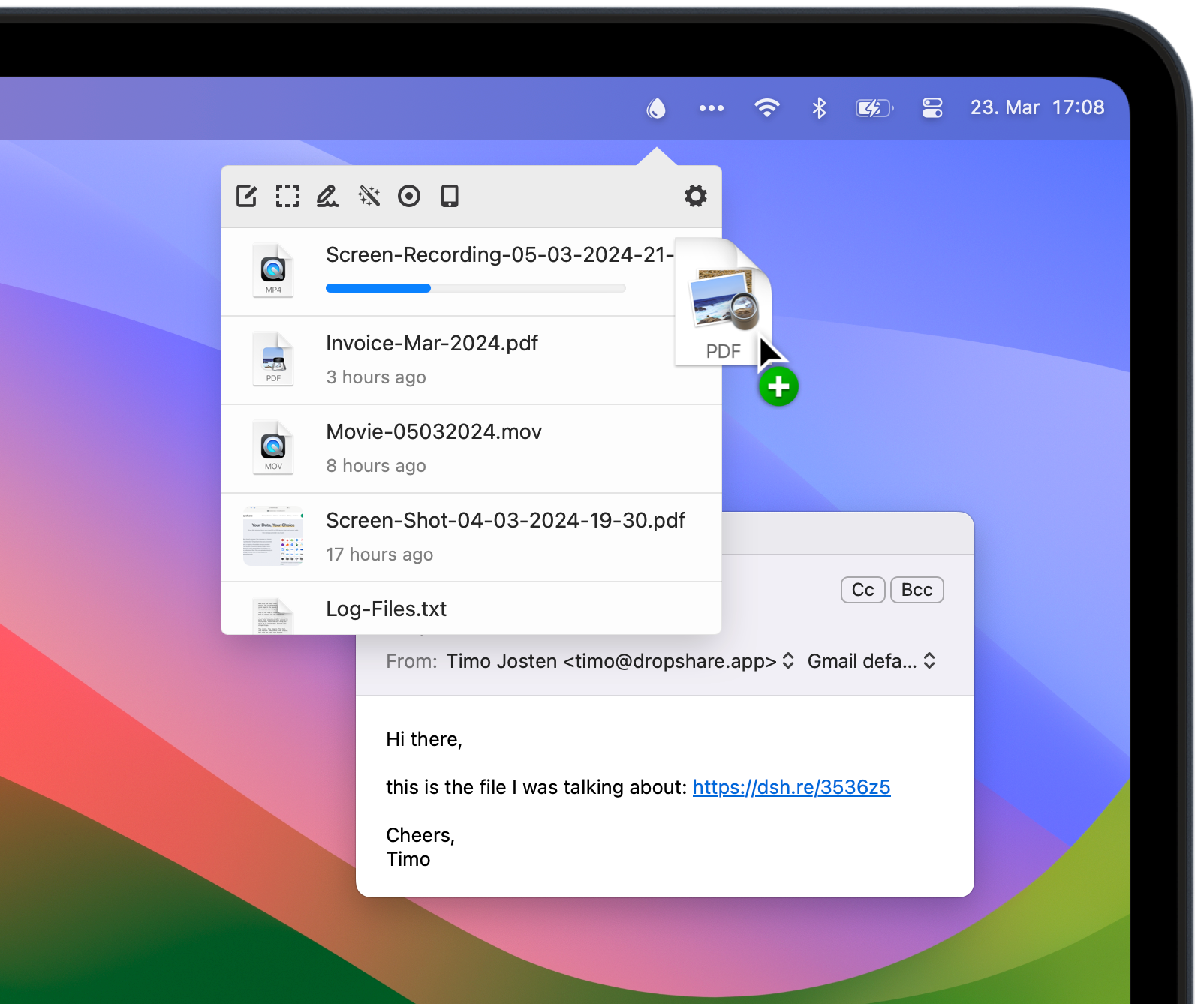
- 📤 Upload & Share Instantly: Drag and drop any file to your own server, S3, or cloud service and get a shareable link in seconds.
- 📸 Advanced Screen Capture: Capture full screen, areas, windows, or scrolling shots, annotate them, and upload them automatically.
- 🖱️ Convenient Menu Bar Access: Upload files, manage history, and access settings directly from a customizable menu bar icon.
Dropshare is a versatile productivity application that simplifies the process of sharing files and screenshots. It combines a powerful screenshot tool with a flexible file uploader, allowing you to capture, annotate, and share visual content or upload any other file type with minimal effort. The key to Dropshare is its ability to work with your own infrastructure—you can configure it to upload to your personal server via SFTP/SCP, or to various cloud services like Amazon S3, Google Drive, or Dropbox. This gives you full control over your data and privacy, unlike many public sharing services.
The application excels in streamlining workflows. After an upload, it automatically copies a short URL to your clipboard, ready to paste into a chat, email, or document. The screenshot module is feature-rich, offering options like timer delays, cursor capture, and a robust editor for adding arrows, text, and blur effects before sharing. By living in your menu bar, Dropshare is always one click away, making it the perfect tool for developers sharing logs, designers sharing mockups, support teams documenting issues, or anyone who needs to share information quickly and efficiently.
- ✅ Privacy-Focused Sharing: Use your own server or trusted cloud account, keeping full control over your uploaded files.
- ✅ All-in-One Workflow: Capture, edit, upload, and share screenshots in one continuous, fast action.
- ✅ Extensive Destination Support: Upload to your own server (SFTP), Amazon S3, Google Drive, Dropbox, Backblaze B2, Microsoft Azure, and more.
- ✅ Highly Customizable: Personalize keyboard shortcuts, file naming, link formats, and the look of your menu bar icon.
- Operating System: macOS 10.13 (High Sierra) or later.
- Processor: 64-bit Intel processor or Apple Silicon.
- Memory: 512 MB RAM (minimum).
- Storage: 100 MB of available disk space for the application.
- Quick Visual Feedback: Capture a bug or UI issue, annotate it, and instantly share the link with a developer or colleague.
- Sharing Large Files: Upload project files, videos, or archives to your own server and share a direct download link, bypassing email attachment limits.
- Creating Documentation: Take a series of annotated screenshots for a tutorial or guide and upload them in sequence.
- Temporary File Hosting: Share a document during a video call by quickly uploading it and pasting the link into the chat.
dropshare, dropshare cloud, dropshare for Mac, dropshare mac, dropshare macos, dropshare mac os, screenshot upload tool Mac, share files from menu bar macOS, upload to S3 Mac, SFTP file sharing app, screen capture with annotation Mac, private file sharing macOS, instant link generator Mac, menu bar utility macOS, Dropshare download for Mac, best screenshot tool macOS, upload to Google Drive Mac app
Download Dropshare for Mac to capture, annotate, and share screenshots or upload any file directly from your menu bar. Get instant links to files on your own server or cloud storage.