


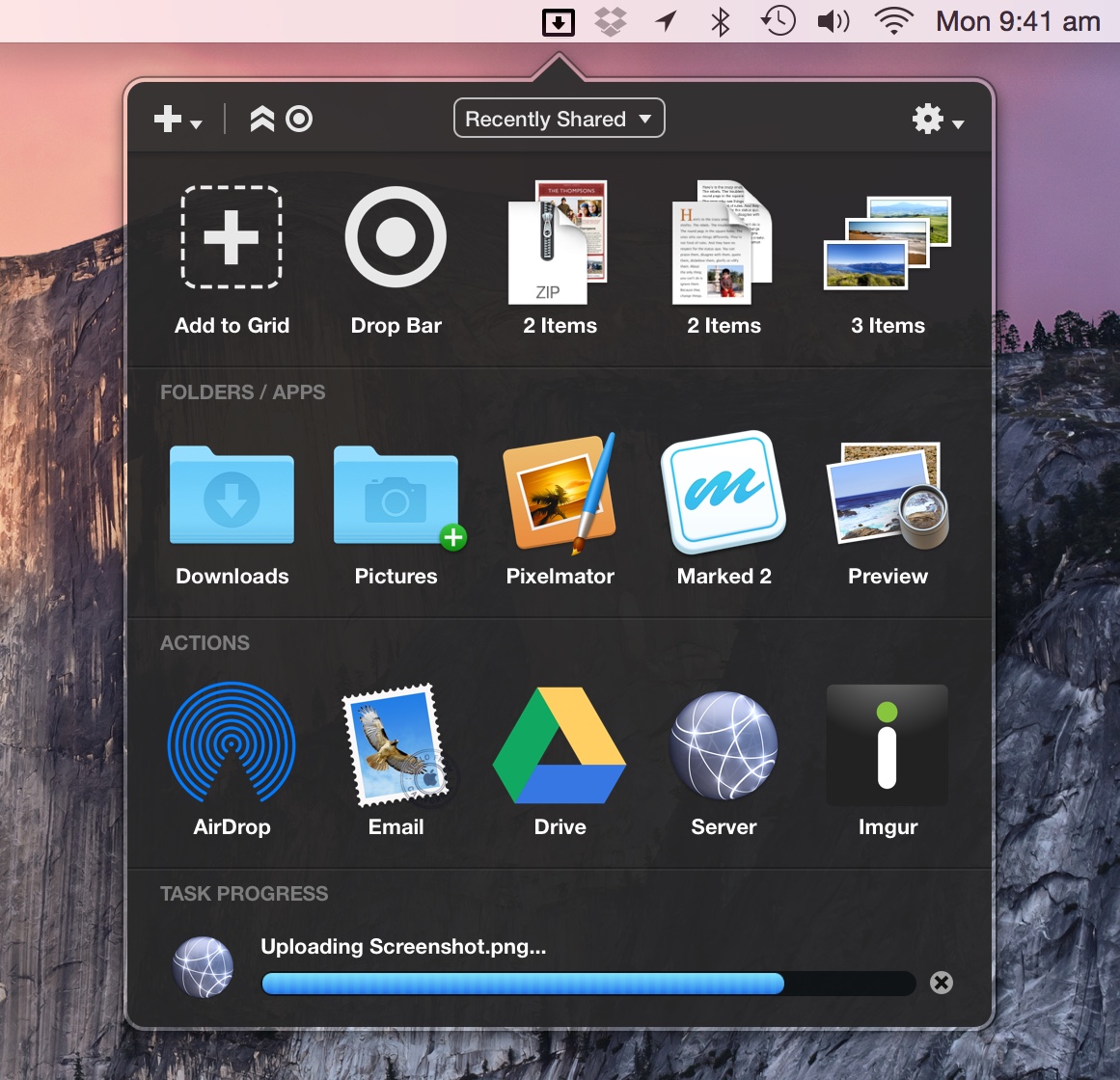
📤 Instant File Actions: Drag files, text, or URLs to the grid to instantly upload to cloud services, copy to specific folders, share via email, or compress archives. 🚀 Quick App & Script Launcher: Assign applications, websites, or custom AppleScripts/Shell scripts to grid slots for one-click or drag-and-drop activation. 🔄 Enhanced Clipboard Manager: Extend your clipboard to store multiple items (text, images, files) and quickly paste them into any application.
Dropzone is a unique productivity utility that reimagines how you interact with your computer by placing a powerful, customizable grid of actions at your fingertips. Activated by dragging any item to the edge of your screen, it eliminates the need to navigate through menus or open multiple applications for common tasks. It turns simple drag-and-drop into a powerful command interface, streamlining workflows that would normally involve several steps. Whether you're a developer needing to quickly upload a file to a server via SFTP, a writer managing research snippets, or anyone who frequently moves files between applications and locations, Dropzone saves clicks, reduces context switching, and brings a new level of efficiency to routine operations.
The true power of Dropzone lies in its extensibility and deep system integration. It comes pre-loaded with useful actions (called "zones") for services like Google Drive, Dropbox, Imgur, and FTP, but its built-in editor allows you to create custom actions tailored to your specific needs. You can write scripts that process files, create actions that interact with web APIs, or simply set up shortcuts to your most-used folders. By reducing complex workflows to a single drag-and-drop gesture, Dropzone acts as a productivity multiplier, helping you maintain focus and complete tasks faster. It's more than a launcher; it's a customizable automation hub that sits quietly on the edge of your screen, ready to spring into action.
✔ Massively Customizable: Create and edit your own actions with a built-in script editor to automate virtually any task. ✔ Persistent & Accessible: The action grid is always available from any screen edge, integrating seamlessly into your workflow without getting in the way. ✔ Multi-Task Clipboard: Go beyond the standard single-item clipboard to manage a history of copied text and images.
- Supported Platforms: Primarily developed for macOS. Windows functionality may be limited or provided by similar third-party utilities.
- macOS: Requires macOS 10.14 (Mojave) or later for current versions.
- Storage: Approximately 100 MB of free disk space.
- Permissions: Requires accessibility permissions to interact with other apps and system functions for full feature set.
- Developers & IT Professionals: Quickly upload files to servers (FTP/SFTP), run build scripts, or open terminal sessions in specific directories.
- Content Creators & Marketers: Instantly upload screenshots or images to cloud storage or image hosts, and shorten URLs.
- Anyone Managing Files: Rapidly move or copy files between favorite folders, applications, and external drives without opening Finder windows.
dropzone, dropzonedenmark, nzone skydive dropzone, the dropzone, dropzone download, drag and drop utility, dropzone mac, dropzone for mac, dropzone macos, dropzone mac os, dropzone windows, productivity launcher, file transfer utility, clipboard manager, macOS automation tool, quick actions launcher, customizable app launcher
🔤 Dropzone supercharges your workflow with a customizable drag-and-drop grid. Instantly upload files, launch apps, run scripts, and manage your clipboard. Download the ultimate productivity accelerator.