
A premium dark VS Code theme forged for deep focus, clean contrast, and modern development workflows for VS Code.


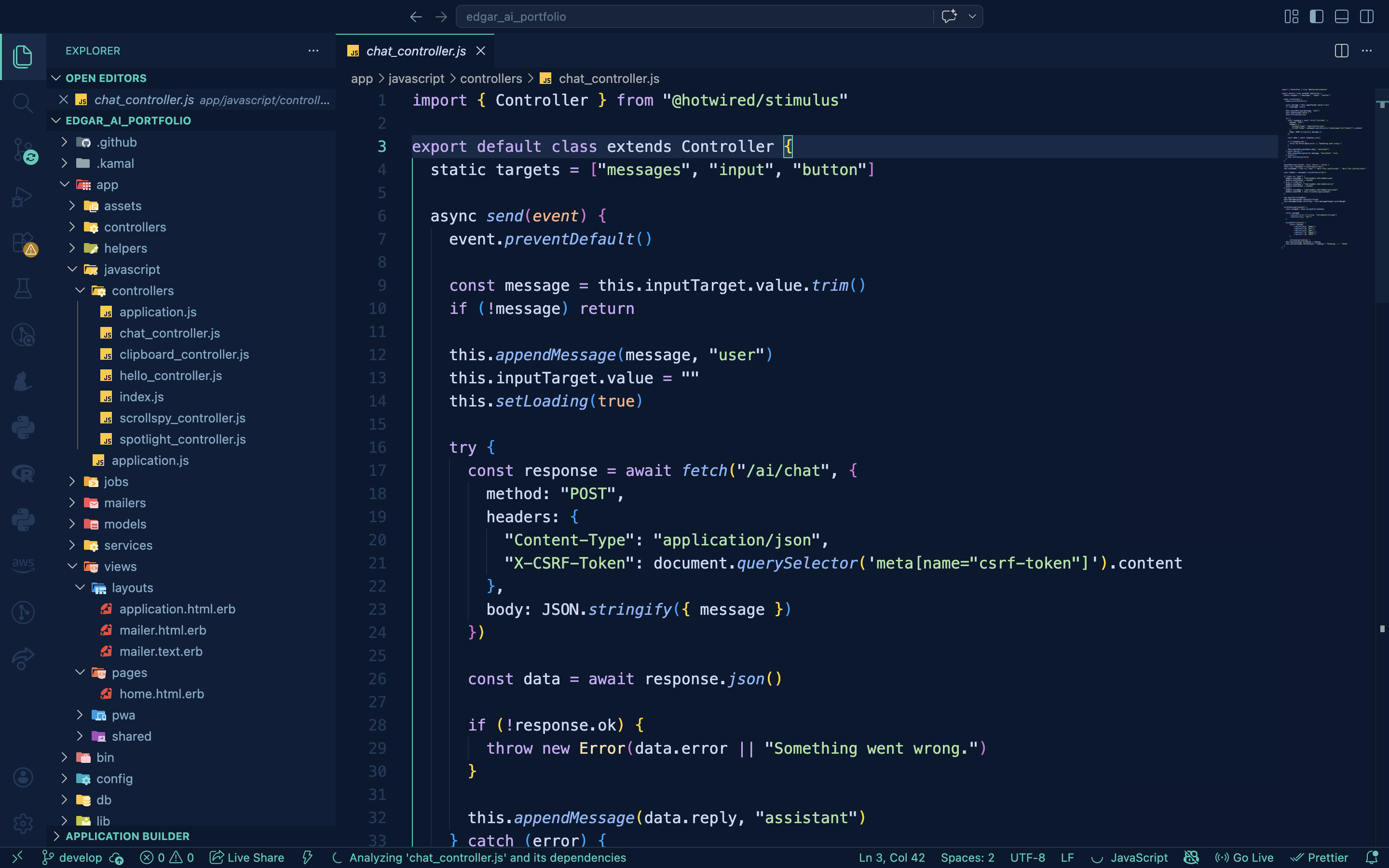
A premium dark VS Code theme forged for deep focus, clean contrast, and modern development workflows.
Deepforge combines a rich navy foundation with carefully selected teal, blue, purple, yellow, and soft red accents to create a coding environment that feels elegant, immersive, and easy on the eyes.
Designed for developers who value readability, aesthetics, and long coding sessions.
- Deep navy background for reduced eye strain
- Teal accent highlights for a clean modern feel
- Carefully balanced syntax colors
- Optimized sidebar, tabs, status bar, and terminal UI
- Beautiful support for HTML, JSX, TSX, Ruby, JavaScript, and general development workflows
- Premium contrast and visual hierarchy
| Element | Color |
|---|---|
| Background | #0a1830 |
| Secondary Background | #0d1e3a |
| Accent | #2BCBBA |
| Functions | #89b4fa |
| Keywords | #cba6f7 |
| Strings | #a6e3a1 |
| Types | #f9e2af |
| Numbers | #fab387 |
| Errors | #f38ba8 |
| Text | #cdd6f4 |
Deepforge is built to make your code visually clear:
- keywords stand out in soft purple
- functions shine in cool blue
- strings are calm green
- numbers and parameters use warm amber tones
- comments stay muted and elegant
Perfect for backend, frontend, and Rails workflows.
- Open Extensions sidebar panel in VS Code.
View → Extensions - Search for Deepforge
- Click Install
- Open Command Palette
- Select
Preferences: Color Theme - Choose Deepforge
For the best experience:
{
  "editor.fontLigatures": true,
  "editor.cursorSmoothCaretAnimation": "on",
  "editor.smoothScrolling": true,
  "workbench.iconTheme": "material-icon-theme"
}Deepforge pairs beautifully with:
- JetBrains Mono
- Fira Code
- Cascadia Code
- Geist Mono
Recommended:
"editor.fontFamily": "JetBrains Mono"Crafted with intention by Edgar Ampiire
Forged for focus. Built for developers.
If you enjoy Deepforge, please leave a rating and share it with other developers.