



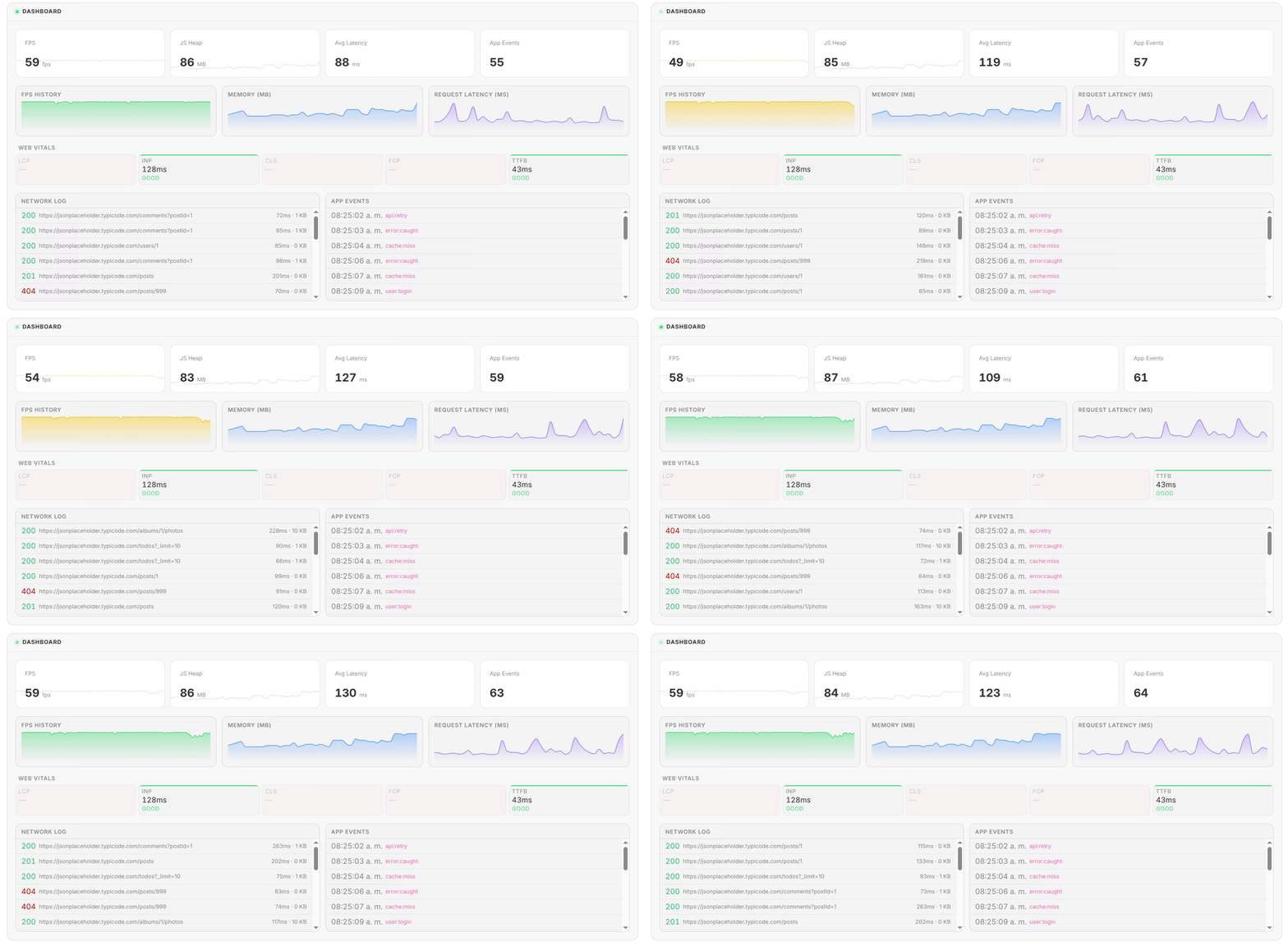
Three-level React UI for monitor-api: a compact pill that shows live metrics, an inspector panel with detailed sections, and a full dashboard with charts and tables. Each level is independently usable or wired together into a drill-down flow.
MonitorPill  →  MonitorInspector  →  Dashboard
   (pill)          (inspector)        (full view)
npm install monitor-ui monitor-apiPeer dependencies (install if not already present):
npm install react react-dom \
  @gnome-ui/react @gnome-ui/core @gnome-ui/hooks \
@gnome-ui/charts @gnome-ui/layoutA small interactive button that shows a live metric at a glance. Click it to open the inspector.
import { useEffect, useMemo, useState } from 'react'
import { createMonitor } from 'monitor-api'
import { MonitorPill, MonitorInspector } from 'monitor-ui'

export function App() {
  const monitor = useMemo(() => createMonitor({ maxHistory: 120 }), [])
  const [open, setOpen] = useState(false)

  useEffect(() => {
    monitor.start()
    return () => monitor.destroy()
  }, [monitor])

  return (
    <>
      <MonitorPill monitor={monitor} scope="performance" onClick={() => setOpen(true)} />
      {open && <MonitorInspector monitor={monitor} />}
    </>
  )
}
scope values: "performance" (default) · "network" · "events"
A panel with collapsible sections: performance, Web Vitals, network, React internals, and custom events.
<MonitorInspector monitor={monitor} />A full-page dashboard with KPI cards, time-series charts, a network log, and an events log.
<Dashboard
  monitor={monitor}
  title="Performance Dashboard"
  onBack={() => setView('inspector')}
/>import { useEffect, useMemo, useState } from 'react'
import { createMonitor } from 'monitor-api'
import { MonitorPill, MonitorInspector, Dashboard } from 'monitor-ui'
type View = 'pill' | 'inspector' | 'dashboard'
export function MonitorFlow() {
const monitor = useMemo(() => createMonitor({ maxHistory: 120 }), [])
const [view, setView] = useState<View>('pill')
useEffect(() => {
monitor.start()
return () => monitor.destroy()
}, [monitor])
if (view === 'dashboard') {
return <Dashboard monitor={monitor} onBack={() => setView('inspector')} />
}
if (view === 'inspector') {
return (
<>
<button type="button" onClick={() => setView('pill')}>Close</button>
<button type="button" onClick={() => setView('dashboard')}>Dashboard</button>
<MonitorInspector monitor={monitor} />
</>
)
}
return <MonitorPill monitor={monitor} onClick={() => setView('inspector')} />
}| Prop | Type | Default | Description |
|---|---|---|---|
monitor |
Monitor |
— | Monitor instance from monitor-api |
scope |
'performance' | 'network' | 'events' |
'performance' |
Which metric to display |
label |
string |
'Open monitor' |
Accessible label |
...button |
ButtonHTMLAttributes |
— | All native button props |
| Prop | Type | Default | Description |
|---|---|---|---|
monitor |
Monitor |
— | Monitor instance |
...div |
HTMLAttributes<HTMLDivElement> except title |
— | Native div props |
| Prop | Type | Default | Description |
|---|---|---|---|
monitor |
Monitor |
— | Monitor instance |
title |
string |
'Dashboard' |
Dashboard heading |
onBack |
() => void |
— | Shows a Back button when provided |
import {
  fpsColor,       // (fps: number) => string — CSS color for FPS value
  latencyColor,   // (ms: number) => string — CSS color for latency value
  memoryColor,    // (ratio: number) => string — CSS color for memory ratio
  formatBytes,    // (bytes: number) => string — e.g. "42.1 MB"
  formatMemory,   // (bytes: number) => string — heap-aware formatting
  formatTime,     // (ms: number) => string — e.g. "1.2s" or "340ms"
  toChartData,    // (history: Sample[]) => ChartData
} from 'monitor-ui'MIT © pilmee