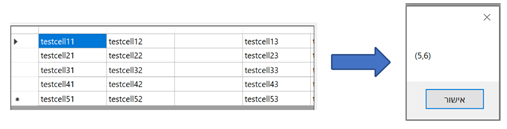
Sharable SpreadsheetApp GUI representation of this project: https://github.com/Eldar-Ka/SharableSpreadSheet-Simulator
Made using .NET WinForms App Framework, This project was made as a part of an assignment in the course "Introduction to Operating Systems" Associated with Ben-Gurion University of the Negev
Please place the spreadsheet.dat file in the path: "C:\Users\user\source\repos\SpreadsheetApp\SpreadsheetApp\bin\Debug\net5.0-windows"
The spreadsheet supports several elementary operations.
-The spreadsheet represent a table of n*m cells (n=rows, m=columns).
-Each cell holds a string
-The speardsheet starts at cell 1,1 (top, left).
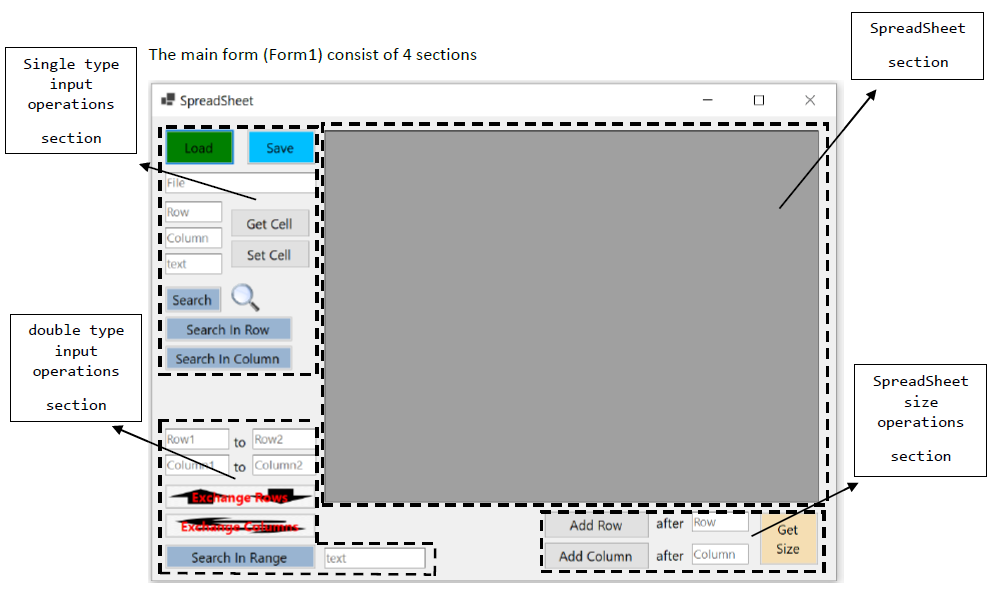
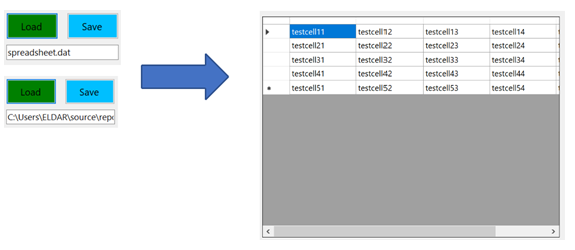
Simply displays the SpreadSheet ones it's loaded (Load button+ File text box)
This section contains all the operations the requires a single set of input.
The load button loads the data from the "spreadsheet.dat" which is given in the File text box below it (absolute path or relative path) into the dataGridView. An incorrect path will show an error MessageBox.
The save button saves the dataGridView into the "spreadsheet.dat" file and displays a MessageBox accordingly.
This button requires valid input in the Row and Column text boxes and displays a MessageBox accordingly.
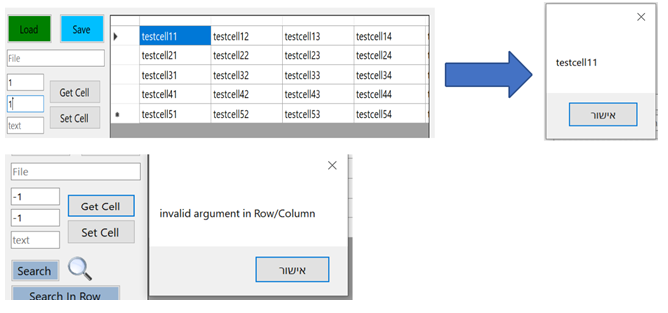
This button requires valid input in the Row, Column and text, textboxes and displays a MessageBox accordingly.
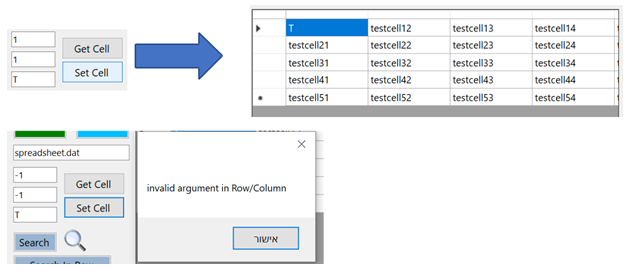
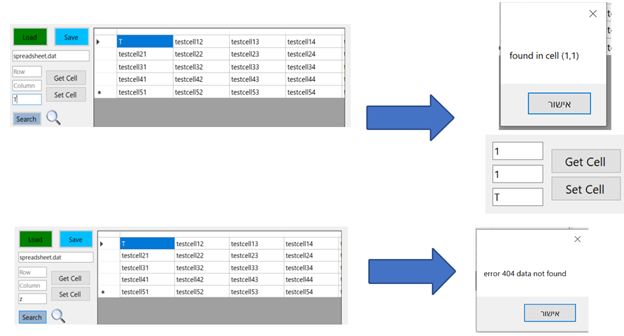
This button searches the string from the text textbox, and displays its location in the dataGridView (if found) on a MessageBox and an error if its not found in the dataGridView. In addition, if the string is found, it's location will be set to the Row and Column text boxes accordingly. (feature)
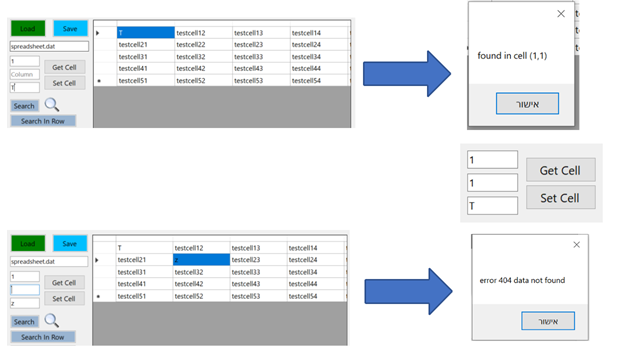
This button searches the string from the text textbox, in row given in the Row textbox , and displays its location in the dataGridView (if found) on a MessageBox and an error if it's not found in the dataGridView. In addition, if the string is found, it's location will be set to the Column textbox accordingly. (feature)
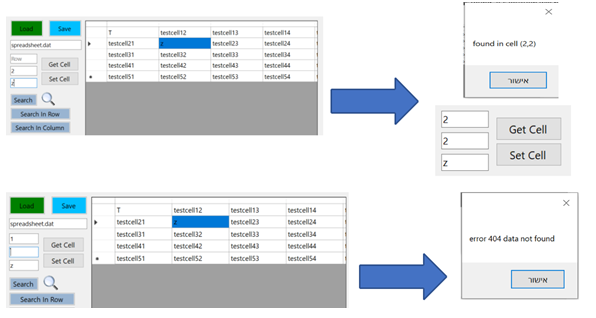
This button searches the string from the text textbox, in column given in the Column textbox, and displays its location in the dataGridView (if found) on a MessageBox and an error if it's not found in the dataGridView. In addition, if the string is found, it's location will be set to the Column textbox accordingly. (feature)
this section contains all the operations the requires a double set of input.
This button exchanges the rows in the dataGridView according to the input in Row1 and Row2 teaxtboxes
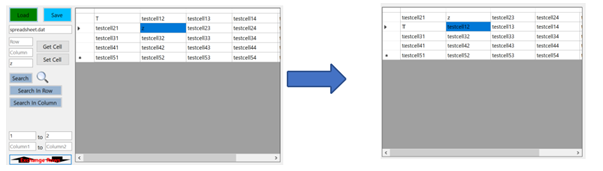
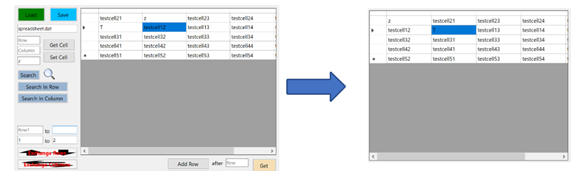
This button exchanges the rows in the dataGridView according to the input in Column1 and Column2 teaxtboxes
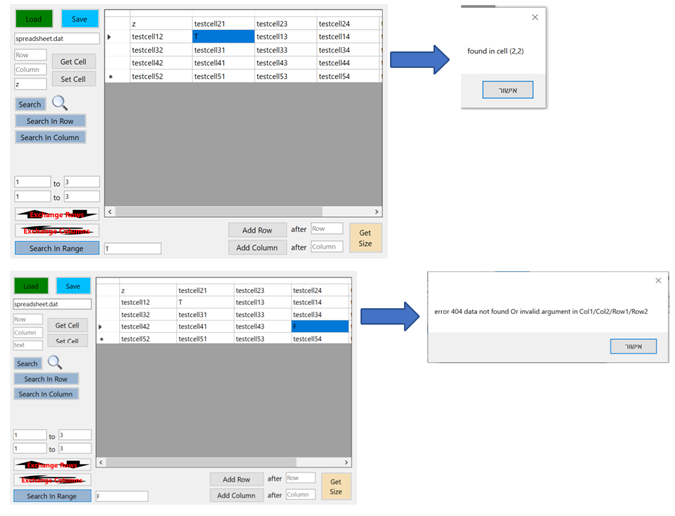
This button searches the string from the text textbox, in the range given from Row1 to Row2 textboxes and from Column1 to Column2 textboxes, and displays its location in the dataGridView (if found) on a MessageBox and an error if it's not found in the dataGridView.
contains all the operations that manipulate the size of the SpreadSheet
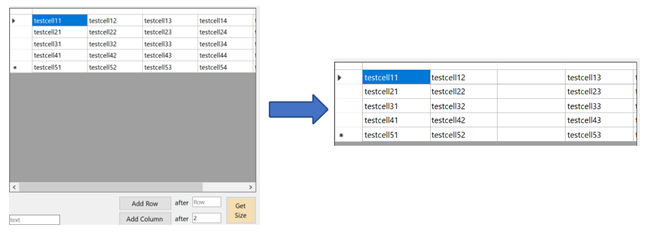
This button adds a row to the dataGridView after the row given as input int the Row textbox.
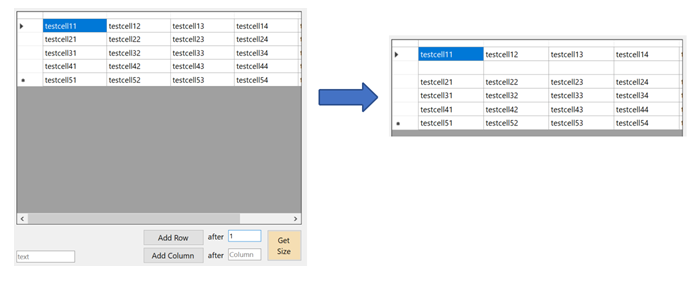
This button adds a column to the dataGridView after the column given as input int the Column textbox.
This button displays the size of the dataGridView in a MessageBox.