Home
If you follow the following steps you'll be able to take an existing directory structure and convert a subdirectory to a git submodule. Each step is represented by a new header.
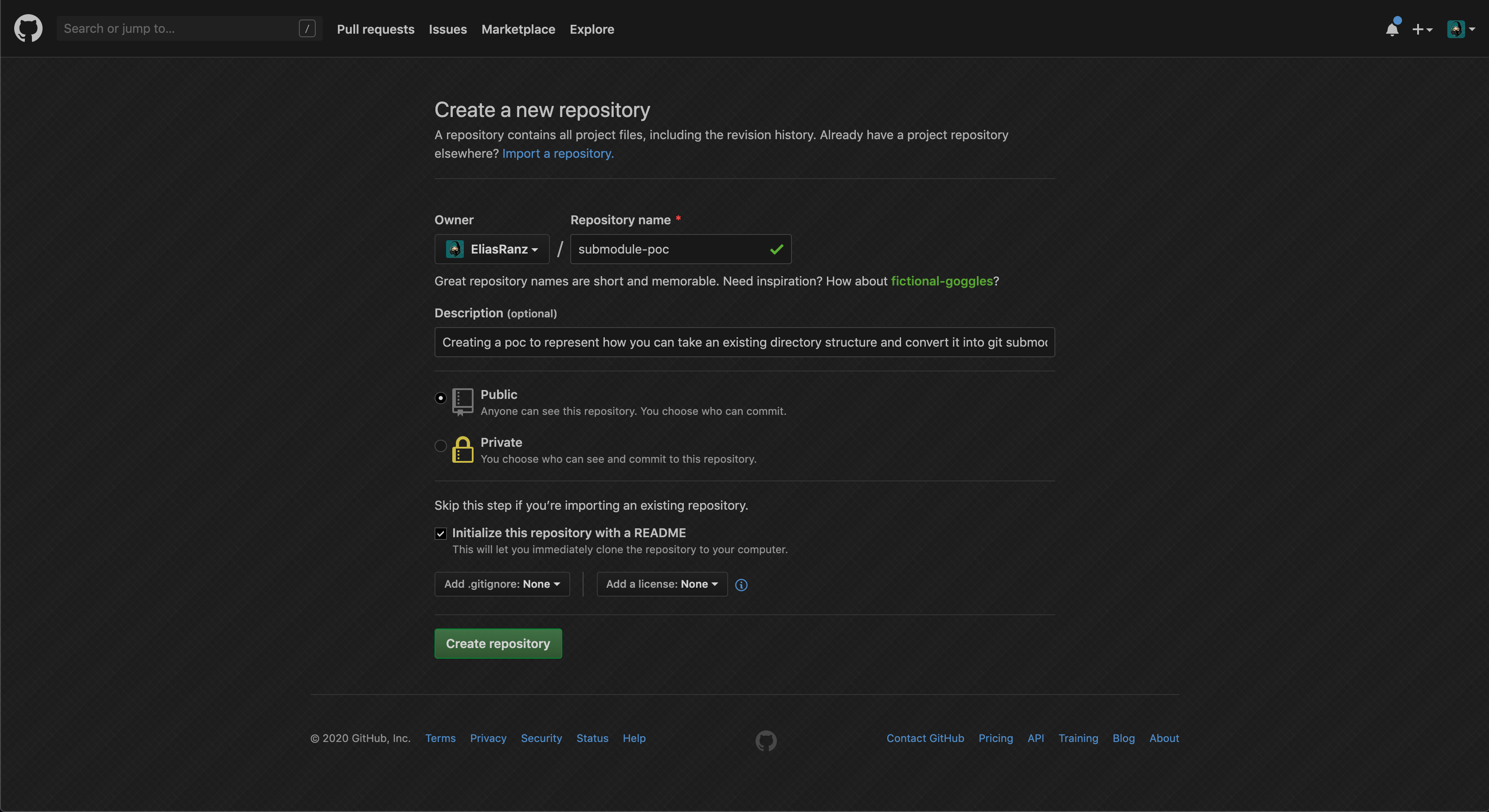
For this example we're using a very basic git repository with a default README.md generated by github with the contents of the repo name/description.
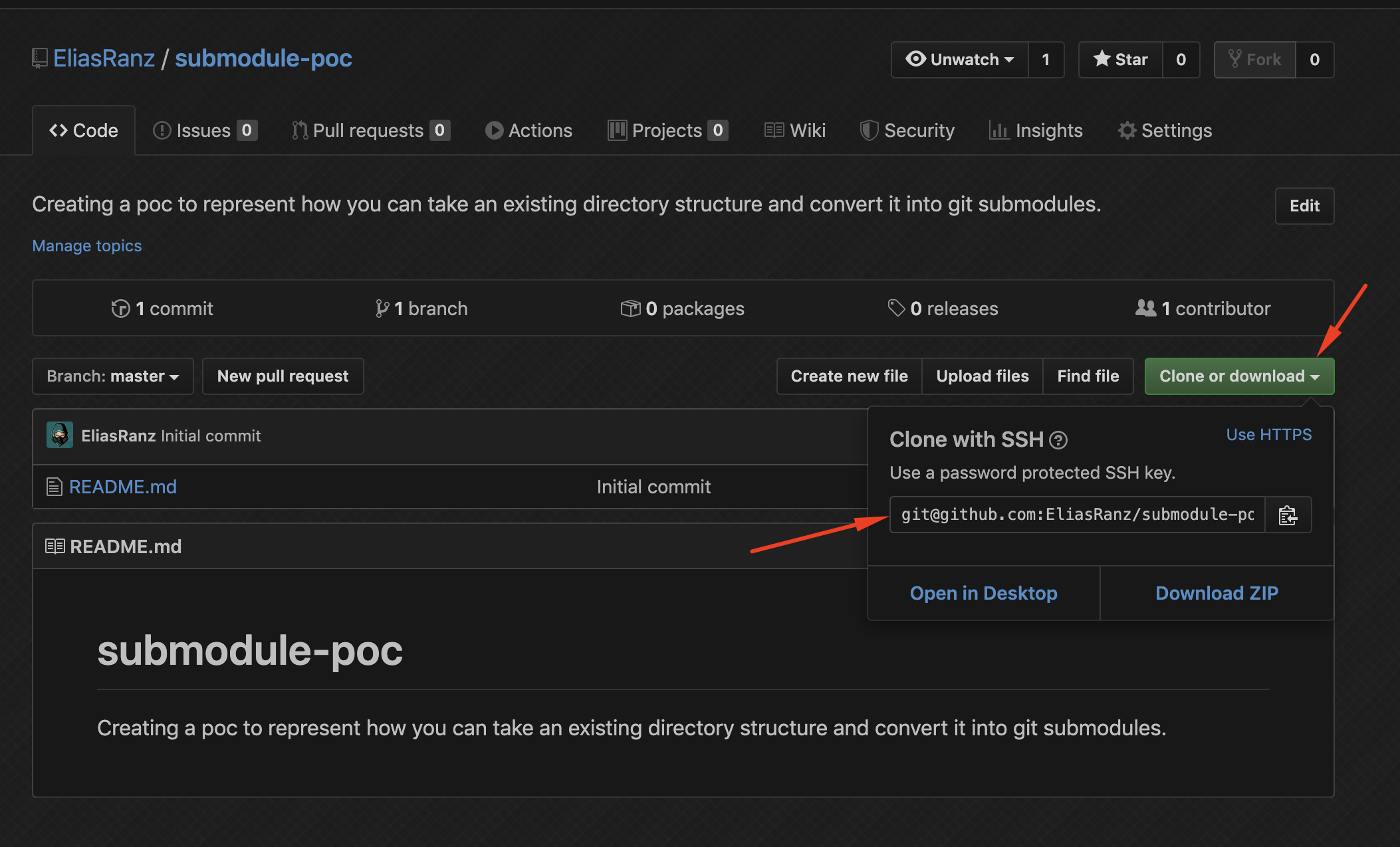
Now that we have a repository we can clone it and begin working... Find your repository URL, in the rest of process we will be using SSH to communicate with Github. You will want to replace <REMOTE_URL> with the value you get from your repository.
git clone "<REMOTE_URL>"
Note: in place of <OMITTED> you should see an actual IP Address.
Cloning into 'submodule-poc'...
Warning: Permanently added the RSA host key for IP address '<OMITTED>' to the list of known hosts.
remote: Enumerating objects: 3, done.
remote: Counting objects: 100% (3/3), done.
remote: Compressing objects: 100% (2/2), done.
remote: Total 3 (delta 0), reused 0 (delta 0), pack-reused 0
Receiving objects: 100% (3/3), done.
Now that we have our repository cloned, we should create our POC working tree. We will create a folder called foo that contains a simple text file empty.txt. This file won't contain anything in it.
To achieve this we can run the following commands in our shell session.
cd submodule-poc # you can change submodule-poc to the directory you cloned your repo to
mkdir foo # this is an example subfolder
touch foo/empty.txt # example txt file that contains nothing
Once you have this you should end up with the following directory structure...
submodule-poc/
├── README.md
└── foo
    └── empty.txt
Let's commit this so that we can mimic the use case where we had an existing git repository with some history.
At this time if you do a git status you should see the following...
On branch master
Your branch is up to date with 'origin/master'.

Untracked files:
  (use "git add <file>..." to include in what will be committed)

	foo/

nothing added to commit but untracked files present (use "git add" to track)
If this is the case then git add, git commit and git push. In the output of the git commit you'll notice that there was 1 file changed with 0 insertions/0 deletions. This is proof that it's an empty file.
$ git add foo/

$ git commit -m "Adding foo as an example directory that existed with some history."
[master d98eedf] Adding foo as an example directory that existed with some history.
 1 file changed, 0 insertions(+), 0 deletions(-)
 create mode 100644 foo/empty.txt

$ git push
Warning: Permanently added the RSA host key for IP address '<OMMITED>' to the list of known hosts.
Enumerating objects: 5, done.
Counting objects: 100% (5/5), done.
Delta compression using up to 12 threads
Compressing objects: 100% (2/2), done.
Writing objects: 100% (4/4), 373 bytes | 373.00 KiB/s, done.
Total 4 (delta 0), reused 0 (delta 0)
To github.com:EliasRanz/submodule-poc.git
   ce62406..d98eedf  master -> master
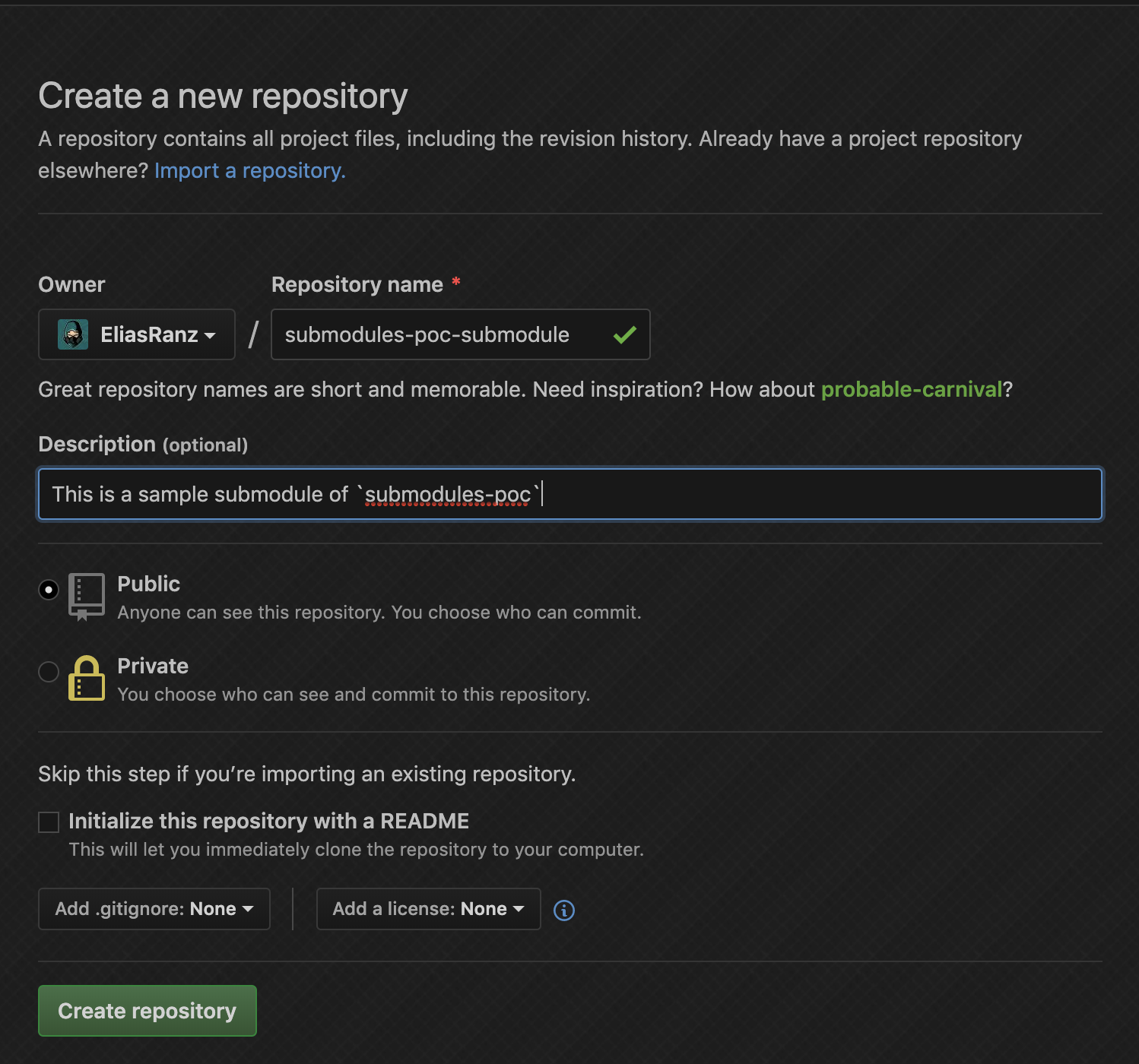
This time we won't add a README.md file because we want to take the exact contents of foo and add it to the repository along with its revision history.
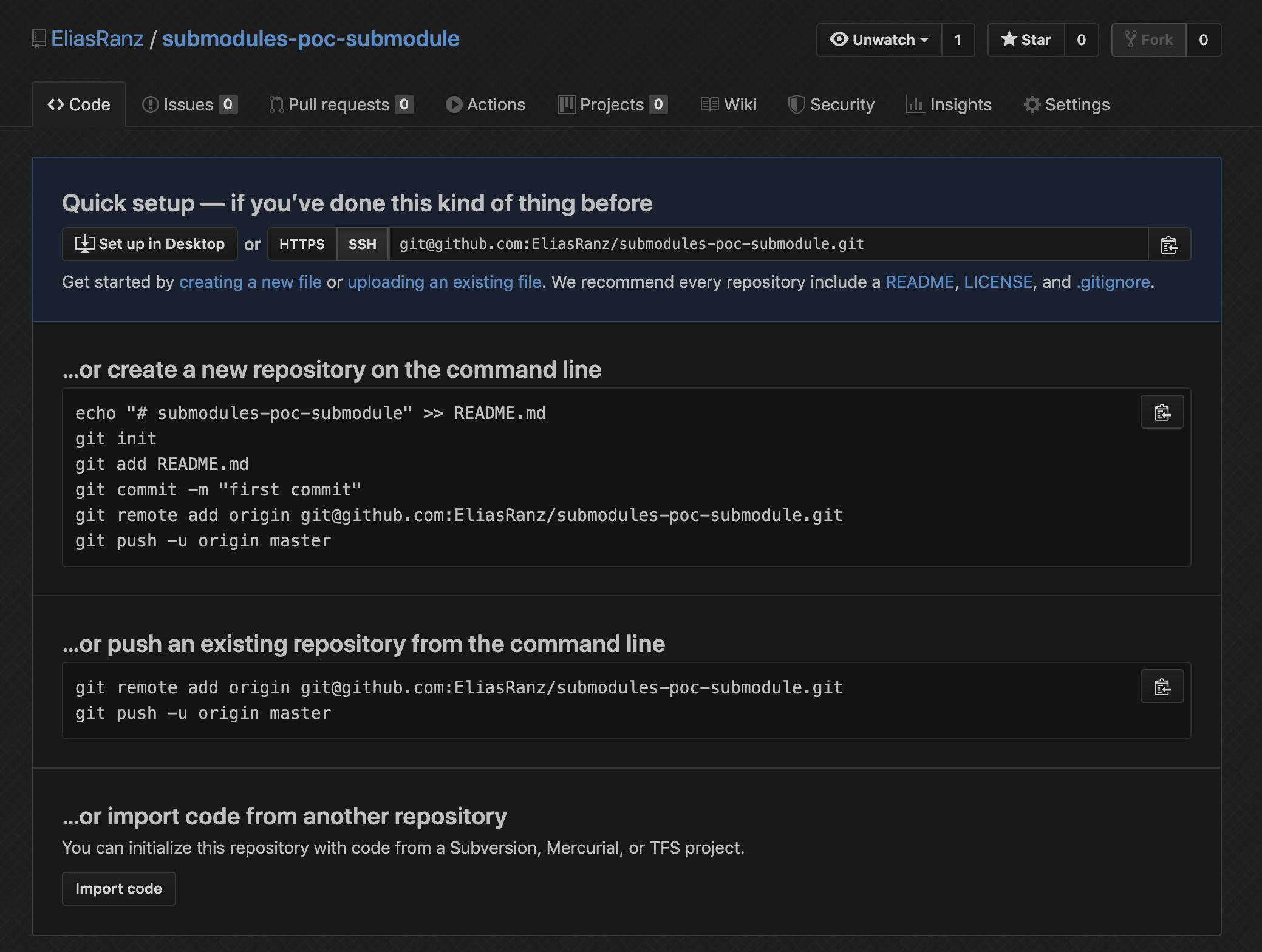
Once you create the repository you should see something like this. Note the git commands that Github provides us, we'll use some of these momentarily.
Now that we have a Github repository we can create a local repository that we'll configure to use the new repository we created as a remote.
You'll see some git remote commands below, which will be the ones that Github provided you on submodule repository that you created.
Note: We're using pushd and popd, if these commands aren't found then you should be able to replace them with cd and cd .. respectively. pushd will allow you to change directory while retaining the origin location of where you ran it from. When you run popd you'll be returned to that same location. In the following example you'll see the paths represented in the output.
$ pushd foo
~/git/submodule-poc/foo ~/git/submodule-poc # <target directory> <source directory>

$ git init
Initialized empty Git repository in ~/git/submodule-poc/foo/.git/

$ git remote add origin git@github.com:EliasRanz/submodule-poc-submodule.git

$ git remote -v
origin	git@github.com:EliasRanz/submodule-poc-submodule.git (fetch)
origin	git@github.com:EliasRanz/submodule-poc-submodule.git (push)
Ok so this is where things start to heat up a bit. We currently should have 2 repositories that are managed by 1 parent. However, they're independent and aren't actually linked at all. So let's rectify that situation.
Time to extract our changes that we made in the foo directory and put them in our new git repository.
_Note: the following git command should be executed in your parent git repository since this has the history of all thee changes. We'll popd or cd .. to get back to our parent directory.
$ popd
~/git/submodule-poc <source directory>

$ git subtree split --prefix=foo --branch=foo-only
Created branch 'foo-only'
6a1fd88aa937fb2297b23028ea565e987411e5e7

$ git branch -v
  foo-only 6a1fd88 Adding foo as an example directory that existed with some history.
* master   d98eedf Adding foo as an example directory that existed with some history.

$ git log foo-only
commit 6a1fd88aa937fb2297b23028ea565e987411e5e7 (foo-only)
Author: Elias Ranz-Schleifer <elias.ranz-schleifer@coxautoinc.com>
Date:   Thu Jan 23 04:48:57 2020 -0500

    Adding foo as an example directory that existed with some history.
Hold up... what did we just do?
We used a git subtree command which allows us to inspect the history for a given structure. We specifically care about the foo directory so we're filtering it down to that directory. The result of that will get applied to a branch new branch called foo-only. If you look at the log of the foo-only branch you'll see that the only commit is the one that we pushed for the creation fo the foo directory and empty.txt file. If you had more commits on that directory, you'd expect to see more commits in your log statement.
Ok... let's proceed
Now that we have a branch that contains the changes we want we're well on our way to setting up this git submodule. Let's get back into the submodule and really take this to the next level.
$ pushd foo
~/git/submodule-poc/foo ~/git/submodule-poc <target directory> <source directory>

$ popd
~/git/submodule-poc <source directory>

$ git rm -rf ./foo
rm 'foo/empty.txt'

$ git status
On branch master
Your branch is up to date with 'origin/master'.

Changes to be committed:
  (use "git reset HEAD <file>..." to unstage)

	deleted:    foo/empty.txt

$ ls
README.md	foo

$ pushd foo
~/git/submodule-poc/foo ~/git/submodule-poc <target directory> <source directory>

$ git pull ../ foo-only
remote: Enumerating objects: 3, done.
remote: Counting objects: 100% (3/3), done.
remote: Total 3 (delta 0), reused 0 (delta 0)
Unpacking objects: 100% (3/3), done.
From ..
 * branch            foo-only   -> FETCH_HEAD

$ git push -u origin master
Enumerating objects: 3, done.
Counting objects: 100% (3/3), done.
Writing objects: 100% (3/3), 263 bytes | 263.00 KiB/s, done.
Total 3 (delta 0), reused 0 (delta 0)
To github.com:EliasRanz/submodule-poc-submodule.git
 * [new branch]      master -> master
Branch 'master' set up to track remote branch 'master' from 'origin'.
Wow that was a lot of commands
Ok let's take a step back now that we just did a lot. Let's break it down shall we...
-
git rm -rf- while yes this command does look scary because of the fact that we're forcing a recursive removal of contents, it's not actually that bad... This is simply telling git to forget about the changes to thefoodirectory since we're handling it in a separate git repository. We're representing this by doing agit statusand then checking the contents of the folder to make sure we didn't hard delete them. -
git pull ../ foo-only- this is effectively taking the contents of thefoo-onlybranch from the parent folder and merging it into our new git repository.
These are the more complex commands. Once we have the changes that we care about we're pushing them to the remote repository... Now if you take a look at the Github repo you created for your submodule you'll see the contents inside the foo directory, in our scenario it was only empty.txt. You should also see the history on that folder.
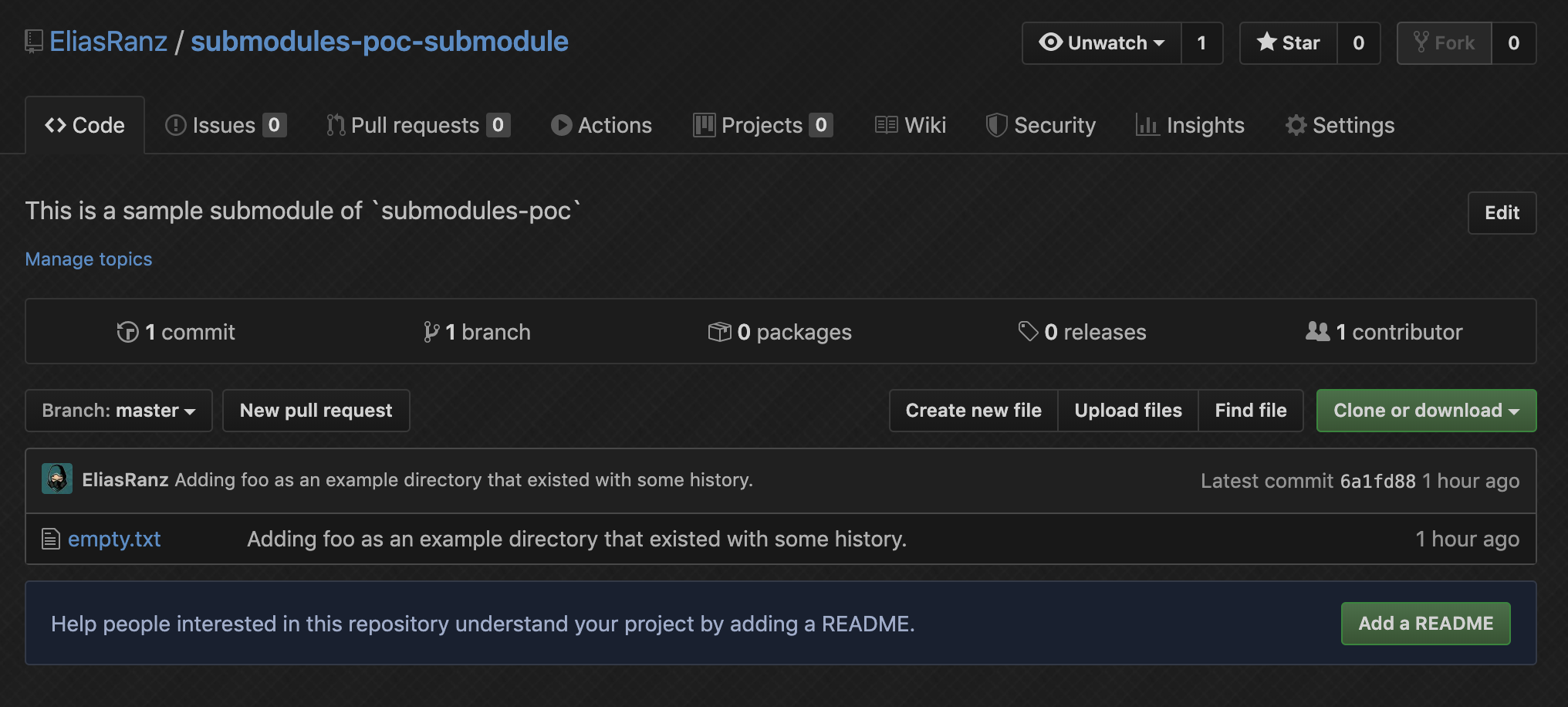
Ok now that we have our changes in our new submodule it's time to actually make it one... that's what we started this expedition for anyways right? We'll take a look at the current state of the parent repository and then compare it against the UI after. The reason for this is because Github renders things slightly different when a directory is actually a submodule.
Notice how we have a standard folder icon with the name of the directory. This is how Github represents the directory if it's not a submodule.
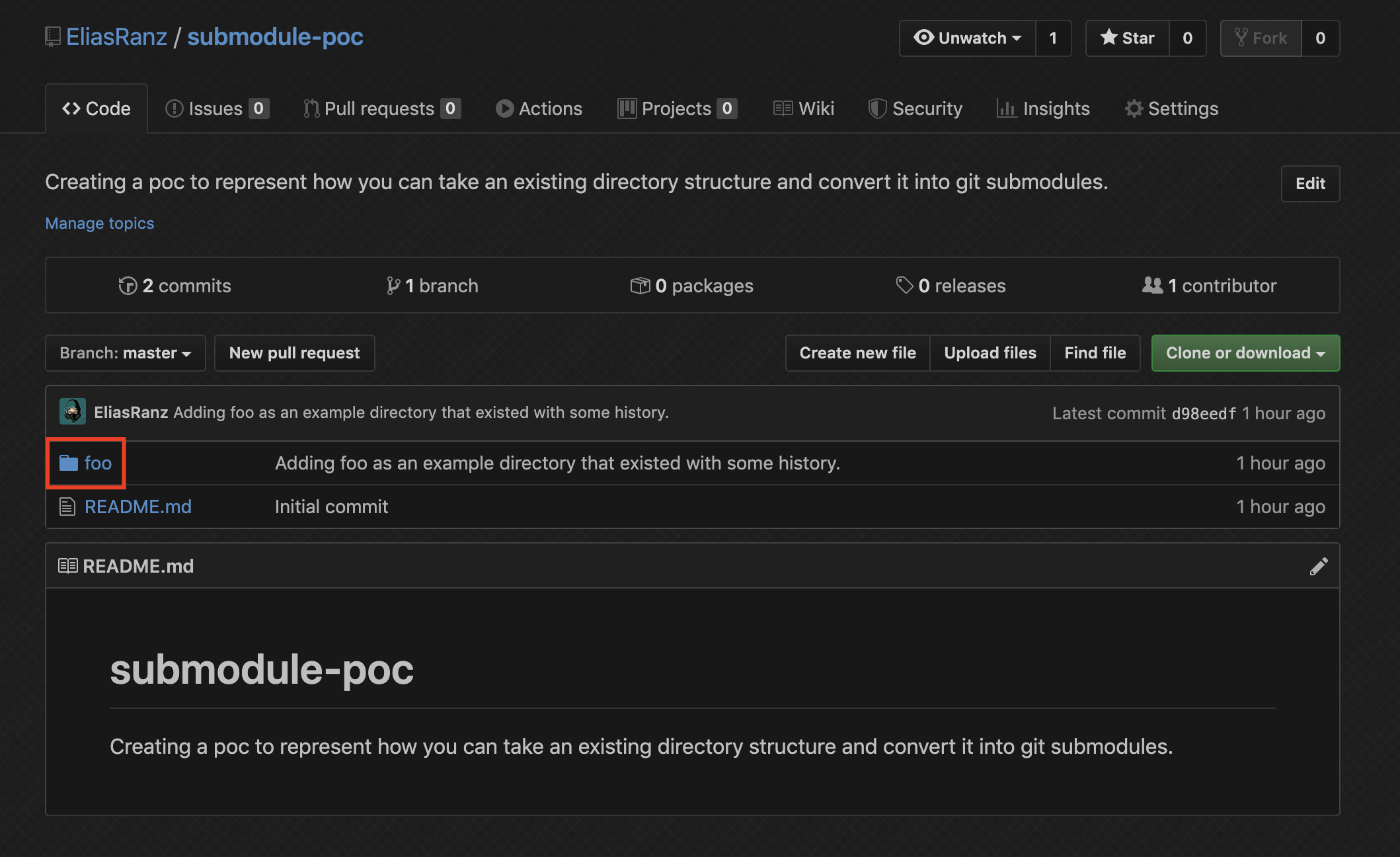
Now that we got that out of our way, let's make it a submodule and see how the Github UI changes.
$ popd
~/git/submodule-poc <source directory>

$ git submodule add git@github.com:EliasRanz/submodule-poc-submodule.git foo
Adding existing repo at 'foo' to the index

$ git status
On branch master
Your branch is up to date with 'origin/master'.

Changes to be committed:
  (use "git reset HEAD <file>..." to unstage)

	new file:   .gitmodules
	new file:   foo
	deleted:    foo/empty.txt

Changes not staged for commit:
  (use "git add <file>..." to update what will be committed)
  (use "git checkout -- <file>..." to discard changes in working directory)
  (commit or discard the untracked or modified content in submodules)

	modified:   foo (modified content)

$ git commit -m "Updating foo to be a submodule"
[master 3e663c4] Updating foo to be a submodule
 3 files changed, 4 insertions(+)
 create mode 100644 .gitmodules
 create mode 160000 foo
 delete mode 100644 foo/empty.txt

$ git push
Enumerating objects: 4, done.
Counting objects: 100% (4/4), done.
Delta compression using up to 12 threads
Compressing objects: 100% (3/3), done.
Writing objects: 100% (3/3), 412 bytes | 412.00 KiB/s, done.
Total 3 (delta 0), reused 0 (delta 0)
To github.com:EliasRanz/submodule-poc.git
   d98eedf..3e663c4  master -> master
Ok cool, now we should have the same directory structure, but with the difference of a submodule on the repository. Let's check the UI again to see how it changed... You should see a different icon, and then after the foo you should see an @ <HASH>. the <HASH> represents the commit hash that the submodule is currently looking at.
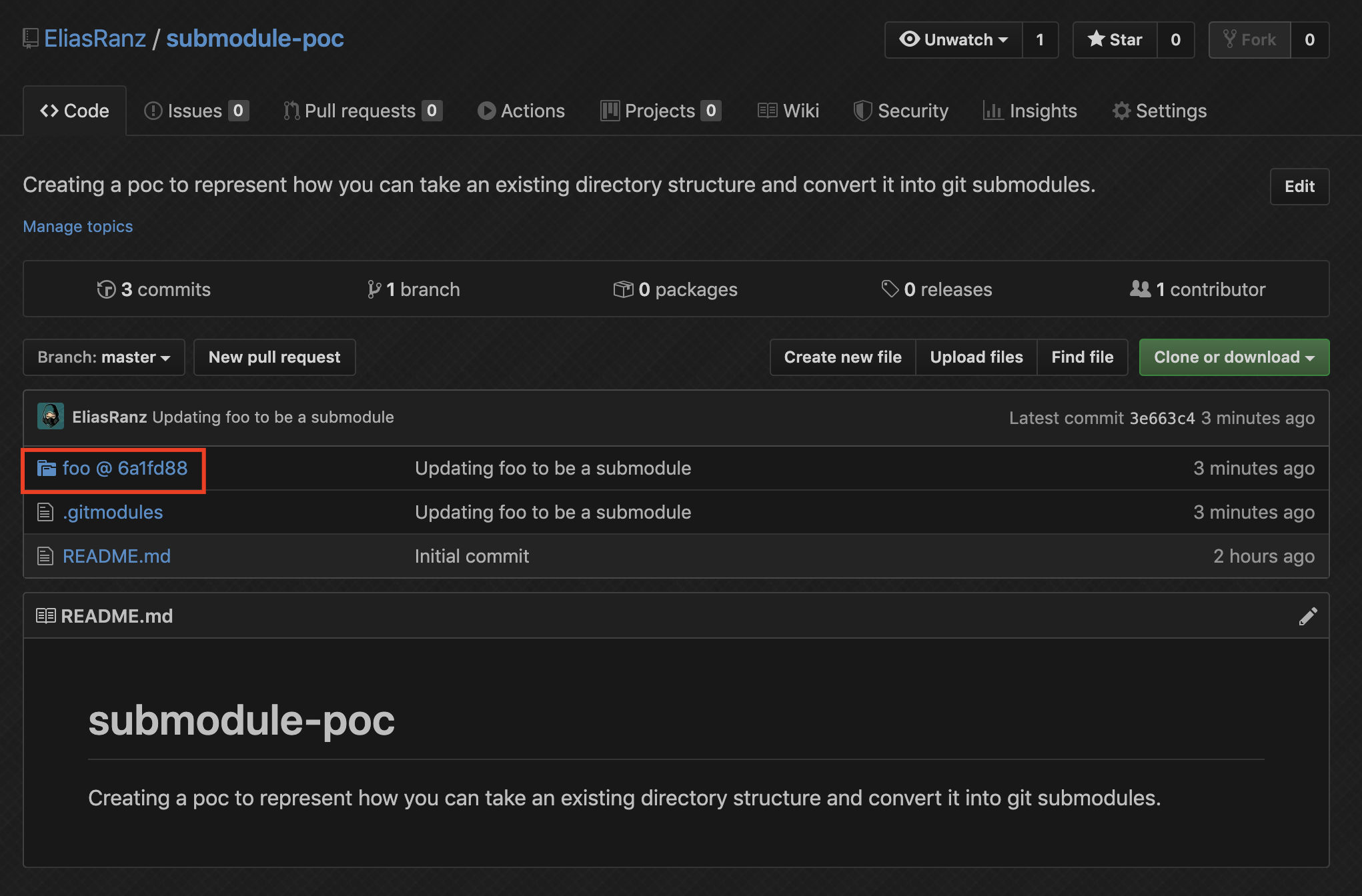
By default a commit/push to a submodule's git repository won't be reflected on the parent without some manual intervention. Since it's 2 different sources of version control you have to update the parent. Let's go ahead and do that now. First we'll add a README.md file into the foo repo, and then update the submodule.
$ pushd foo
~/git/submodule-poc/foo ~/git/submodule-poc <target directory> <source directory>

$ touch README.md

$ git status
On branch master
Your branch is up to date with 'origin/master'.

Untracked files:
  (use "git add <file>..." to include in what will be committed)

	README.md

nothing added to commit but untracked files present (use "git add" to track)

$ git commit -m "Added empty README"
[master 7cd5b60] Added empty README
 1 file changed, 0 insertions(+), 0 deletions(-)
 create mode 100644 README.md

$ git push
Warning: Permanently added the RSA host key for IP address '<OMMITED>' to the list of known hosts.
Enumerating objects: 3, done.
Counting objects: 100% (3/3), done.
Delta compression using up to 12 threads
Compressing objects: 100% (2/2), done.
Writing objects: 100% (2/2), 274 bytes | 274.00 KiB/s, done.
Total 2 (delta 0), reused 0 (delta 0)
remote: This repository moved. Please use the new location:
remote:   git@github.com:EliasRanz/submodule-poc-submodule.git
To github.com:EliasRanz/submodules-poc-submodule.git
   6a1fd88..7cd5b60  master -> master

$ popd
~/git/submodule-poc <source directory>

$ git submodule update --remote

$ git status
On branch master
Your branch is up to date with 'origin/master'.

Changes not staged for commit:
  (use "git add <file>..." to update what will be committed)
  (use "git checkout -- <file>..." to discard changes in working directory)
  (commit or discard the untracked or modified content in submodules)

	modified:   foo (modified content)

no changes added to commit (use "git add" and/or "git commit -a")

$ git commit -am "Updated foo submodule"
[master e98d9ba] Updated foo submodule
 1 file changed, 1 insertion(+), 1 deletion(-)

$ git push
Enumerating objects: 3, done.
Counting objects: 100% (3/3), done.
Delta compression using up to 12 threads
Compressing objects: 100% (2/2), done.
Writing objects: 100% (2/2), 268 bytes | 268.00 KiB/s, done.
Total 2 (delta 1), reused 0 (delta 0)
remote: Resolving deltas: 100% (1/1), completed with 1 local object.
To github.com:EliasRanz/submodule-poc.git
   3e663c4..e98d9ba  master -> master
Now that we pushed an update to the submodule, if you go back to the UI you should see the commit hash change. That is good and means you're good to go!