Step 7: Update parent git repository to use a submodule
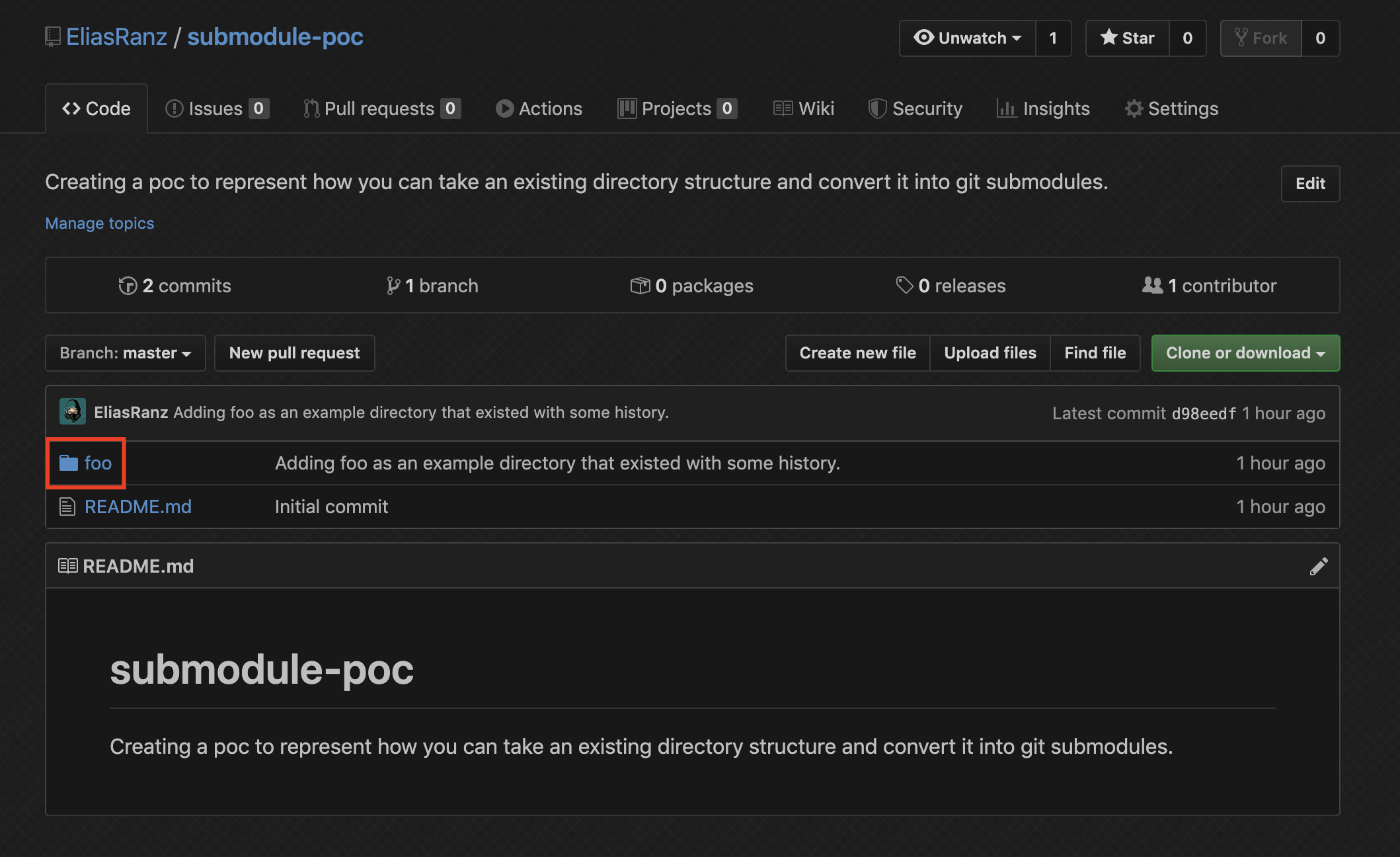
Ok now that we have our changes in our new submodule it's time to actually make it one... that's what we started this expedition for anyways right? We'll take a look at the current state of the parent repository and then compare it against the UI after. The reason for this is because Github renders things slightly different when a directory is actually a submodule.
Notice how we have a standard folder icon with the name of the directory. This is how Github represents the directory if it's not a submodule.
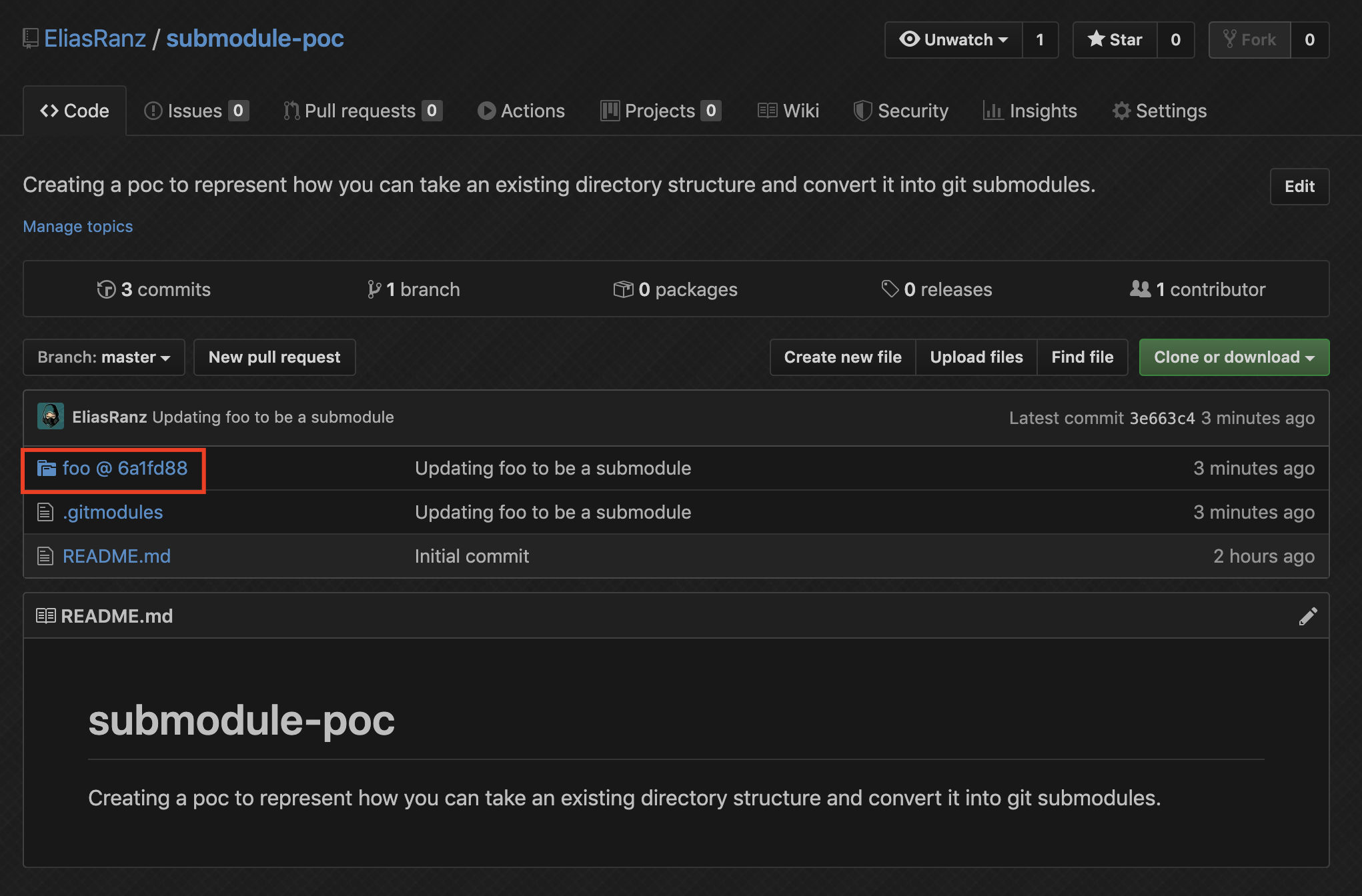
Now that we got that out of our way, let's make it a submodule and see how the Github UI changes.
$ popd
~/git/submodule-poc <source directory>

$ git submodule add git@github.com:EliasRanz/submodule-poc-submodule.git foo
Adding existing repo at 'foo' to the index

$ git status
On branch master
Your branch is up to date with 'origin/master'.

Changes to be committed:
  (use "git reset HEAD <file>..." to unstage)

	new file:   .gitmodules
	new file:   foo
	deleted:    foo/empty.txt

Changes not staged for commit:
  (use "git add <file>..." to update what will be committed)
  (use "git checkout -- <file>..." to discard changes in working directory)
  (commit or discard the untracked or modified content in submodules)

	modified:   foo (modified content)

$ git commit -m "Updating foo to be a submodule"
[master 3e663c4] Updating foo to be a submodule
 3 files changed, 4 insertions(+)
 create mode 100644 .gitmodules
 create mode 160000 foo
 delete mode 100644 foo/empty.txt

$ git push
Enumerating objects: 4, done.
Counting objects: 100% (4/4), done.
Delta compression using up to 12 threads
Compressing objects: 100% (3/3), done.
Writing objects: 100% (3/3), 412 bytes | 412.00 KiB/s, done.
Total 3 (delta 0), reused 0 (delta 0)
To github.com:EliasRanz/submodule-poc.git
   d98eedf..3e663c4  master -> master
Ok cool, now we should have the same directory structure, but with the difference of a submodule on the repository. Let's check the UI again to see how it changed... You should see a different icon, and then after the foo you should see an @ <HASH>. the <HASH> represents the commit hash that the submodule is currently looking at.