6.2.0

Radial Timeline 6.2.0
Thank you to Fioretin for the thoughtful feedback in GitHub Discussions #11. It helped sharpen this release.
Important: restoration and recovery files now live outside Radial Timeline/Logs, so the large Logs folder can be deleted without losing critical restore data.
This release adds easier world-calendar conversion, clearer chapter setup, word-based writing goals, less confusing Publish setup, clearer Inquiry status, and a direct bug-report path.
New Features
- Moved restoration data out of Logs.
- Restore files, snapshots, and recovery archives now live in
Radial Timeline/Recover. - Large AI/content logs can be deleted without wiping critical restore materials.
- Restore files, snapshots, and recovery archives now live in
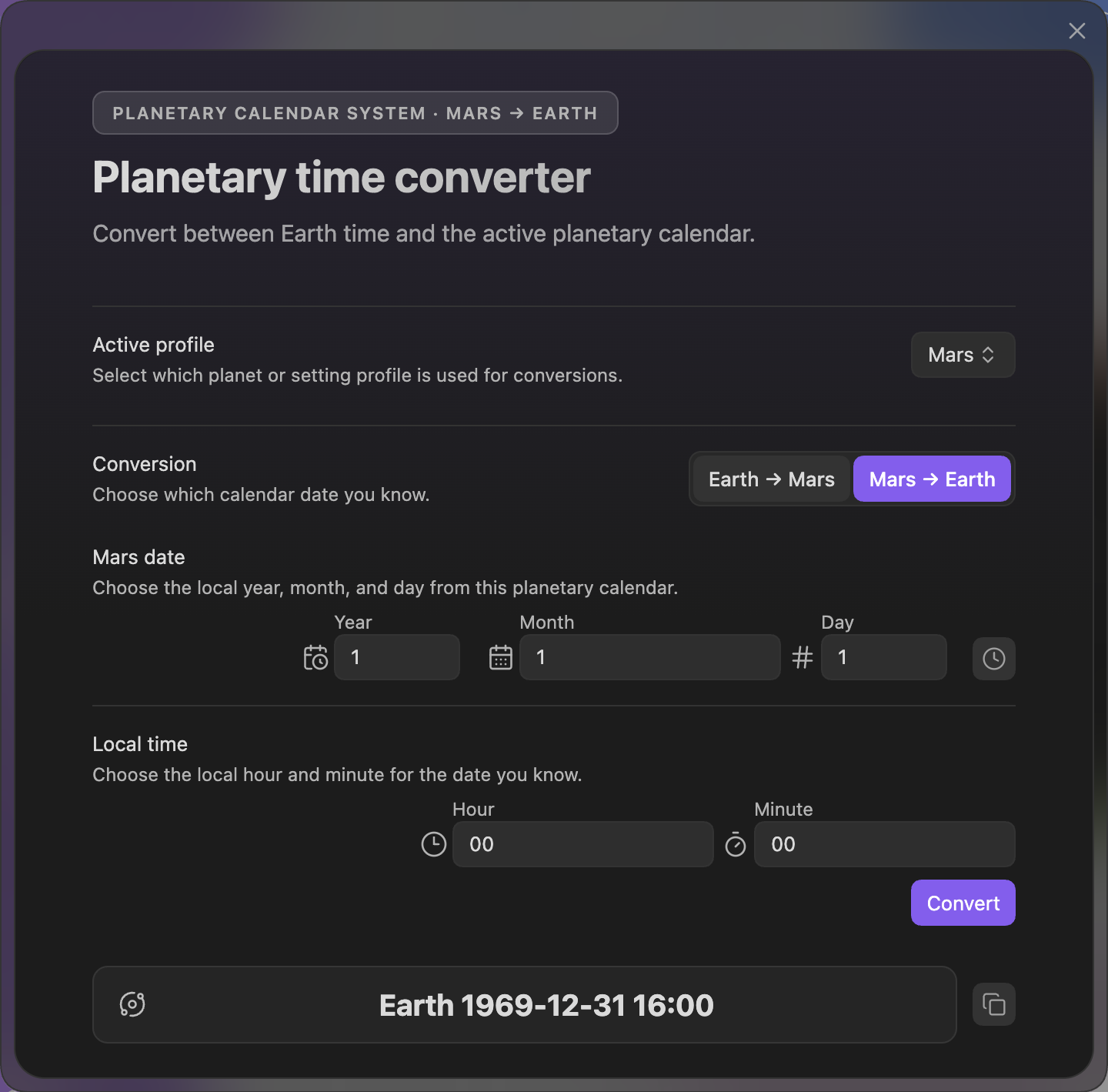
- Revamped the Alien Calendar Calculator and Chronologue Planet Calendar flow.
- Convert Earth dates into your world's calendar.
- Convert your world's local date and time back into an Earth timestamp.
- Switch conversion direction inside the calculator.
- Open Chronologue directly in Planet Calendar mode from Settings -> Core -> Chronologue when a valid planetary profile is active.
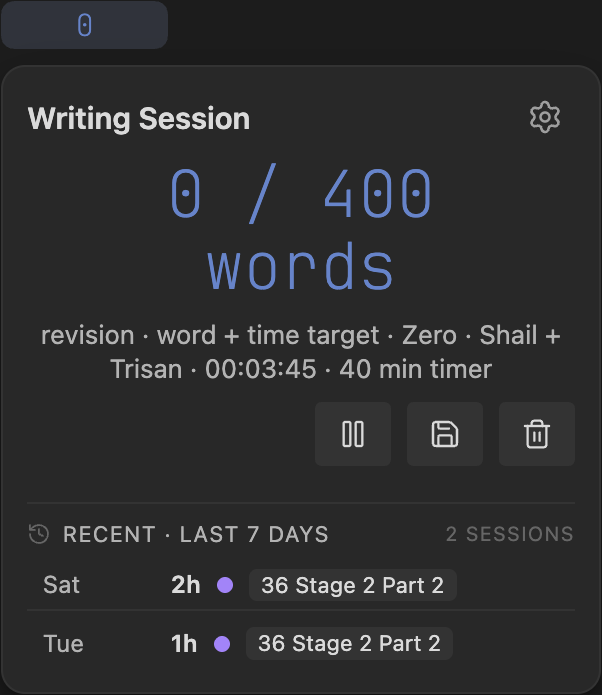
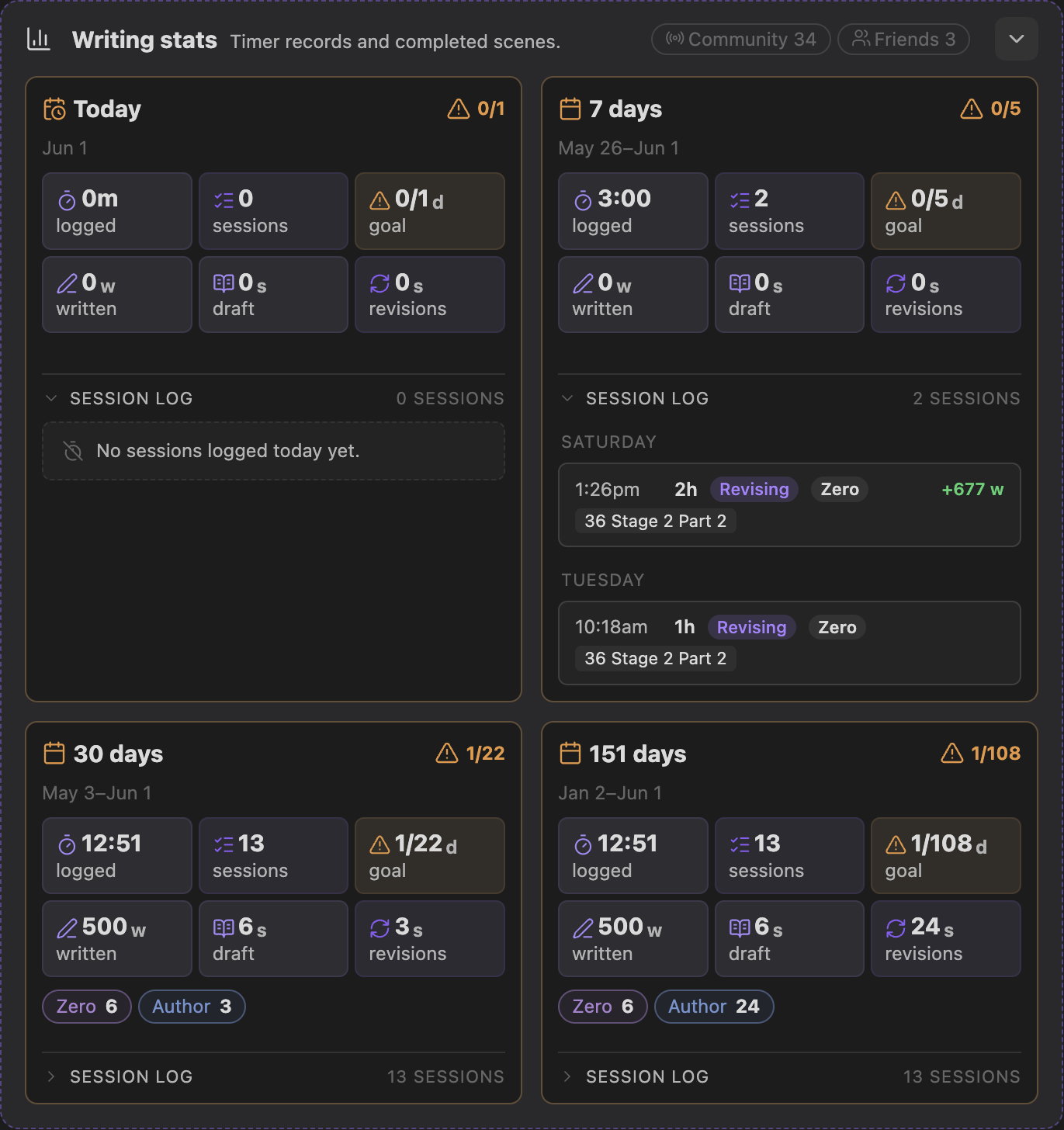
- Expanded writing-session visibility.
- Added session history to the title-bar count/session popover.
- Added four Settings -> Core writing stat cards for Today, 7 days, 30 days, and the full tracked span.
- Added typed-word counting, daily word targets, and session targets for time, words, or both.
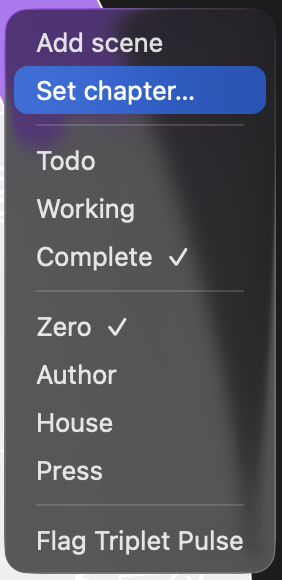
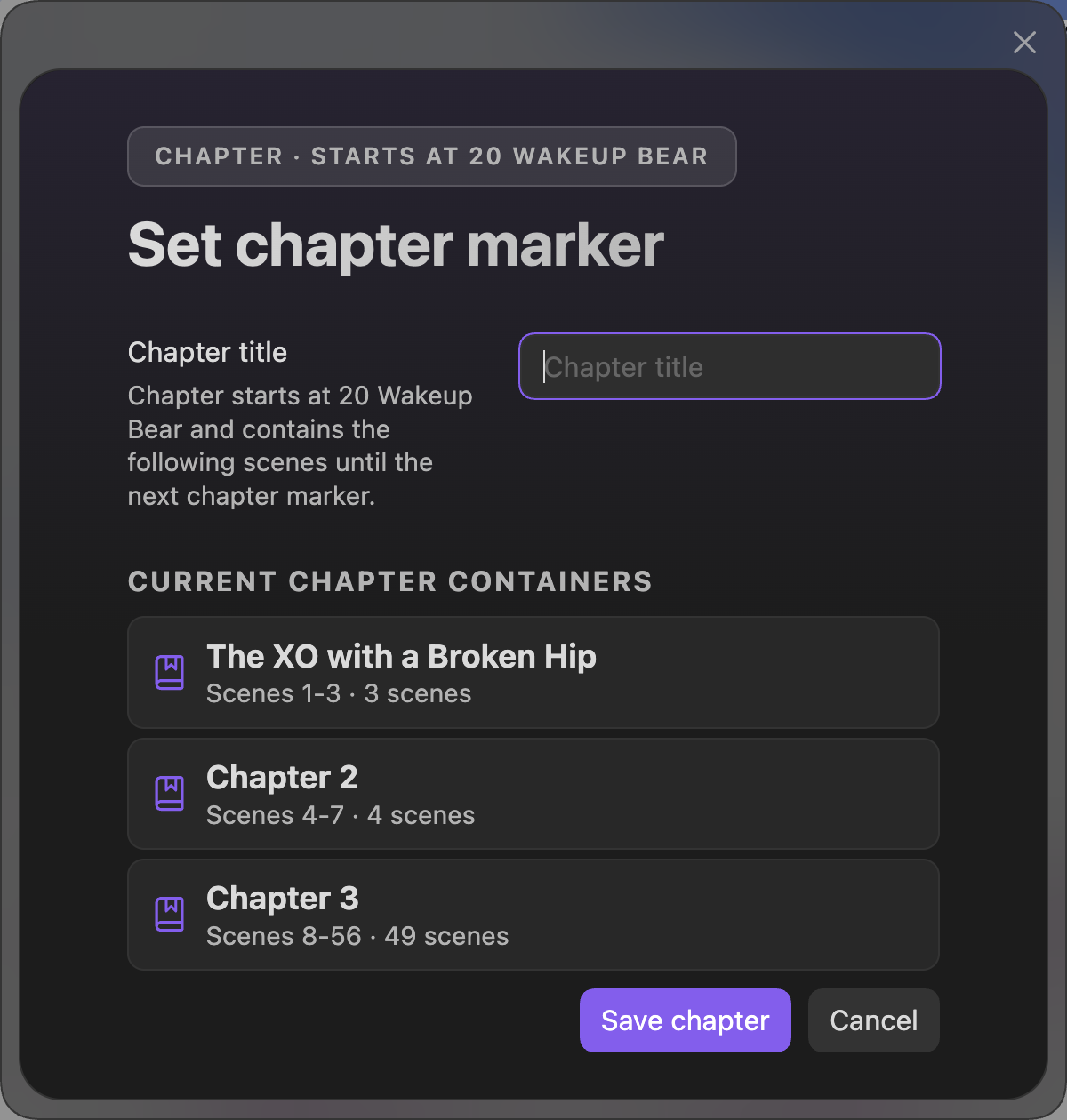
- Added timeline chapter markers from the scene right-click menu.
- Set or clear a
Chapter:marker directly from a scene. - Review the current chapter containers before saving so it is clear that a chapter can contain multiple scenes.
- Keep publishing structure aligned with the Narrative timeline.
- Set or clear a
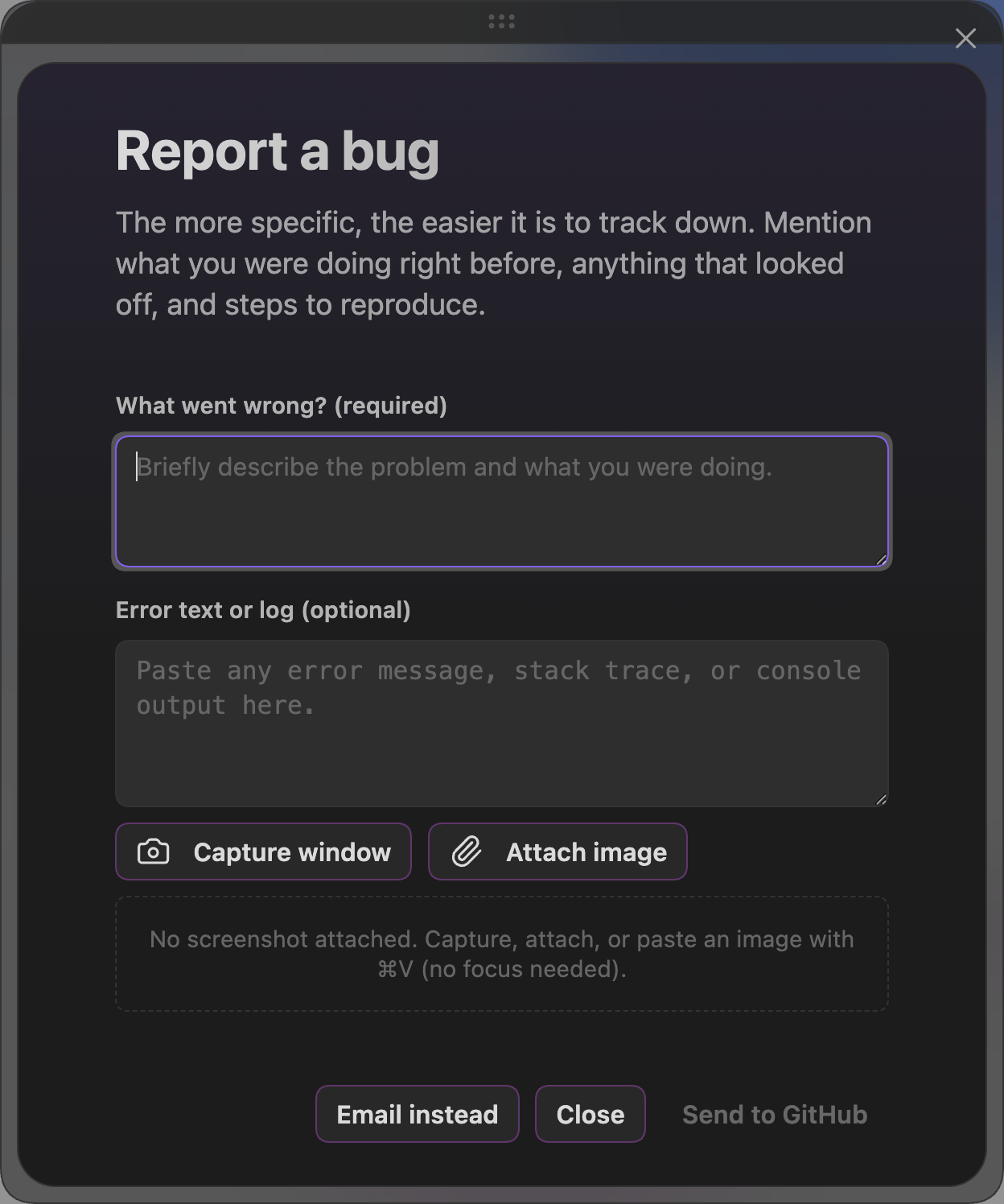
- Added a built-in bug report workflow.
- Capture or attach a screenshot.
- Paste an image from the clipboard without focusing a field first.
- Post to GitHub, or use the email fallback if you do not have a GitHub account.
Improvements
- Clarified Publish setup around Pandoc, LaTeX, bundled templates, bundled fonts, and custom/system fonts.
- Improved PDF template/font guidance so install buttons now make clearer what Radial Timeline installs into the vault and what still has to be installed on the computer.
- Improved chapter and publishing structure guidance around scenes, chapters, Parts, Acts, and subplots/arcs.
- Improved manuscript export guidance around wikilinks and cleanup behavior.
- Improved Chronologue defaults for authors who regularly work in planetary calendars.
- Updated Inquiry View Pro controls to use a simpler button style with magenta status numbers instead of inner-circle badges, making prior-run and stale-state status easier to read.
- Hardened AI model routing and provider handling, including Claude Opus 4.7, Gemini, local LLM capability checks, model availability gates, and stricter request profiles.
- Improved AI cost and token estimates across Settings AI, Inquiry, and Gossamer so previews better reflect what will be sent.
- Improved Gossamer AI analysis with response validation, safer frontmatter writes, clearer progress/error states, and better handling for beat purpose text.
- Improved Inquiry briefing behavior, including sorted findings/action items, compact briefing fingerprints, cache-state recovery, and more reliable reopened sessions.
Bug Fixes
- Fixed AI API cache accounting so created cache tokens, cache hits, cache TTLs, and actual run costs are treated correctly across Inquiry and Settings AI.
- Fixed model dispatch so unavailable models are blocked before burning quota on provider errors.
- Fixed Gossamer scoring cases where the wrong prompt shape, missing Beat Purpose, or malformed AI responses could produce bad run data.
- Fixed Inquiry cache and estimate edge cases that could leave stale, missing, or misleading status in the view.
Visual Highlights
Alien Calendar Calculator
Active writing session history
Settings Core writing stats
Chapter right-click menu
Set chapter marker
Bug report workflow