6.2.1

Radial Timeline 6.2.1
This release makes the first-run experience clearer, makes Inquiry easier to try without setup, and sharpens writing-session and briefing workflows.
New Features
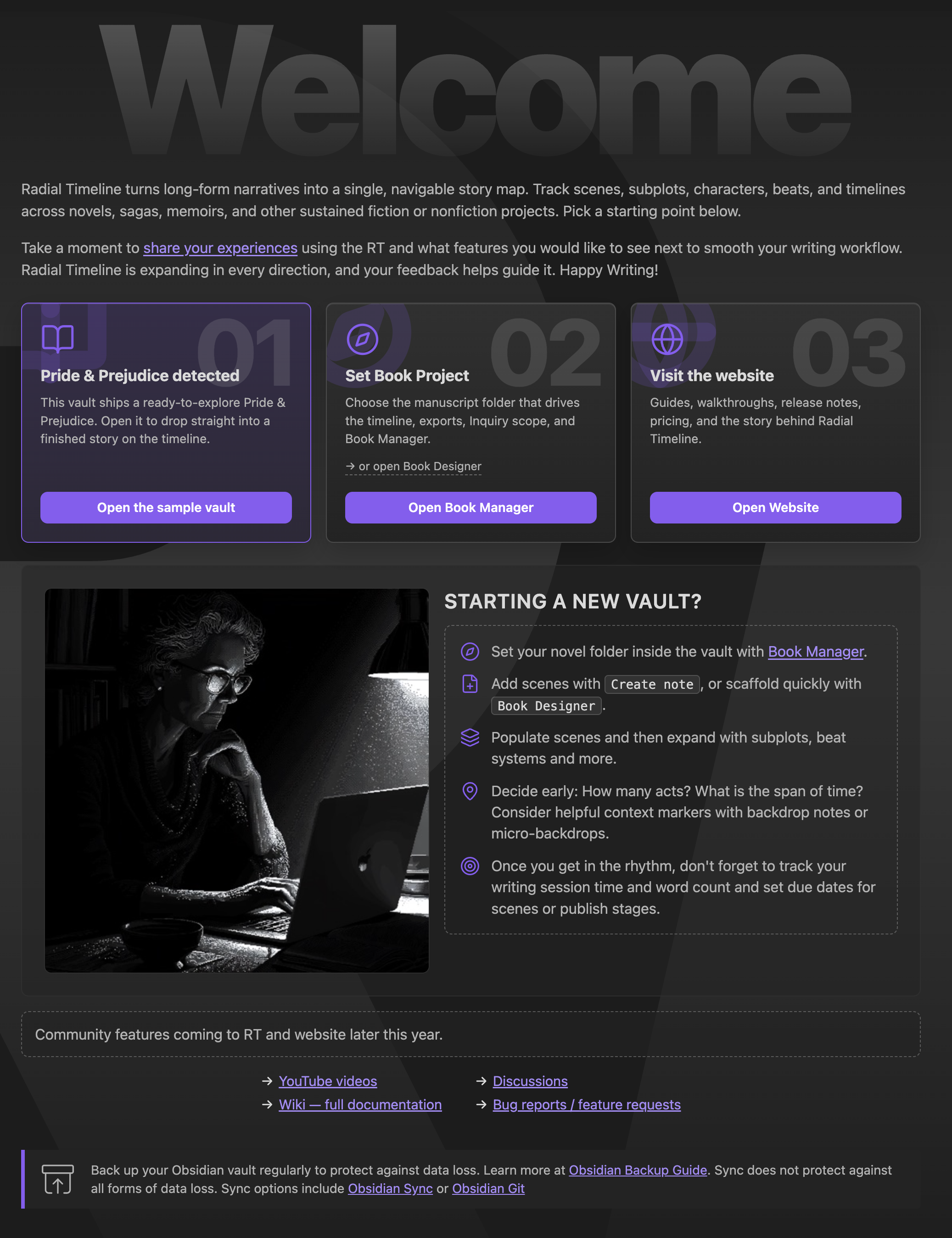
- Redesigned the Welcome screen.
- Better quick-start workflow.
- Cleaner sample vault and Book Manager entry points.
- Added a nicer welcome image.
- Added no-key Demo Mode for Inquiry.
- Demo vault briefings can be opened and reviewed without an API key.
- Demo zones stay clickable so authors can explore the briefing flow before configuring AI.
- Added Claude Opus 4.8 support.
- Opus 4.8 is now the current Anthropic Opus option for Inquiry and AI analysis.
- Opus 4.7 remains available as the previous Opus continuity option.
- Better Pending Edits action items in Inquiry briefings.
- Briefings now keep evidence findings separate from pending action items.
- "No Action Items" appears only when a completed pass really found none.
- Added Inquiry session-state controls.
- Briefing Manager can save and restore session state.
- Refined the writing-session count popover.
- Session history is easier to review from the count popover.
- Session save details handle dates and notes more cleanly.
- Added Gossamer cache visibility and full reset.
- Gossamer now shows cache-window status and clearer next-run cost context.
- The Gossamer score modal now includes a "Delete all" option for clearing saved scores.
Improvements
- Inquiry engine button now opens the engine popover directly.
- Inquiry briefings use cleaner labels, clearer scene-note headlines, and less redundant Findings structure.
- Inquiry reruns preserve useful prior context instead of feeling like a full reset.
- Gossamer separates last-run cost from next-run projections.
- Settings Publish and Manuscript Export wording is clearer around templates, updates, and export choices.
- Manuscript beats can auto-adopt into an empty workspace when a book source folder is set.
- Fresh installs skip upgrade alerts meant only for existing vaults.
Bug Fixes
- Fixed Opus 4.8 response formatting issues that could confuse Inquiry results.
- Fixed Inquiry briefings that could duplicate action-led scene notes or show empty placeholder findings.
- Fixed Demo Mode briefings that appeared stale or unavailable when no API key was configured.
- Fixed Inquiry marker tooltips and a crash when interacting with SVG question markers.
- Fixed export panel scene selection after closing scenes and restarting Obsidian.
- Fixed Welcome screen command chips, Book Manager scrolling, spacing, and sample-card labels.
- Fixed timeline tab title refresh after changing books.
- Fixed session-save date handling.
- Fixed Gossamer cache-window and footer button styling.
Visual Highlights
Updated Welcome screen