Update Auto-Reconciliation.md to add image/screenshot placeholder#29140
Update Auto-Reconciliation.md to add image/screenshot placeholder#29140
Conversation


Updating article to add image placeholder per https://stackoverflowteams.com/c/expensify/questions/17454/17455


Deploying with
|

| Latest commit: |
9e54973
|
| Status: | ✅ Deploy successful! |
| Preview URL: | https://22b0a28a.helpdot.pages.dev |
| Branch Preview URL: | https://sofiedevreese-patch-2.helpdot.pages.dev |

 nkuoch
left a comment
nkuoch
left a comment
nkuoch
left a comment
There was a problem hiding this comment.
Hmm..

Pretty sure that's not what you wanted?

|
Yeah I think that's fine- I'm supposed to add a placeholder in there until my screenshots are ready! That way I can easily identify where my screenshots need to go! |

|
Then let me know when it's ready and I'll merge it then? |
|
Yup that works- looks like my image upload is pending a review here. |
|
I thinks the images a ready now? |
Updating image placeholders with actual image URLs

|
A preview of your ExpensifyHelp changes have been deployed to https://head.helpdot.pages.dev ⚡️ |
|
@nkuoch they are ready, yep! The preview linked above looks solid 👍 https://aabc3c71.helpdot.pages.dev/articles/expensify-classic/expensify-card/Auto-Reconciliation#gsc.tab=0 |
| 5. Head to the "Settings" tab. | ||
| 6. Select the account in your accounting solution that you want to use for reconciliation. Make sure this account matches the settlement business bank account. | ||
|
|
||
| 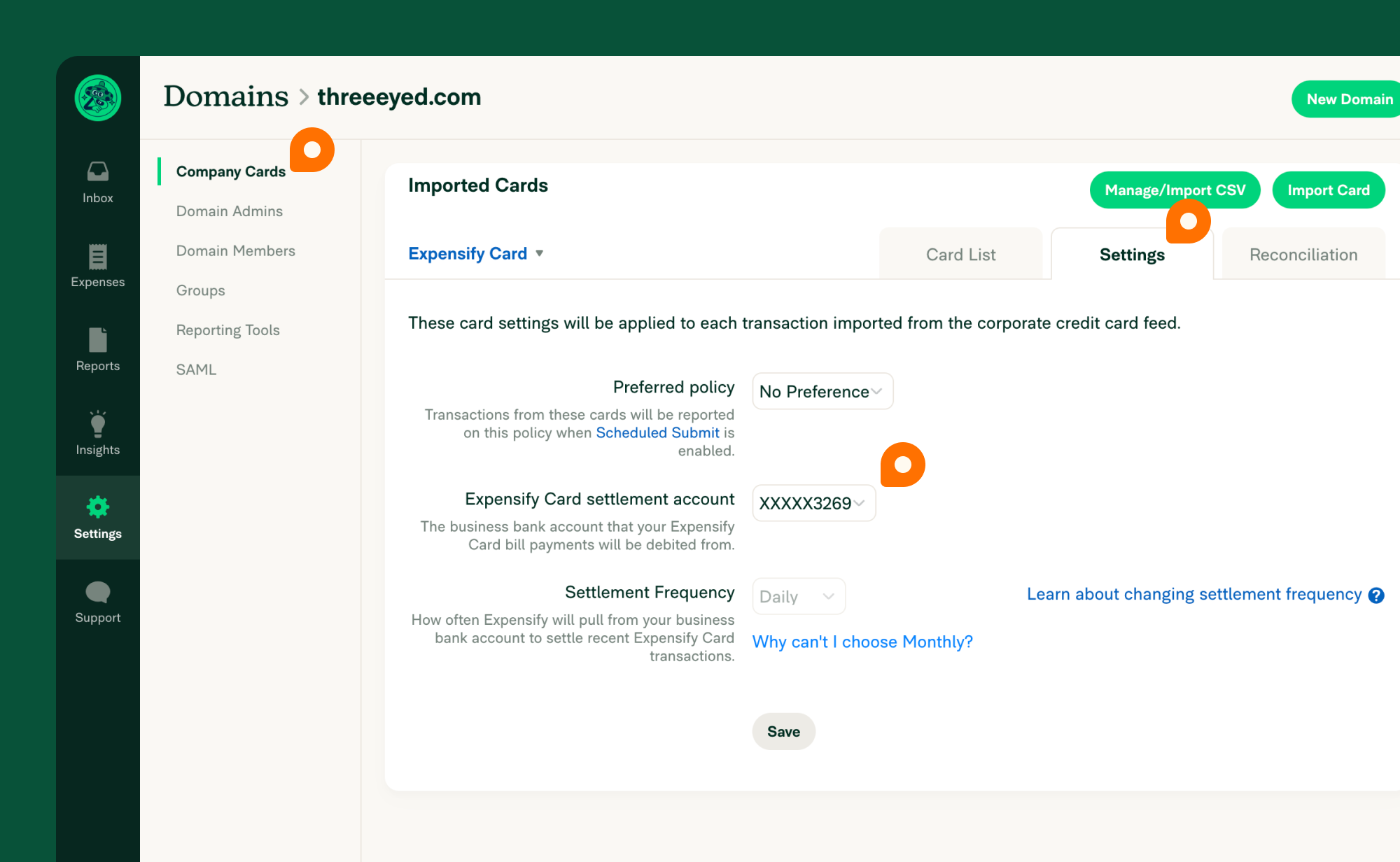{:width="100%"} |
There was a problem hiding this comment.
Can you replace all Insert alt text for accessibility here with a small image description?
There was a problem hiding this comment.
Oh shoot, yes I can. Doing so now.
There was a problem hiding this comment.
Hey @nkuoch is everything looking ok now?
Added alt text for Accessibility
| 5. Head to the "Settings" tab. | ||
| 6. Select the account in your accounting solution that you want to use for reconciliation. Make sure this account matches the settlement business bank account. | ||
|
|
||
| {:width="100%"} |
There was a problem hiding this comment.
No need for "Image showing overview of the ". Just keep the end of the sentence. (same for line 49)
There was a problem hiding this comment.
Done- sorry for making this so painful 🙈
Removed the leading part of the sentence ("Image showing..", to just keep the description in there.
Reviewer Checklist
Screenshots/VideosAndroid: NativeAndroid: mWeb ChromeiOS: NativeiOS: mWeb SafariMacOS: Chrome / Safari
MacOS: Desktop |


|
🚀 Deployed to staging by https://github.com/nkuoch in version: 1.3.95-0 🚀
|
|
🚀 Deployed to production by https://github.com/puneetlath in version: 1.3.95-9 🚀
|
|
🚀 Deployed to staging by https://github.com/nkuoch in version: 1.3.96-0 🚀
|
|
🚀 Deployed to production by https://github.com/puneetlath in version: 1.3.96-15 🚀
|
3 participants


Updating my Helpdot article to add images per https://stackoverflowteams.com/c/expensify/questions/17454/17455 to fix #28436
PR Author Checklist
### Fixed Issuessection aboveTestssectionOffline stepssectionQA stepssectiontoggleReportand notonIconClick)myBool && <MyComponent />.src/languages/*files and using the translation methodWaiting for Copylabel for a copy review on the original GH to get the correct copy.STYLE.md) were followedAvatar, I verified the components usingAvatarare working as expected)/** comment above it */thisproperly so there are no scoping issues (i.e. foronClick={this.submit}the methodthis.submitshould be bound tothisin the constructor)thisare necessary to be bound (i.e. avoidthis.submit = this.submit.bind(this);ifthis.submitis never passed to a component event handler likeonClick)StyleUtils.getBackgroundAndBorderStyle(themeColors.componentBG))Avataris modified, I verified thatAvataris working as expected in all cases)ScrollViewcomponent to make it scrollable when more elements are added to the page.mainbranch was merged into this PR after a review, I tested again and verified the outcome was still expected according to theTeststeps.Screenshots/Videos
Android: Native
Android: mWeb Chrome
iOS: Native
iOS: mWeb Safari
MacOS: Chrome / Safari
MacOS: Desktop