Fix sign-in page heading hierarchy for screen readers#85074
Conversation


The sign-in page had multiple elements all rendered as h1
(via accessibilityRole="header" without an explicit aria-level).
This adds aria-level={2} to the footer section titles (Features,
Resources, Learn More, Get Started) and the welcome header, keeping
only the hero text as the sole h1 on the page.

Co-authored-by: Rushat Gabhane <rushatgabhane@users.noreply.github.com>


|
@MelvinBot mark ready for review |
|
@MelvinBot post a screenshot to make sure all looks good. On web |


|
PR has been marked as ready for review. |
 melvin-bot
bot
requested review from
shubham1206agra
and removed request for
a team
melvin-bot
bot
requested review from
shubham1206agra
and removed request for
a team

|
@shubham1206agra Please copy/paste the Reviewer Checklist from here into a new comment on this PR and complete it. If you have the K2 extension, you can simply click: [this button] |
melvin-bot
bot
requested review from
JmillsExpensify
and removed request for
a team
|
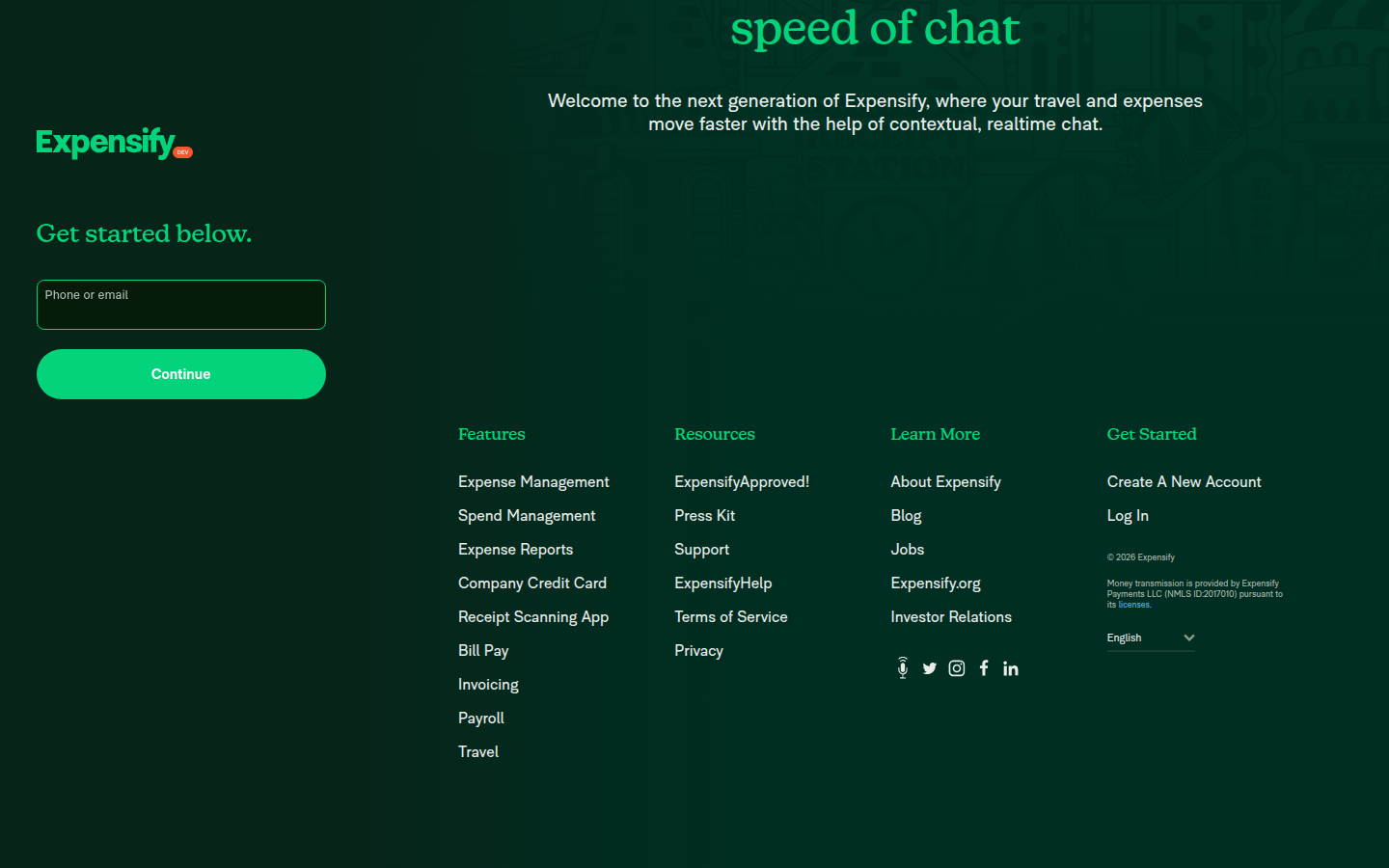
Here are the screenshots from the sign-in page on web. Everything looks good — no visual regressions. Top section — hero text ("Travel and expense, at the speed of chat") is the sole Footer section — all four column titles (Features, Resources, Learn More, Get Started) render as Heading hierarchy verified via DOM inspection:
|

![chatgpt-codex-connector[bot]](https://avatars.githubusercontent.com/in/1144995?s=60&v=4)

There was a problem hiding this comment.
💡 Codex Review
Here are some automated review suggestions for this pull request.
Reviewed commit: f533fb45ca
ℹ️ About Codex in GitHub
Codex has been enabled to automatically review pull requests in this repo. Reviews are triggered when you
- Open a pull request for review
- Mark a draft as ready
- Comment "@codex review".
If Codex has suggestions, it will comment; otherwise it will react with 👍.
When you sign up for Codex through ChatGPT, Codex can also answer questions or update the PR, like "@codex address that feedback".
| styles.mb5, | ||
| ]} | ||
| accessibilityRole={CONST.ROLE.HEADER} | ||
| aria-level={2} |
There was a problem hiding this comment.

Setting aria-level={2} on the welcome header demotes the only top-level heading used on narrow/mobile sign-in screens. In SignInPageLayout, the narrow branch renders SignInPageContent and Footer but does not render SignInPageHero (which is where the existing h1 hero heading lives), so this change leaves those pages with only level-2 headings and no h1 for screen-reader heading navigation.
Useful? React with 👍 / 👎.
There was a problem hiding this comment.
nah not important. aria-level is web only
and on mobileweb, you can't select headings
Reviewer Checklist
Screenshots/VideosAndroid: HybridAppAndroid: mWeb ChromeiOS: HybridAppiOS: mWeb SafariMacOS: Chrome / Safari |

 rushatgabhane
left a comment
rushatgabhane
left a comment
rushatgabhane
left a comment
There was a problem hiding this comment.
@deetergp all yours! LGTM
|
Here are screenshots of the sign-in page on web from the PR branch. As expected, this was an accessibility-only change — no visual differences. Top of page — "Get started below." welcome header (now H2) on the left, hero animation + "Travel and expense, at the speed of chat" hero heading (H1) on the right: Middle/hero section — Hero heading (H1) at top, footer section headings (all H2) below: Footer — All four footer headings (Features, Resources, Learn More, Get Started) rendered as H2: Heading hierarchy verified:
|





|
I'm going to go out on a limb and say that we likely don't need to wait on @JmillsExpensify for the approval since there are no visible changes in this PR. |


|
✋ This PR was not deployed to staging yet because QA is ongoing. It will be automatically deployed to staging after the next production release. |

|
🚧 @deetergp has triggered a test Expensify/App build. You can view the workflow run here. |
|
🧪🧪 Use the links below to test this adhoc build on Android, iOS, and Web. Happy testing! 🧪🧪
|


4 participants


Explanation of Change
The sign-in page currently renders all heading elements as h1 (via
accessibilityRole="header"which maps torole="heading"with a defaultaria-level="1"in React Native for Web). This means the hero text, the welcome header, and all four footer section titles are all announced as h1 by screen readers — violating the WCAG best practice of having a single h1 per page.This PR adds
aria-level={2}to the footer section titles (Features, Resources, Learn More, Get Started) inFooter.tsxand the welcome header inSignInPageContent.tsx, keeping only the hero text ("Travel and expense, at the speed of chat") inSignInHeroCopy.tsxas the sole h1.Fixed Issues
$ #76945
PROPOSAL: #76945 (comment)
Tests
<h1>(no aria-level attribute, defaults to level 1)<h2>witharia-level="2"<h2>witharia-level="2"Hto navigate headings — confirm only one h1 is announcedOffline tests
N/A — this is a static accessibility attribute change that doesn't involve network requests.
QA Steps
role="heading"or<h1>/<h2>tagsPR Author Checklist
### Fixed Issuessection aboveTestssectionOffline stepssectionQA stepssectiontoggleReportand notonIconClick)src/languages/*files and using the translation methodSTYLE.md) were followedAvatar, I verified the components usingAvatarare working as expected)StyleUtils.getBackgroundAndBorderStyle(theme.componentBG))npm run compress-svg)Avataris modified, I verified thatAvataris working as expected in all cases)Designlabel and/or tagged@Expensify/designso the design team can review the changes.ScrollViewcomponent to make it scrollable when more elements are added to the page.mainbranch was merged into this PR after a review, I tested again and verified the outcome was still expected according to theTeststeps.Screenshots/Videos
Android: Native
N/A — accessibility attribute only, no visual change
Android: mWeb Chrome
N/A — accessibility attribute only, no visual change
iOS: Native
N/A — accessibility attribute only, no visual change
iOS: mWeb Safari
N/A — accessibility attribute only, no visual change
MacOS: Chrome / Safari
Verified via browser DevTools that the hero text renders as
<h1>and all footer/welcome headings render as<h2>witharia-level="2".