Fix text alignment in Import Spreadsheet landscape mode#88317
Fix text alignment in Import Spreadsheet landscape mode#88317
Conversation


Add flex1 to the View wrapping the RenderHTML subtitle so it
expands to fill the parent width, allowing textAlign center to
take effect in landscape orientation.

Co-authored-by: Michał Jasikowski <mjasikowski@users.noreply.github.com>


|
🚧 @mjasikowski has triggered a test Expensify/App build. You can view the workflow run here. |
This comment has been minimized.
This comment has been minimized.

|
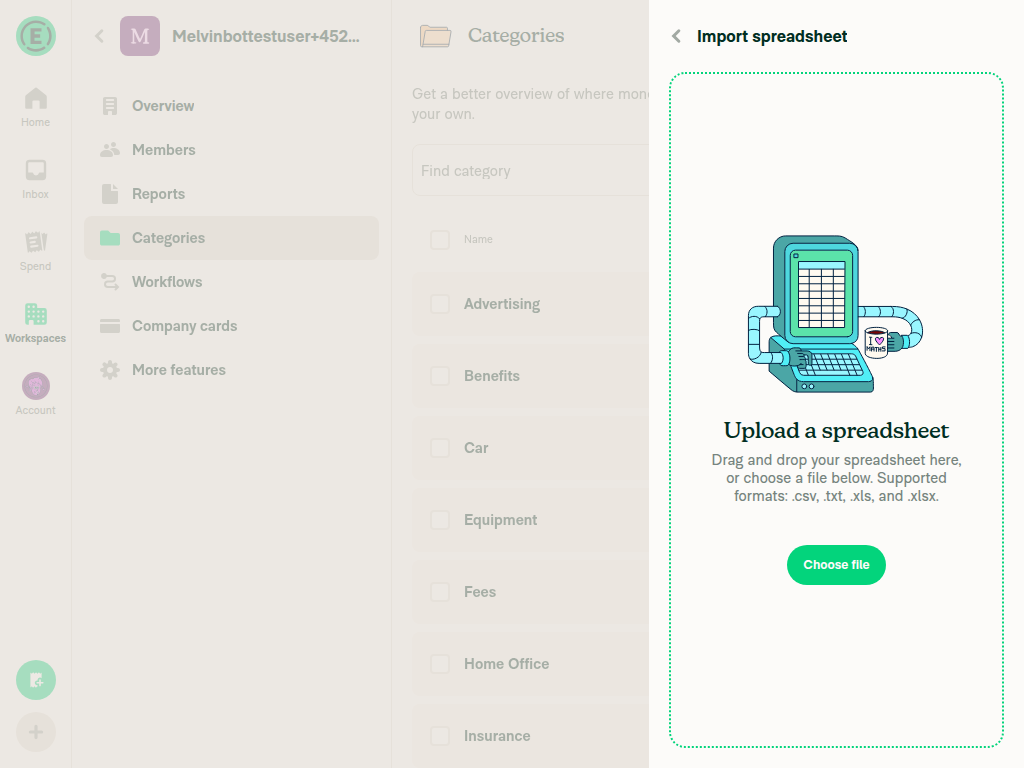
@MelvinBot now the text is invisible even in portrait. Fix it |
Replace styles.flex1 with styles.justifyContentCenter on the View
wrapping RenderHTML. flex1 caused the View to collapse to 0 height
since its parent has no bounded height. justifyContentCenter properly
centers the text horizontally without affecting the View's height.

Co-authored-by: Michał Jasikowski <mjasikowski@users.noreply.github.com>

|
Fixed! The issue was that Replaced |
|
🚧 @mjasikowski has triggered a test Expensify/App build. You can view the workflow run here. |
|
🧪🧪 Use the links below to test this adhoc build on Android, iOS, and Web. Happy testing! 🧪🧪
|


|
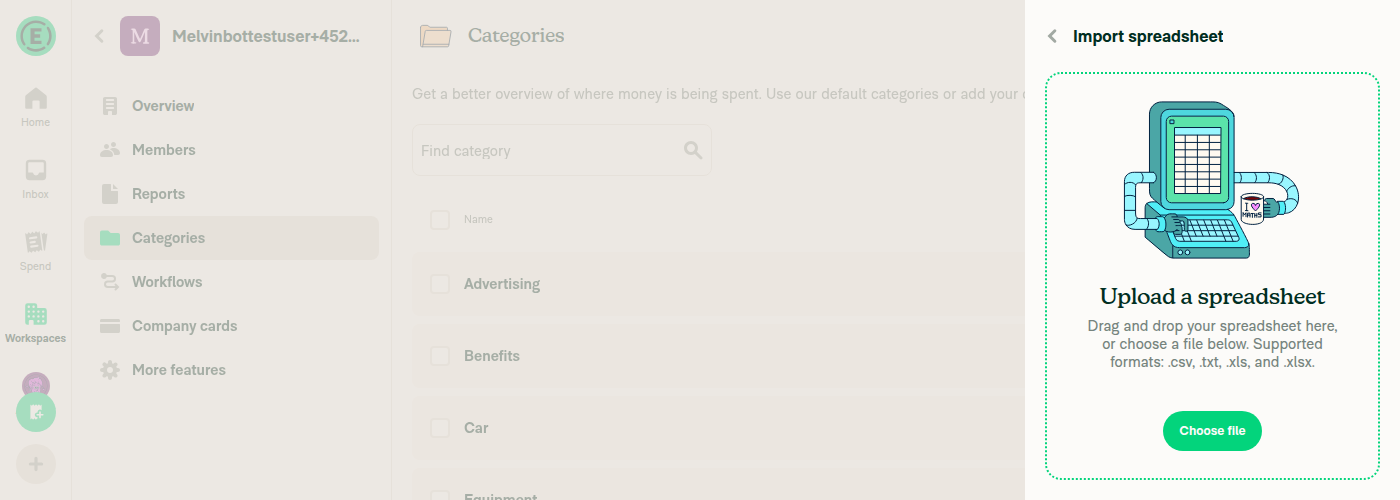
@MelvinBot it's visible now, but left aligned in landscape again. In portrait it seems fine. |
The previous flex-based approach (justifyContentCenter) centered the
RenderHTML element but not the text inside it, since HTML text defaults
to left alignment. Wrapping the text in a div with text-align: center
ensures the rendered text is centered in both portrait and landscape.

Co-authored-by: Michał Jasikowski <mjasikowski@users.noreply.github.com>
|
Fixed! The flex-based centering ( Verified in both portrait and landscape:
|

Codecov Report✅ Changes either increased or maintained existing code coverage, great job!
|
|
🚧 @mjasikowski has triggered a test Expensify/App build. You can view the workflow run here. |
|
🧪🧪 Use the links below to test this adhoc build on Android, iOS, and Web. Happy testing! 🧪🧪
|


|
@MelvinBot still not centered on mobile (tested on iOS) |
The <div style="text-align: center"> approach only works on web — on iOS
native, react-native-render-html converts div to a View where text-align
has no effect. The muted-link element already has textAlign: 'center' via
subTextFileUpload styles, but the wrapping flexRow View didn't take full
width, preventing visible centering.

Add styles.w100 to the flexRow View so it fills the parent width, and
remove the unnecessary HTML div wrapper.

Co-authored-by: Michał Jasikowski <mjasikowski@users.noreply.github.com>
|
Fixed! The The Please rebuild and re-test on iOS to confirm. |
|
🚧 @mjasikowski has triggered a test Expensify/App build. You can view the workflow run here. |
|
🧪🧪 Use the links below to test this adhoc build on Android, iOS, and Web. Happy testing! 🧪🧪
|

2 participants


Explanation of Change
The subtitle text in the Import Spreadsheet page (
RenderHTML) was left-aligned in landscape mode because the wrappingViewwithstyles.flexRowshrank to fit its content instead of expanding to the parent's full width. Addingstyles.flex1makes theViewfill the available width, allowingtextAlign: 'center'on the inner text to take effect in landscape orientation.Fixed Issues
$ #87406
PROPOSAL: #87406 (comment)
Tests
// TODO: The human co-author must fill out the tests you ran before marking this PR as "ready for review"
// Please describe what tests you performed that validates your changed worked.
Offline tests
N/A - cosmetic style change, no network dependency.
QA Steps
// TODO: The human co-author must fill out the QA tests you ran before marking this PR as "ready for review".
// Please describe what QA needs to do to validate your changes and what areas do they need to test for regressions.
PR Author Checklist
### Fixed Issuessection aboveTestssectionOffline stepssectionQA stepssectiontoggleReportand notonIconClick)src/languages/*files and using the translation methodSTYLE.md) were followedAvatar, I verified the components usingAvatarare working as expected)StyleUtils.getBackgroundAndBorderStyle(theme.componentBG))npm run compress-svg)Avataris modified, I verified thatAvataris working as expected in all cases)Designlabel and/or tagged@Expensify/designso the design team can review the changes.ScrollViewcomponent to make it scrollable when more elements are added to the page.mainbranch was merged into this PR after a review, I tested again and verified the outcome was still expected according to theTeststeps.Screenshots/Videos
Android: Native
Android: mWeb Chrome
iOS: Native
iOS: mWeb Safari
MacOS: Chrome / Safari