SMS Code has expired on most android applications #615


Description

Has your issue been reported?
- I have searched the existing issues and confirm it has not been reported.
- I give permission for members of the FlutterFlow team to access and test my project for the sole purpose of investigating this issue.
Current Behavior
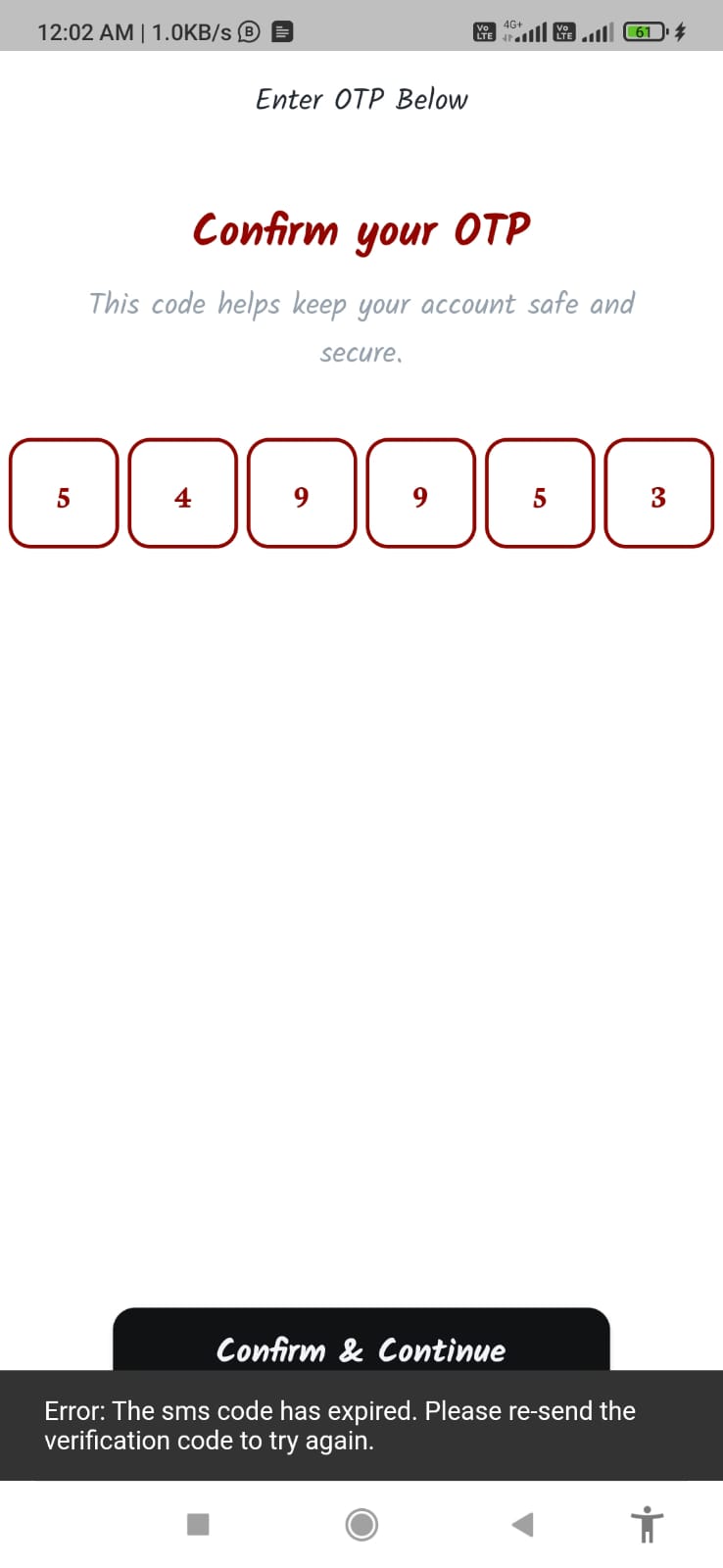
After submitting OTP for Firebase Authentication, an error displays as 'Error: The SMS code has expired. Please re-send the verification code to try again'.
Expected Behavior
After submitting the OTP code user login successfully and redirect to the home page.
Steps To Reproduce
- Open the Application.
- Click on the Welcome button.
- Enter the mobile number followed by + and country code.
- click on the Sign In button
- enter the verification code
- click on Confirm & Continue
Bug Report Code
IT40zPHl25RNobhe+KX6KMFKgjw5JW4+R4Izie57aCgoIYyuOpl/evWkfk1BZ+HkdAk7e0SmmjgKpMLLv87xNO4FOUyrbKpq+JBUTQ3yXlmWa5OBOqqWSnZPHeZgCBGw1J6vgyJNA7BqdC0E3U+ECemARXLsQYDvIlFISq/LZO4=
Context
Whenever we log in using OTP verification, It is not working and affects most android devices. It does not allow the user to log in.
Additional info
We have checked the last issue submitted for Samsung devices only check here But we are facing the issue for most of the android devices.
Environment
- FlutterFlow version: 3.1
- Platform: Web
- Browser name and version: Google Chrome 111.0.5563.65 (Official Build) (64-bit)
- Operating system and version affected: Android