Supabase authentication is reset when set Google Analytics #820


Description

Has your issue been reported?
- I have searched the existing issues and confirm it has not been reported.
- I give permission for members of the FlutterFlow team to access and test my project for the sole purpose of investigating this issue.
Current Behavior
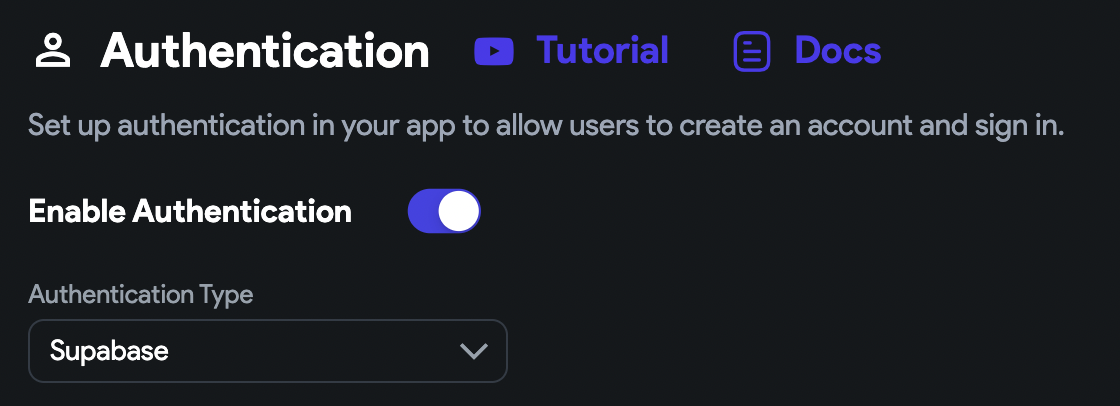
- I set Supabase authentication.
- I set Google Analytics.
- Set Firebase Project ID and generate Config Files.
- I recognize the authentication is switched to Firebase.
- I switch the authentication to Supabase, then got error "iOS config file is not uploaded." or so.
Expected Behavior
I want to the authentication to keep Supabase.
Steps to Reproduce
- I set Supabase authentication.
- I set Google Analytics.
- Set Firebase Project ID and generate Config Files.
- I recognize the authentication is switched to Firebase.
- I switch the authentication to Supabase, then got error "iOS config file is not uploaded." or so.
Reproducible from Blank
- The steps to reproduce above start from a blank project.
Bug Report Code (Required)
IT40hcqA5YxOtbxY7c/+cvlV/WU5KUB/RJEnk+p7aCosfZT2BLMcec/RVERtZ8ujTWNpemGZjWoW0+j3vfPxLPJdNTKVba1x1Kt2QxXwTTugMKWVFJWgZGhAQdxTFVSD4bWrhBImJvFvWV4T7DqmDeiWZB7XJ5iwOFQWDq/LZO4=
Context
I can't use both Supabase authentication and Google Analytics.
Visual documentation


Additional Info
No response
Environment
- FlutterFlow version: v3.1 and Mac v1.1.64
- Platform:Mac
- Browser name and version:Chrome 112.0.5615.137
- Operating system and version affected: macOS 11.7.4