Interactive Labs · Coding Challenges · Full Desktop VMs · CTF-Style Learning














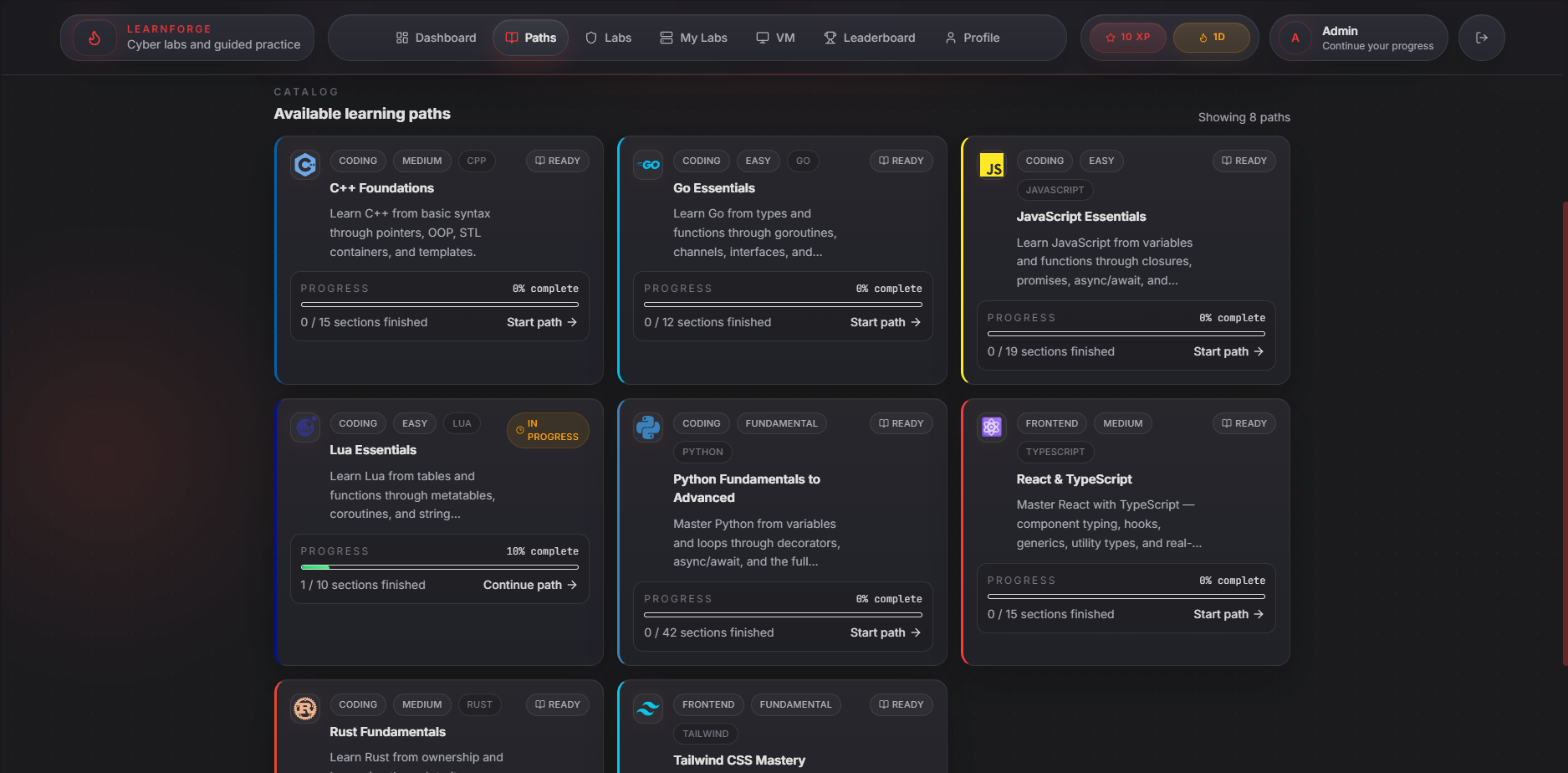
LearnForge is an open-source, hands-on cybersecurity training platform that spins up real, isolated Docker-based lab environments directly in the browser. Students learn by doing — exploiting intentionally vulnerable machines, completing coding challenges across multiple languages, and advancing through structured learning paths.
No VM setup required. No local tooling. Everything runs in Docker.
| Feature | Description |
|---|---|
| 🧪 Live Hacking Labs | Docker-based isolated environments — SSH, Web, and full desktop VMs |
| 🖥️ In-Browser Terminal | xterm.js SSH terminal proxied securely via WebSocket |
| 🖱️ Full Desktop VMs | Kali Linux, Parrot OS, Ubuntu Desktop & Windows 11 via noVNC |
| 💻 Coding Challenges | Multi-language code execution (Python, C, Go, Rust, Node, Lua) powered by Piston |
| 📚 Learning Paths | Structured paths with lessons, quizzes, and challenges |
| 🏆 Gamification | XP points, leaderboard, and progress tracking |
| 🔐 Hardened Auth | Argon2id hashing, JWT access + refresh tokens, Redis token blacklist |
| 🛡️ Rate Limiting | Per-IP rate limiting on all auth endpoints via slowapi |
| 👤 Admin Panel | Full CRUD for paths, modules, sections, and lab templates |
| 🐳 One-Command Deploy | Full stack via docker compose up |
┌──────────────────────────────────────────────────────────────────┐
│                        LearnForge Platform                       │
├──────────────────────────────────────────────────────────────────┤
│                                                                  │
│  ┌────────────────────────────────────────────────────────────┐  │
│  │                  Nginx Reverse Proxy (:80)                 │  │
│  │          (Security headers · TLS termination)              │  │
│  └────────────┬───────────────────────┬────────────┬──────────┘  │
│               │                       │            │             │
│               ▼                       ▼            ▼             │
│  ┌────────────────────┐  ┌────────────────┐  ┌──────────────┐    │
│  │  Frontend          │  │  Backend API   │  │  SSH Proxy   │    │
│  │  React + Vite      │  │  FastAPI       │  │  Node.js     │    │
│  │  TypeScript        │  │  Python 3.11+  │  │  ws + ssh2   │    │
│  │  Tailwind CSS      │  │                │  │  (:2222)     │    │
│  └────────────────────┘  │  ┌──────────┐  │  └──────────────┘    │
│                          │  │ Routers  │  │                      │
│                          │  │ auth     │  │  ┌──────────────┐    │
│                          │  │ learn    │  │  │  Piston      │    │
│                          │  │ labs     │  │  │  Code Runner │    │
│                          │  │ code     │  │  │  (:2000)     │    │
│                          │  │ admin    │  │  └──────────────┘    │
│                          │  │ profile  │  │                      │
│                          │  │ gamify   │  │                      │
│                          │  └──────────┘  │                      │
│                          └───────┬────────┘                      │
│                                  │                               │
│  ┌───────────────────────────────┼──────────────────────────┐    │
│  │             Data Layer        │                          │    │
│  │  ┌───────────┐  ┌─────────────┴──┐  ┌────────────────┐   │    │
│  │  │PostgreSQL │  │     Redis      │  │  Docker Engine │   │    │
│  │  │(Metadata) │  │(Token Blacklist│  │  (Lab runtime) │   │    │
│  │  │           │  │ + Leaderboard) │  │                │   │    │
│  │  └───────────┘  └────────────────┘  └────────────────┘   │    │
│  └──────────────────────────────────────────────────────────┘    │
│                                  │                               │
│         ┌────────────────────────┼─────────────────────┐         │
│         ▼                        ▼                     ▼         │
│  ┌─────────────┐      ┌──────────────────┐    ┌─────────────┐    │
│  │ SSH Lab     │      │ Desktop VM Lab   │    │ Web Lab     │    │
│  │ (Docker)    │      │ Kali/Parrot/     │    │ DVWA        │    │
│  │ vuln-ssh    │      │ Ubuntu/Windows   │    │ (Docker)    │    │
│  │ shellshock  │      │ (noVNC + KVM)    │    │             │    │
│  └─────────────┘      └──────────────────┘    └─────────────┘    │
└──────────────────────────────────────────────────────────────────┘
LearnForge ships with a collection of intentionally vulnerable environments for hands-on security training:
| Lab | Protocol | Description |
|---|---|---|
| 🐧 Vuln SSH | SSH | Linux privilege escalation — SUID binaries, sudo misconfigs, writable crontab |
| 💥 ShellShock | SSH + Web | CVE-2014-6271 — vulnerable Bash 4.2 CGI endpoint on Apache |
| 🌐 DVWA | Web | Damn Vulnerable Web App — SQLi, XSS, CSRF, file inclusion, command injection |
| 🦜 Parrot OS | noVNC | Official Parrot Security 7.1 full desktop VM |
| ⚔️ Kali Linux | noVNC | Kali Linux full desktop VM with complete pentesting toolset |
| 🖥️ Ubuntu Desktop | noVNC | Ubuntu Desktop for general Linux and scripting practice |
| 🪟 Windows 11 | noVNC | Windows 11 VM (KVM) for Windows-based security exercises |
All lab containers run in isolated Docker networks. Each student session is independent — labs are automatically cleaned up after a configurable TTL.
LearnForge/
│
├── 🐍 backend/                  Python FastAPI backend
│   ├── app/
│   │   ├── auth.py              Argon2id hashing, JWT helpers, Redis blacklist
│   │   ├── config.py            Pydantic settings (reads from .env)
│   │   ├── database.py          Async SQLAlchemy engine + session
│   │   ├── gamification.py      XP award logic, leaderboard
│   │   ├── main.py              FastAPI app entry-point, lifespan, CORS
│   │   ├── models.py            SQLAlchemy ORM models
│   │   ├── schemas.py           Pydantic request/response schemas
│   │   ├── labs/                Lab orchestration subsystem
│   │   │   ├── manager.py       Docker-based lab provisioner
│   │   │   ├── router.py        Lab API routes + SSH/noVNC/web proxy
│   │   │   ├── governance.py    Concurrency limits, TTL enforcement
│   │   │   ├── cleanup.py       Background cleanup loop
│   │   │   ├── models.py        LabTemplate + Lab ORM models
│   │   │   └── schemas.py       Lab request/response schemas
│   │   └── routers/
│   │       ├── auth.py          Register, login, refresh, logout
│   │       ├── learn.py         Learning content API
│   │       ├── paths.py         Learning paths API
│   │       ├── code.py          Code execution (Piston)
│   │       ├── admin.py         Admin CRUD
│   │       ├── profile.py       User profile management
│   │       └── leaderboard.py   XP leaderboard
│   ├── alembic/                 Database migrations
│   ├── scripts/
│   │   ├── seed_content.py      Seeds default admin + learning content
│   │   └── seed_labs.py         Seeds lab templates + guided exercises
│   ├── content/                 YAML/JSON learning content definitions
│   ├── Dockerfile
│   ├── entrypoint.sh            Runs migrations + seeds, then starts API
│   └── requirements.txt
│
├── ⚛️  frontend/                 React + Vite + TypeScript frontend
│   ├── src/
│   │   ├── api/client.ts        Axios instance with JWT auto-refresh
│   │   ├── hooks/useAuth.tsx    Auth context provider
│   │   ├── pages/               Route-level page components
│   │   │   ├── Dashboard.tsx    Home dashboard
│   │   │   ├── Learn.tsx        Learning paths browser
│   │   │   ├── LabSession.tsx   Lab environment (terminal / noVNC / web)
│   │   │   ├── Leaderboard.tsx  XP leaderboard
│   │   │   ├── Login.tsx        Login page
│   │   │   └── Register.tsx     Registration page
│   │   └── components/          Reusable UI components
│   ├── Dockerfile
│   ├── vite.config.ts
│   └── package.json
│
├── 🔌 ssh-proxy/                Node.js WebSocket → SSH proxy
│   ├── server.js                JWT-authenticated xterm.js bridge
│   └── package.json
│
├── 🐳 labs/                     Docker images for lab environments
│   ├── vuln-ssh/               Linux privesc lab (intentionally vulnerable)
│   ├── shellshock/             CVE-2014-6271 Apache CGI lab
│   ├── dvwa/                   Damn Vulnerable Web Application
│   ├── kali-linux/             Kali Linux full desktop VM
│   ├── parrot-os/              Parrot Security 7.1 VM
│   ├── ubuntu-desktop/         Ubuntu Desktop VM
│   └── windows11/              Windows 11 VM (KVM, requires hardware virt.)
│
├── 🌐 nginx/
│   └── default.conf            Reverse proxy config with security headers
│
├── 📜 scripts/                  Management helper scripts
│   ├── start.sh / start.ps1    Start the full stack
│   ├── stop.sh / stop.ps1      Stop all services
│   ├── restart.sh / restart.ps1
│   ├── logs.sh / logs.ps1      Tail service logs
│   ├── status.sh / status.ps1  Show container status
│   └── clean.sh / clean.ps1    Tear down + wipe volumes
│
├── .env.example                 Environment template — copy to .env
├── .gitignore
├── SECURITY.md                  Vulnerability disclosure policy
└── docker-compose.yml           Full infrastructure definition
| Tool | Version | Used For |
|---|---|---|
| Docker | 24+ | All services + lab containers |
| Docker Compose | V2 | Stack orchestration |
| KVM (optional) | — | Windows 11 and full-desktop VM labs only |
Note: Python, Node.js, and Rust are only needed if you want to run services outside Docker.
git clone https://github.com/Forever-506-Dev/LearnForge.git
cd LearnForge

# Copy the environment template and fill in your values
cp .env.example .env
Open .env and set:
# Generate with: openssl rand -hex 32
JWT_SECRET=your_64_char_random_secret_here

# Choose a strong password — this creates your first admin account
DEFAULT_ADMIN_PASSWORD=YourStrongAdminPassword1!docker compose up --build -dThis pulls/builds and starts all services:
| Service | Port | Description |
|---|---|---|
| nginx | 80 |
Reverse proxy (single entry point) |
| api | 8002 |
FastAPI backend (also reachable via nginx) |
| frontend | 5174 |
React dev server (also reachable via nginx) |
| postgres | — | PostgreSQL (internal only) |
| redis | — | Redis (internal only) |
| piston | — | Code runner (internal only) |
| ssh-proxy | — | SSH WebSocket proxy (internal only) |
Open http://localhost — Nginx routes everything through port 80.
The default admin account is created automatically on first start:
- Email:
admin@learnforge.dev(or whatever you set in.env) - Password: your
DEFAULT_ADMIN_PASSWORD
Labs are separate Docker images. Build the ones you need:
# Build all standard labs
docker compose build vuln-ssh-build shellshock-build dvwa-build kali-linux-build ubuntu-desktop-build

# Parrot OS (downloads ~11.7 GB image — run once manually)
docker compose --profile parrot-os build parrot-os-build

# Windows 11 (requires KVM + base image files in labs/windows11/)
docker compose --profile windows11 build windows11-build| Layer | Technology | Purpose |
|---|---|---|
| ⚛️ Frontend | React 18 · TypeScript · Vite · Tailwind CSS | SPA — learning paths, labs, leaderboard |
| 🐍 Backend | Python · FastAPI · SQLAlchemy 2 · Alembic | REST API, WebSocket proxy, lab orchestration |
| 🔐 Auth | Argon2id · python-jose (JWT) · slowapi | Password hashing, token issuance, rate limiting |
| 🖥️ Terminal | Node.js · ws · ssh2 · xterm.js | Browser SSH terminal via WebSocket proxy |
| 🖱️ Desktop VMs | noVNC · KVM (optional) | Full desktop environments in the browser |
| 💻 Code Execution | Piston (engineer-man) | Sandboxed multi-language code runner |
| 🗄️ Database | PostgreSQL 16 | Users, content, progress, lab state |
| ⚡ Cache | Redis 7 | JWT blacklist, leaderboard, lab progress events |
| 🌐 Proxy | Nginx 1.25 | Reverse proxy, WebSocket support, security headers |
| 🐳 Labs | Docker Engine SDK | Per-student isolated lab container lifecycle |
LearnForge is built with security-first principles throughout the stack:
| Area | Implementation |
|---|---|
| Password hashing | Argon2id (time_cost=3, memory=64 MB, parallelism=4) |
| JWT tokens | Short-lived access tokens (15 min) + refresh tokens (7 days) |
| Token revocation | Redis JTI blacklist — logout immediately invalidates tokens |
| Rate limiting | Per-IP limits on /auth/register (5/min) and /auth/login (10/min) |
| CORS | Allowlist-based origins configured via environment variable |
| Security headers | X-Content-Type-Options, X-Frame-Options, X-XSS-Protection, CSP via Nginx |
| Lab isolation | Each lab runs in its own Docker container on an isolated network |
| Lab governance | Configurable max concurrent labs per user + automatic TTL cleanup |
| Config validation | App refuses to start if JWT_SECRET or admin password is a placeholder |
⚠️ Lab credentials (hacker/hacker123,admin/password, etc.) are intentionally insecure — they belong to the vulnerable training containers and are part of the learning content. See SECURITY.md for full details.
LearnForge organises content into Paths → Modules → Sections:
Path (e.g. "Web Security Fundamentals")
 └── Module (e.g. "SQL Injection")
      ├── Section: Lesson   (markdown + theory)
      ├── Section: Quiz     (multiple choice)
      └── Section: Coding Challenge  (live code runner)
Content is seeded from backend/scripts/seed_content.py and seed_labs.py. Admins can create, edit, and delete content via the admin panel or the /api/admin endpoints.
Supported languages in coding challenges:
Python 3 · C (GCC) · Go · Rust · Lua · Node.js
To run services individually without Docker:
cd backend
python -m venv .venv
# Windows:  .venv\Scripts\activate
# Linux/macOS: source .venv/bin/activate
pip install -r requirements.txt

# Start PostgreSQL + Redis via Docker (deps only)
docker compose up postgres redis piston -d

# Run the API
uvicorn app.main:app --reload --port 8000cd frontend
npm install
npm run dev
# → http://localhost:5173cd ssh-proxy
npm install
JWT_SECRET=<your_secret> node server.jsCross-platform helper scripts are included for common operations:
# Linux / macOS
./scripts/start.sh      # Start all services
./scripts/stop.sh       # Stop all services
./scripts/restart.sh    # Restart all services
./scripts/logs.sh       # Tail all service logs
./scripts/status.sh     # Show container status
./scripts/clean.sh      # Stop + remove all volumes (⚠️ data loss)

# Windows (PowerShell)
.\scripts\start.ps1
.\scripts\stop.ps1
.\scripts\restart.ps1
.\scripts\logs.ps1
.\scripts\status.ps1
.\scripts\clean.ps1Contributions are welcome! Please:
- Fork the repository
- Create a feature branch (
git checkout -b feature/your-feature) - Copy
.env.example→.envand set real values before testing - Commit your changes
- Open a pull request
Please read SECURITY.md before reporting any security issues.
This project is licensed under the MIT License — see the LICENSE file for details.
Built with ❤️ for the cybersecurity community
Learn. Hack. Forge.