FrontPay offers best online payment gateway and end to end payment solution for individuals, small and enterprise businesses in Pakistan. FrontPay accepts local and international payments in Pakistan.
This integration guide is for iOS developers who want to integrate FrontPay framework in their projects for payment processing.
- iOS 12.0+
- Minimum Xcode 10.0
- At first download sdk from https://github.com/FrontPay/FrontPay-iOS-SDK Then open the folder frameworks.
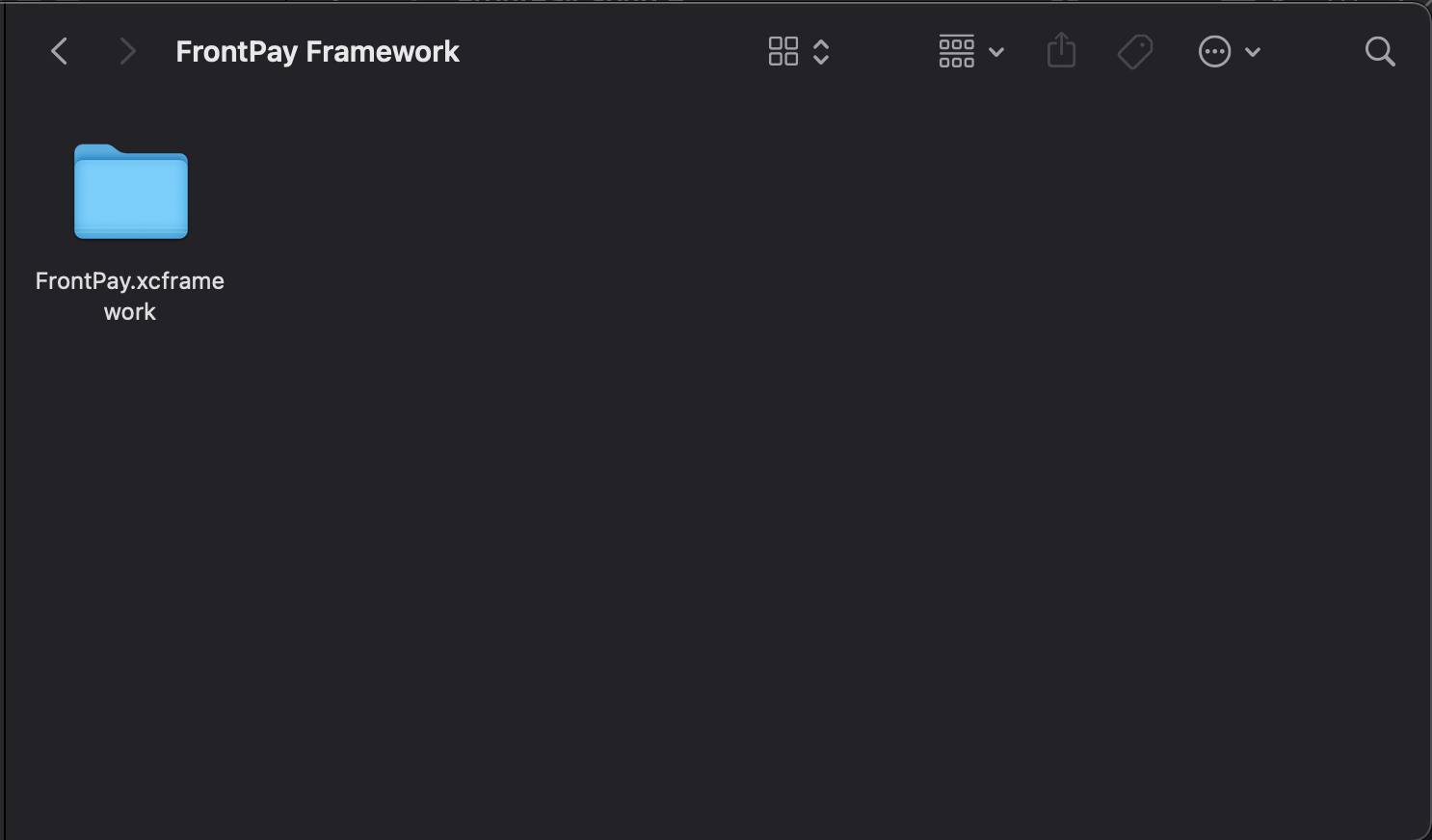
- First copy
FrontPay.xcframeworkinto your project directory and then Drag & DropFrontPay.xcrameworkin your iOS app.
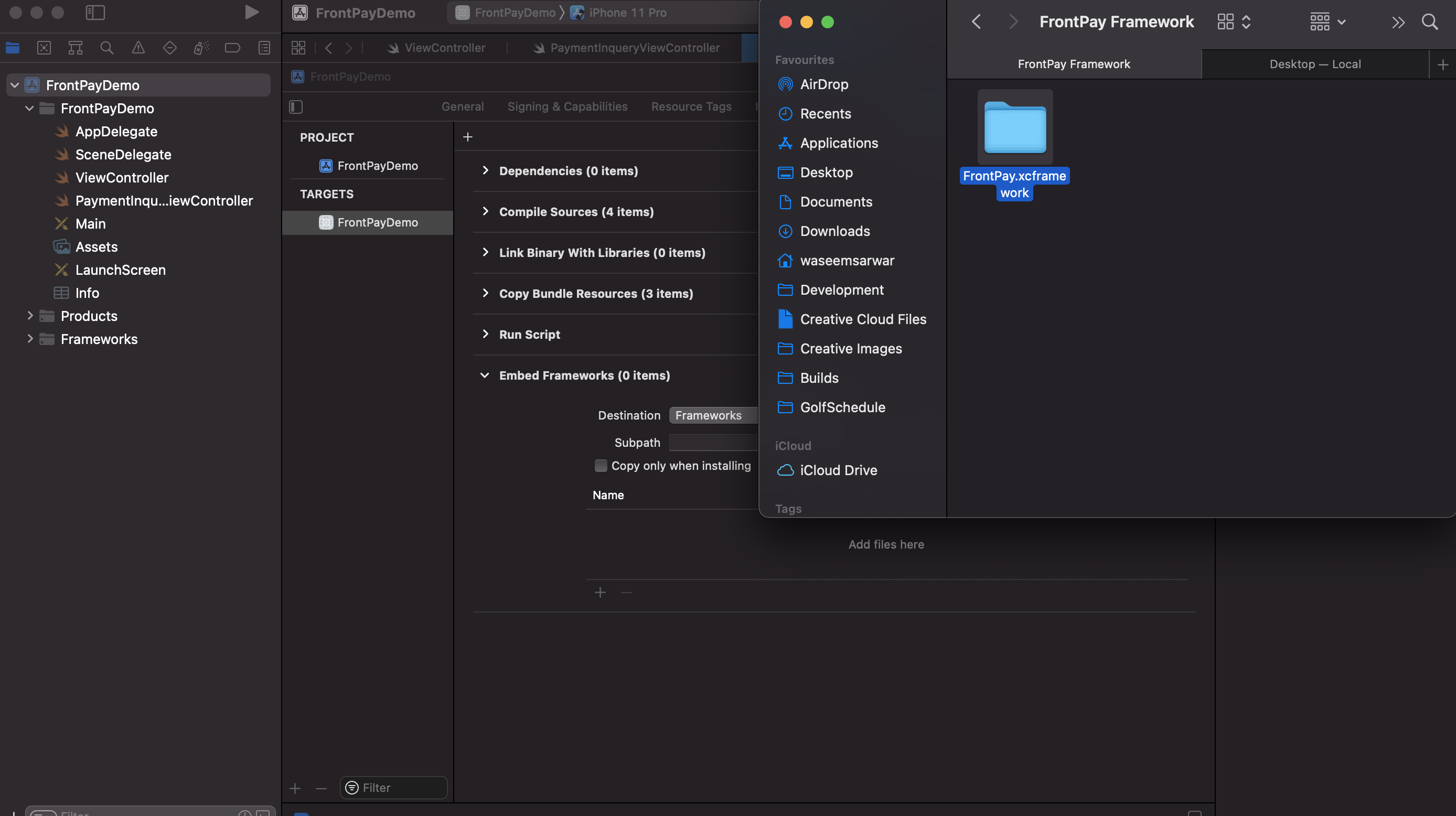
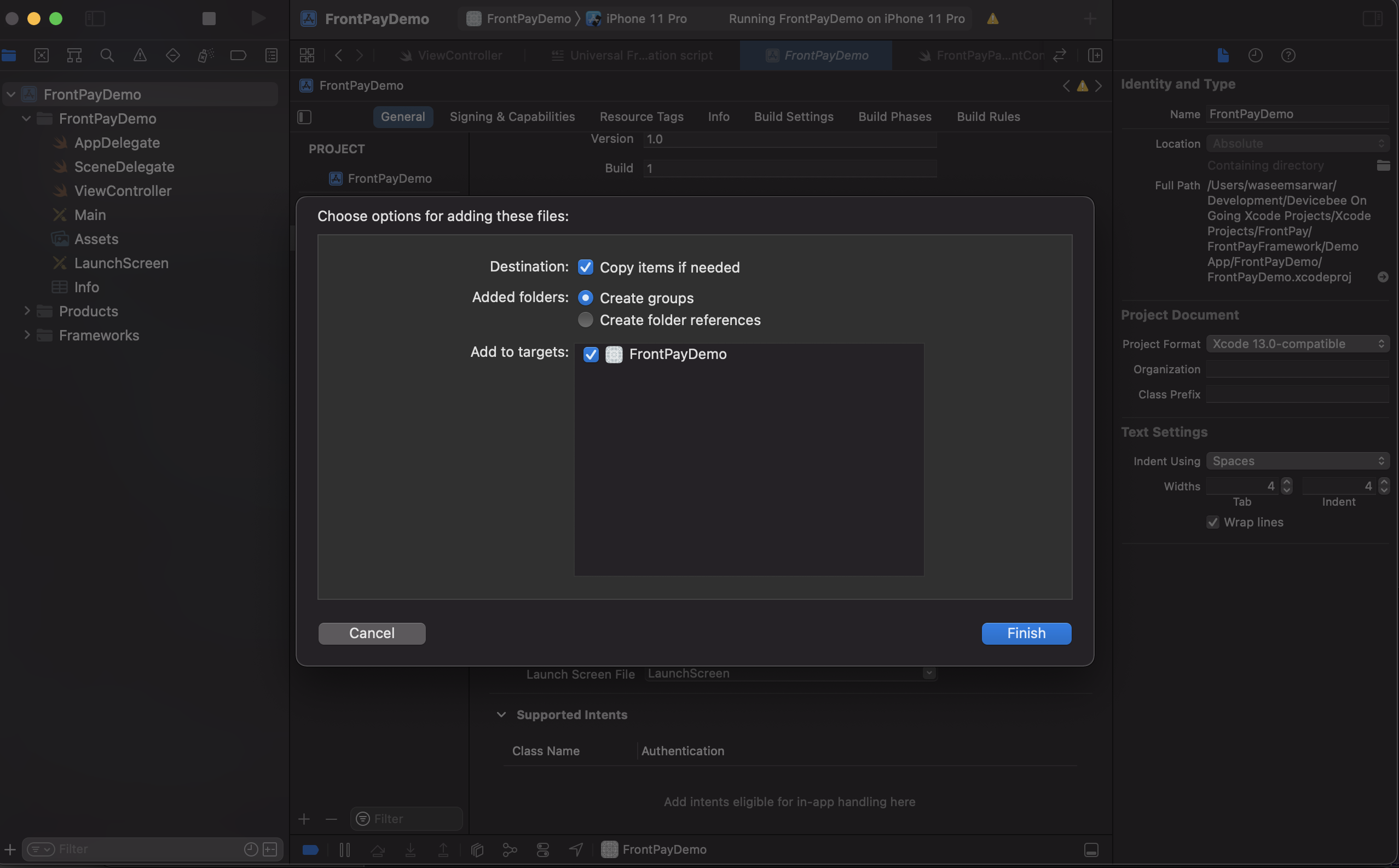
FrontPay.xcframeworkmust set toEmbed & Sign, Select your projectTraget -> Build PhaseexpandEmbed Frameworkand press+addFrontPay.xcframework
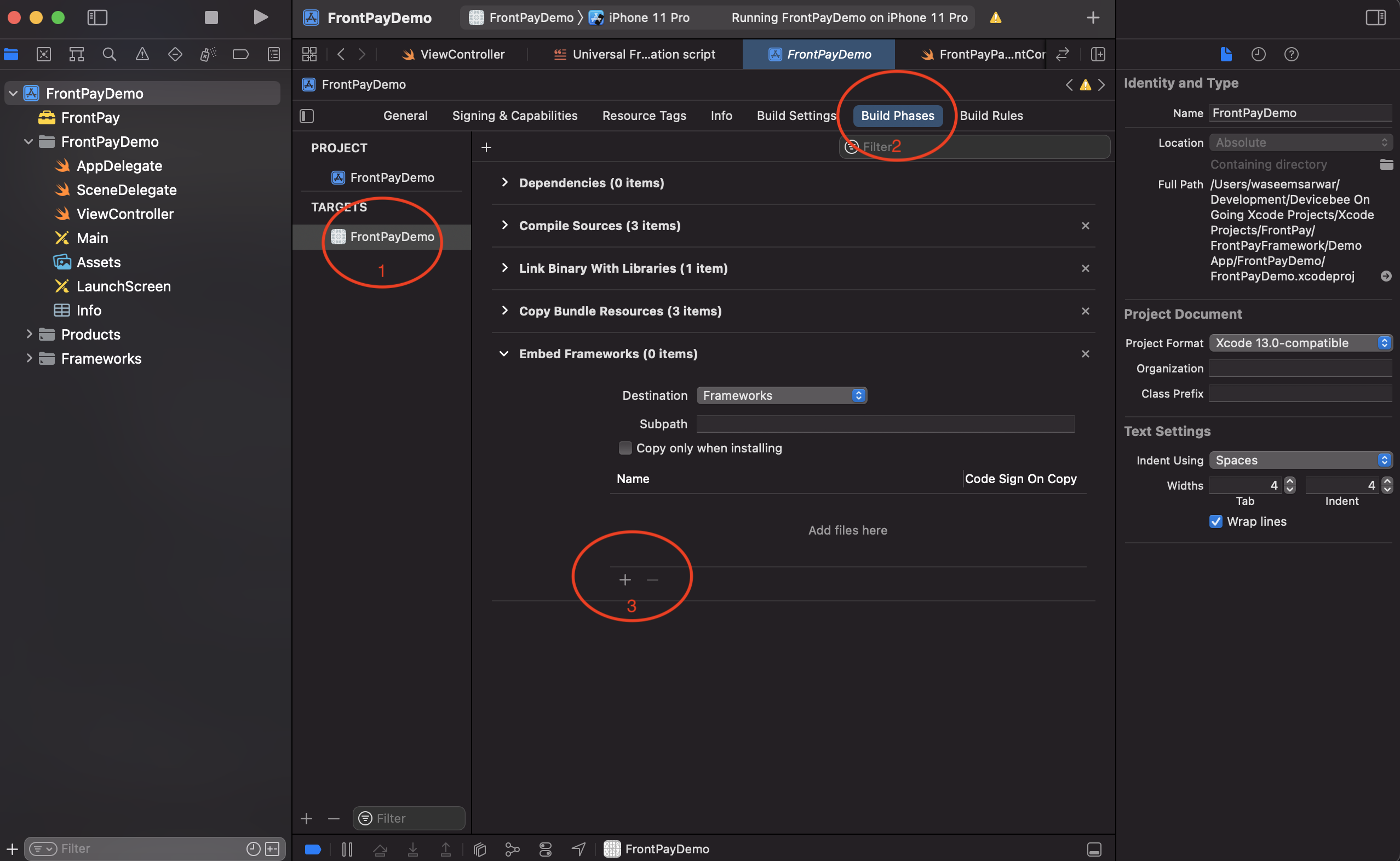
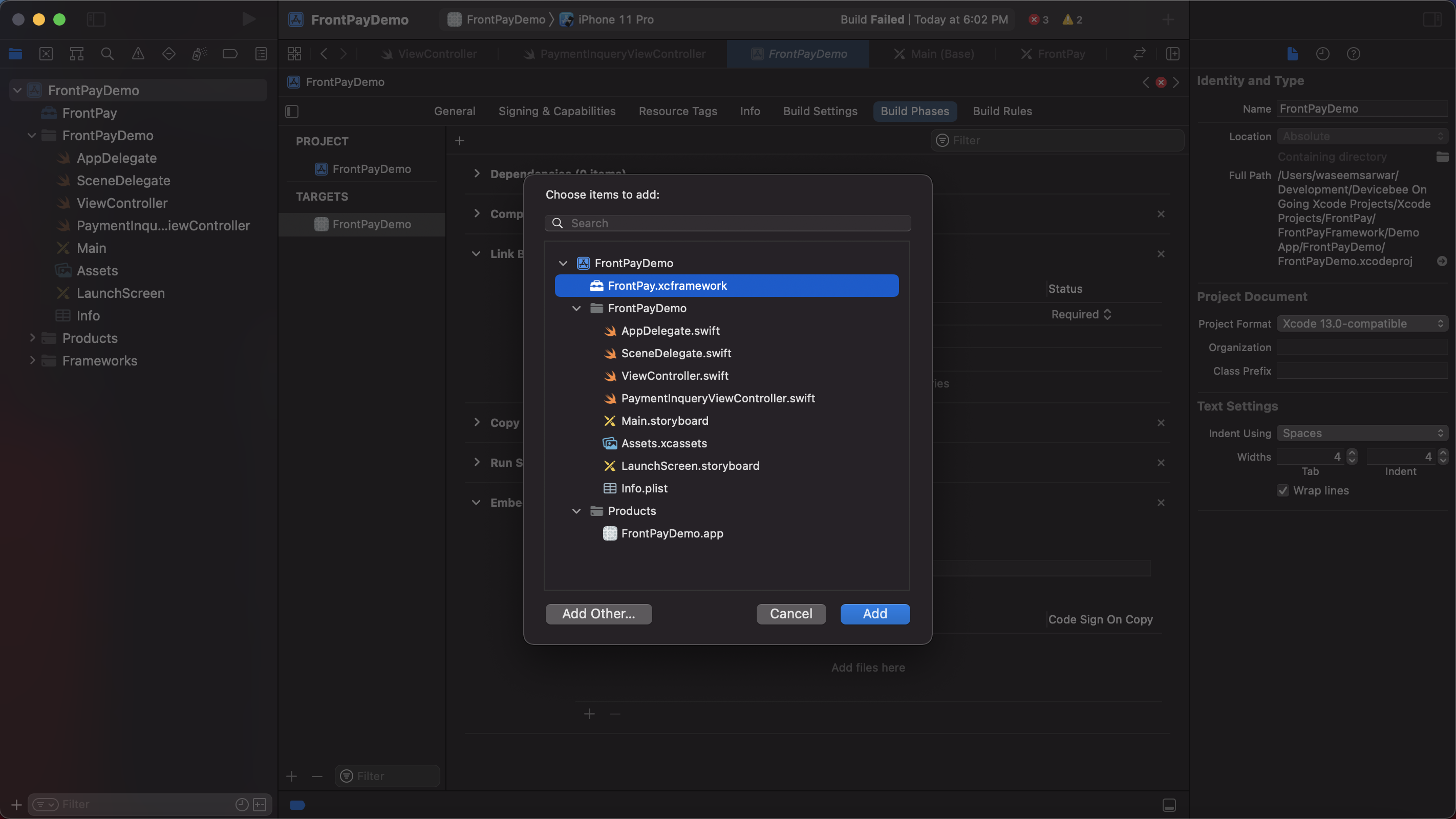
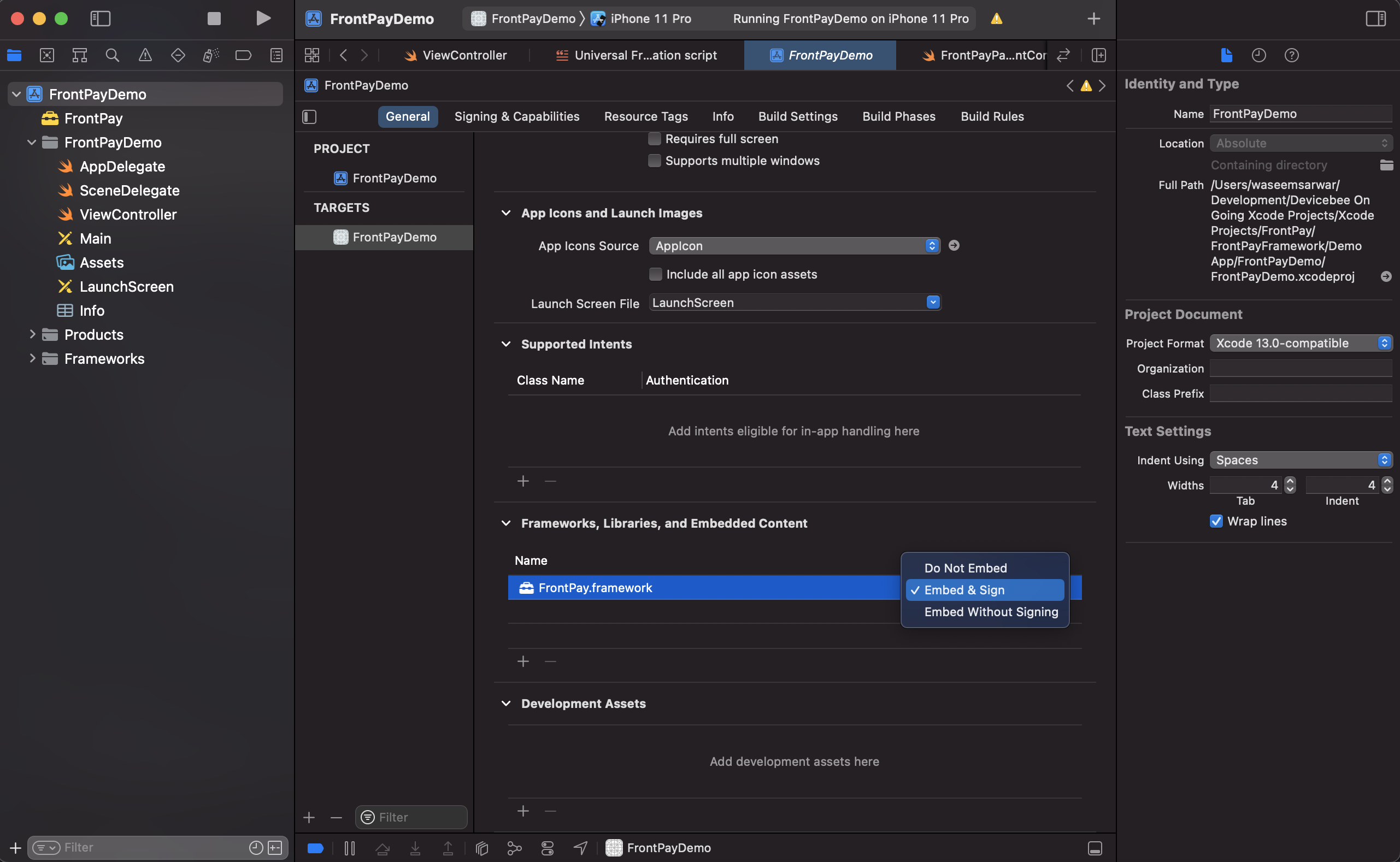
make sure in Target ->General->Framework, Libraries and Embded Contents Embed & Sign is selected.
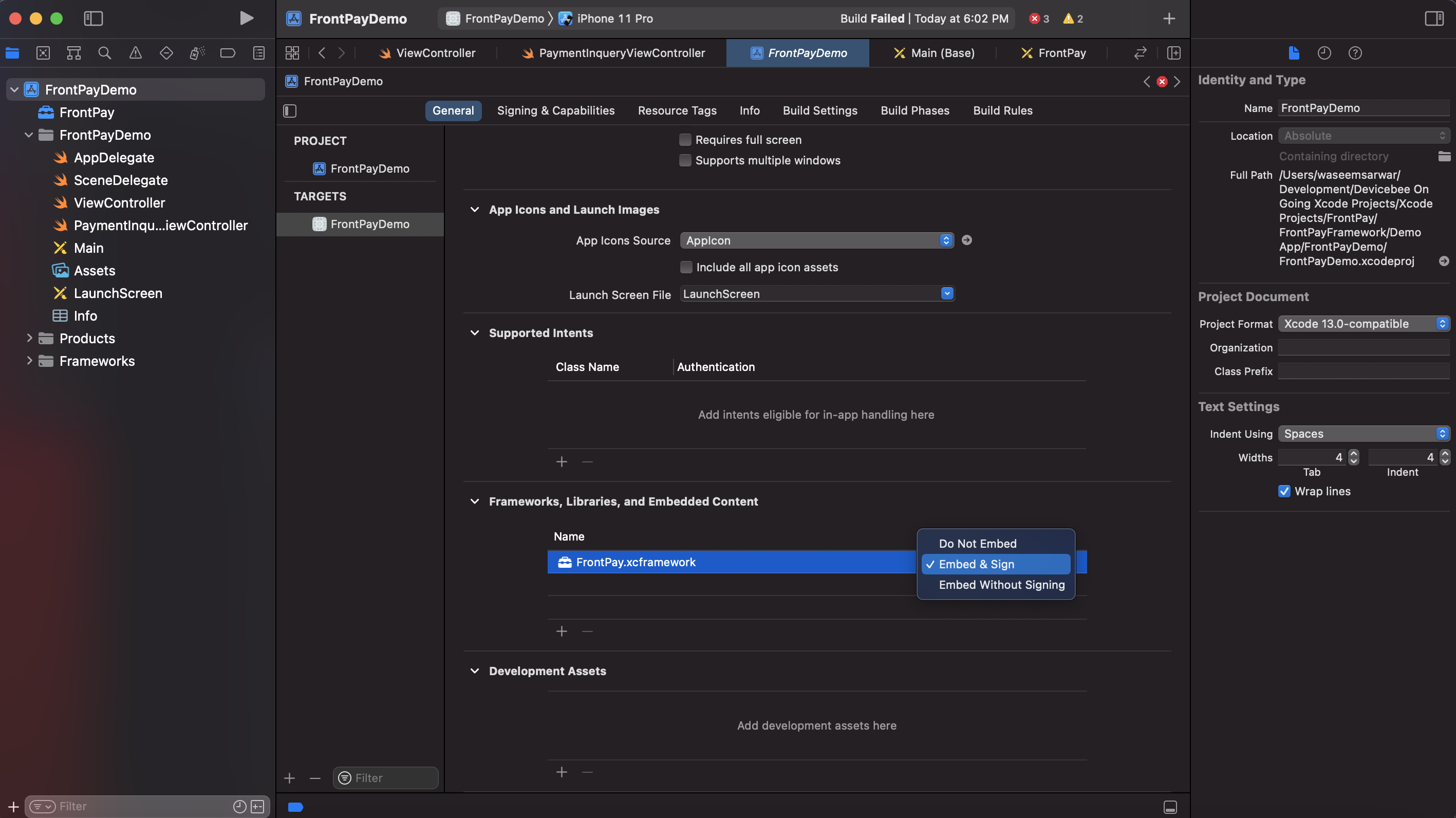
If you have followed the above 5 steps then you will be able to compile without any error.
If Xcode 11.3 or above
Goto Your ViewController.swift file
import FrontPay
    @IBAction func proceesPayment(){

        let amount:Double = 100.0
        let currency = "PKR"

        //create FrontPayConfig
        let config = FrontPayConfig.with(paymentMode:PAYMENT_MODE.TEST, merchantId:YOUR_MERCHANT_ID, merchantSecret:YOUR_MERCHANT_SECRET)

        //create payment object
        let payment = FrontPayPayment.with(amount: amount, currency: currency, transaction_reference: UUID().uuidString, fp_param1: "Smart Band", fp_param2: "FrontPay Retails", fp_param3: nil)

        //start paying
        let vcnt = FrontPayPaymentManager.paywith(viewController: self, config: config, payment: payment)
        vcnt.completionHandlerSuccess = { response in
            print("success response=",response ?? "")
        }
        vcnt.completionHandlerFailed = { response in
            print("error response=",response ?? "")
        }

}To get payment details any time after payment processed, use below method.
import FrontPay
    @IBAction func paymentInquiry(){

        let transaction_reference = TRANSACTION_REFERENCE

        //create FrontPayConfig
        let config = FrontPayConfig.with(paymentMode:PAYMENT_MODE.TEST, merchantId:YOUR_MERCHANT_ID, merchantSecret:YOUR_MERCHANT_SECRET)

        //start Inquiry
        let vcnt = FrontPayPaymentManager.paymentInquiry(config: config, transaction_reference: transaction_reference)
        vcnt.completionHandlerSuccess = { response in
            print("success response=",response ?? "")
        }
        vcnt.completionHandlerFailed = { response in
            print("error response=",response ?? "")
        }

}To get your merchantId please visit https://www.frontpay.pk/
In Sandbox mode below card to be used for payment.
5555 5555 5555 4444
In Sandbox mode below account to be used for payment.
Account 0002562478596921
CNIC 4000113500111
OPT 456980
Building for iOS, but the linked and embedded framework 'FrontPay.framework' was built for iOS + iOS Simulator.
If you have used FrontPay universal framework then you may face this error. To resolve this please follow below steps.
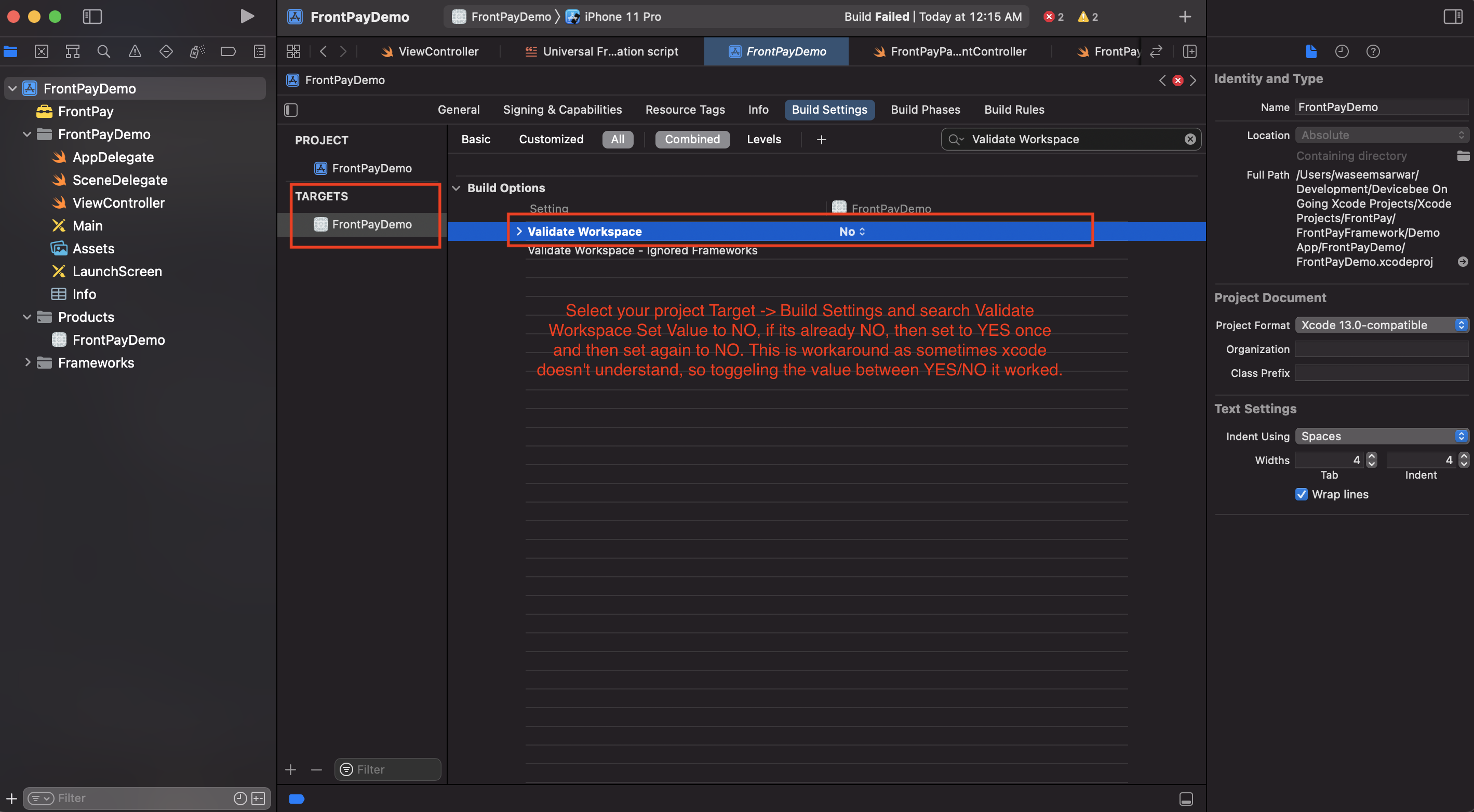
Select your project Target -> Build Settings and search Validate Workspace Set Value to NO, if its already NO, then set to YES once and then set again to NO. This is workaround as sometimes xcode doesn't understand, so toggeling the value between YES/NO it worked.
If you have added FrontPay.framework as universal then when submitting to app store Apple will show error of simulator architectures. To resolve this issue please select your project Target -> Build Phase and select + sign and add New Run Script Phase. It will add an empty runscript below, expand it and put the below script as shown in below screen shot.
# skip if we run in debug
if [ "$CONFIGURATION" == "Debug" ]; then
echo "Skip frameworks cleaning in debug version"
exit 0
fi

APP_PATH="${BUILT_PRODUCTS_DIR}/${FRAMEWORKS_FOLDER_PATH}/"

# This script loops through the frameworks embedded in the application and
# removes unused architectures.
find "$APP_PATH" -name '*.framework' -type d | while read -r FRAMEWORK
do
FRAMEWORK_EXECUTABLE_NAME=$(defaults read "$FRAMEWORK/Info.plist" CFBundleExecutable)
FRAMEWORK_EXECUTABLE_PATH="$FRAMEWORK/$FRAMEWORK_EXECUTABLE_NAME"
echo "Executable is $FRAMEWORK_EXECUTABLE_PATH"

EXTRACTED_ARCHS=()

for ARCH in $ARCHS
do
echo "Extracting $ARCH from $FRAMEWORK_EXECUTABLE_NAME"
lipo -extract "$ARCH" "$FRAMEWORK_EXECUTABLE_PATH" -o "$FRAMEWORK_EXECUTABLE_PATH-$ARCH"
EXTRACTED_ARCHS+=("$FRAMEWORK_EXECUTABLE_PATH-$ARCH")
done

echo "Merging extracted architectures: ${ARCHS}"
lipo -o "$FRAMEWORK_EXECUTABLE_PATH-merged" -create "${EXTRACTED_ARCHS[@]}"
rm "${EXTRACTED_ARCHS[@]}"

echo "Replacing original executable with thinned version"
rm "$FRAMEWORK_EXECUTABLE_PATH"
mv "$FRAMEWORK_EXECUTABLE_PATH-merged" "$FRAMEWORK_EXECUTABLE_PATH"

done
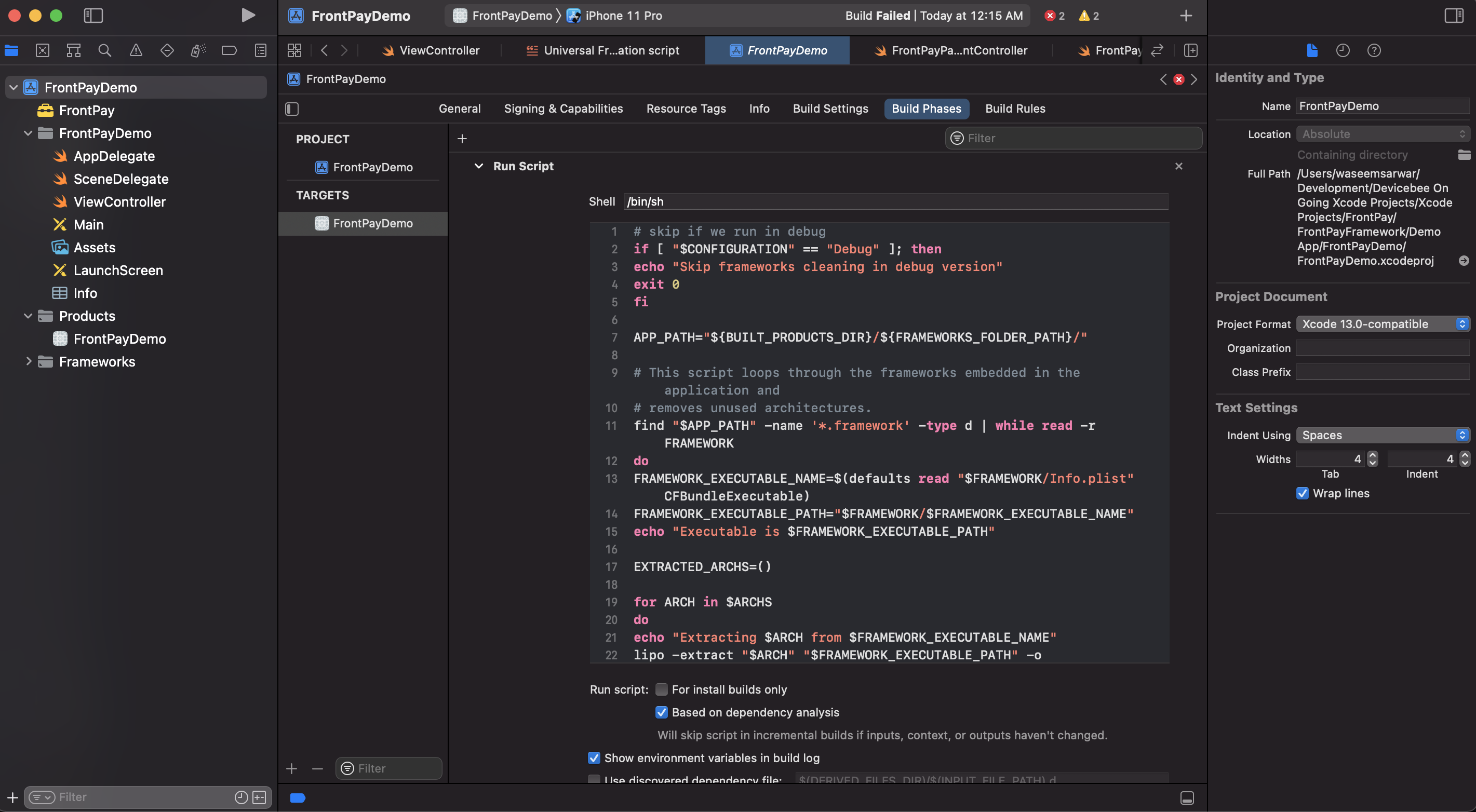
Sometimes xcode behaves strange and not link properly, so first delete FrontPay.framework from your project, clean build and delete Drived Data
then again follow belwo steps to add framework
Open universal folder and first copy FrontPay.Framework into your project directory and then Drag & Drop FrontPay.Framework in your iOS app.
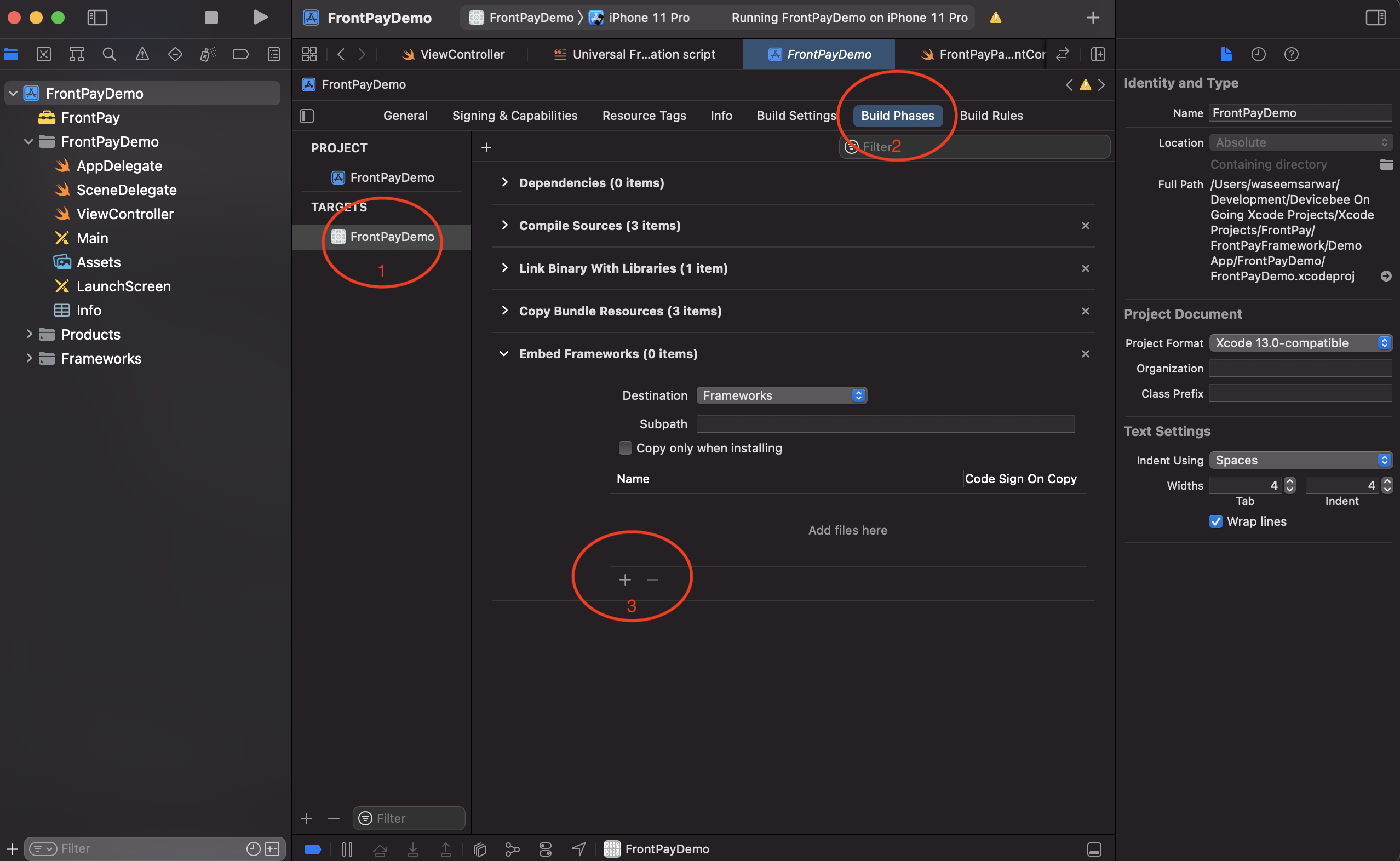
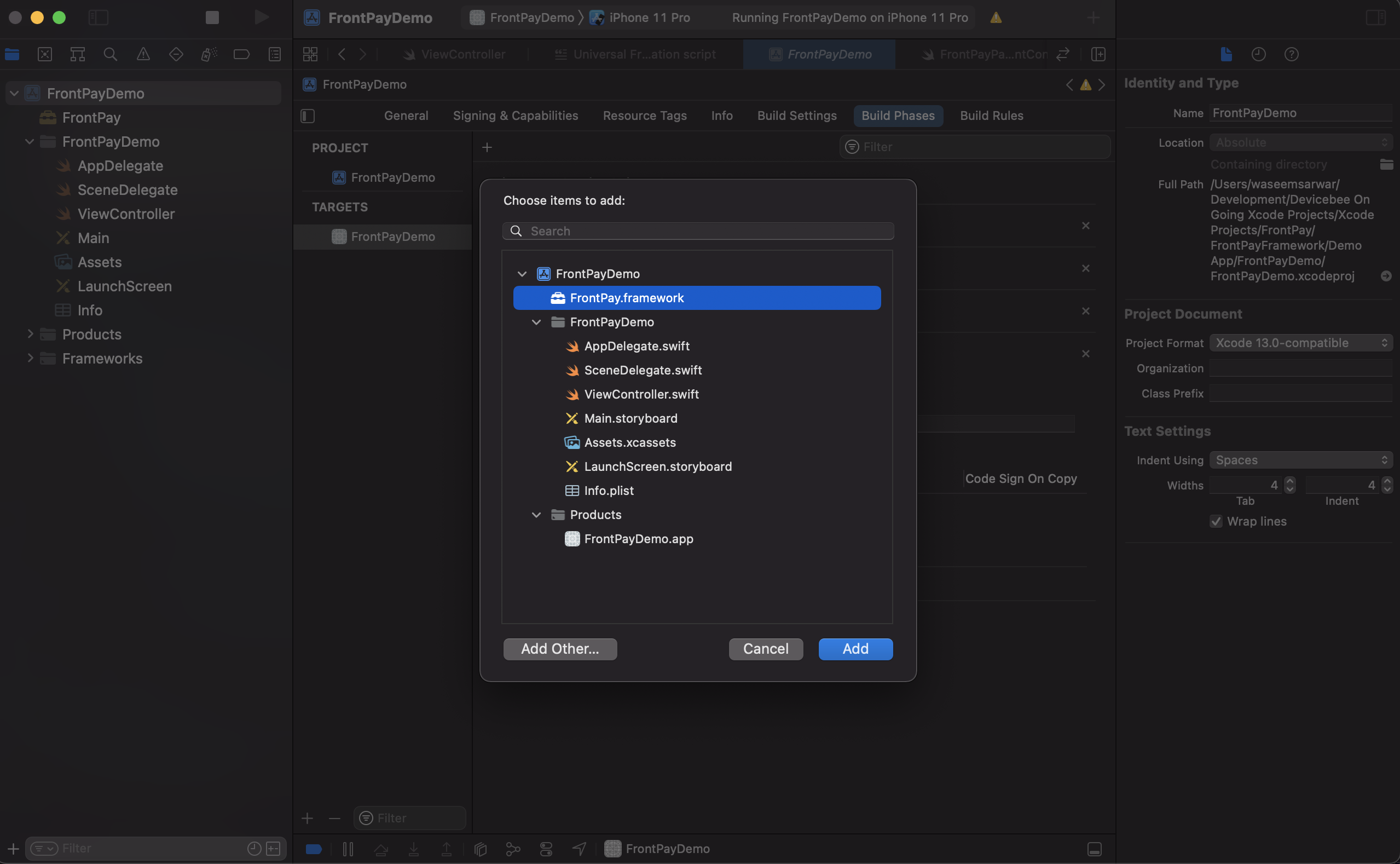
FrontPay.framework must set to Embed & Sign, Select your project Traget -> Build Phase expand Embed Framework and press + add FrontPay.framework
make sure in Target ->General->Framework, Libraries and Embded Contents Embed & Sign is selected.