Made by Gloria, Parmita, Elza, Verona
A Web API built around the sakila database, designed to provide a user-friendly interactive interface to navigate between the tables and complete basic CRUD operations with a click of a button.
- Springboot
- ThymeLeaf
- Spring Data JPA
Once the project has been cloned, make sure the application properties are set to the correct root and password of your particular database settings. Then run the main method in Group2WebDevelopmentProjectApplication.
Default port is 8080, if your device doesn't have port 8080 free then do a refactor or find and replace everywhere which uses 8080
With the Project and database up and running you can do the following:
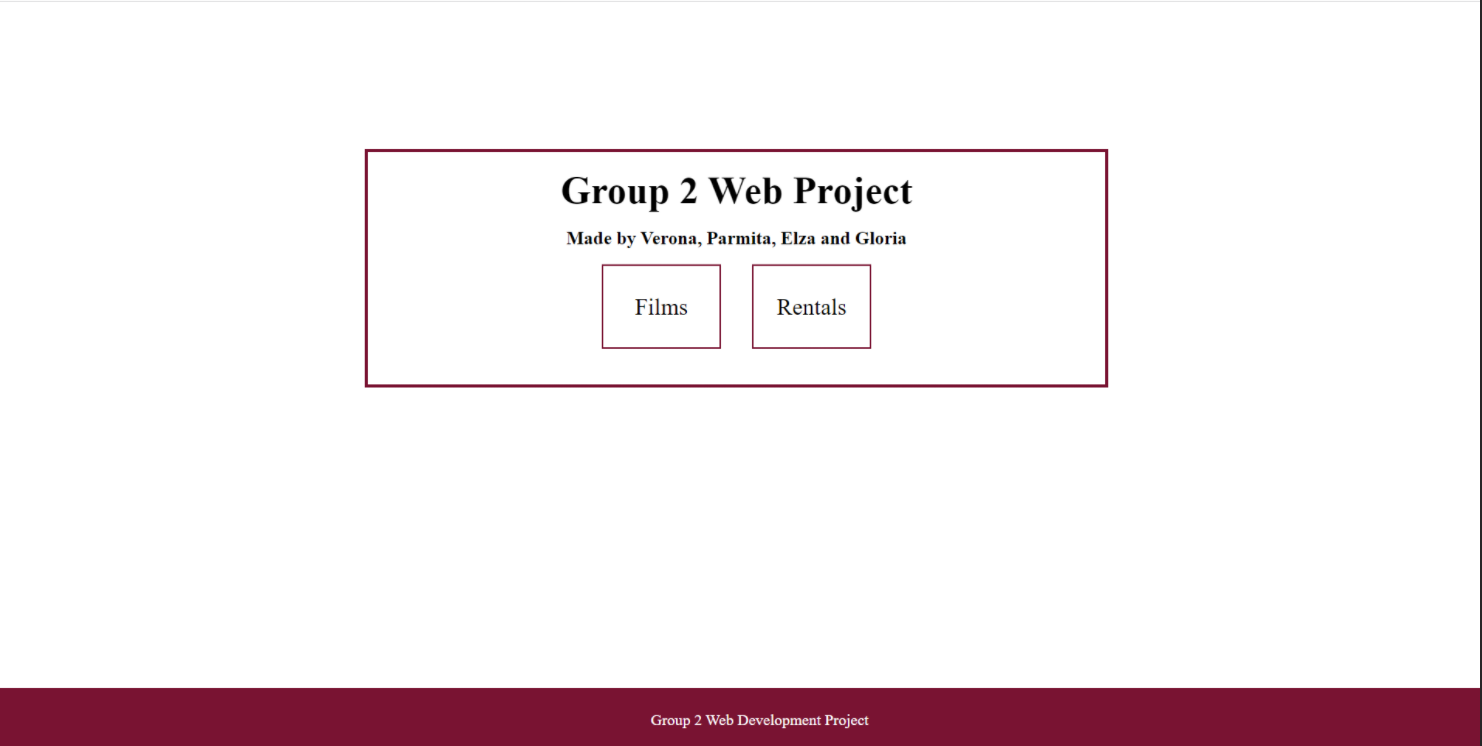
This is where you want start, use the url: http://localhost:8080/index to get to the index page and here you will see the differnt tables you can view. In this current version of the project you will be able to access the film and rentals table.
Once entering one of the two tables you will be able to see the all the entries for the your chosen table. Every page will include a navigation bar at the top of the site where the user is able to navigate between the two tables with ease. On the right hand side of the nav bar there is a Create button that will allow you to create a new entry into the table you are currently viewing.
Example below of the Nav bar if you're viewing the film table

URL for the rentals table is http://localhost:8080/rentals
Below is what you will see when you first come onto the page:
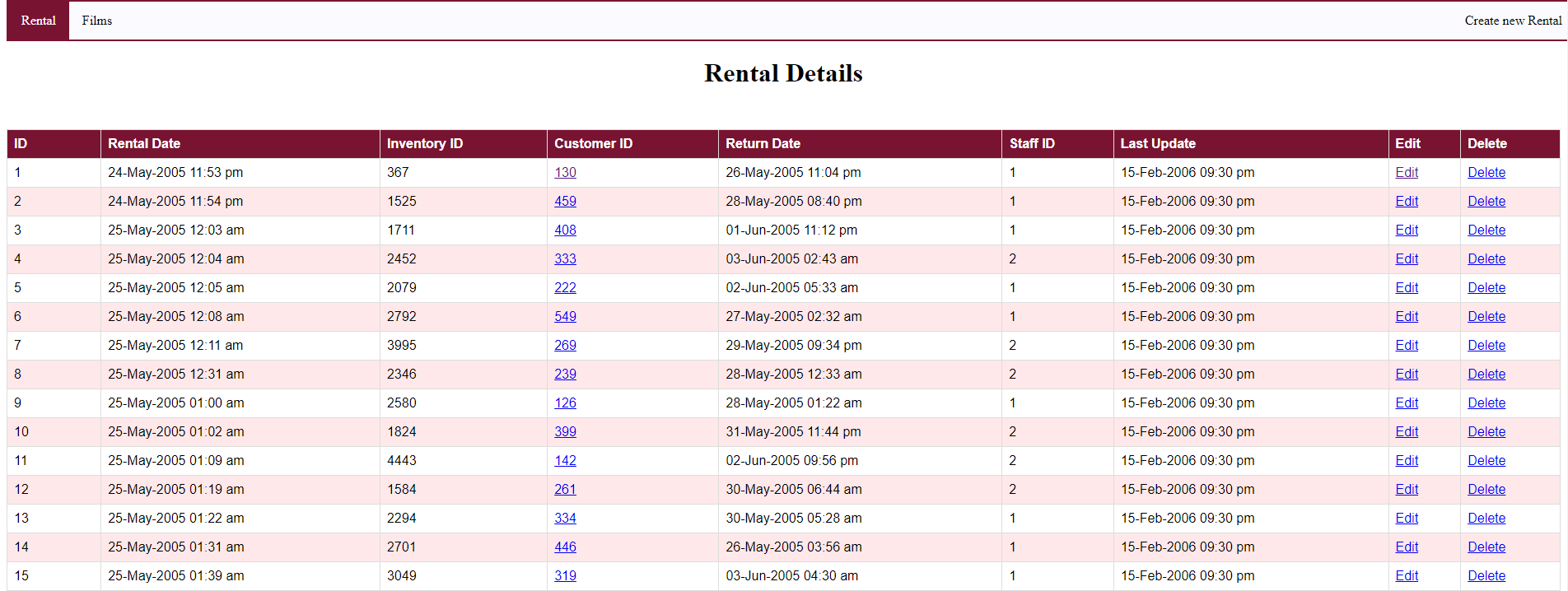 Create: On the top right hand side you can navigate to the create form for a rental entry. On this page you will be required to enter Inventory ID, Customer ID, Staff ID, Rental date and Return Date. There is currently no error checking for date formats so please stick to this format when entering dates: dd/mm/yyyy hh:mm
Update: For each Rental entry there is an option to edit it. To edit click on the edit button that correspondes to the entry you want to edit/update and you will be taken to the edit form page. After submitting the entry it will show either direct you to an error page or success page depending on your edits and if they adhere to the entry format. The success page will then automatically redirect you back to the rental view page.
Delete: Similarly to the update, each entry will have a delete button where you can delete each entry upon clicking its corresponding button.
URL for the rentals table is http://localhost:8080/films
Below is what you will see when you first come onto the page:
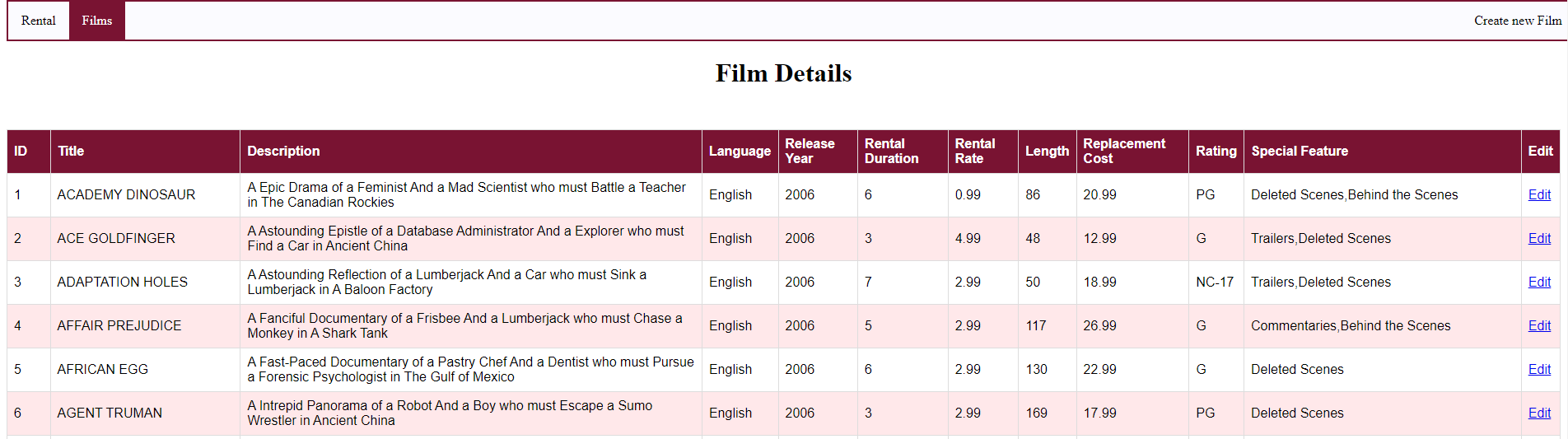 Create: On the top right hand side you can navigate to the create form for a film entry. On this page you will be required to enter Title, Description, Language, Release Year, Length, Rating, Rental Duration, Rental Rate, Replacement Cost, Special Features. There are restrictions on what you can enter for the following entries: Language, Rating, Rental Duration and special features so we have implemented a drop down option box for you to choose from.
Update: For each Film entry there is an option to edit it. To edit click on the edit button that correspondes to the entry you want to edit/update and you will be taken to the edit form page. After submitting the entry it will show either direct you to an error page or success page depending on your edits and if they adhere to the entry format. The success page will then automatically redirect you back to the rental view page.
Delete: Similarly to the update, each entry will have a delete button where you can delete each entry upon clicking its corresponding button.