The effortless Neovim remote development experience.
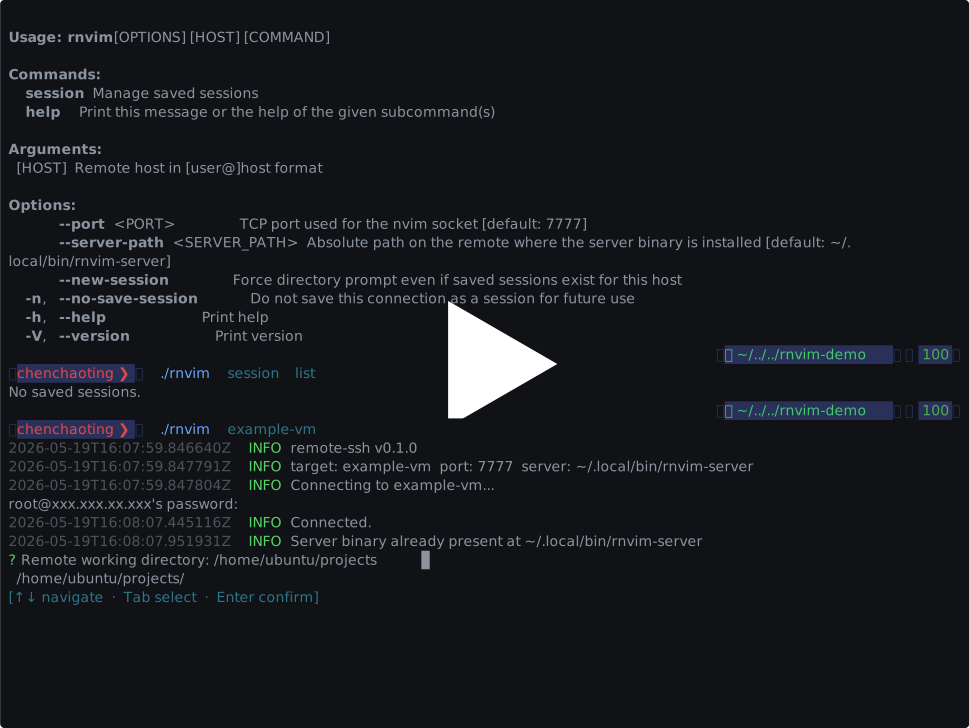
remote-ssh.nvim brings a true VSCode-like Remote-SSH experience to Neovim. No local plugins, no complex configuration. Just run rnvim user@host and start coding with your local UI connected to a high-performance remote backend.
- Zero Local Footprint: Unlike other solutions, it requires no local Neovim plugins. Your local
init.luastays clean and untouched. - True Remote Execution: All LSPs, plugins, and heavy indexing run on the remote server. Your local machine only renders the UI—saving battery and keeping your fans quiet.
- Native & Blazing Fast: Leverages Neovim's built-in RPC and persistent SSH ControlMaster for a low-latency, responsive editing experience.
- Automatic Server Management: The client automatically bootstraps the server binary on the remote host—no manual installation needed.
| Feature | remote-sshfs.nvim |
remote-nvim.nvim |
distant.nvim |
remote-ssh.nvim |
|---|---|---|---|---|
| Local Plugins | Required | Required | Required | None |
| LSP Location | Local (Slow indexing) | Remote | Remote | Remote |
| Protocol | SSHFS (High latency) | Neovim RPC | Custom Protocol | Neovim RPC + SSH |
| Remote Footprint | None | Auto-installs Nvim | Needs daemon | Auto-installs server |
- vs. remote-sshfs.nvim:
remote-sshfsmounts remote files locally, forcing your local LSPs to index files over the network.remote-ssh.nvimruns everything remotely, sending only UI updates—making it far superior for large projects. - vs. remote-nvim.nvim: While both use Neovim's remote UI,
remote-nvim.nvimis a local Neovim plugin that manages connections.remote-ssh.nvimis a standalone CLI tool, ensuring your local Neovim configuration remains independent and portable. - vs. distant.nvim:
distantrequires a custom daemon and optimized protocol.remote-ssh.nvimsticks to standard SSH and native Neovim features, making it simpler to use and maintain without background processes.
rnvim user@host orchestrates the entire lifecycle:
rnvim user@host
  │
  ├─ 1. SSH ControlMaster — Auth once, reuse for everything
  ├─ 2. Auto-Bootstrap — Installs rnvim-server on remote if missing
  ├─ 3. Session Picker — Pick a saved workspace or start a new one
  ├─ 4. Start Server — Launches headless Neovim on the server
  ├─ 5. Tunneling — Securely forwards the RPC port to localhost
  └─ 6. Connect — Hooks up your local nvim UI to the remote instance
Download the latest rnvim binary for your platform from the Releases page and place it in your PATH.
If you have the Rust toolchain installed, you can build it yourself:
cargo build -p rnvim --release
cp ./target/release/rnvim ~/.local/bin/rnvim# Connect and start a session
rnvim user@hostrnvim remembers your remote workspaces so you can jump back in instantly.
# List all saved sessions
rnvim session list

# Remove a session
rnvim session rm <id/name>| OS | Architecture |
|---|---|
| Linux | x86_64, aarch64 |
| macOS | x86_64, arm64 (Apple Silicon) |
For architecture details and build instructions, see CONTRIBUTING.md.