Gen3 Admin Backup Restore
- Open Settings → Object storage first and configure the CNPG/Barman-compatible bucket, endpoint, and Kubernetes secret references.
- On the Backup tab, enable scheduled backups and save automation settings.
- Run Check bucket (preflight) before relying on a schedule or on-demand run.
- Switch to the Restore tab only during a planned recovery drill or incident window.
Backup and restore split operator concerns cleanly: reusable object-storage targets live on Settings, while CNPG schedules, on-demand runs, and staged restore workflows live here.
Backup & Restore is the active Gen 3 Control Panel route for CloudNativePG backup automation and staged database recovery. The page has two tabs:
| Tab | Route | Purpose |
|---|---|---|
| Backup | /dashboard/backup-restore |
CNPG schedule reconciliation and on-demand backup runs |
| Restore | /dashboard/backup-restore?tab=restore |
Temporary recovery clusters and destructive live cutover |
The page description states that bucket endpoints and Kubernetes secret references stay on Settings, while this workspace handles CNPG schedules and staged restore workflows.
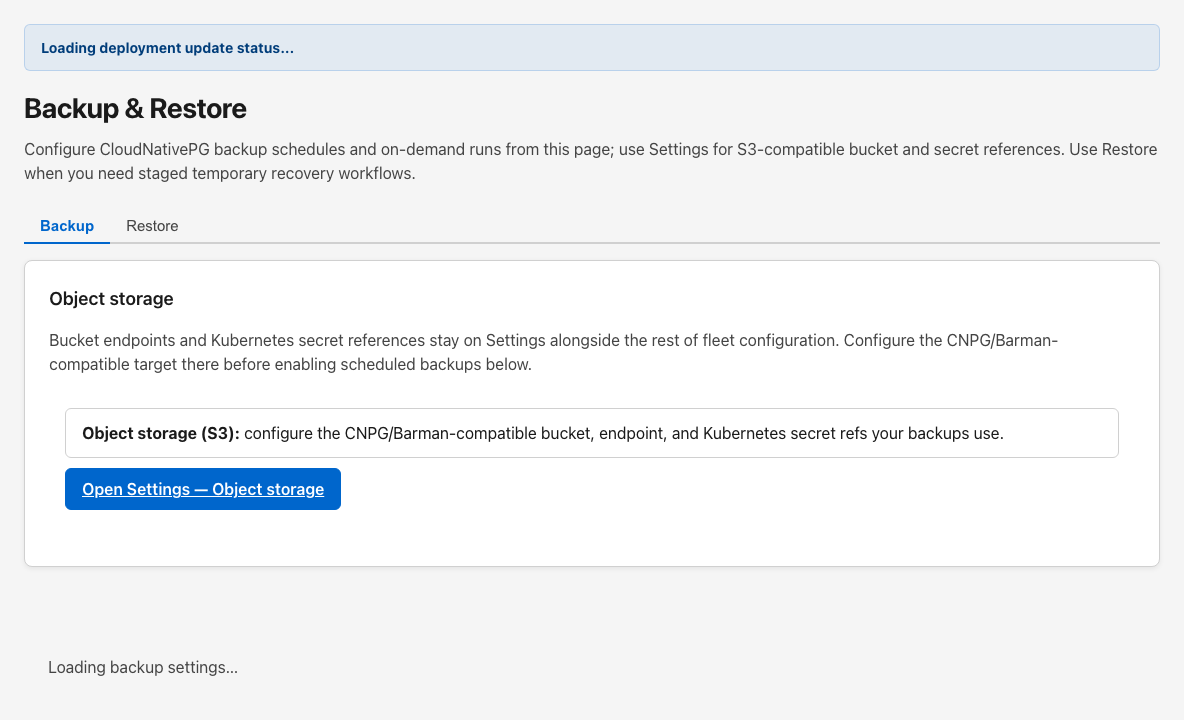
The Object storage card explains that S3-compatible bucket configuration belongs on Settings. Use Open Settings — Object storage to configure the CNPG/Barman-compatible target before enabling scheduled backups below.
Object storage fields on Settings include provider, endpoint, bucket, region, path prefix, secret references, and the Backups toggle that marks the target for CNPG use.
When enabled, the Control Panel reconciles CNPG Cluster backup settings and ScheduledBackup objects in the deployment namespace.
Status badges at the top of the card show:
- Reconcile state (ok, error, or not run yet)
- Bucket preflight state (ok, failed, or not run)
- last reconcile timestamp and error text when present
- external bucket preflight step details when a preflight has run
Operators can:
- enable or disable scheduled backups
- pick schedule presets (hourly, every N hours, daily, weekly, or custom six-field cron)
- set UTC hour, minute, and weekday for daily/weekly presets
- edit raw cron directly in advanced mode
- choose retention quick presets or type a custom Barman-style retention value
- optionally set endpoint CA secret name and key
- Admin DB cluster (cnpg-admin)
- Tenant DB cluster (cnpg-tenant)
- Immediate first backup
- Suspend schedule
| Action | Purpose |
|---|---|
| Save backup automation | Persists schedule, retention, and scope settings |
| Run backup now | Triggers an on-demand backup when scheduled backups are enabled |
| Check bucket (preflight) | Verifies object-storage credentials and bucket reachability without changing databases |
The restore workspace implements a two-stage CloudNativePG workflow:
- Create recovery cluster(s) — provision temporary CNPG recovery workloads for validation only.
-
Apply restore to environment — destructive cutover after readiness reports
ready_for_promotion_checks.
Temporary recovery provisioning never repoints live ingress by itself.
- Use a disposable namespace or maintenance window; recovery clusters consume storage like any CNPG cluster.
- Coordinate credentials and bucket prefixes with Settings → Object storage; GT AI OS references operator-managed secrets only.
- Stage-one APIs create recovery clusters ahead of promotion; they do not cut traffic alone.
Choose one of:
-
Single plane (admin or tenant CNPG timeline) — restore one of
cnpg-adminorcnpg-tenant - Full cluster (paired admin + tenant backups) — coordinated admin and tenant restore using a shared recovery cluster base name
The catalog lists backups newest-first using endedAt then startedAt. Rows show backup name, timestamp, AI OS version, backup set id, storage presence, and whether named restore is ready through the API.
- Single-plane mode reloads the catalog when you change the catalog plane selector.
- Full restore loads admin and tenant catalogs concurrently and warns when selected rows do not share a backup set id.
Use Refresh when new snapshots have landed in object storage.
- Single-plane mode requires a temporary recovery cluster name distinct from
cnpg-admin/cnpg-tenant. - Full restore derives
{base}-adminand{base}-tenantfrom a shared temporary cluster base name.
Catalog selections populate backup identifiers automatically. Expand Advanced to type Backup CR names manually or use RFC 3339 point-in-time targets.
The page compares running deployment version metadata with backup tags. Named restores can fail fast on version drift. Review the version hints before submitting.
A collapsed fallback accepts UTF-8 JSON restore intent for automation or air-gap handoffs. Upload bypasses interactive catalog safeguards and is not the default browse-and-restore path.
Before submitting, check the acknowledgment:
I understand this only creates temporary CloudNativePG recovery cluster(s) for validation and does not yet replace the live environment.
The primary button calls the recovery-cluster API (or the multipart JSON upload route when fallback upload is open).
After a successful stage-one request, use Check readiness now or enable Auto-refresh every 15s to poll recovery-cluster status.
When readiness shows ready_for_promotion_checks, the destructive section appears. You must acknowledge:
I understand Apply restore replaces the live environment and may interrupt Control Panel and tenant access until the restored databases are healthy again.
Apply restore to environment deletes the live cnpg-admin / cnpg-tenant cluster resource(s) and recreates them from the validated recovery spec.
- Configure object storage on Settings.
- Enable scheduled backups for the clusters you operate.
- Save automation settings and confirm reconcile status is ok.
- Run bucket preflight before the first scheduled or on-demand backup.
- Open the Restore tab during a maintenance window.
- Pick catalog snapshots and name temporary recovery clusters.
- Create recovery cluster(s) and wait for readiness.
- Apply restore only after deliberate acknowledgment of downtime risk.
- Keep object storage and backup automation as separate steps: configure the bucket on Settings, then reconcile schedules here.
- Run preflight before trusting a new bucket or secret rotation.
- Treat restore stage one as validation and stage two as a deliberate destructive action.
- Coordinate full restores on matching backup set ids whenever both catalogs expose them.