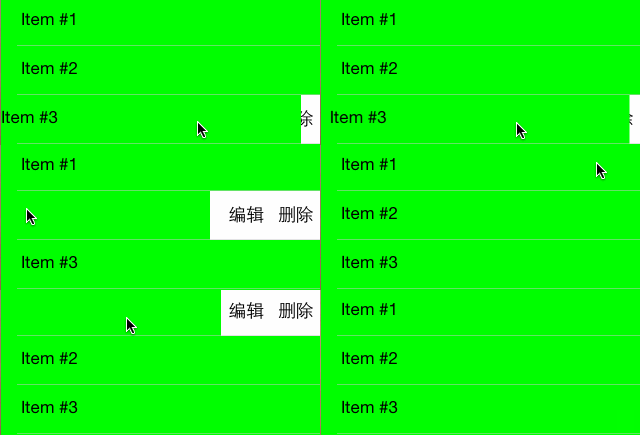
这是一个简单的可以实现手动配置tableviewcell左滑后显示内容的控件。用户可以按照自己的需求对右滑后需要显示的button数量及标题进行配置。这个工程不同于目前主流的使用constraintInsets的修改进行的只能在iOS6及以上操作系统中运行的工程,而是使用frame进行修改,从而可以向下兼容至iOS5.
##功能
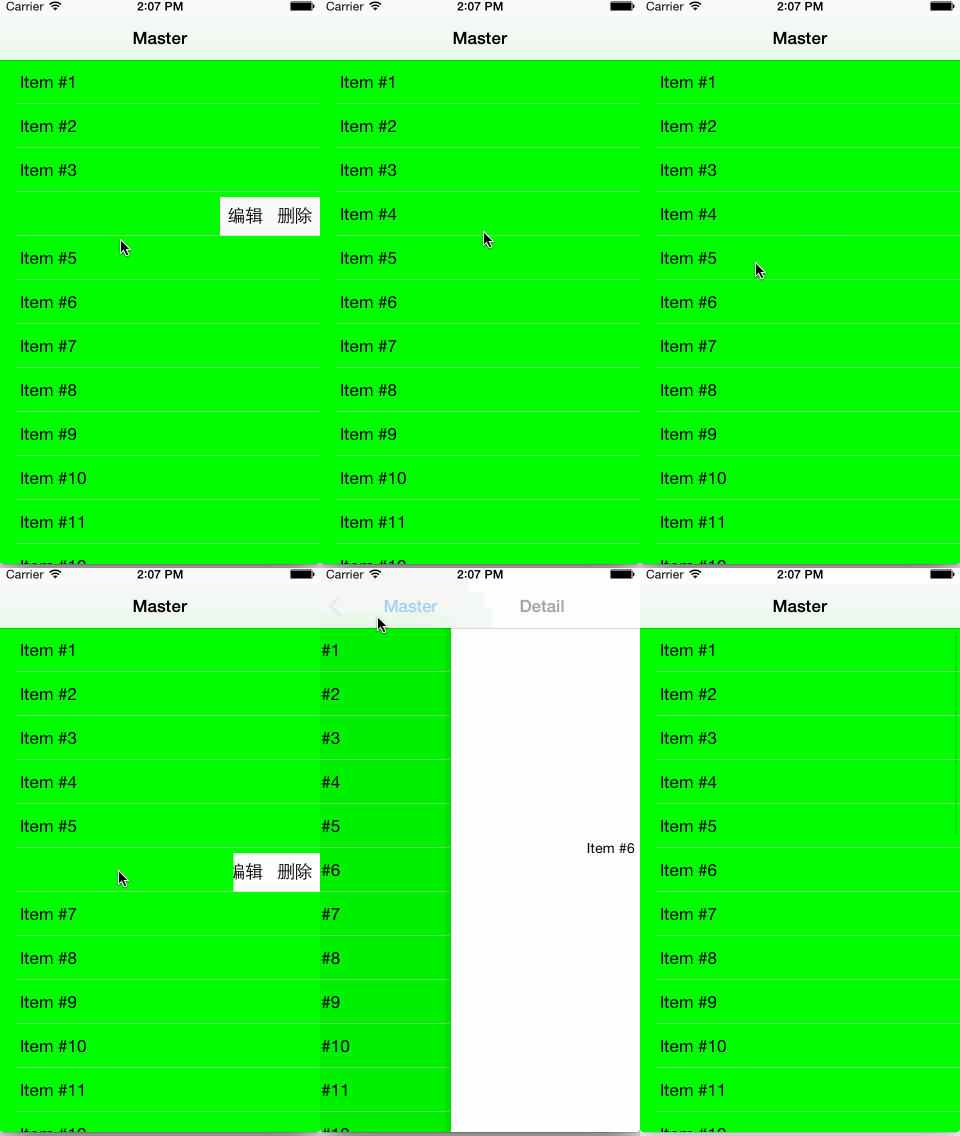
右侧的所有button均可以进行点击,并且可以进行相应的工作,在本工程中,点击右侧的删除按钮后可以对该行的cell进行删除操作,就像是iOS7中的邮箱应用一样。
###特点
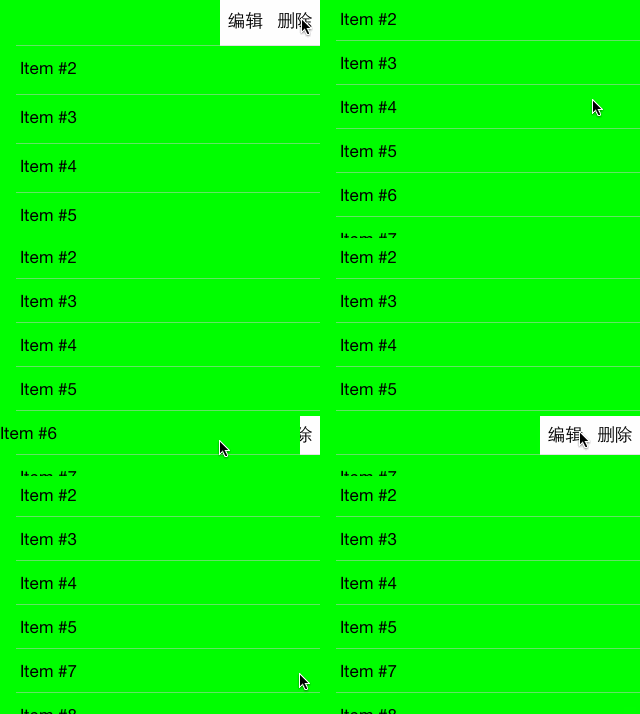
- 可以动态地根据button数量进行frame修改。当您加入了更多的或减少button数量的时候,该cell会自动地调整左滑后最终停留的位置,从而更完美的显示您的所有button.
- 智能地相应点击事件。这个在打开状态下,会只能地监听点击事件,从而向右滑回中间位置。但是当cell已是关闭状态时,则点击cell后会触发
- (void)tableView:(UITableView *)tableView didSelectRowAtIndexPath:(NSIndexPath *)indexPath代理方法,进入详情页或进行其他操作。
##使用方法
在您的- (UITableViewCell *)tableView:(UITableView *)tableView cellForRowAtIndexPath:(NSIndexPath *)indexPath方法中创建StrangeCell 并为其配置按键标题并将使用该cell的类设置为这个cell的delegate
- (UITableViewCell *)tableView:(UITableView *)tableView cellForRowAtIndexPath:(NSIndexPath *)indexPath {

    StrangeCell *cell = [tableView dequeueReusableCellWithIdentifier:@"Cell" forIndexPath:indexPath];
    cell.buttonTitles = @[@"编辑", @"删除"];
    cell.delegate = self;

    NSDate *object = self.objects[indexPath.row];
    cell.ItemText = [object description];
    return cell;
}若要响应cell的button点击事件,则需要在该类中实现cell的代理方法- (void)strangeCellDidPressButtonWithTitle:(NSString *)title cell:(StrangeCell *)cell;(在该方法使用处,cell需要将自身作为方法的参数进行使用。)
#pragma mark - StrangeCellDelegate

- (void)strangeCellDidPressButtonWithTitle:(NSString *)title cell:(StrangeCell *)cell {

    NSIndexPath *indexPath = [self.tableView indexPathForCell:cell];
    NSLog(@"the indexPath is %@" , indexPath);

    if ([title isEqualToString:@"删除"]) {
        [self.objects removeObjectAtIndex:indexPath.row];
        [self.tableView deleteRowsAtIndexPaths:@[indexPath] withRowAnimation:UITableViewRowAnimationLeft];
    } else if ([title isEqualToString:@"编辑"]) {
        //Do Anything You Want your project to do...
    }
}
##参考 本工程思路来自于Raywenderlich的 这篇教程 在此表示感谢。
##联系方式
weibo:_iBonjour
Email:wazyq.cool@163.com
欢迎您提出宝贵的建议或意见:)