


🌳 Visual Repository Management - Intuitive interface for browsing repositories and commit history
🔄 Streamlined Git Operations - Simplified workflows for common version control tasks
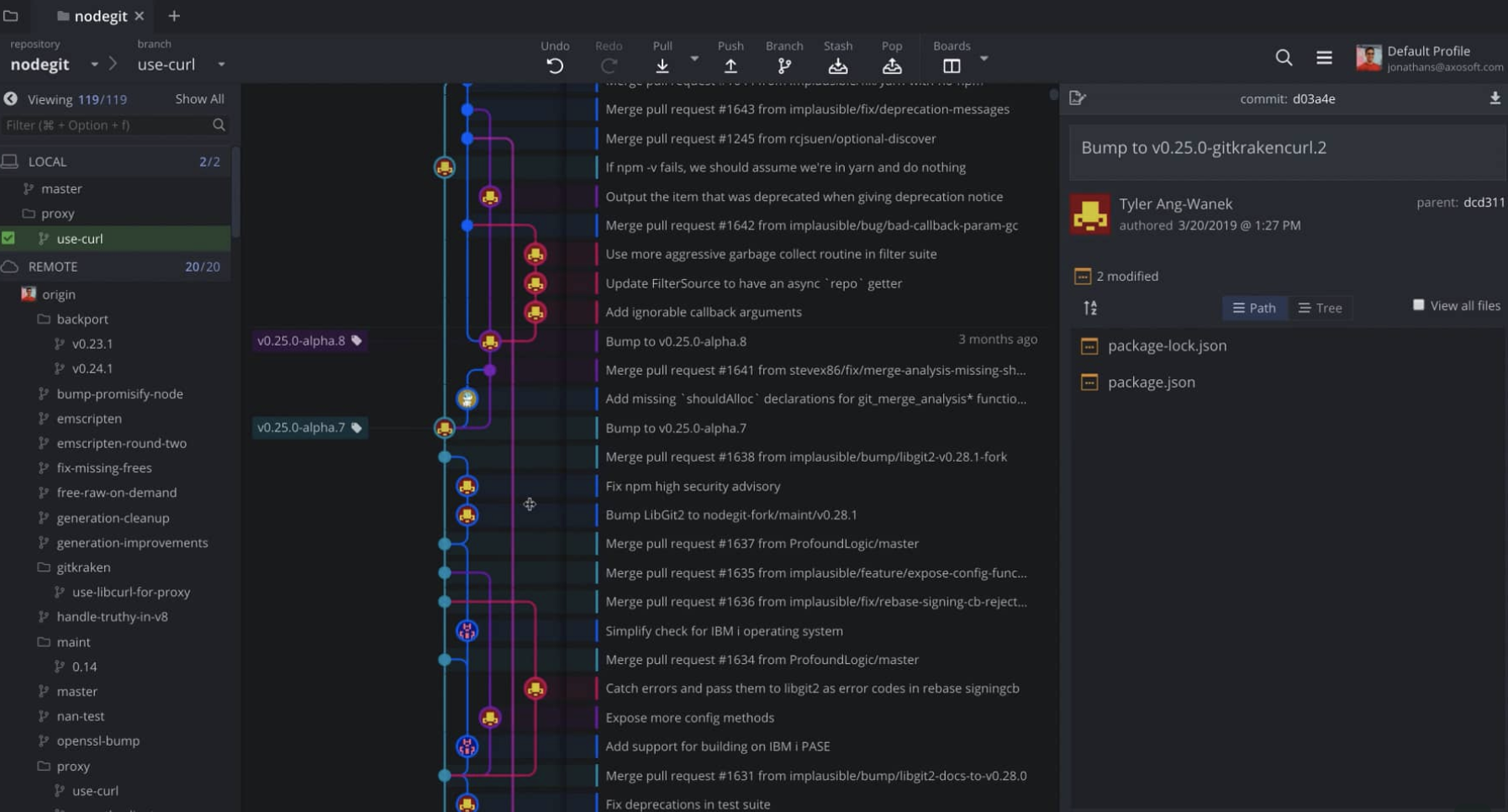
📊 Branch Visualization - Clear graphical representation of branches, merges, and repository structure
GitBox reimagines Git version control through a user-friendly interface that makes complex repository management accessible to developers of all experience levels. This elegant Git client transforms the often intimidating command-line operations of Git into visual interactions, allowing users to manage repositories, track changes, and collaborate on code through intuitive drag-and-drop operations and clear graphical representations. By focusing on the most common Git workflows while providing easy access to advanced features, GitBox reduces the learning curve associated with version control while maintaining the full power and flexibility of Git for professional development scenarios.
The application excels in its clean, focused design that prioritizes clarity and efficiency in daily Git operations. GitBox's visual commit history provides immediate understanding of project evolution, while its intelligent staging interface simplifies the process of selecting and committing changes. With seamless integration with popular Git hosting services like GitHub, GitLab, and Bitbucket, GitBox streamlines the entire development workflow from local commits to remote collaboration. The application's thoughtful approach to conflict resolution and merge operations further enhances productivity by guiding users through potentially complex scenarios with clear visual feedback and actionable options.
🔹 Intuitive Visual Interface - Clear graphical representation of repositories and changes
🔹 Simplified Git Workflow - Streamlined operations for common version control tasks
🔹 Integrated Hosting Services - Direct connection to GitHub, GitLab, and Bitbucket
🔹 Conflict Resolution Tools - Guided assistance for managing merge conflicts
- Supported Systems: Modern desktop operating systems
- Processor: Multi-core processor for responsive repository operations
- Memory: 4GB RAM minimum, 8GB recommended for large repositories
- Storage: 200MB available space for application and repository cache
- Git Integration: Git installation required for core version control operations
- Repository Operations: Clone, commit, push, pull, merge, and rebase
- Visual Tools: Graphical history, branch visualization, and change tracking
- Remote Integration: Direct connection to Git hosting platforms
- Collaboration: Pull request management and team workflow support
Daily Development Workflow - Streamlined Git operations for individual developers and teams
Code Review Preparation - Visual change tracking and commit organization
Branch Management - Intuitive handling of feature branches and merge operations
Repository Maintenance - Clear visualization of project history and contributor activity
gitbox, gitbox mac, gitbox for mac, gitbox macos, gitbox windows, git client, gitbox download, version control, repository manager, git gui, code management, visual git, development tools, git application, software development
Download GitBox - intuitive Git client with visual repository management, commit history browsing, and streamlined version control workflows. Git client application for efficient code management.