Credits of Kitsune go to the original maker. I only edited it on parts to make it functional with CPLiteServer.
Changelog:
- 25-7-2017: (REGISTER - PATCH): UPDATED CSS AND REMOVED BRACKETS IN insertQuery.
- 25-7-2017: (Serverjs) Fixed typo.
- 25-7-2017: (VERY IMPORTANT - REGISTER): KNOWN ISSUES FULLY FIXED. ANTI-VULNERABILITY SCANNER ADDED TO REGISTER.
- 24-7-2017: (IMPORTANT - REGISTER): SECURITY UPDATE ADDED.
- 24-7-2017: Redirect.html added for use (in /public/ folder)
- 24-7-2017: You can run PHPMYADMIN if you set Apache's port to something else than 80 or 3001. Set Apache's SSL also on to a different port like 7443 and Apache itself like 780
- 24-7-2017: (Serverjs, contact.handlebars & views): updated css paths so that /contact/ wont give broken css + contactdata comes with date&time and csrf is now a const. VueJS (Javascript Framework that I added in the /public/ html pages) will now also auto grab the latest version. (VueJS is used here for faster loading)
- 23-7-2017: (Serverjs): Contactdata is stored in a better way.
- Readme will be updated daily for fixes.
https://drive.google.com/open?id=0B-qkAh8VoXBIcVRCZ2ZDekp6Wjg
Just replace the play folder in /public/play/
OUTDATED https://drive.google.com/open?id=0B-qkAh8VoXBINlVXdDlmMUdqVUk
(P.S, I am not a wizard. So you can manually edit this mediaserver. Please use the Load.swf that is in /public/play/


Second logo by: M!SH

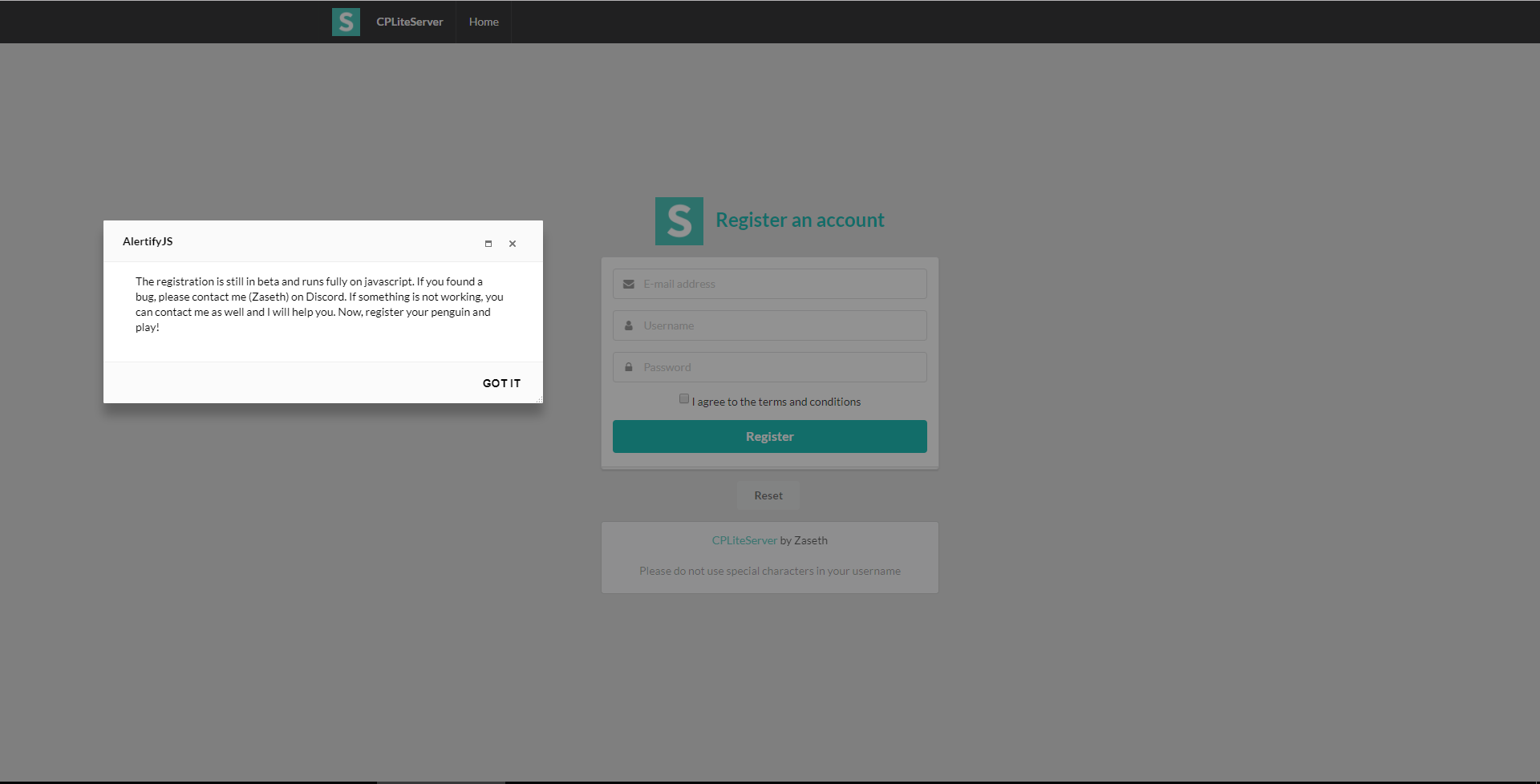
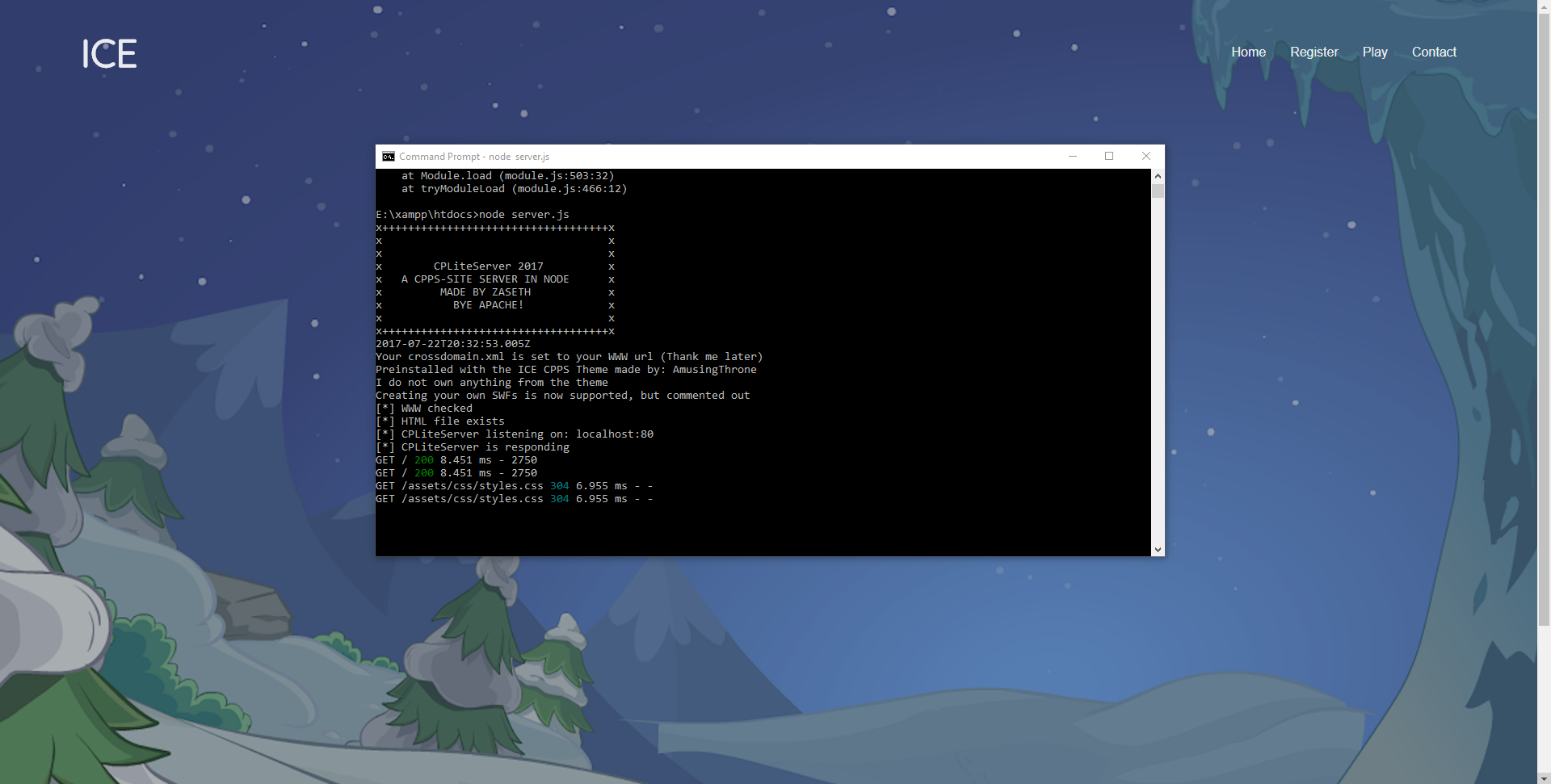
Content:
- Introduction
- Required programs
- Setup
- Configuration
- Starting the servers
- Extra
- Outro and contact
CPLiteServer is a webserver that only runs on javascript. It comes with a fully working website, register and a contact/feedback page. The server itself runs on NodeJS with Express. The reason I created this is to replace Apache completely and you can now work in an open-source, fast and easy environment. I hope you enjoy the usage!
VueJS has been added into the website theme. Enjoy the speed!
- NodeJS (Get the latest version)
- XAMPP for running MySQL (You can check everything in the setup)
- MySQL Workbench for database management
- Kitsune (Already included, but old version)
- The modified database (Already included)
- Install NodeJS
You first want to install NodeJS. Once you did that, type the following in CMD: node -v (If you receive the version, NodeJS is set up right! Else, restart your PC)
- Install XAMPP
With XAMPP, we will be running MySQL as CPLiteServer and Kitsune will access MySQL.
NOTE: YOU NEED TO ADD A PASSWORD TO MYSQL
- Install MySQL Workbench
We use MySQL Workbench to manage our database. We will not be using PHPMYADMIN in this case. (You can though)
- Installing your modules
Alright, now you need to download CPLiteServer and extract the files into: \xampp\htdocs like so:
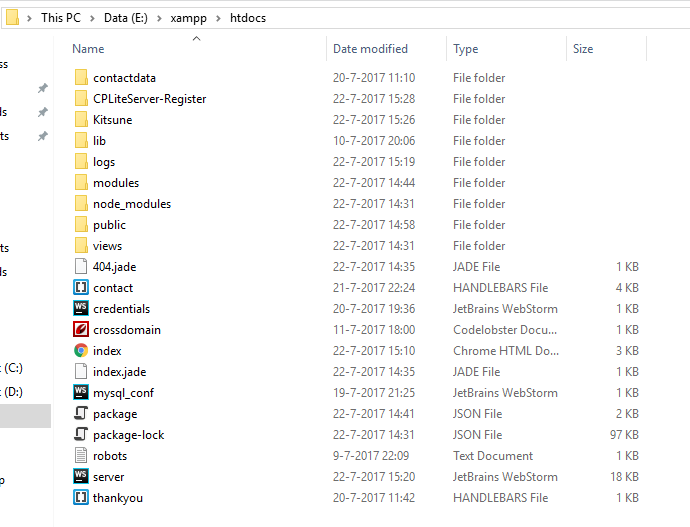
When you did this, open CMD and enter the command: cd yourpath as example: cd E:\xampp\htdocs
Now, you enter the following command: npm install
This will install every required module that CPLiteServer needs to run. If you receive an error like: Missing module modulename then just enter the following command: npm install modulename as example: npm install jade
Next up, you need to set up the register. The register runs on a different port. CD to the /CPLiteServer-Register/ folder and type in the following command: npm install
Again, if you get any missing modules, you know what to do :)
This part is VERY important, so please follow.
In the javascript file server, you can edit the following lines to your needs:

This is the php.exe path.


This piece of code will close the connection if a certain user is sending a lot of requests (Only closes connection between that user)

This will assign the web address of the server.
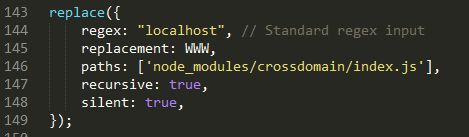
This will auto create a correct crossdomain.xml with the WWW you filled in. Regex over here is the string that it finds.
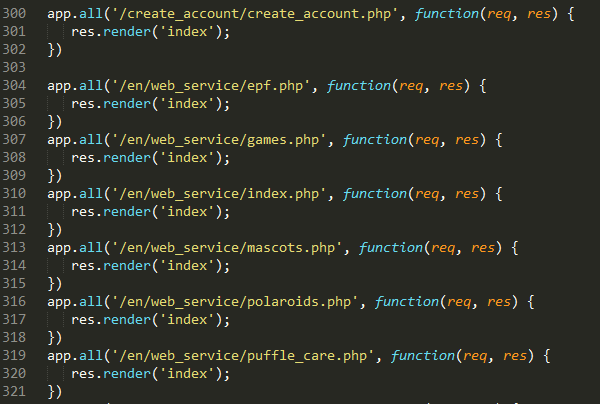
This is the code to block a specific file. If you have a custom mediaserver, edit the paths. THE PATHS WILL BE CORRECT IF YOU DOWNLOAD CPLITESERVER WITH THE MEDIASERVER INCLUDED
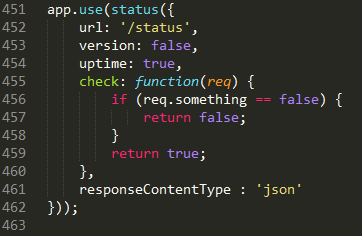
This is the status page. You can access this on: localhost/status or: yourfilledinWWW/status
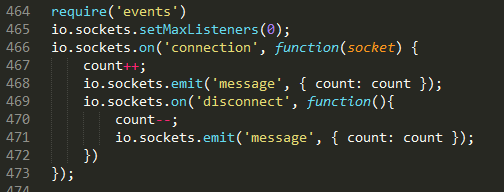
This is where the page visit count runs. This runs on socket.io. This will run on: localhost:3001 or: yourfilledinWWW:3001 A custom 404 not found has been added to this. You can access it by adding /socket.io/ to the url. NO CRITICAL DATA IS FOUND HERE

Here, Express will render index.html when the url gets visited.

Here, Express will use all the resources located at the folder /public
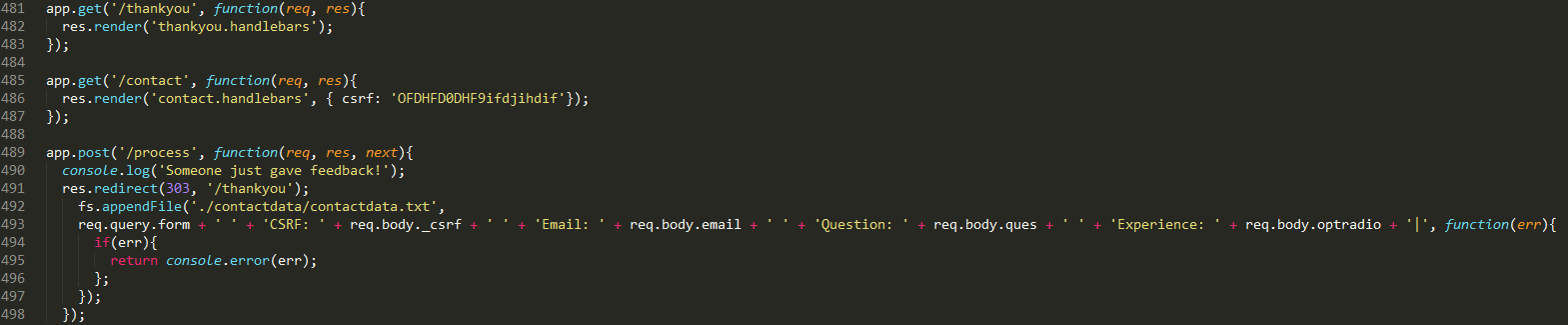
This piece of code manages the contact/feedback page. You should modify csrfkey. The contact data is all logged and stored in: /logs/contactdata/contactdata.txt
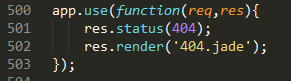
If there is a 404 not found, it will render a custom 404 page.
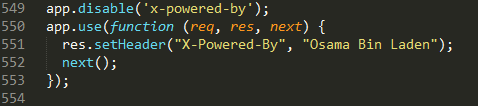
Normally, Express will give a header saying that the app is using Express. CPLiteServer will disable this specific function.
All the logs are stored in: /logs/
NOTE: EDIT SOCKET.IO AND HTML STUFF IN: /PUBLIC/PLAY/INDEX.HTML + INDEX.HTML NOTE: EDIT THE NAVIGATION BAR IN THE /PUBLIC/ HTML FILES AS REGISTER IS LOCATED ON localhost:5000/signup
NOTE: THE FOLDER IN PUBLIC/REGISTER/ IS NOT BEING USED
In the javascript file mysql_conf, you should edit the following lines to your needs:
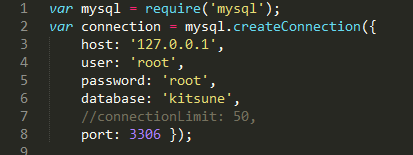
NOTE: YOU SHOULD SET THE SAME CONFIGURATION IN THE FOLLOWING FILE: /KITSUNE/DATABASE.XML
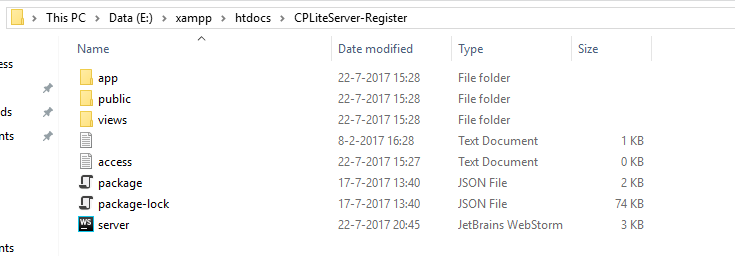
The register is running on a different server. You can access the register on: localhost:5000/signup. You need to import the included kitsune database.
Now, I will explain you what the javascript file: server does:
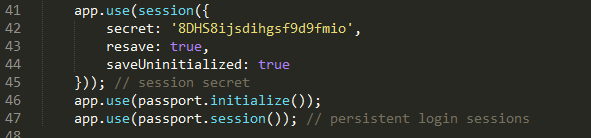
The configuration file is located in: CPLiteServer-Register\app\config\config.json
Now, something very important again, \CPLiteServer-Register\app\config\passport\passport.js is the root file for the register. IN HERE ALSO IS A MYSQL CONFIGURATION THAT YOU NEED TO SET (and yey first Club Penguin with a javascript register)
You should also check out the passportjs file for configuration (You can set a new penguin's inventory! How cool is that?)
Important code on passportjs file:
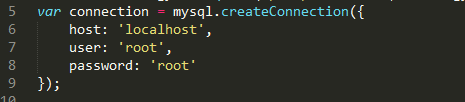
MySQL configuration in passportjs for register

Tells MySQL to use the database kitsune
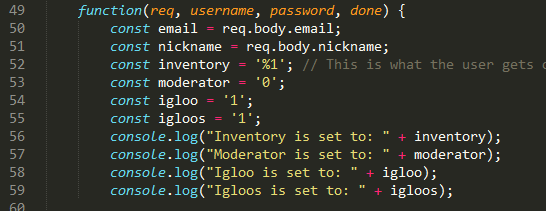
Various configuration when a penguin registers (What the penguin gets automatically)

If username contains any of these characters, disallow them! Most important blacklisted characters in here are: < & > these 2 chracters are used in javascript. Without them, you won't have XSS :)
NOTE: THERE IS A SIGNIN, BUT IT IS HIDDEN. IF YOU TURN THIS BACK ON, HAVE FUN FEELING PAIN ON MAKING IT WORK. WE ONLY NEED A REGISTER. THE USER SIGNS IN ON THE GAME ITSELF
While creating CPLiteServer, I modified some stuff to the database from Kitsune. This database is included in the following folders: /Kitsune/ and /CPLiteServer-Register/ THEY ARE EXACTLY THE SAME.
CPLiteServer comes with various extra modules to play around with. You can find these in: /modules/
An example of a module:
generatecrossdomain:
var fs = require('fs');
var xd1 = '"';
var xd2 = '"';
var domain1 = '*.localhost.com';
var domain2 = 'www.localhost.com';
var xmlVersion = '<?xml version="1.0"?>';
var versionWrite = '<!-- This crossdomain.xml is generated using CPLiteServer and created by Zaseth -->';
var breakLine = "\r\n";
var headXml = '<site-control permitted-cross-domain-policies="master-only"/>';
var siteUrl = '<allow-access-from domain=' + xd1 + domain1 + xd2 + " " + 'secure="false"/>';
var siteUrl2 = '<allow-access-from domain=' + xd1 + domain2 + xd2 + " " + 'secure="false"/>';
var siteHeader = '<allow-http-request-headers-from domain=' + xd1 + domain1 + xd2 + " " + 'headers="SOAPAction" secure="false"/>';
var siteHeader2 = '<allow-http-request-headers-from domain=' + xd1 + domain2 + xd2 + " " + 'headers="SOAPAction" secure="false"/>';
var xmlEnd = '</cross-domain-policy>';
var stream = fs.createWriteStream("crossdomain.xml");
console.log('Done');
console.log('Created by Zaseth');
stream.once('open', function(fd) {
  stream.write(xmlVersion);
  stream.write(breakLine);
  stream.write(versionWrite);
  stream.write(breakLine);
  stream.write(headXml);
  stream.write(breakLine);
  stream.write(siteUrl);
  stream.write(breakLine);
  stream.write(siteUrl2);
  stream.write(breakLine);
  stream.write(siteHeader);
  stream.write(breakLine);
  stream.write(siteHeader2);
  stream.write(breakLine);
  stream.write(xmlEnd);
  stream.end();
});
Some information to announce about each file and folder:
- Server
This is the root of CPLiteServer. Here, our webserver starts the connection. Please take a look at this file to configure it.
- mysql_conf
This is your MySQL configuration file. In here, you need to set the configuration to your needs. (WITH A STRONG PASSWORD)
- contact & thankyou
CPLiteServer comes with a fully working contact/feedback page. The other files are in the views folder.
- index.html
This is the main file.
- package.json
This file is where you install every module (These modules get placed into the folder node_modules
- Public folder
In this folder there will be every resource that the users can access. SO DO NOT STORE IMPORTANT STUFF IN HERE
NOTE: NODEJS CAN ONLY RUN JAVASCRIPT. SO NOT PHP. THE MEDIASERVER THAT IS INCLUDED (WHICH YOU CAN DOWNLOAD ON A DIFFERENT LINK IN THIS DOC) CONTAINS PHP FILES, BUT ARE UNACCESSABLE BY A METHOD THAT CPLITESERVER USES.
To start CPLiteServer, cd to the folder and enter the command in CMD: node server.js and it should start.
To start the register, cd to the register folder and enter the command in CMD: node server.js.
For any issues, you can contact me on:
Discord: Zaseth#7550
Skype: live:king.daan1
I hope you will have a great time using CPLiteServer and that you will learn a new programming language!
(©) - toxic fked your btch
(©) - zaseth fked your man