I am using a rooted device if you don't have one use android studio. if you are confused about the device being ARM or x86 just use the command adb shell getprop ro.product.cpu.abi

. root your device using magisk to root your android device, you can find here https://github.com/topjohnwu/Magisk . if you are using a rooted device install https://developer.android.com/studio/command-line/adb on your Mac/windows to operate the device using CLI (Command line terminal) . connect your device using a wire . now open cli or terminal and go to the same directory . use the command ./adb devices
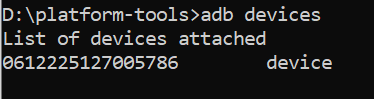
. Now you need to install the CA certificate into your android mobile so, that you can capture the requests using burp suite. . open your burp > go to proxy > options > import/export CA certificate > certificate in DER format > save the file using the format .der . send the file to the mobile using the command adb push CA.der /storage/sdcard0/ . open file in your mobile > internal storage and you will see the file CA.der . rename the file from CA.der to CA.cer . now go to settings > security > Encryption and Credentials > Install from SD Card > CA.cer. Choose VPN and Apps in the credentials use and click on OK.
once the certificat has been installed Configure your device to use the proxy Make sure that your Android device is disconnected from the Wi-Fi network before you attempt to configure the proxy settings:
In your Android device, go to Settings > Network & internet. Select Internet and long-press the name of your Wi-Fi network. Select Modify. From the Advanced options menu, select Proxy > Manual. Set Proxy hostname to the IP of the computer running Burp Suite Professional. Set Proxy port to the port value that you configured for the Burp Proxy listener, in this example 8082. Touch Save.
After that you will be able to intercept the mobile requests.
There are 3 things that you need to check before starting the PT of android application.
- SSL pinning ( if the certificate is pinned you will not be able to see or capture the traffic)
- Root Check ( you will not be able to use the application if there is a root check SDK in the application)
- Code Obfuscation ( anyone can manually reverse engineer the apk file and change the true to false)
you can bypass SSL Pinning and Root check through Frida and start your testing.
HOW TO INSTALL FRIDA AND USE FRIDA IN ANDROID VAPT.
- Install python 3.11 and latest pip
- Open terminal or command prompt and run following command pip install frida-tools
- Run below command to verify if Frida is installed properly frida --version

if you are confused about the device being ARM or x86 just use the command adb shell getprop ro.product.cpu.abi.
Now download the same version of frida server and download it. ( frida-server-16.0.8-android-arm64.xz )
unzip the file and rename the file from frida-server-16.0.8-android-arm64.xz to frida-server and run the following commands adb push frida-server /data/local/tmp/ adb shell "chmod 755 /data/local/tmp/frida-server" adb shell su cd /data/local/tmp ./frida-server
if you are getting an error that the port is already bind that means there is already a frida server running in the background, to stop the server just run the following command
adb shell su netstat -anpe | grep "frida" kill -9 793 cd /data/local/tmp ./frida-server
Now open another terminal/cmd and run frida -U -l frida-script2.js -f com.apknew
I am attaching some scripts to bypass SSL and root check.
I would like to thank @Shoaib_jahejo and @wajahat_Ali for helping me. Feel free to dm me on twitter @hassan01256 if you bump into any problem.