Default Animations
Starting with 0.3.0. Hero provides several default transitions. These can also be customized & combined with your custom heroID & heroModifiers. Makes transitions even easier to implement.
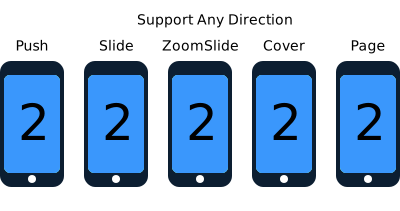
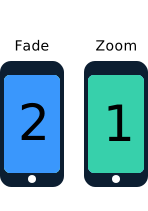
Use Hero.shared object to interact and change the default animation for your next transition.
  /// Turn off built-in animation for next transition
  func disableDefaultAnimationForNextTransition()

  /// Set the default animation for next transition
  /// This usually overrides rootView's heroModifiers during the transition
  ///
  /// - Parameter animation: animation type
  func setDefaultAnimationForNextTransition(_ animation: HeroDefaultAnimationType)

  /// Set the container color for next transition
  ///
  /// - Parameter color: container color
  func setContainerColorForNextTransition(_ color: UIColor?)
.auto is the default animation type. It uses the following animations depending on the presentation style:
-
.noneif source root view or destination root view have existing animations (defined viaheroIDorheroModifiers). -
.push&.pullif animating within a UINavigationController. -
.slideif animating within a UITabbarController. -
.fadeif presenting modally. -
.noneif presenting modally withmodalPresentationStyle == .overFullScreen.
Other than .auto & .none, default animations will override heroModifiers on source & destination root views.