

Advisor-Scattering is a PyQt5 desktop app for X-ray scattering/diffraction experiments. It helps you convert scattering angles ↔ momentum transfer (HKL), explore scattering geometry, and visualize structure factors—all with interactive plots. Full docs on Read the Docs.
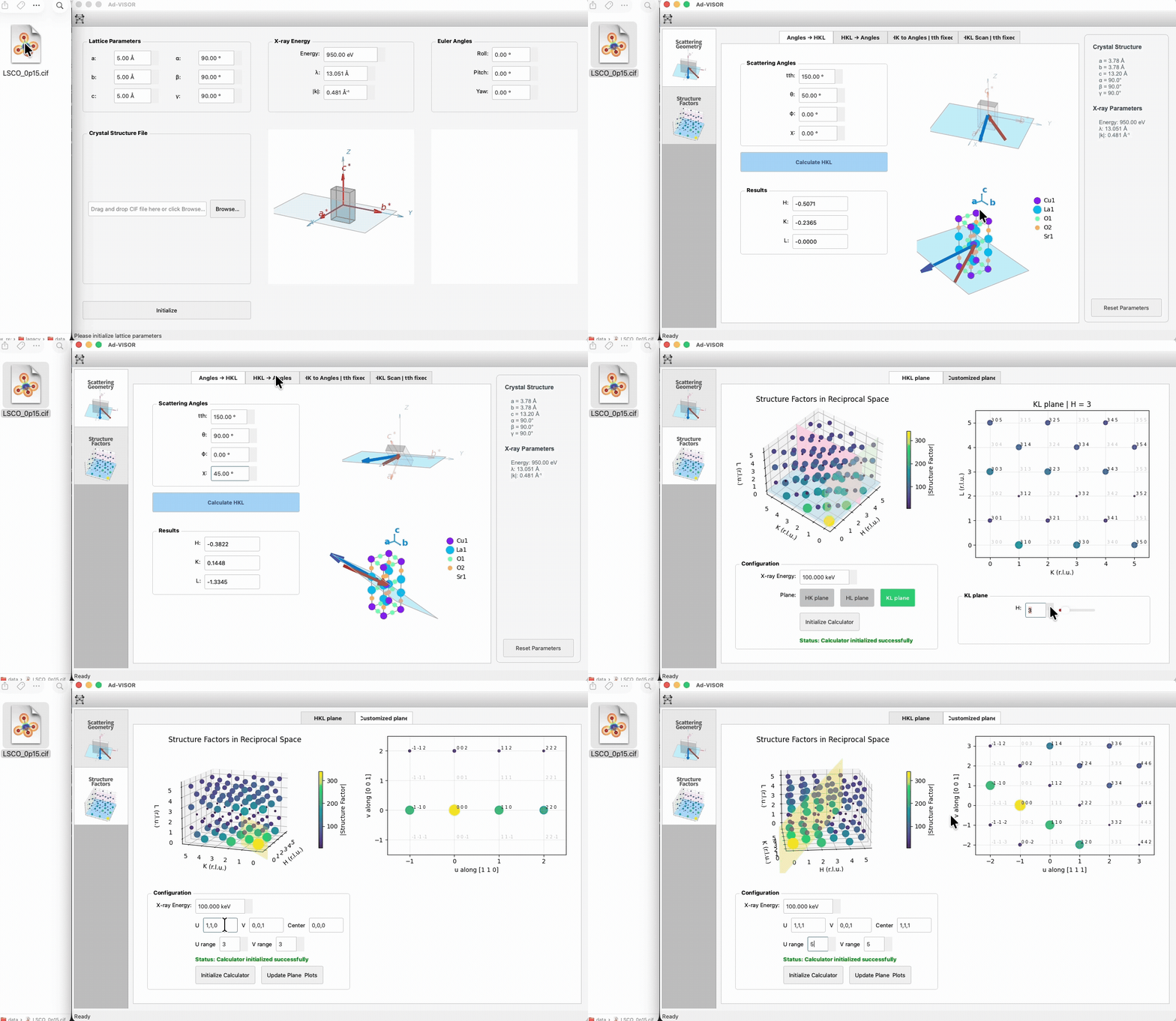 or use the link below to view the demo video.
▶ Demo video (MP4)
or use the link below to view the demo video.
▶ Demo video (MP4)
- Convert scattering angles to momentum transfer (HKL) and vice versa.
- Visualize scattering geometry and unit cells
- Compute and visualize structure factors in reciprocal space.
- CIF file drop-in support
- Import crystal orientation from diffraction test data
- Python 3.8+ with PyQt5, numpy, scipy, matplotlib, Dans_Diffraction (see
requirements.txt).
It is recommened to install from PyPI:
pip install advisor-scatteringadvisor
# or
advisor-scattering
# or
python -m advisorNote: the install command is pip install advisor-scattering, and the import is import advisor.
- Launch the app.
- Enter lattice constants/angles and beam energy, or drop a CIF file.
- Click Initialize.
- Use the feature tabs (Scattering Geometry / Structure Factor) to calculate and visualize.
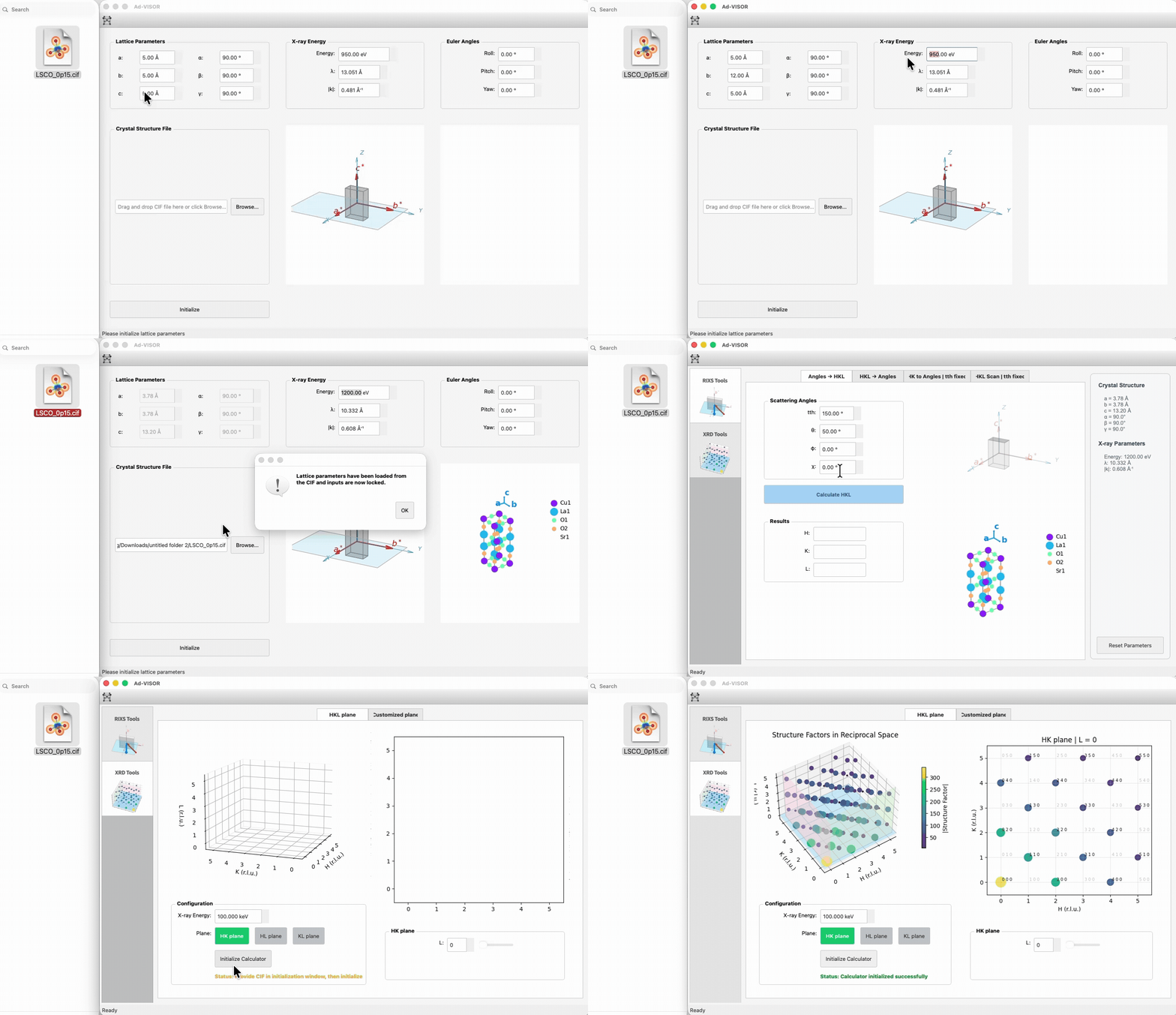
- Enter lattice constants (a, b, c) and angles (alpha, beta, gamma); beam energy auto-updates wavelength/|k|.
- Optional: drop a CIF to autofill lattice parameters and preview the unit cell.
- Adjust Euler angles (roll, pitch, yaw) to orient the lattice/sample relative to the goniometer.
- New: Use Import from Diffraction Test to automatically determine Euler angles from known diffraction measurements.
- Click Initialize to load the main interface and pass parameters to all tabs.
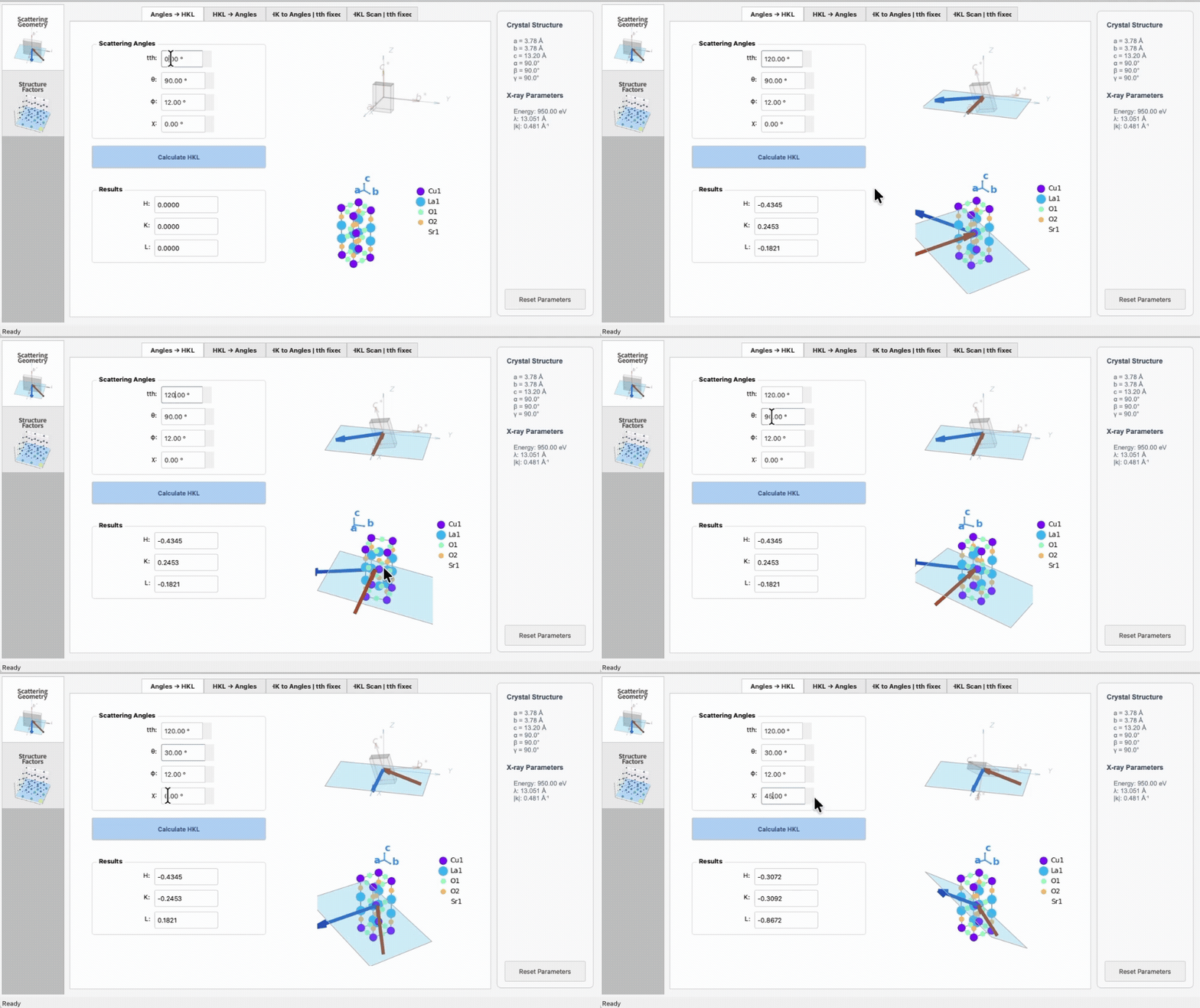
- Angles → HKL: enter 2θ/θ/χ/φ, compute HKL.
- HKL → Angles: enter HKL, compute feasible angles.
- HK to Angles (fixed 2θ) and HKL scan (fixed 2θ) subtabs for trajectory planning.
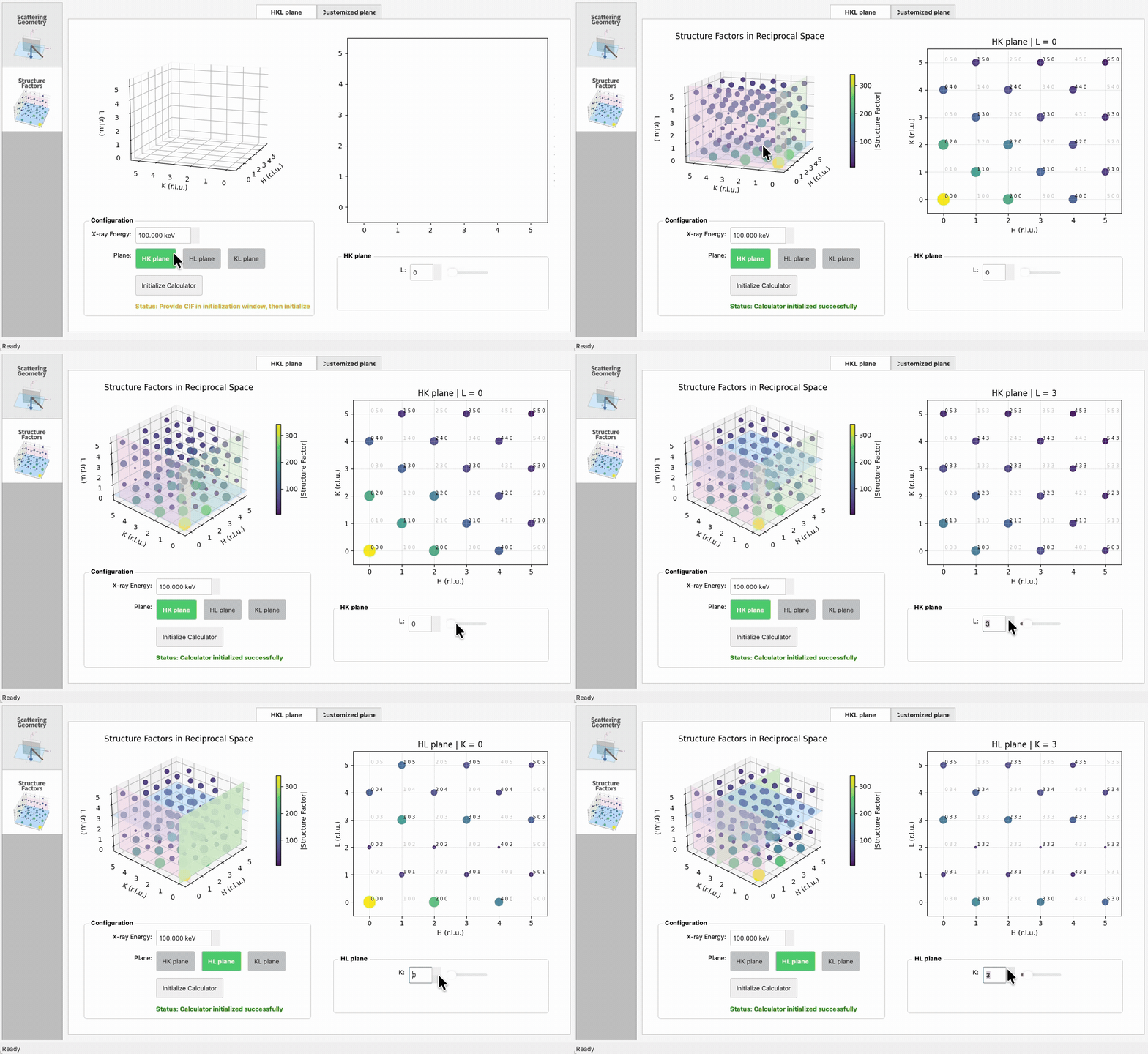
- Requires a CIF (from init) and an energy in the tab.
- HKL plane: explore a 3D HKL cube with linked HK/HL/KL slices.
- Customized plane: choose U/V vectors and a center to sample an arbitrary plane in reciprocal space.
Use the toolbar button or File → Reset Parameters to return to the init window, clear the CIF lock, and re-enter parameters.
advisor/          application package
  app.py          bootstrap
  controllers/    app/feature coordinators
  domain/         math and geometry helpers (no PyQt)
  features/       per-feature domain/controller/ui code
  ui/             shared UI pieces (init window, main window, base tab, visualizers)
  resources/      QSS, icons, config JSON, sample data
docs/             Sphinx sources and assets
- Full Sphinx docs live in
docs/and on Read the Docs. - Appendix covers scattering angle definitions and HKL conventions.