让您的 Windows 保持纯净与整洁
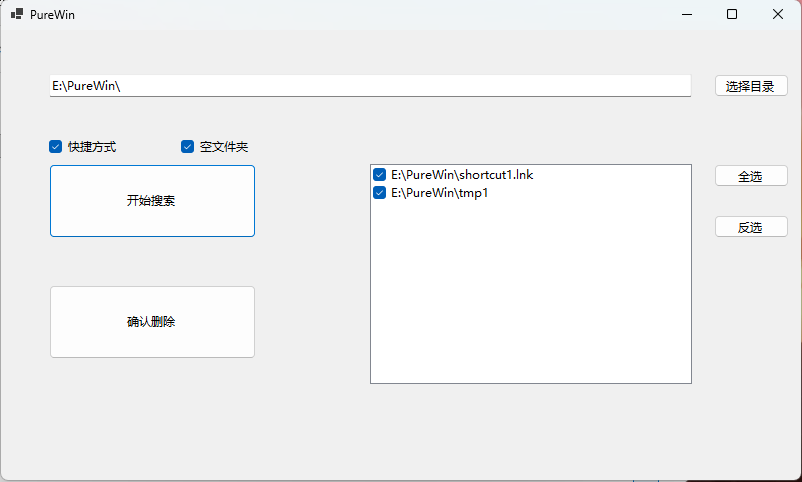
随着时间的推移,Windows 系统中会堆积大量的“垃圾”:卸载软件后留下的失效快捷方式,以及层层嵌套的空文件夹。PureWin 旨在通过极简的操作,帮您快速除尘,找回清爽的目录结构。
- 本工具需要 .NET 10 环境。
- 智能引导:若您的电脑未安装该环境,启动时将自动引导至微软官方下载页面,安装后即可使用。
- 失效快捷方式清理:深度扫描并识别指向不存在路径的
.lnk图标。 - 空文件夹扫描:一键揪出那些没有任何文件、徒增视觉干扰的空目录。
- 极简交互:
- 即点即选:无需繁琐双击,直接点击即可勾选。
- 灵活控制:支持全选、反选,按需清理。
- 绿色纯净:单文件
.exe格式,无需安装,无后台残留,即开即用。
- 在 Releases 页面下载
PureWin.exe。 - 运行程序,选择您想要清理的目录(默认已为您定位至当前路径)。
- 勾选需要执行的任务(快捷方式 / 空文件夹)。
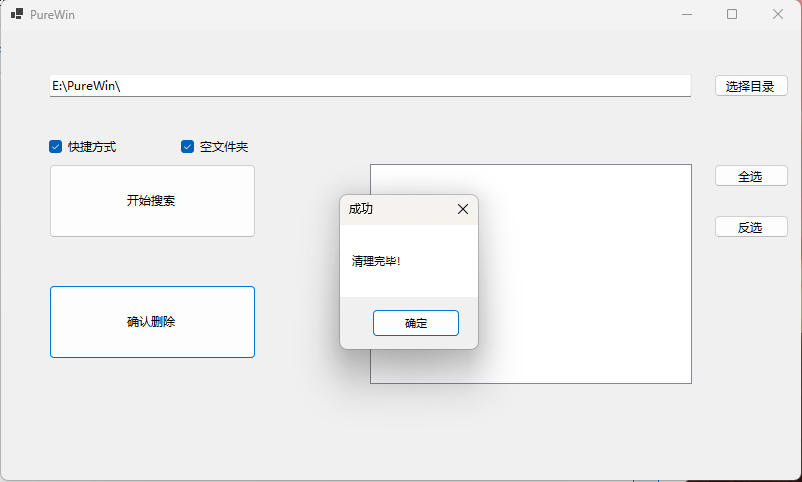
- 点击 开始搜索,确认扫描结果后点击 确认删除。
Over time, Windows accumulates "digital dust": broken shortcuts left behind by uninstalled apps and deeply nested empty folders. PureWin is designed to help you declutter with minimal effort, restoring a clean and organized directory structure.
- Requires .NET 10 runtime.
- Auto-Guide: If .NET 10 is missing, the app will automatically redirect you to the official Microsoft download page upon startup.
- Broken Shortcut Cleanup: Scans and identifies
.lnkfiles pointing to non-existent paths. - Empty Folder Detection: Easily finds folders containing no files or subfolders.
- Streamlined UI:
- Click-to-Check: Select items with a single click—no tedious double-clicking.
- Batch Control: Supports Select All and Invert Selection for flexible management.
- Truly Portable: Single
.exefile—no installation, no background processes, just run and go.
- Download
PureWin.exefrom the Releases page. - Run the app and select the target directory.
- Choose your tasks (Shortcuts / Empty Folders).
- Click Search, review the results, and hit Confirm Delete.