
The Flutter renderer for AI output.
Production-grade Markdown and LaTeX rendering for streaming Flutter AI interfaces.
Render rich assistant replies, math, code, tables, citations, images, and custom inline UI in one widget.




🌐 Website · 📖 Documentation · 🎮 Live Playground · 📦 pub.dev
- Built for AI output — Markdown, LaTeX, code blocks, tables, citations, images, task lists, and mixed rich content in one response.
- Streaming that stays fast — only the live tail rebuilds while settled content is cached, keeping the rendering cost stable as replies grow.
- Production-level control — style sheets, Flutter theme extensions, component builders, callbacks, and custom components.
- Extensible inline UI — add
@mentions,#channels,:emoji:, issue references, and product-specific syntax without forking the renderer. - Designed for real-world edge cases — RTL, text scaling, selection, malformed Markdown, autolinks, nested content, reduced motion, Flutter web, and WASM.
| Rendering | Production experience | Extensibility | |||
|---|---|---|---|---|---|
| 📝 | Rich Markdown | ⚡ | Adaptive streaming | 🎨 | Component style sheet |
| ∑ | Inline and block LaTeX | 🚀 | Stable per-token cost | 🧱 | Structural builders |
| 💻 | Inline and fenced code | ♿ | Selection and text scaling | 🏷️ | Mentions, channels, and emoji |
| 📊 | Tables and aligned columns | 🌍 | RTL, web, and WASM | 🧩 | Custom components and scopes |
| 🔗 | Links, autolinks, and images | 🌓 | Theme-aware rendering | 👆 | Interaction callbacks |
| ☑️ | Lists, tasks, and citations | 🛡️ | Graceful malformed input | 📱 | Custom URL schemes |
Every image is one GptMarkdown widget with no styling applied — the defaults, in a dark theme. Click any of them for full size.
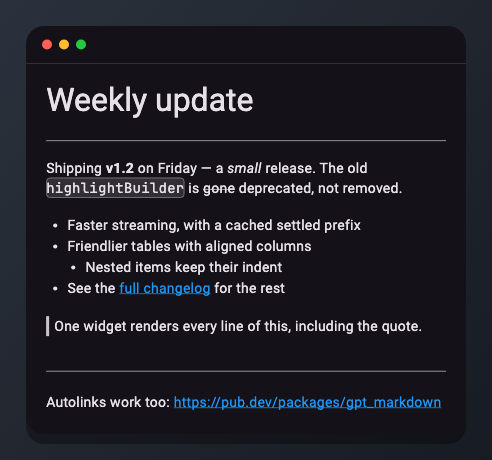 Rich text Headings, emphasis, lists, quotes, rules, autolinks. |
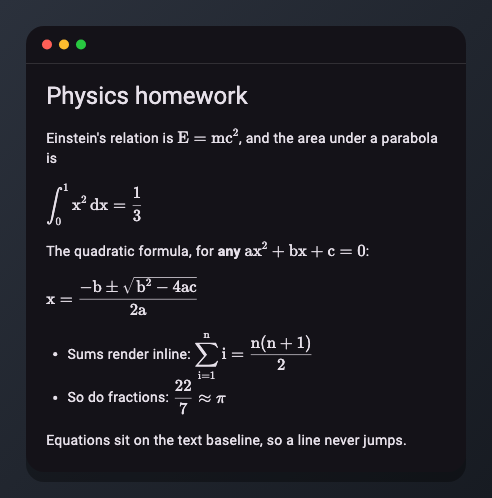 LaTeX Inline and display equations, on the text baseline. |
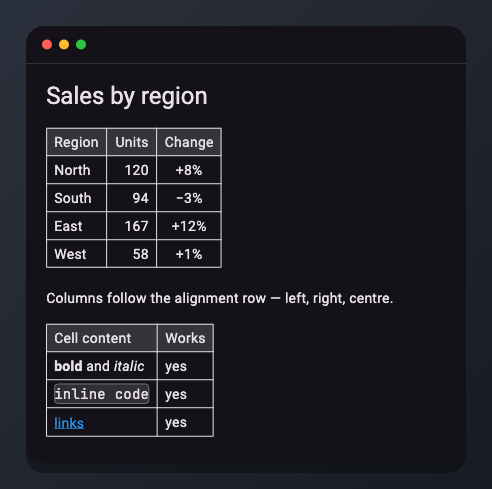 Tables Per-column alignment, Markdown inside cells. |
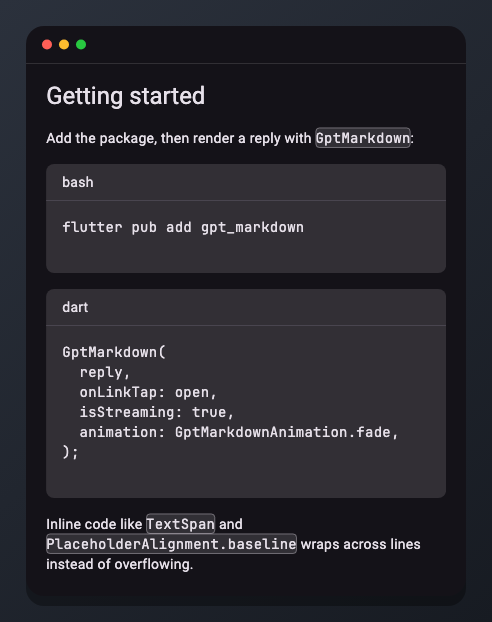 Code Fenced blocks with a language header, wrapping inline code. |
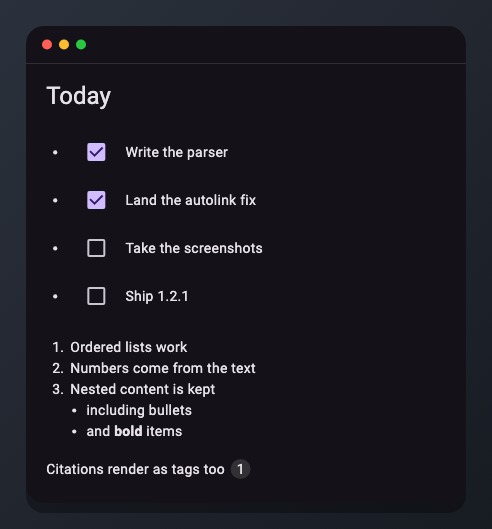 Task lists Checkboxes, ordered and nested lists, citation tags. |
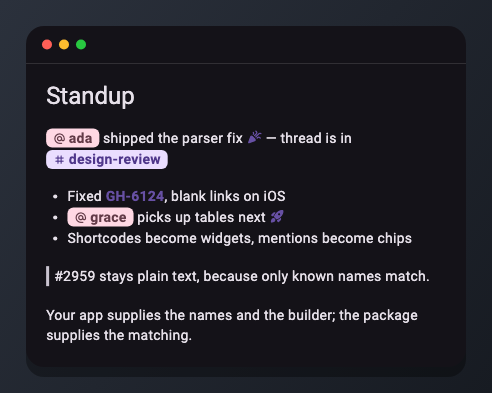 Inline patterns Mentions, channels, shortcodes. #2959 stays text. |
flutter pub add gpt_markdownimport 'package:gpt_markdown/gpt_markdown.dart';
GptMarkdown(
reply,
onLinkTap: (url, title) => openUrl(url),
)The widget sizes itself to its content. Place it inside your preferred scrollable chat or document surface.
Rebuild GptMarkdown with the complete text received so far. The settled prefix is cached and only the part that can still change is rebuilt.
GptMarkdown(
  streamedReply,
  animation: GptMarkdownAnimation.fade,
  isStreaming: stillGenerating,
  charactersPerSecond: 300,
)
The reveal adapts when tokens arrive quickly, fast-forwards when generation finishes, avoids unsafe splits inside code fences and block math, and automatically respects reduced-motion settings.
GptMarkdown(
  r'''
## Revenue forecast

The projected growth is **18%**, based on:

\[
R_{next} = R_{current} \times (1 + 0.18)
\]

| Quarter | Revenue |
|:-------:|--------:|
| Q1      | $120K   |
| Q2      | $142K   |

```dart
final growth = currentRevenue * 1.18;
```

- [x] Validate the assumptions
- [ ] Review the final forecast

Sources: [1] [2]
  ''',
  onLinkTap: (url, title) => openUrl(url),
  onSourceTagTap: (source) => openSource(source),
)
Supported output includes:
- Headings, bold, italic, strikethrough, underline, and inline code
- Ordered, unordered, nested, task, and radio lists
- Links, bare URLs, email autolinks, images, and citations
- Tables with column alignment and horizontal overflow
- Inline and block LaTeX using
\( ... \)and\[ ... \] - Optional dollar-sign LaTeX through
useDollarSignsForLatex: true - Fenced code blocks with language labels, copy controls, and open-fence streaming support
Wrap the renderer with SelectionArea when selectable output is needed:
SelectionArea(
  child: GptMarkdown(reply),
)Use style objects for appearance and builders when you need to replace structure.
GptMarkdown(
  reply,
  styleSheet: const GptMarkdownStyleSheet(
    blockQuote: BlockQuoteStyle(
      barWidth: 4,
      barColor: Colors.indigo,
    ),
    inlineCode: InlineCodeStyle(
      fontFamily: 'GeistMono',
      borderRadius: Radius.circular(6),
    ),
    codeBlock: CodeBlockStyle(
      borderRadius: Radius.circular(12),
      showCopyButton: true,
    ),
    table: TableStyle(
      cellPadding: EdgeInsets.all(10),
    ),
  ),
  onCodeCopy: (code) => trackCopy(code),
  onImageTap: (url) => openImage(url),
)
Set the same styles app-wide with GptMarkdownThemeData, or use builders such as codeBuilder, tableBuilder, headingBuilder, blockQuoteBuilder, and imageBuilder for full structural control.
Render mentions, channels, emoji, issue references, and other product syntax alongside Markdown:
GptMarkdown(
  reply,
  inlinePatterns: [
    InlinePattern.prefixed(
      prefix: '#',
      knownNames: channelNames,
      builder: (context, match, style) => WidgetSpan(
        alignment: PlaceholderAlignment.baseline,
        baseline: TextBaseline.alphabetic,
        child: ChannelChip(
          name: match.group(0)!.substring(1),
        ),
      ),
    ),
  ],
)
Known names are matched longest-first, and patterns do not claim link labels by default. This prevents ambiguous tokens such as #2959 from becoming channels and avoids nested inline widgets that do not paint correctly on iOS.
For deeper integrations, use MarkdownComponent, InlineMd, and BlockMd. Components can declare support for content, linkLabel, tableCell, and heading scopes.
Bare URLs, www. hosts, email addresses, and CommonMark angle autolinks work without preprocessing:
GptMarkdown(
  'Visit https://gptmarkdown.com or email hello@example.com',
)
Autolinks follow GFM trimming rules, preserve balanced parentheses, and avoid leaking surrounding Markdown into the URL. Add app-specific schemes or turn bare autolinking off when needed:
GptMarkdown(
  reply,
  autolinkSchemes: const {'myapp'},
  // autolink: false,
)
Explicit [label](url) links continue working when autolink is disabled.
- Adaptive streaming reveal with split-document caching
GptMarkdownStyleSheetand twelve per-component style classes- Builders and callbacks for every major output component
- Selectable, wrapping, baseline-aligned inline-code chips
InlinePatternfor product-specific inline syntaxMarkdownScopefor safe nested rendering- GFM and CommonMark autolinking
- Correct RTL inline-widget ordering
- Proportional accessibility text scaling
- Theme and runtime configuration rebuild fixes
- Safer malformed-Markdown and component dispatch behavior
Upgrading from 1.1.x? Read the migration guide.
| Guide | Covers |
|---|---|
| Getting started | Installation, syntax, taps, LaTeX, RTL, and selection |
| Customization | Style classes, themes, builders, and callbacks |
| Streaming | Pacing, performance, accessibility, and limitations |
| Inline syntax | Autolinks, mentions, channels, and scopes |
| Custom components | Block and inline extensions |
| Migration | Changes from 1.1.x to 1.2.0 |
Issues and pull requests are welcome on GitHub. If the package helps your project, consider giving it a like on pub.dev or a star on GitHub.
BSD 3-Clause — see LICENSE.