- Raspberry Pi 5 (at least 4GB RAM)
- SD Card (at least 128 GB)
- 320×480 3.5 inch touchscreen display
- Connect the touchscreeen display to Raspberry Pi via GPIO ports as depicted.
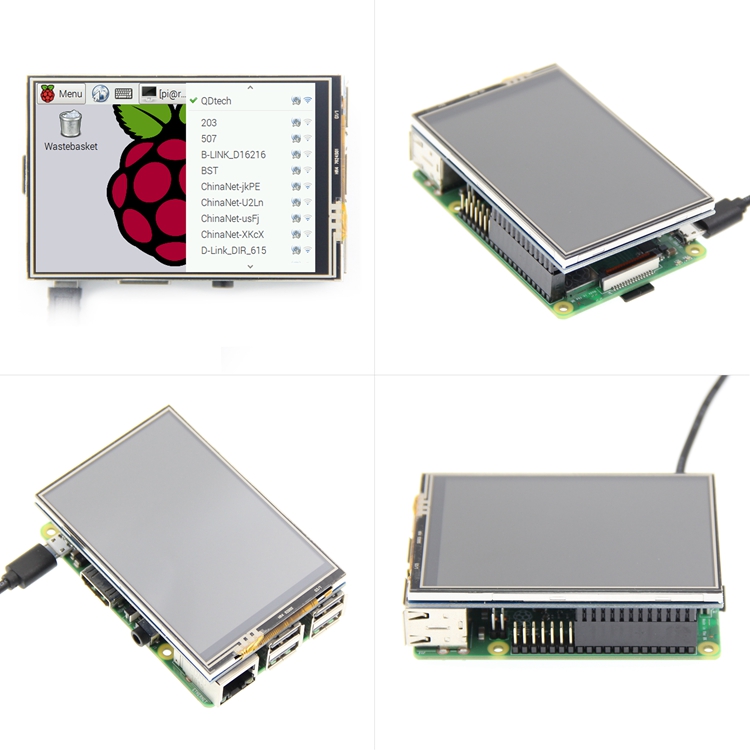
- Use Raspberry Pi Imager to flash 64-bit Raspbian OS Desktop based on Debian Bookworm 12
- Configure WiFi and SSH public key authentication before flashing.
- NOTE: This is not the latest version based on Debian Trixie 13
- The display should be completely white when the Raspberry Pi turns on. This is expected.
- Run
sudo raspi-configand change the following settings.
Advanced    -> Change Wayland to X11
Interface   -> Enable SPI
- Upgrade system packages
sudo apt-get update && sudo apt-get dist-upgrade -y
- Edit
/boot/firmware/config.txt.
Comment out the line containing dtoverlay=vc4-kms-v3d. The file should look something like this:
...
# Enable DRM VC4 V3D driver
# dtoverlay=vc4-kms-v3d
max_framebuffers=2
...
Continue editing /boot/firmware/config.txt. Under [all] add the following line:
dtoverlay=piscreen,speed=18000000,drm
- Reboot the Raspberry Pi 5
sudo reboot now
Upon restarting, the display should work but touch may not be callibrated.
- Move
.env.sampleto.env. SetMVT_USERto a user with super admin privilege andMVT_IPto the IP address of the Raspberry Pi.
- Run the install script. It will connect to the Raspberry Pi via SSH to install all necessary packages. It will also calibrate the touchscreen.
bash install.sh