Fun and simple mario memory game made with plain JavaScript.
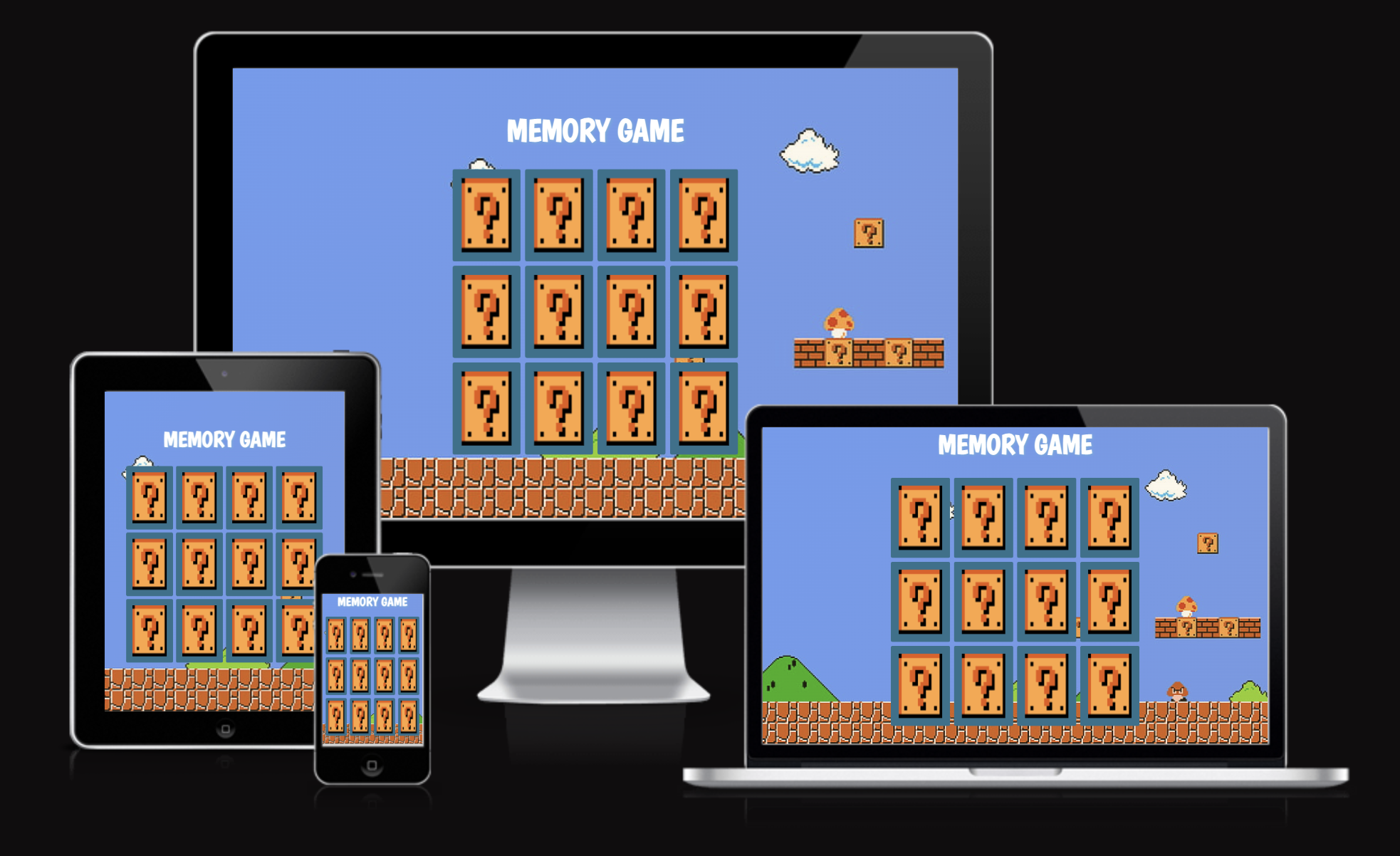
- Display 12 cards.
- Duplicate the cards to have 2 sets of 12.
- Randomize the display of cards.
- Add selected style for selected cards.
- Only allow two cards to be selected at a time.
- Determine if two selected cards are a match and hide them.
- Reset guess count after 2.
- Add delay to selections.
- Show back of card initially and flip on select
- Finished game!
The decision to create a memory game with a Mario theme is a testament to the enduring power of nostalgia, creativity, and connection. Like many others when I was growing up he became a universally cherished character, Mario transcends the barriers of age, language, and culture, unifying us through shared memories of his adventures.
By weaving this iconic figure into the fabric of a memory game, I wanted to pay homage to the joy and excitement that Mario has brought into our lives in the timeless world of Mario.
There are so may great YouTubers who have been such a source of inspiration and learning while studying to become a developer.
free code camp, Code with Ania Kubów, coding artist, nullX in particular were incredibly helpful with their memory game tutorials on YouTube for this project.
Of course all the usual suspects were included, such as, Mozila Developer Docs, Stack Overflow and
w3school.
For the images I used freepik for my icons and for my background image.
This has been one of the more basic designs that I have created, you can't over engineer a simple card game, so I didn't do that. Instead I made sure to really understand the functionalities of the game and the code.
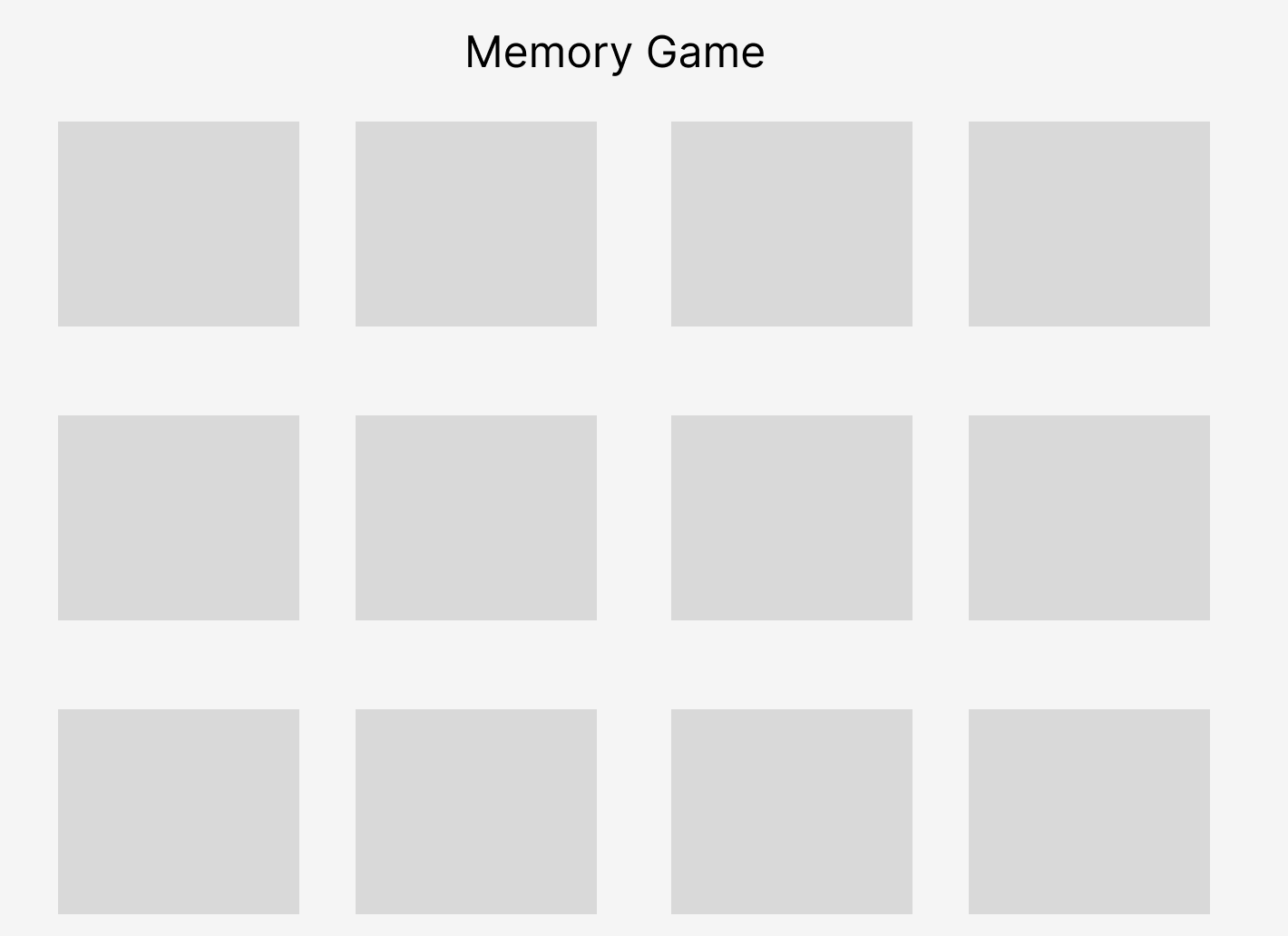
Of course, I brainstormed with my mentor regarding ideas of how I wanted my project to look like.
In the end the end, I decided I love Mario and wanted this game to be Mario themed, I wanted a functional 12 card memory game, with an alert at the end with a reset function.
This was the image which I showed my mentor of how I wanted my game to look like.
I played around with a couple of different themes, as I was looking for high quality images, I experimented with some AI images as well which was an additional educational experience in this design process, learning about AI.
While developing this memory card game, I encountered several challenges and learned a great deal in the process. One of the key issues I faced was ensuring that only two cards could be flipped at any given time. To solve this, I implemented a variable called blockBoard that would prevent further moves while two cards were flipped.
Another issue I faced was when a card was clicked multiple times, causing unexpected behavior. To resolve this, I added a condition in the cardFlip function to check if the clicked card was the same as the initial card, and if so, do nothing.
The most significant learning experience came from creating a function to randomize the order of the cards when the page loaded. I learned about Immediately Invoked Function Expressions (IIFE) and how they could be used to execute functions immediately after they are defined. This allowed me to randomize the cards in a clean and efficient manner.
Throughout the project, I also gained a deeper understanding of event listeners, manipulating the DOM, and using data attributes in HTML elements. This project provided a valuable opportunity to apply and expand upon my existing knowledge of JavaScript, HTML, and CSS.
While working on the memory card game project, I referred to several resources that helped me understand various concepts and methods better. These resources were instrumental in solving the challenges I encountered and enhancing my knowledge of JavaScript, HTML, and CSS.
Resources, I kept note of throughout the design process.
-
Document.querySelectorAll: I used this method to select all the memory cards on the page. The Mozilla Developer Network (MDN) documentation provided valuable information on how to use it: https://developer.mozilla.org/en-US/docs/Web/API/Document/querySelectorAll
-
Immediately Invoked Function Expression (IIFE): I learned about IIFE and how it can be used to execute functions immediately after they are defined. The MDN Glossary was a helpful resource: https://developer.mozilla.org/en-US/docs/Glossary/IIFE
-
Math.random: To generate random numbers for randomizing the order of the cards, I used the Math.random method. The MDN documentation provided useful examples and explanations: https://developer.mozilla.org/en-US/docs/Web/JavaScript/Reference/Global_Objects/Math/random
-
CSS 'order' property: I used the 'order' property to change the order of the flex items (cards). The MDN documentation provided a clear understanding of how to use this property: https://developer.mozilla.org/en-US/docs/Web/CSS/order
-
HTML data-* attributes: I used data attributes to store information on the cards. The MDN documentation offered a great guide on how to use these attributes: https://developer.mozilla.org/en-US/docs/Learn/HTML/Howto/Use_data_attributes
-
WindowOrWorkerGlobalScope.setTimeout: I used the setTimeout method to delay actions, such as flipping the cards back over if they don't match. The MDN documentation provided insights on how to use it effectively: https://developer.mozilla.org/en-US/docs/Web/API/WindowOrWorkerGlobalScope/setTimeout
-
Document.getElementById: I used this method to find the win message element and change its display style. The MDN documentation was a helpful resource to learn more about it: https://developer.mozilla.org/en-US/docs/Web/API/Document/getElementById
-
EventTarget.addEventListener: I used the addEventListener method to attach the cardFlip function to each memory card. The MDN documentation provided valuable information on how to use this method: https://developer.mozilla.org/en-US/docs/Web/API/EventTarget/addEventListener
By utilizing these resources, I was able to gain a better understanding of various web development concepts and methods, ultimately leading to a successful completion of the memory card game project.
Additionally as this was a game, I had peers from the Code Institute and some friends of mine to try out the game, and offer any suggestions, ideas and feedback.
Even though Google Lighthouse testing wasn't majorly necessary here as it is just a game simple game and not a website with multiple webpages, I enjoy using this testing tool to learn more about the functionalites of it. I still wanted some insights and recommendations on various aspects of a website, such as performance, accessibility, and how to adherence to best practices.

Overall I am happy with the score, but of course there is things to improve on and learn from.
The Google Lighthouse report suggests that I serve images in next-gen formats like WebP and AVIF to improve the website's performance.
I learned these formats provide better compression than traditional formats like PNG or JPEG, resulting in faster downloads and reduced data consumption.
As previously stated, it was hard finding high-quality one-themed icons, so I researched into understanding the benefits of next-gen image formats:
I read up on Next-gen formats like WebP and AVIF which offer superior compression and quality compared to traditional formats. Which can lead to faster page load times, improved user experience, and better search engine rankings.
I also learned that I can convert existing images to next-gen formats and there are several tools and libraries available to help with this task.
There are websites like Squoosh (https://squoosh.app/) or Convertio (https://convertio.co/) that allow users to convert images to WebP or AVIF formats.
As well as a command line tool which can be good for converting images in bulk using scripts or command prompts, and image editing software like Adobe Photoshop or GIMP which supports exporting images in next-gen formats.
I then researched how to serve these formats, I found two of the most user-friendly options which were;
Directly replace the existing image files on your server with the new WebP or AVIF versions and update the corresponding src attributes in your HTML.
Additionally, using the < picture > element: The < picture > element allows you to provide multiple sources for an image, with the browser selecting the most appropriate one.
These are things I will learn from and incorporate in my next project.
I would like to thank the lovely staff, peers and my mentor Martina at the Code Institute. The help, feedback and positive reinforcement are always very appreciated! ❤️