Laser shooting platform for Raspberry Pi using OpenCV.
OpenTarget-Core is a modular framework for building laser shooting games using a camera and a projector.
It detects laser hits in real-time and maps them to screen coordinates using camera calibration.
The project supports multiple shooting games such as Trap, Skeet and Target shooting.
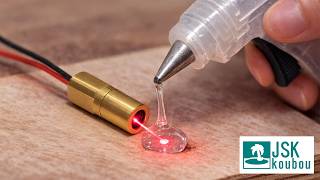
- Real-time laser detection with OpenCV
- Camera calibration using ArUco markers
- Modular game architecture
- Multiple shooting games included
- Designed for Raspberry Pi + projector setups
Camera observes the projected screen and detects the laser hit position. Laser → Camera → OpenCV → Hit detection → Game logic
Typical setup:
- Raspberry Pi 4 / 5
- Camera module
- Display or projector
- Laser emitter
- Tripod or fixed camera mount
Optional:
- IR band-pass filter
- IR laser module
OpenTarget-Core
│
├── main.py
│
├── core/
│   ├── base_game.py
│   ├── game_loader.py
│   └── laser_platform.py
│
├── hardware/
│   ├── camera_manager.py
│   └── sound_manager.py
│
├── games/
│   ├── trap/
│   │   └── game.py
│   ├── skeet/
│   │   └── game.py
│   └── laser_target/
│       └── game.py
│
├── assets/
│   └── sounds/
│
└── config/
   ├── user_settings.py
   └── default_config.py
Clone the repository
git clone https://github.com/YOURNAME/OpenTarget-Core.git
cd OpenTarget-Core
Install dependencies
pip install -r requirements.txt
On Raspberry Pi it may be preferable to install OpenCV from apt:
sudo apt install python3-opencv
List available games
python3 main.py --list-games
Run trap shooting
python3 main.py --game trap
Run skeet shooting
python3 main.py --game skeet
Run laser target
python3 main.py --game laser_target
Adjust exposure
python3 main.py --game exposure
- Run calibration mode
- Align camera with screen markers
- Wait until calibration completes
- Calibration data will be saved automatically
If using ir filters for gameplay, remove them during calibration if necessary.
This project is under active development.
Some camera backends, trigger systems, and synchronization features are experimental.
Hardware configuration may vary depending on the camera and display used.
Planned features:
- Global shutter camera support
- External trigger laser detection
- IR laser mode
- Higher speed detection pipeline
MIT License
Copyright (c) 2026 JSK-Project
