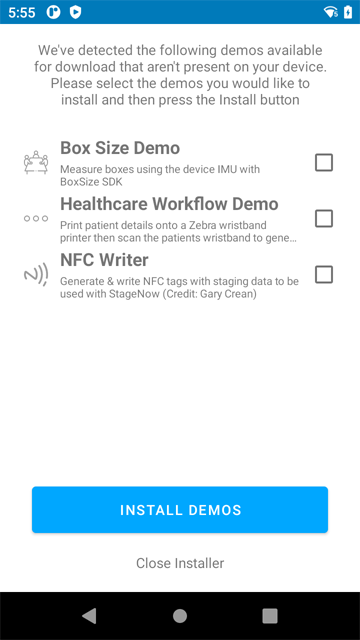
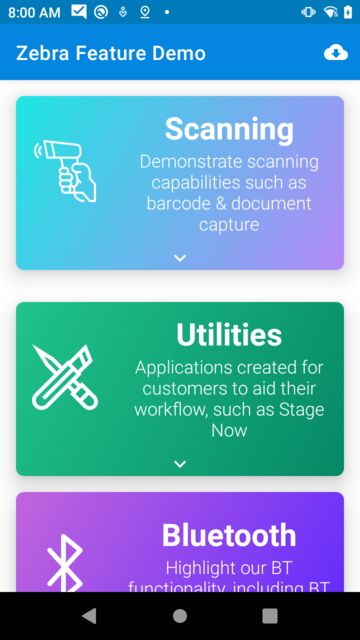
Categorises & displays a configurable list of applications, designed to demonstrate all the capabilities of zebra devices from a single location. Additionally, externally hosted applications can be downloaded & installed from within the application. See setup instructions for more info.
There are two config files located in the assets directory (demo_config.json & download_config.json)
demo_config.json is used to define the applications to display within this app, as well as what category they should appear under.
download_config.json is used to define the applications to expose for download within the application. Any externally hosted server can be used and the app will be downloaded & installed using MX & Profile Manager APIs.
Please see below for examples of both of these config files. All parameters are required.
Asset files will be copied to the following path: /enterprise/usr, unless already present, so make sure to push config updates to this folder or update the assets directly and delete the old copies.
Note: An application restart is required to consume new config files.
{
   "demo_configs":[
      {
         "category":"Scan",
         "category_description":"Demonstrate scanning capabilities such as barcode & document capture",
         "packages_to_display":[
            "com.symbol.datawedge",
            "com.zebra.jamesswinton.anchorbarcodesample"
         ]
      },
      "..."
      {
         "category":"Misc",
         "category_description":"A collection of miscellaneous demos",
         "packages_to_display":[
            "com.zebra.jamesswinton.healthcareworkflowdemo"
         ]
      }
   ]
}
{
   "downloadable_demos":[
      {
         "name":"Anchor Barcode Sample",
         "category":"Scan",
         "package_name":"com.zebra.jamesswinton.anchorbarcodesample",
         "description":"Demonstrates document capture with Next Generation Simul Scan",
         "download_location":"https://downloads.jamesswinton.com/FeatureDemoApps/ng_simulscan_doc_capture.apk"
      },
      "..."
      {
         "name":"NFC Writer",
         "category":"NFC",
         "package_name":"com.zebra.ses.nfcwriter",
         "description":"Generate & write NFC tags with staging data to be used with StageNow (Credit: Gary Crean)",
         "download_location":"https://downloads.jamesswinton.com/FeatureDemoApps/nfc_writer.apk"
      }
   ]
}
