Icons Not Rendering In VS Code Win 10 #2161

Replies: 3 comments

-
|
Hey, due to a recent change in vscode, you need to set |
Beta Was this translation helpful? Give feedback.

-
|
Thank you. I did mean VSCode. I made the update to minimumContrastRatio to 1, and restarted, but the issue persists. Not sure what I have done.
|
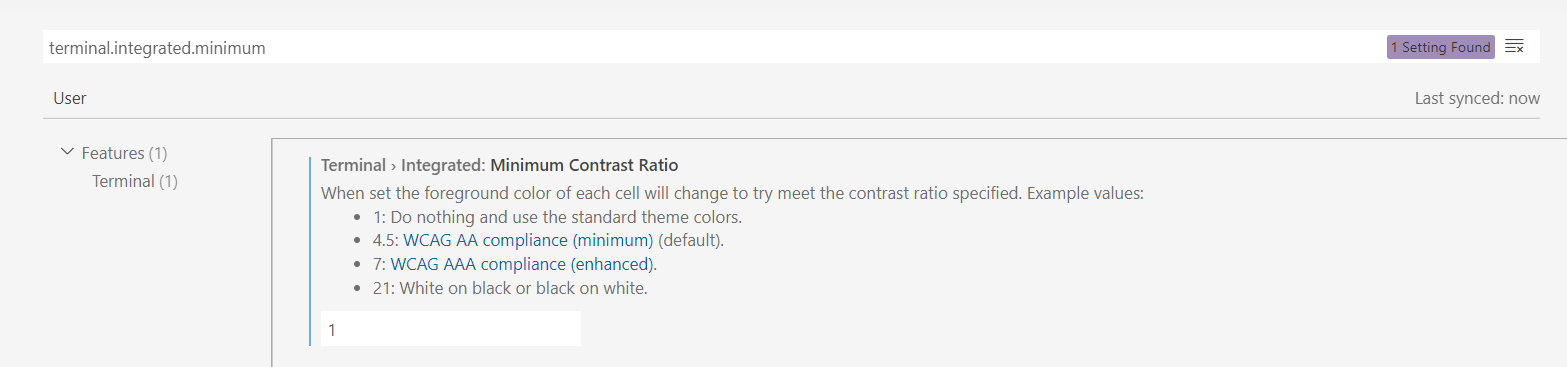
Beta Was this translation helpful? Give feedback.
-
|
@jpvonhemel maybe I misunderstood, you're looking for a way to display the actual icon when looking at the json definition in the editor? That's not possible. We deliberately set these to their unicode value rather than the symbol (otherwise it's challenging understanding which icon it needs to be). |
Beta Was this translation helpful? Give feedback.


Uh oh!
There was an error while loading. Please reload this page.
Uh oh!
There was an error while loading. Please reload this page.
-
Hello,
I am using VS Code and have CaskaydiaCove NF set as my editor Font for the text editor. I am seeing the colors render, but not the unicode icons. I noticed on Scott Hanselman's WT, he sees the diamons/triangles in the json file inside the editor. I read the GPU is required and made sure this was set to the default of auto. I do see nerd font icons inside powershell. I updated Oh My Posh to the latest version and I am using Jan's latest json file. I figure I have done something in my fiddling to have caused this, but have been unable to figure out just what that is. I am attaching a screen shot. Any ideas?
Thank you,
Jerold
https://docs.github.com/github/writing-on-github/getting-started-with-writing-and-formatting-on-github/basic-writing-and-formatting-syntax
Beta Was this translation helpful? Give feedback.
All reactions