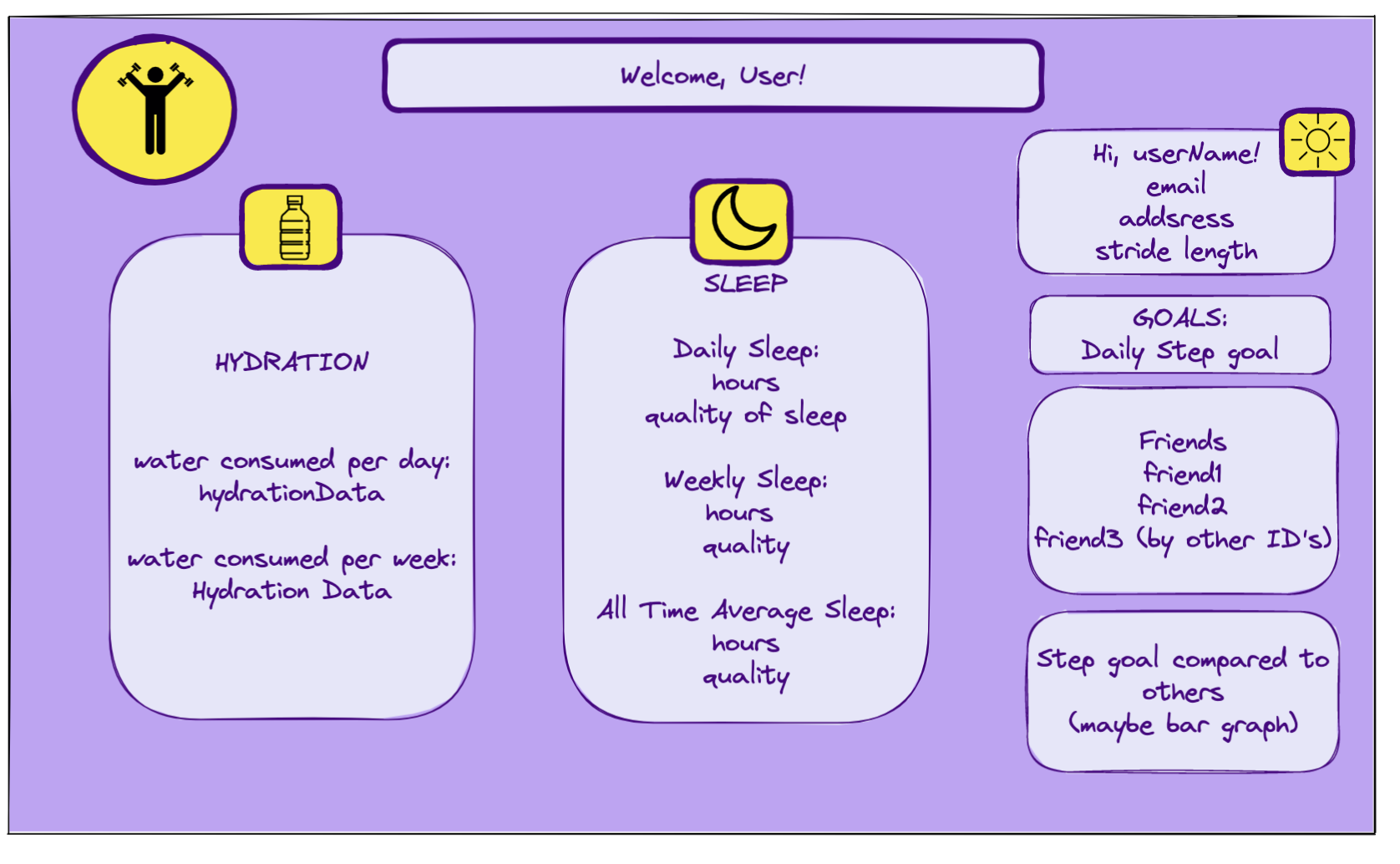
FitLit is an interactive website that tracks fitness activities, sleep, and hydration similar to "Fitbit." Our goal was to create a useful dashboard for a user to view and see their latest activity data, goals, milestones, and compare these data to other users as well.
- Implement ES6 classes that communicate to each other as needed
- Write modular, reusable code that follows SRP (single responsibility principle).
- Use object and array prototype methods to perform data manipulation.
- Implement a robust testing suite using TDD (test driven development).
- Work with local server and make network requests to API endpoints to retrieve and manipulate data.
- Use GitHub Projects and Issues to track project management and progress amongst the team.
- Use Webpack to bundle our files.
- Ensure our app follows best practices for accessibility.
- Utilize proper error handling for our users to ensure they get data and submit POST requests.
- Implement Chart.js package to display meaningful data to the user in a visually appealing way.
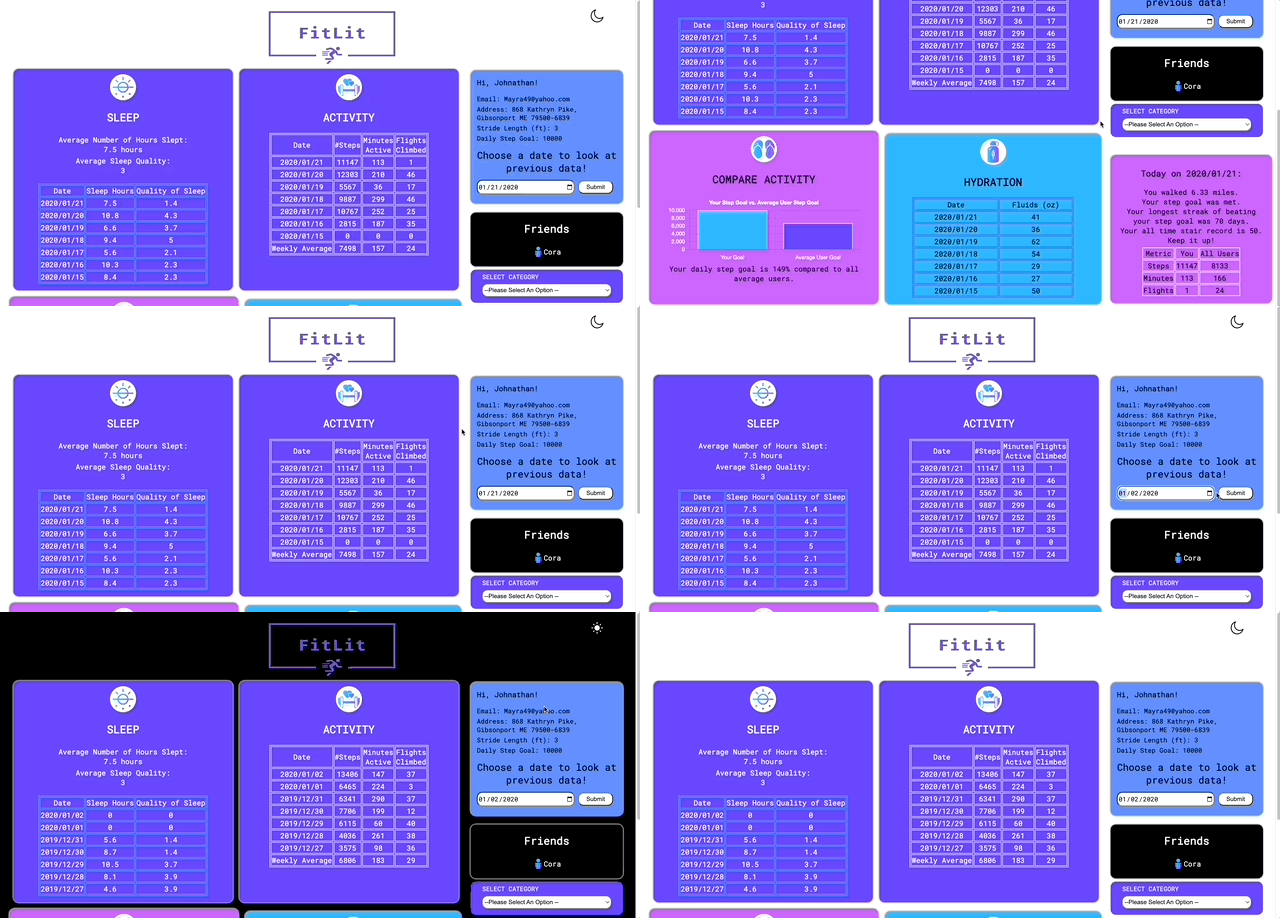
Athlete (user) is randomly generated upon FitLit page load and they are greeted with a welcoming dashboard of their own sleep, hydration, and activity data. These data are also compared against all users to show the user how they stack up against the competition! They can see their user profile information such as email and address as well. The user can select a date to display relevant data for that date and the previous week. The gif below shows the main page, how to display any given week of data, and how to toggle the background color.
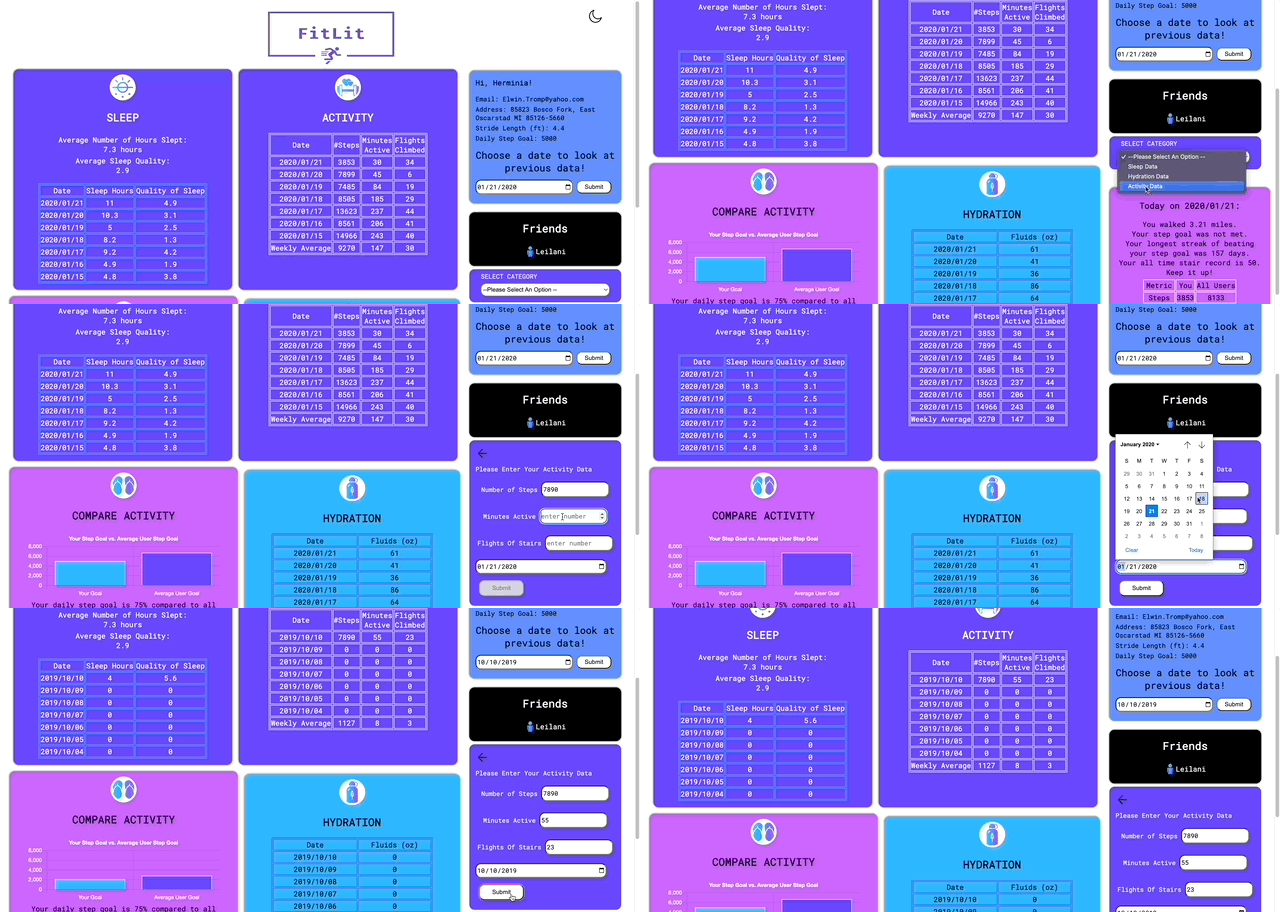
A user can also select a choice using a drop down to post new activity, hydration, and sleep data using input fields and a calendar date picker. The dashboard will show a zero value for any days with missing data. The user is given information about what types of inputs are expected in each field using placeholder text. Posted data will then display on the dashboard without page refresh. The gif below is showing an example of posting new activity information for a given day.
- Fork this repo - on the top right corner of this page, click the Fork button.
- Clone down the forked repo. To rename your project you can use an optional argument when you run git clone (you replace the [...] with the terminal command arguments):
git clone [remote-address] [what you want to name the repo] - Once you have cloned the repo, change into the directory and install the project dependencies. Run
npm installto install project dependencies. - Run
npm startin the terminal to see the HTML page running in your browser onhttp://localhost:8080/.Control + Cis the command to stop running the local server. Closing the terminal without stopping the server first could allow the server to continue to run in the background and cause problems. This command is not specific to Webpack; make note of it for future use. - Clone the FitLit API to a separate folder, CD into it and run
npm install. - The local server is now running on
https://localhost:3001/api/v1/activityfor example. Make sure to useControl + Cto close the local server before closing the terminal when finished. - Enjoy!
- Adding additional charts or widgets to display the data to the user in an image instead of just text.
- Implement additional error handling to provide more useful information to the user about days that don't have any data or try to post data on the same date.
This project used JavaScript, HTML, and CSS primarily. Test driven development using Mocha and Chai was also used. Additional technologies learned specifically for this project included Webpack, Chart.js, testing accessibility using LightHouse, and making network requests to fetch information from an API.
This project was built by a group of three Front End Engineering students at Turing School of Software and Design: