Jump to Quickstart Instructions
Jump to all designs
Jump to additional notes
Iterations of Hardware- Source Links (Fusion 360):
- 22.2 Reversed Mount Digital
- (archived 22.2 Enclosed Digital)
- alt. Shelled 22.2 Reversed Mount Digital
- 22.2mm Shelled Digital Limited
- 22.2 Digital + powered feedback (WIP)
- alt, previous 22.2mm Digital Limited
- Digital, single limit
- Digital, bolt limited
- Analog, bolt limited
- Analog, variable limits
For more introductions to Open Source collaboration with the D&M Makerspace, visit:
- Some {development} software notes here
- Some {rapid fabrication} software notes here
- ...Or the D&M Makerspace Home Page over here
Current features:
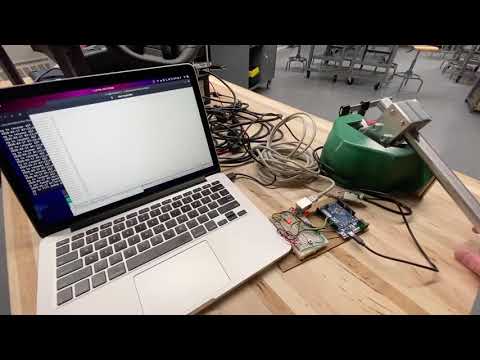
- robust, single lever for brake & throttle
- hardware uses standard, 22.2mm diameter handlebar tubing
- configurable on the fly for either left (CW = throttle) or right (CCW = throttle) lever setup
- USB "HID compliant" serial communication
- 8 bit brake + throttle output regardless of motion constraints or hardware type
Previously:
- configurable for either digital (encoder) or analog (potentiometer) angle sensors
Quickstart:
# clone this repo:
git clone https://github.com/jesssullivan/momo

# get updated joystick library:
git clone https://github.com/MHeironimus/ArduinoJoystickLibrary

# encoder support uses pjrc's library (standard `Encoder` lib available from arduino IDE)
#  pjrc: http://www.pjrc.com/teensy/td_libs_Encoder.html

# move / make sure directory "Joystick" is in the ``` Arduino/libraries ``` folder.
# if you are using Arduino IDE, you could do something like:
zip ~/Downloads/ArduinoJoystickLibrary/Joystick .
# ....then add the archive as a .zip  in the Libraries menu.
# Or if Arduino is installed at $HOME, something along the lines of:
cp -rf Joystick ~/Arduino/libraries

cd momo/utb

# edit the config.h (pinout, logging, etc):
nano config.h

# compile and upload from your shell
# (alternatively your can use the Arduino IDE uploader)
arduino --upload utb.ino

# you could work on another branch with:
# git checkout testing
# :)
extra notes regarding cmake & compilation, YMMV:
USB port must be accessible to $USER:
# to checks  permissions on port:
ls -l /dev/ttyACM*

# add $USER to rw group of port, usually group 'dialout':
sudo adduser $USER dialout

# to change permissions at port:
sudo chmod a+wrw /dev/ttyACM0
*Regarding cmake, intellij, etc-
# get ide here, at least for uploading arduino .elf:
# https://www.arduino.cc/en/Main/Software

# something along the lines of:~~~~
tar xvf arduino-1.8.10/arduino-1.8.10-linux64.tar.xz
chmod u+x arduino-1.8.10/install.sh
sudo ./arduino-1.8.10/install.sh

# using avrdude --> atmega: (unlikely to work well)
avrdude -C/../avrdude.conf -v -patmega328p -carduino -P/dev/my_com_port -b57600 -D -Uflash:w:/...my_project.hex:i
retrieve HID depends:
# std arduino usb library:
wget https://raw.githubusercontent.com/arduino/ArduinoCore-samd/master/cores/arduino/USB/PluggableUSB.h
# pluggable depend:
wget https://raw.githubusercontent.com/omnidan/ArduinoPure/master/arduino/USBAPI.h
.elf --> hex:
avr-objcopy -j .text -j .data -O ihex main.elf main.hex