This repository contains my attempt for the technical assessment for the Full-Stack Developer position at ABN AMRO.
The application is currently hosted on AWS and can be found here.

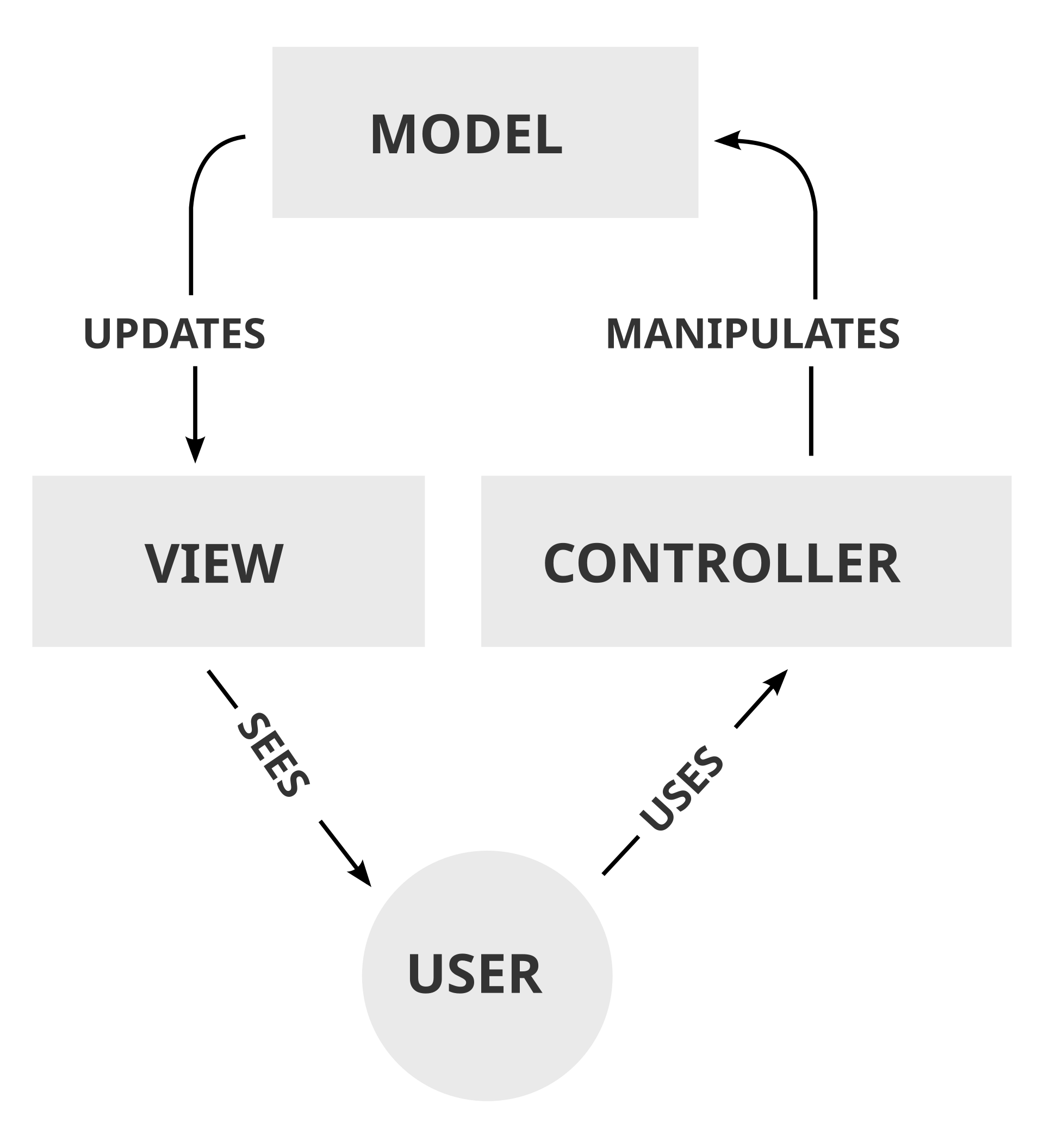
Our codebase has been written to adhere to the Model-View-Controller design principle. This is an architectural pattern that separates an application into three main logical components: the model, the view, and the controller. In this case, the database and the database interface acts as our Model, the main logic in the backend acts as our Controller and our front-end acts as the View.
Infrastructure:
- AWS Neptune
- A fully managed Graph database provided by AWS. Provisioned with a db.t3.medium instance, to make use of AWS free-tier.
- AWS ECS + ALB
- A fully managed container orchestration service to host our Node.js backend, integrated with an Application Load Balancer to ensure scalability and availability.
- S3
- Hosting for our static front-end code. Much faster and cheaper than conventional compute resources like EC2.
- Cloudfront
- For fast edge optimized content delivery of both our frontend and backend services. Additionally, automatically creates a DNS name for us supporting the HTTPS protocol.
- VPC
- For additional security, our database is isolated in a private subnet. Meaning only our own cloud resources can access it. Additionally, each resource has a security group that allows only the connections nececarry to other resources.
- Cloudformation
- To define Infrastructure as code. Makes it easier to maintain and deploy our infrastructure changes. The infrastructure schematics can be found in the
/cloudformationfolder.
- To define Infrastructure as code. Makes it easier to maintain and deploy our infrastructure changes. The infrastructure schematics can be found in the
Backend:
- Node.js
- Express.js
- Used to build the REST API
- Gremlin
- Used to connect to and interface with the neptune database
Frontend:
- Vue.js
- Although not required, Vue.js was used for the foundation of the frontend to facilitate maintainability and extendability.
- d3.js
- Used to display the graph data.
- CSS
- Used for styling
This repository is equipped with CI/CD (via github actions). Any changes to this repository will be automatically deployed to the cloud.
To deploy the system to your AWS account, make sure you have both docker and the aws cli installed. Make sure the aws cli is properly configured for your AWS account.
To deploy the system, run:
./build.sh
Make sure to provide the AWS_ECR_REPO environment variable.
This variable should reference the ECR repository where we can push our docker image.
Since our database is secured behind a private subnet, it cannot be accessed without a secure proxy.
Assuming you have deployed a neptune database instance, and a proxy ec2 instance in that same subnet, you can create a proxy as follows:
# make sure our ec2 keys have the correct permissions
chmod 400 ~/.ssh/neptune_proxy.pem
# create the ssh tunnel
ssh -i "~/.ssh/neptune_proxy.pem" -L 8182:{Neptune hostname}:8182 ec2-user@{EC2 public dns} -N -f
Once completed, you can start the backend as follows:
cd backendnpm inode app.js
and run the frontend with:
cd uinpm inpm run serve