"SVN not found" after TortoiseSVN Update #987

Description

- VSCode Version: 1.46.1
- OS Version: Win10 19041.329
- Extension Version: 2.11.4
- System Language: English
- SVN Version: TortoiseSVN 1.14.0.41282
Issue
After updating TortoiseSVN to v1.14 last night, the extension keeps shows the message "SVN not found. Install it or configure it using the 'svn.path' setting."
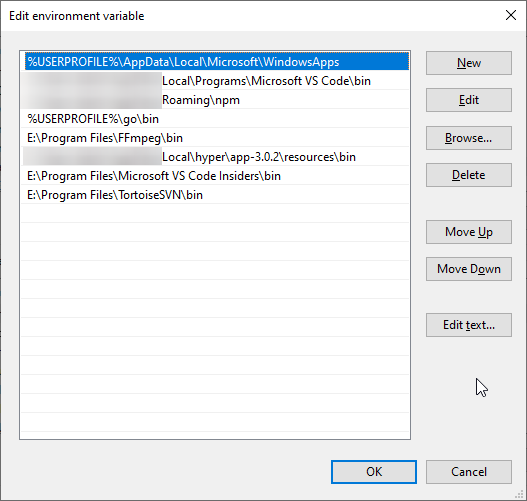
I checked the Windows PATH variable - it was missing from there, but I re-entered it. No luck.
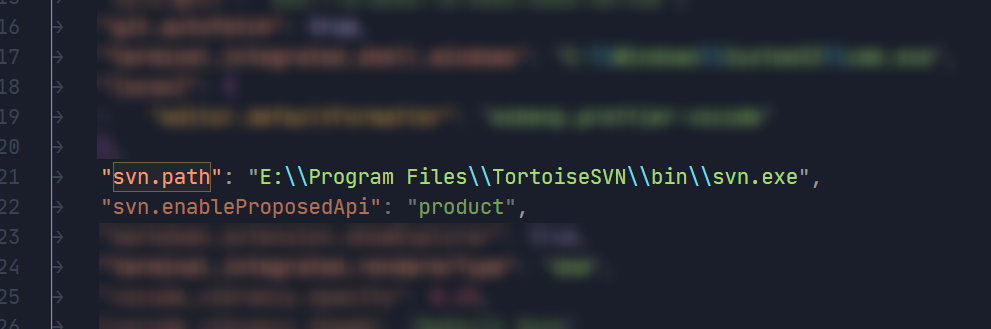
Then I manually entered the path to the svn.exe file in VS Code's settings in svn.path. No luck.
VS Code's developer tools console has a message "Svn installation not found" in workbench.desktop.main.js.
Not sure what to try next.
Steps to Reproduce
- Update TortoiseSVN to 1.14
- Open an existing VS Code workspace, or a new VS Code window without workspace
SVN Output
Svn installation not found.
Screenshots
Thank you in advance.