The programme allows the user to manipulate an inventory of shoe values appended from a text file. The programme allows the user to search for and manipulate values in the shoe inventory. This is a solution to a real world problem, which allows allows the user to find the lowest and highest quantity of shoes in the inventory and change them accordingly.
This programme allows the user to add values to a list of shoes and their respected values. The user can find out which is the highest and lowest quanity of shoe in their inventory. The user can update the quantity value of each shoe and they can search for a particular shoe by product code. The user can also find the values of shoes in the inventory in relation to the quantity of shoe. The programme allows the user to display the full list of itmes in the inventory. The values that are listed for each shoe in the inventory are:
• Country
• Product Code
• Product name
• Product Cost
• Product Quantity
This programme will allow businesses to manage and update their product inventorys and will allow businesses to know which stock levels to update and which are thier worst and best sellings shoes.
Save both inventory.py and inventory.txt to your local hardrive. Open Visual Studio Code. Open both files, this will allow you to use the programme and read from the inventory.txt file.
The below is a screen shot of the menu, that the user will navigate through:
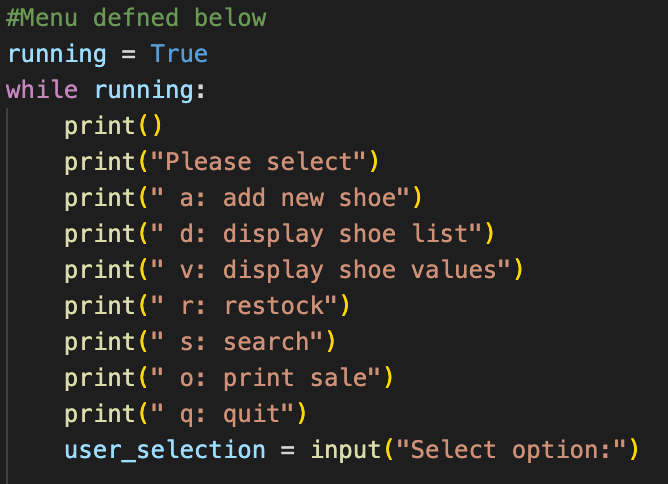
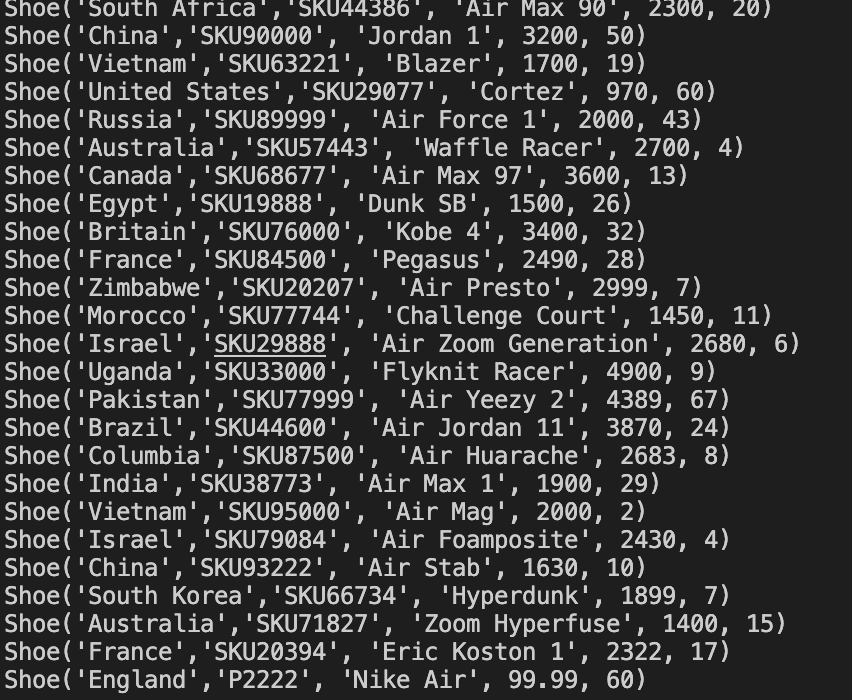
If the user presses 'a' or 'd' they can add new values to the inventory and they can display the entire inventory list.
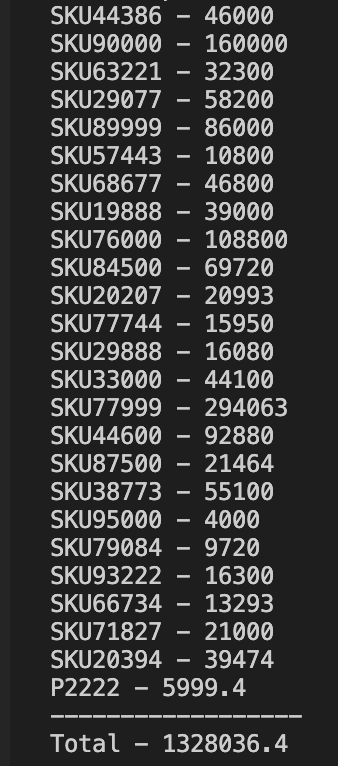
If the user presses 'v' they can display the value for each individual shoe and also the total value of all shoes in the inventory list.
If the user presses 'o' they can find the highest quanity shoe which the user can put on sale.

Robert Metcalf has given me help with understanding functions in relation to object oriented programming.