


Visual Studio Code extension to send HTTP/S requests and establish WebSocket connections with an intuitive UI within Visual Studio Code to enhance work productivity.
- 🚀 Installation
- 🔐 Security and Privacy
- ✨ Features
- 💻 Commands
- 📚 Tech Stacks
- 👨🏻💻 Contributing
- 🫧 Contributors
- 📋 License
❗️ This extension is best paired with a dark-colored Visual Studio Code theme.
❗️ Pulse API Client cannot be installed or used when using a web version of Visual Studio Code
- Pulse API Client does not collect or store any of your personal information or request data
- Pulse API Client uses VSCode global state API in order to store your request history and favorites collections locally.
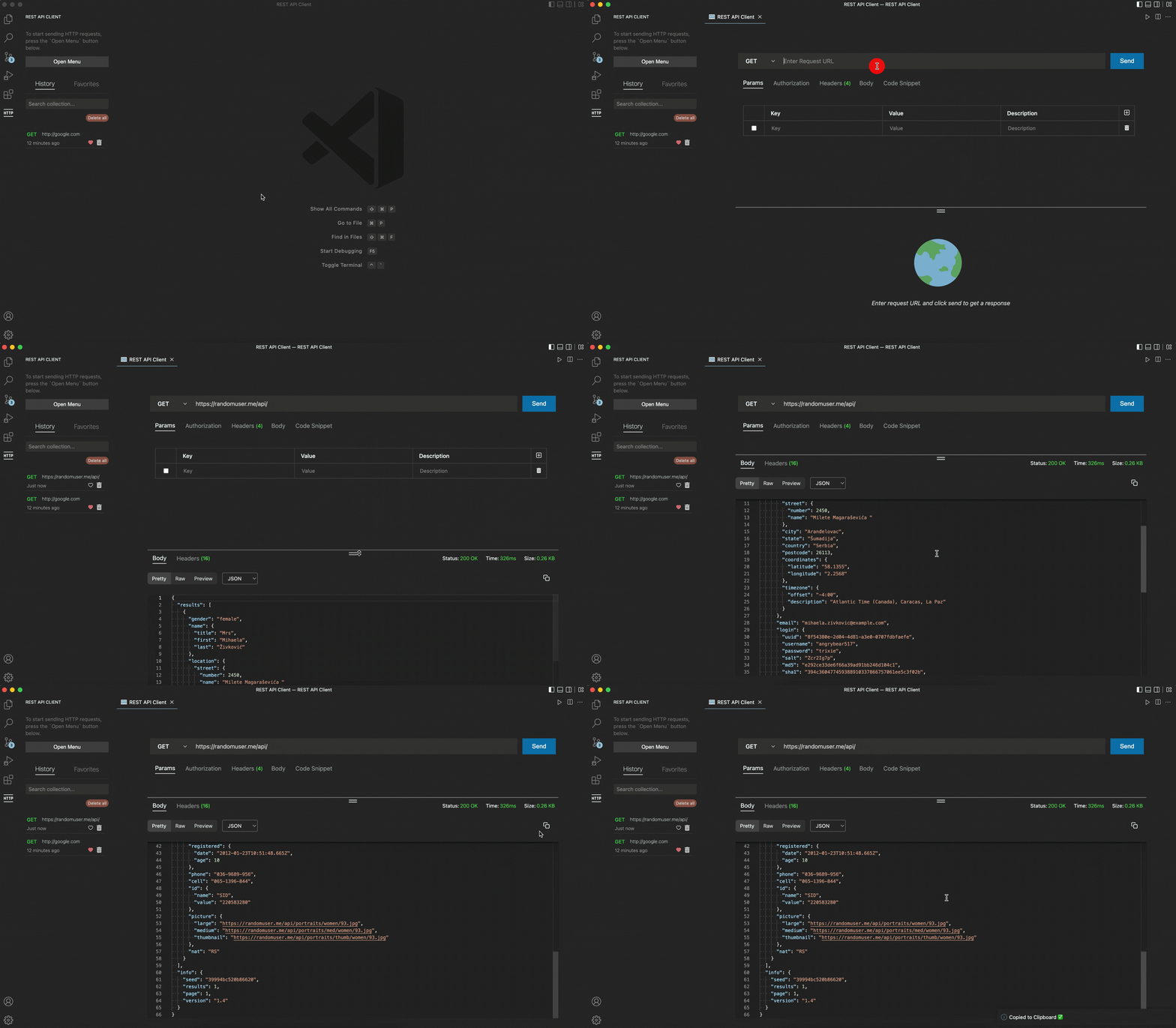
- Send a request and receive a response from your desired API endpoint.
- Eight request methods
GETPOSTPUTPATCHDELETEHEADOPTIONSWEBSOCKET- Real-time WebSocket connections with custom headers support
- Various request options
- Add parameter to your API endpoint
- Add authorization option
- Basic Authorization
- Bearer Token
- Add body data
- Form data
- x-www-form-urlencoded
- Raw data
TextJavaScriptJSONHTML
- Environment Management - Create and manage multiple environments with variables
- Define environment variables (key-value pairs)
- Switch between environments easily
- Variables are automatically substituted in your requests
- Code snippet of your current request, provided up to 18 different languages with their specific variants, to copy and paste to your codebase.

- Resizable vertical menu
- Various response body view format
- Pretty
JSONHTMLText
- Raw
Plain Text
- Visual
HTMLpreview of the response data
- Pretty
- Basic metadata information
- Status code and text
- Response size
- Approximate time measurement to receive a response from your request
- Copy and paste code button
- Response headers view mode
- History collection sidebar
- Favorites collection sidebar
- Favorites Folder Organization - Organize your favorite requests into folders
- Intuitive icon UI to favorite a request history or delete
- Search bar to find your specific request history
- Click and search from the sidebar collection

Simply click Open Menu button or open the Command Palette and type the command below:
Command+PorCommand + Shift + Pon macOS andCtrl+Shift+Pon Windows/Linux
| Command | Description |
|---|---|
> Start: New Request |
Create a API Client menu |
❗️ You can only create one panel at a time.




- Extension : VS Code Extension API
- Language: TypeScript
- UI : React JS, Styled Components
- HTTP/s Request: Axios
- WebSocket: ws
- State Management Library: Zustand
- Editor : Monaco Editor
- Local DB : VSCode extension global state API
- Code Snippet Generator : Postman-collection, Postman-Code-Generators
- Bundler: Vite
- Test: Vitest, React Testing Library
If you have a suggestion that would make this project better, please fork this repository from here and create a pull request.
I appreciate even the tiniest suggestion or contribution you make to this project.
- Fork this Project from here
- Create your Branch →
git checkout -b feature/newFeature - Code up your outstanding logic →
console.log("Hello World") - Commit your Changes →
git commit -m "feat: Add some newFeature" - Push to the Branch →
git push origin feature/newFeature - Vist your GitHub repository and open a Pull Request
- Run
git clonefrom this repository - Run
npm install - Run
npm run dev(starts both extension and webview in watch mode) - Press F5 to launch extension development mode
command + porctrl + pand type> Developer: Toggle Developer Toolsto open browser console for easy debugging
| Command | Description |
|---|---|
npm run dev |
Start development mode with hot reload |
npm run package |
Build extension and webview for production |
npm run compile |
Package extension as VSIX file |
npm run lint |
Run ESLint with auto-fix |
npm run test |
Run tests with Vitest |
npm run coverage |
Run tests with coverage report |
If you found any bugs while using this extension or you have a suggestion please post it in issues.
This extension is released under the MIT license.