Name: Jun Wang, Komal Shah
Email: wang.jun6@northeastern.edu, shah.koma@northeastern.edu
This is a "Software as a Service" web application performing CRUD operations based on the MERN stack. MERN(Mongodb, Express, React.js, Node.js). The client-side application allows users to connect with a chain restaurant, browse its menu, and place orders. The administrator-side application allows administrators to maintain the menu. When signing up users are assisted to save the address in the correct format using Google Maps API.
Version 1.0 Pizza Joint
Version 2.0 Adding Category feature, Search Order feature Italian Pizza
The application has 2 major components.
First one is the Restaurant side component which allows admin user to manage the menu by adding, editing, and removing dishes that the restaurant serve.
The second component is the client or the user component. This provides users the functionality to browse the menu, search dishes according to their criteria and look at individual dishes and place an order for one or more dish.
All the users need to login before they can place an order. Once logged in they can place an order, view their history orders, and make amends to their profile. New users can sign-up and gain access to the application.
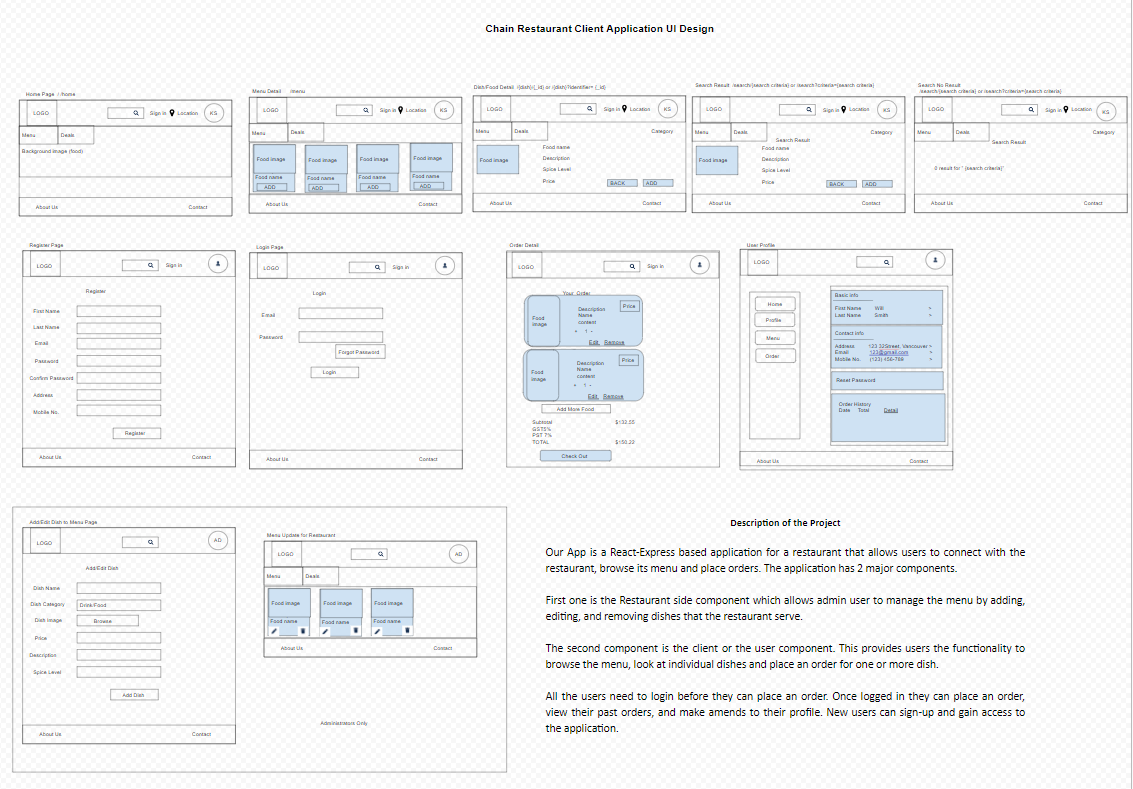
- Built project structure
- Created React components (Header, Footer, Navigation(Links), Menu DishList, DishDetail)
- Defined React Routes
- Defined Mongodb Schema for collections
- Build Modules to fulfill CRUD operations
- Setup initial server and client project structure - Komal Shah
- Setup react components, routes, links - Jun Wang
- Setup backend routes and DB connections - Komal Shah
- Add functional code to components - Jun Wang
- Setup db schema models and controller - Komal Shah
- Setup Auth0 - Jun Wang
- Define layout and style - Jun Wang
- Final Deployment - Komal Shah
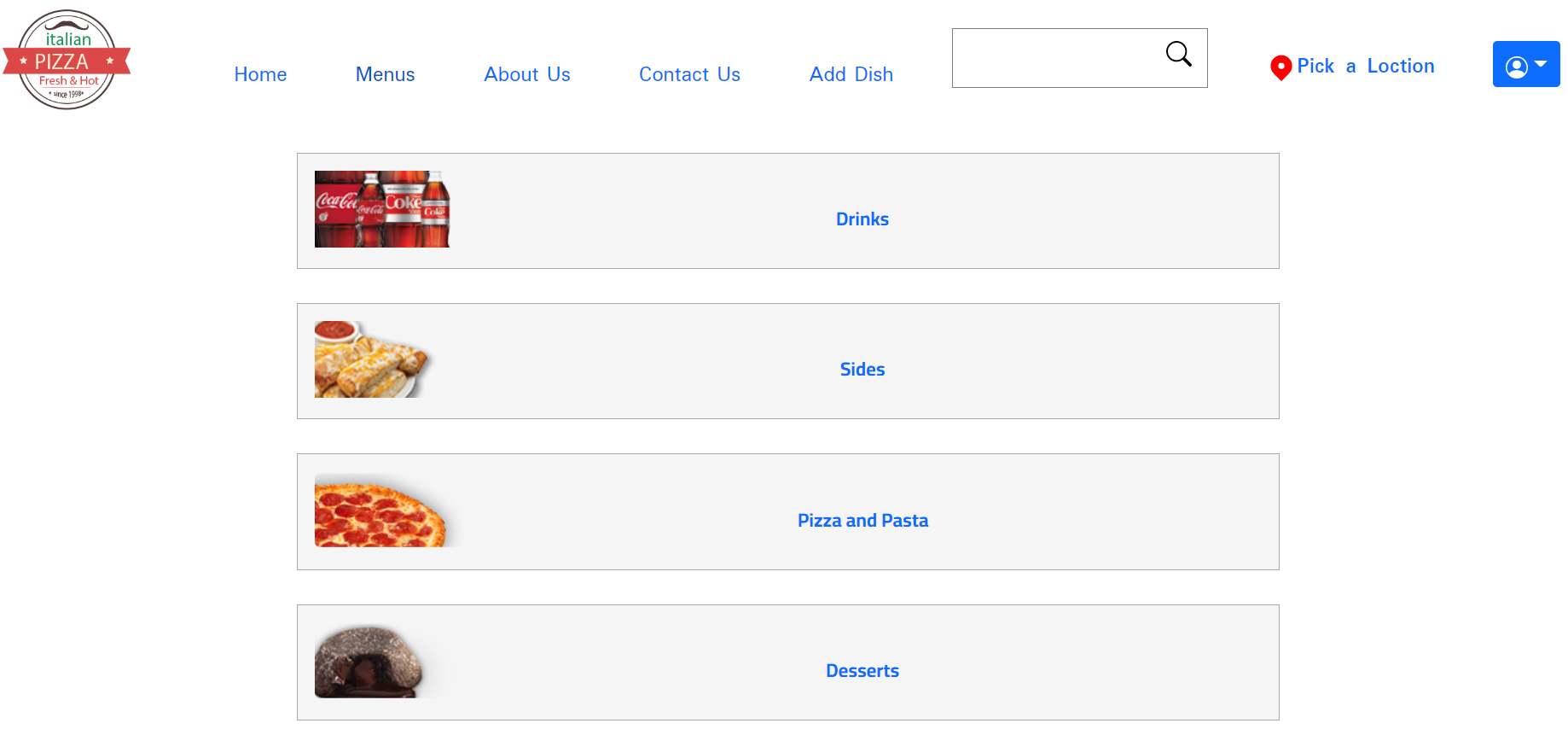
- Created React components of user profile, shopping cart and orders
- Defined React Routes for orders and users
- Built database schemas for orders and users
- Setup CRUD functions for 4 collections (category, dish, user and order)
- Setup authentication and authorization for users
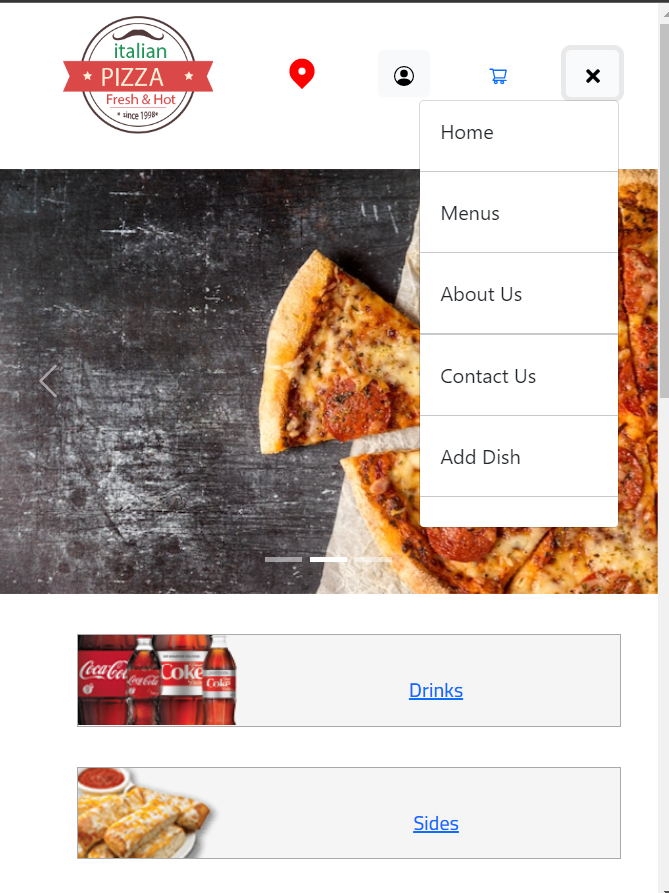
- Style components for responsive design and accessibility
- Added Checkout feature.
- Integrated Google places API for address input.
- Responsive design - Jun Wang
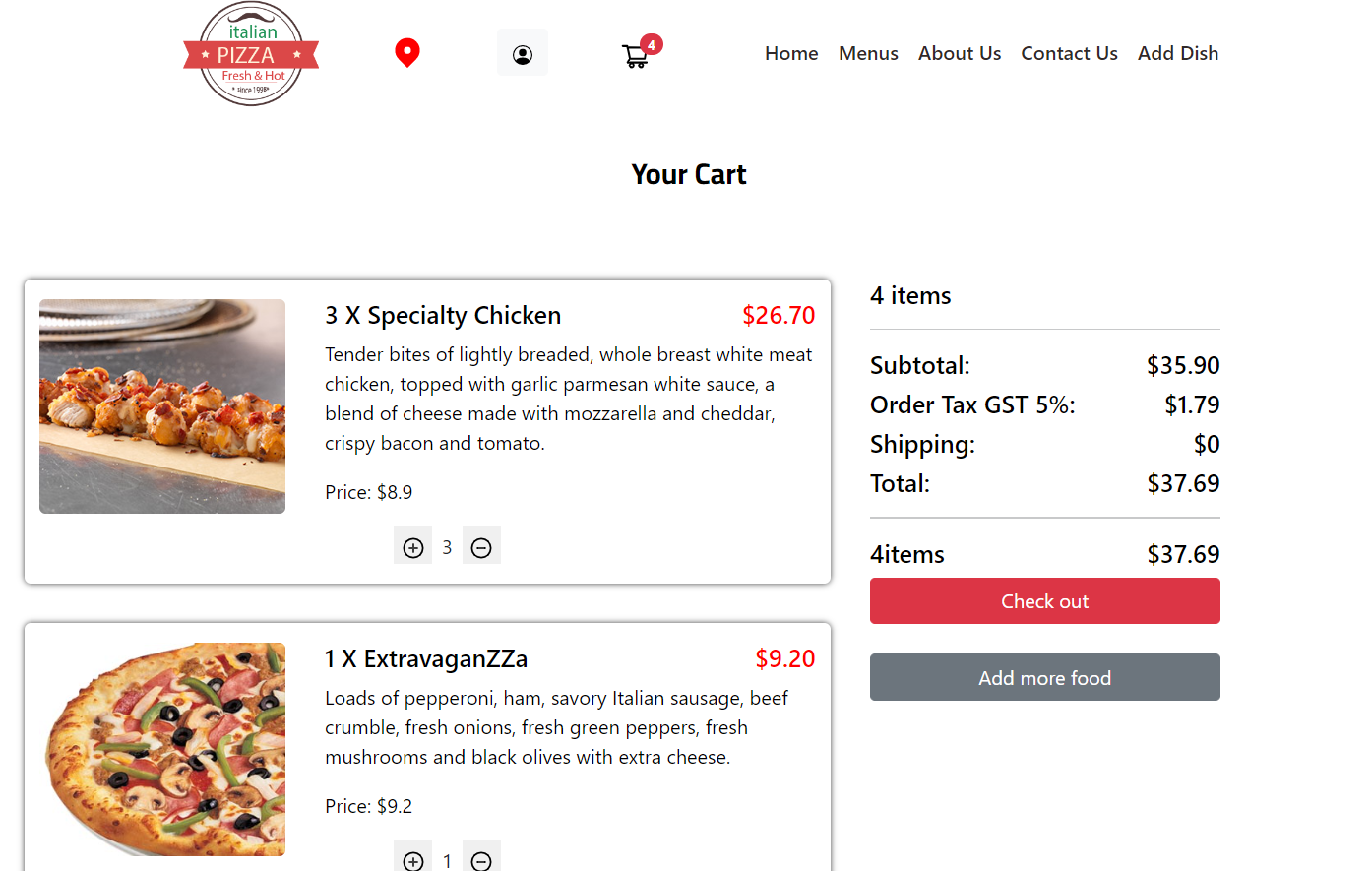
- Build shopping cart function (CRUD)- Jun Wang
- Fulfill CRUD functions for Dishes Components - Jun Wang
- Build components for orders - Jun Wang
- Setup db schema models and controller for users and orders - Komal Shah
- Build user register login and profile components - Komal Shah
- Build user authentication and authorization (tokens, password encryption) - Komal Shah
- Implement Google API for address input - Komal Shah
- Deployment to Heroku - Komal Shah
-
Responsive design
-
Shopping cart
-
Payment
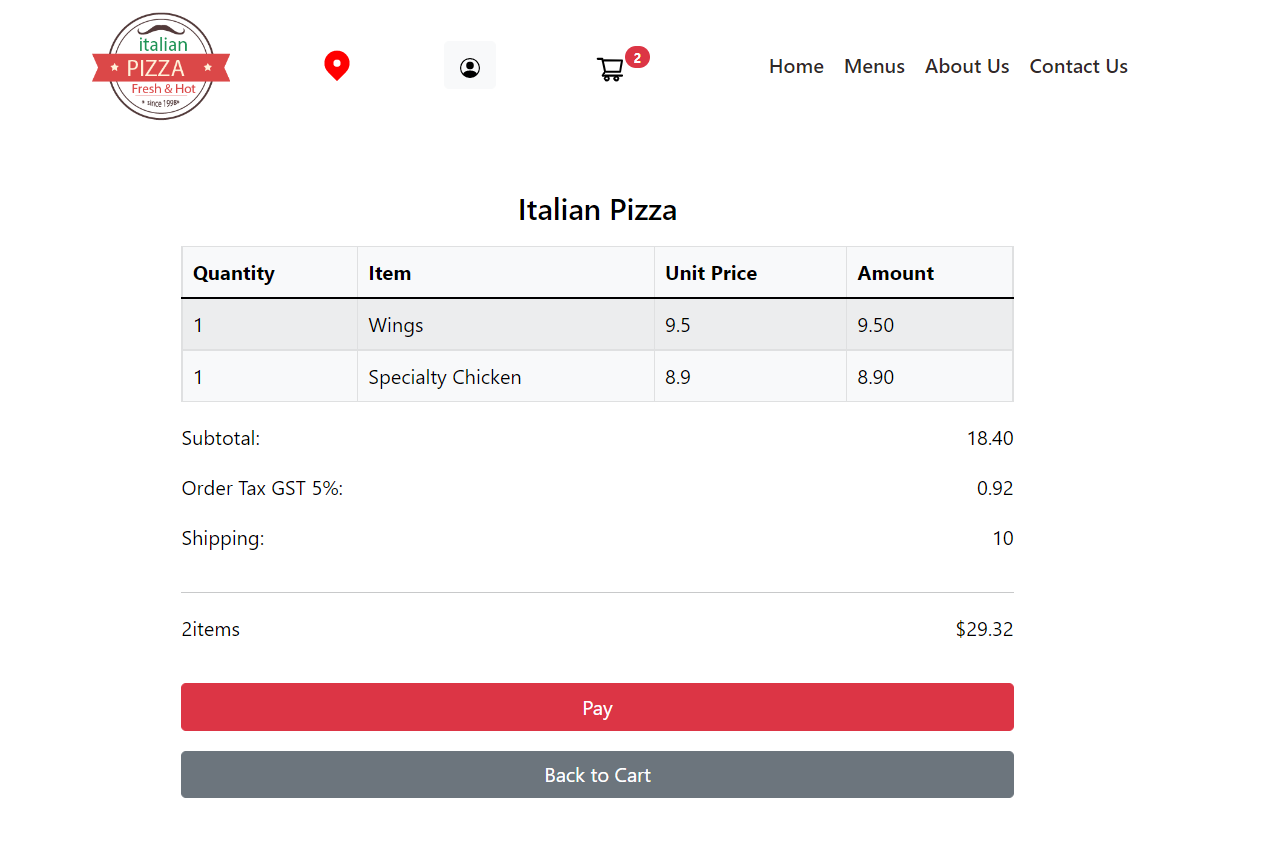
- Added errors for the user's invalid input
- Tested react components
- Improved Accessibility
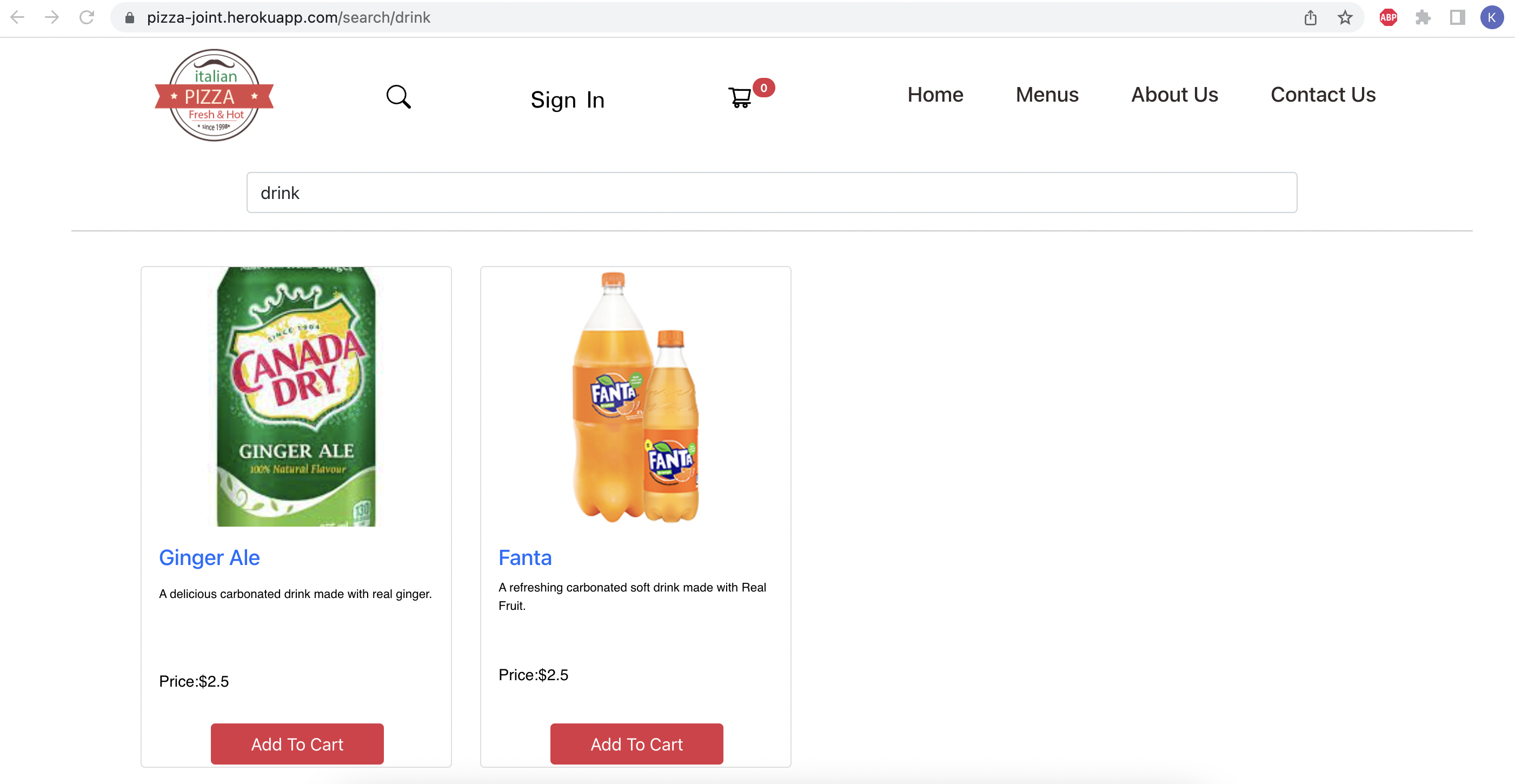
- Added Search Feature for searching dishes
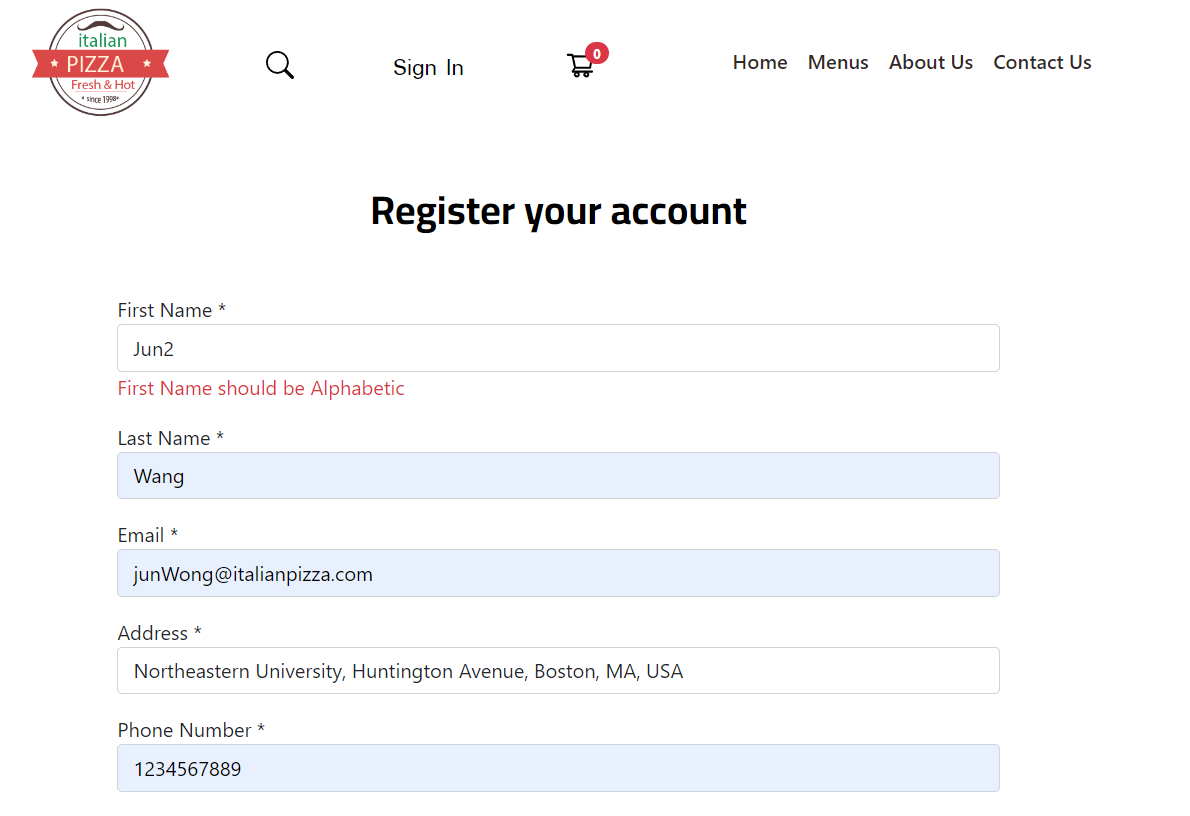
- Built Error check for user input - Komal Shah
- Tested react components - Jun Wang & Komal Shah
- Improved accessibility and Accessibitlity Report - Jun Wang
- Added Search Feature - Komal Shah
- Final deployment - Komal Shah
-
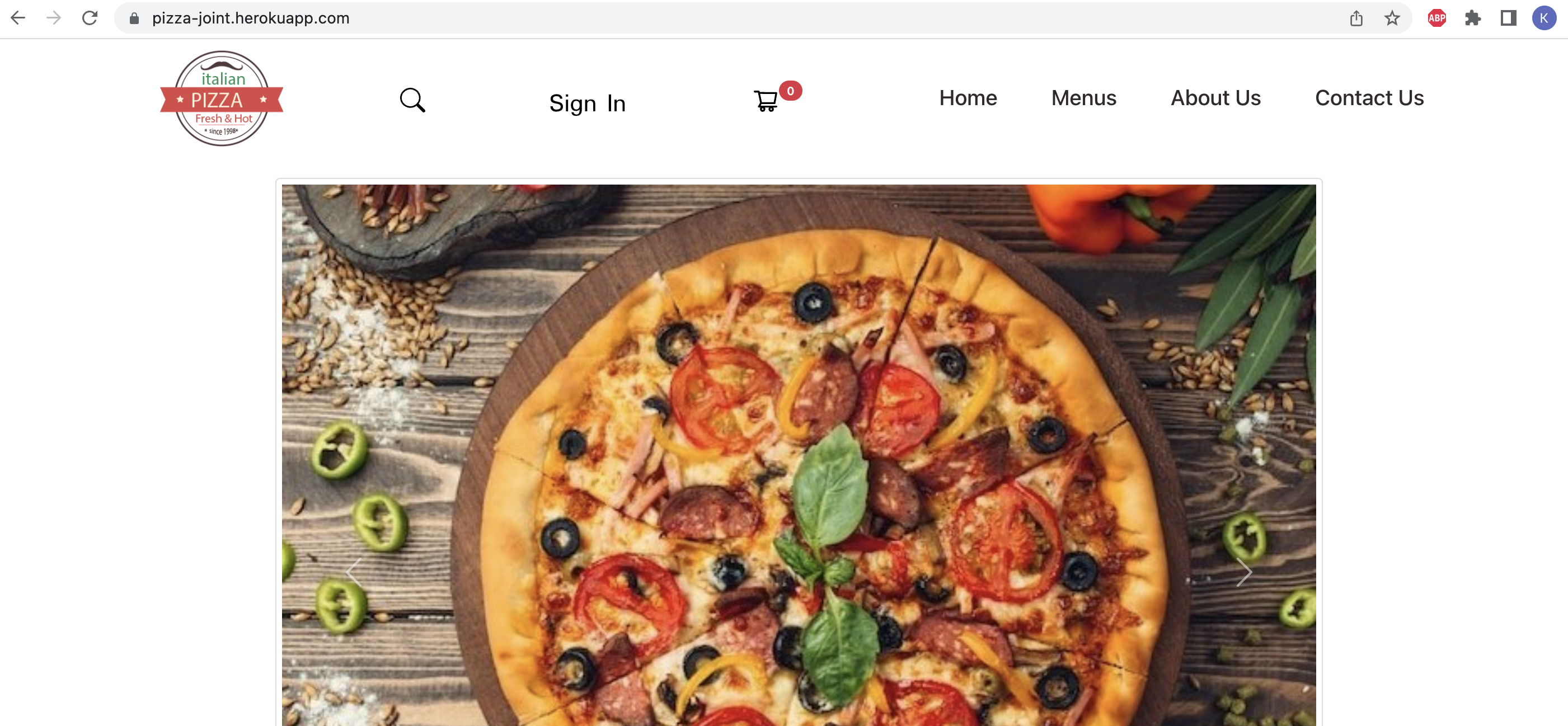
Home Page
-
Search Feature
-
Error Handling
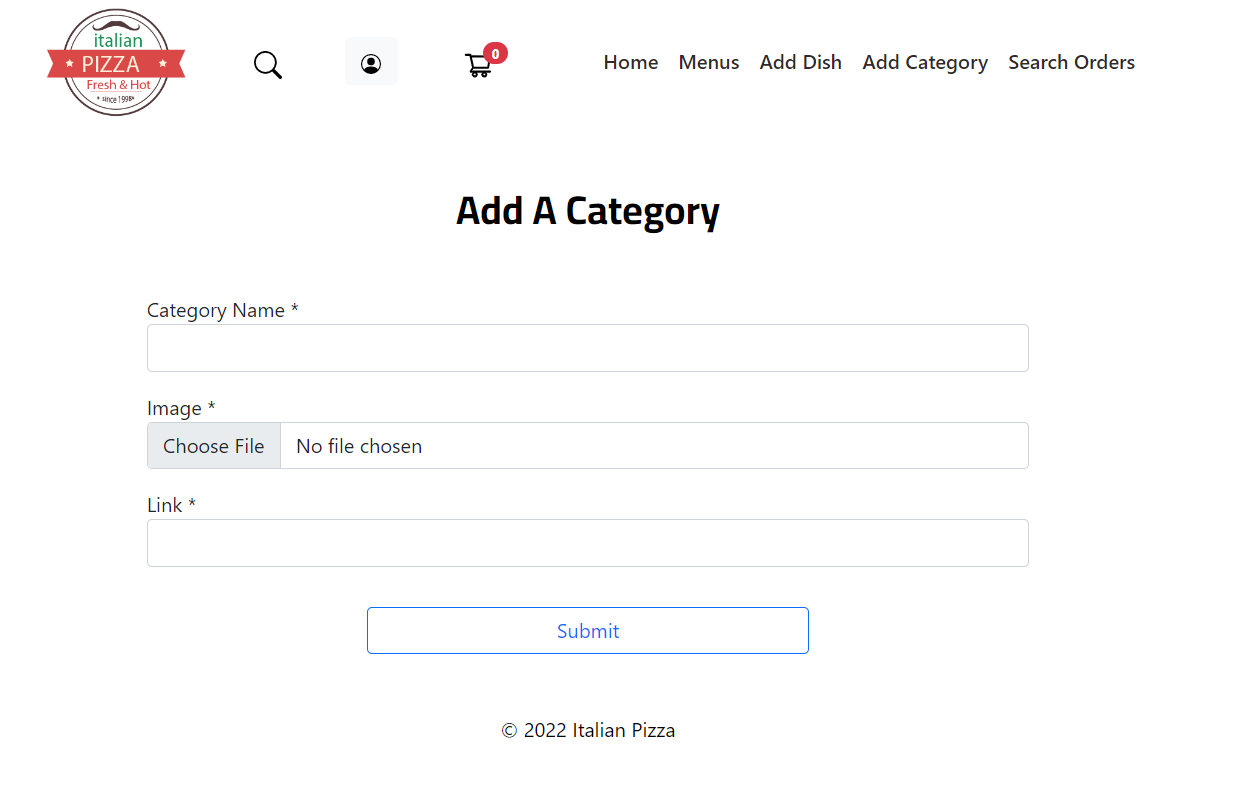
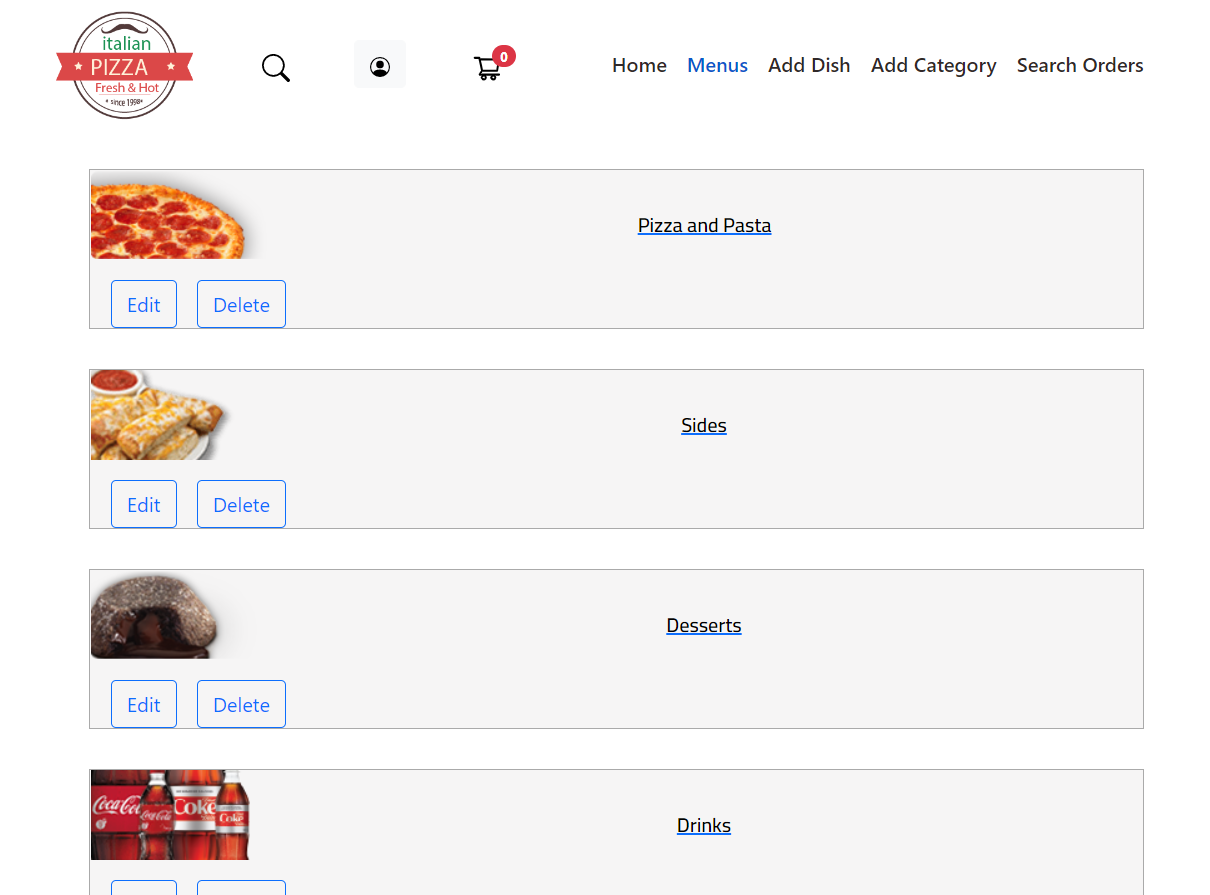
- Added CRUD operations of categories for administration.-Jun Wang
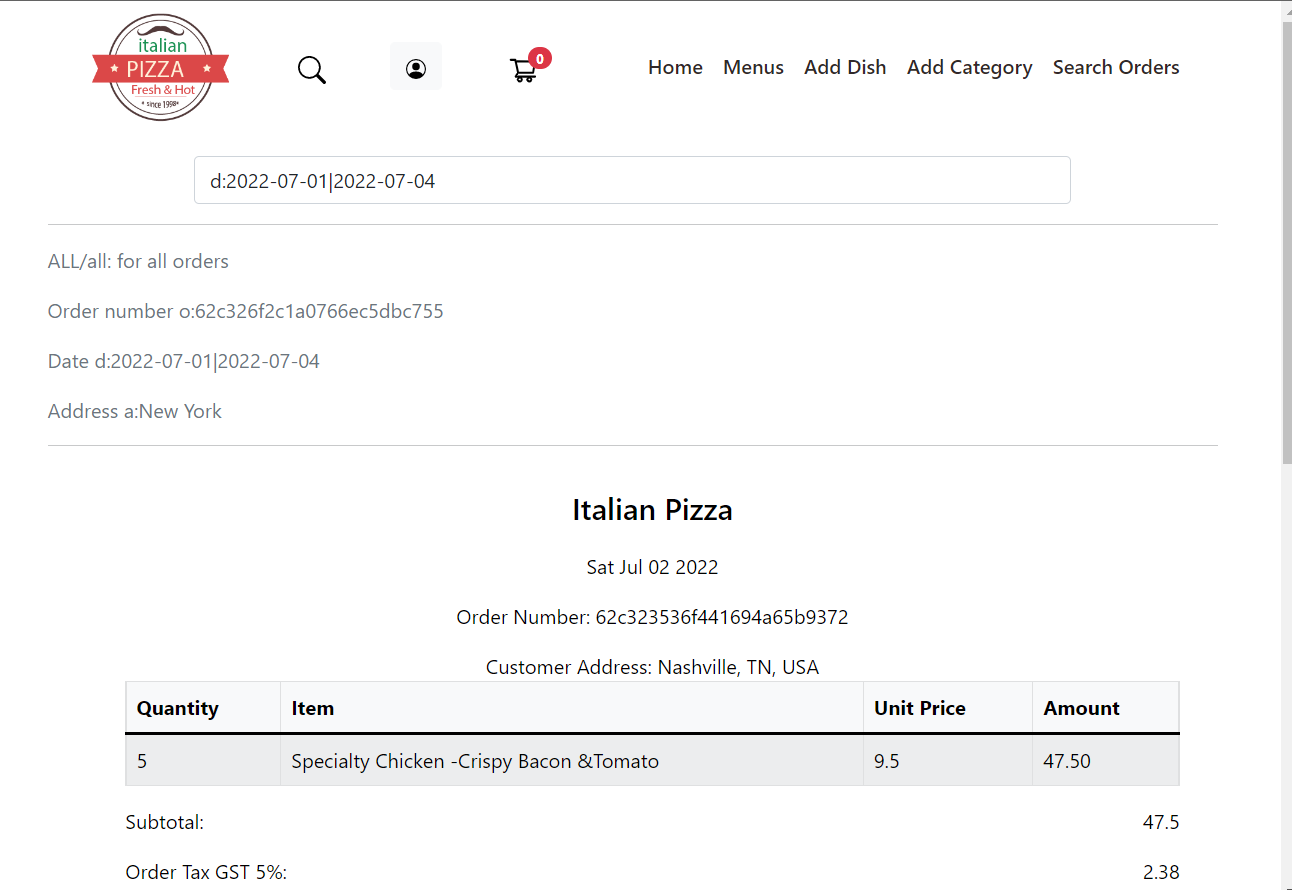
- Added Search Orders feature for administration-Jun Wang
- Add Category
- Edit Category
- Search Order
-
Clone the github repo to install the application.
-
Setup Client
a. Open Terminal and cd client.
b. Execute npm install
c. Create .env file touch .env
d. Add following parameters: REACT_APP_SECRET="<secret key for encryption>"
e. To start the UI, execute npm start
f. Application UI is accessible now at link.
- Setup Server
a. Open Terminal and cd server.
b. Execute npm install
c. Create .env file touch .env
d. Add following parameters: ```DB_URI = ""
PORT = 5000 TOKEN_KEY = "" SECRET=""```
e. To start the server, execute npm start
f. The application server is accessible now at link.
-
Build the frontend(client)
a. on Linux
cd client && npm run buildb. on windows
change client/package.json "build": "rm -rf ../server/public/build; react-scripts build; mv build ../server/public", to "build": "rmdir /s ../server/public/build && react-scripts build && mv build ../server/public", then run
npm run build -
go to backend(server)
cd ..\servera. adding a file name as Procifile with content "web: npm start"
b. login heroku
heroku loginc. create a heroku app
heroku create app-named. push code to git
git initheroku git:remote -a app-namegit add .git commit -am "itatlian pizza code"git push heroku master
NA
NA
NA